

You downloaded an image from Adobe Stock, used it in a client project, and moved on. Six months later, a copyright dispute lands in your inbox and the only proof you have is a download link that now returns a 404. Download links expire, accounts get restructured, and platforms change their URLs. Without an actual licence certificate on file, you are one broken link away from an expensive problem.
Photo by RDNE Stock project from Pexels
TL;DR:- A download link proves you clicked a button. A licence certificate proves you have legal permission to use the asset.
- Adobe Stock download links can expire, change, or become inaccessible after account changes.
- Saving the actual licence certificate PDF or record for every asset is the only reliable way to defend against copyright claims.
The download link illusion
Most freelance designers treat the Adobe Stock download confirmation screen as proof of licence. It feels official: you see the asset ID, the date, and a green checkmark. But that screen lives inside your browser session. Close the tab, clear your cache, or let your subscription lapse, and that "proof" vanishes.
A download link is a URL pointing to a file on Adobe's servers. It confirms delivery of pixels, not the legal grant of rights. The licence certificate, by contrast, is a standalone document that records the licence type (Standard or Enhanced), the licensee name, the asset ID, and the date of licence. It exists independently of your account status.
Think of it this way: a shipping tracking number proves a package moved through a warehouse. It does not prove you own what was inside. The licence certificate is your receipt of ownership.
Why links break

Download links from Adobe Stock are not permanent by design. Several real scenarios cause them to stop working:
- Subscription cancellation or downgrade. Once your plan ends, your licence history page may become partially or fully inaccessible.
- Account migration. Adobe periodically merges systems (remember the Fotolia-to-Adobe Stock migration?). Old URLs break during these transitions.
- Platform URL restructuring. Adobe updates its web app regularly. Bookmarked links from 2023 may not resolve the same way in 2026.
- Team seat changes. If you downloaded an asset under a shared team account and that seat gets reassigned, the download history follows the seat, not you.
None of these scenarios are hypothetical. They happen to working designers every month.
What a licence certificate contains

An Adobe Stock licence certificate includes specific fields that a download link never provides:
- Licensee name (the person or company legally permitted to use the asset)
- Asset ID and title
- Licence type (Standard or Enhanced)
- Date of licence
- Permitted use summary referencing Adobe Stock's terms
"The Illustrative Editorial collection focuses on conceptual imagery that uses real brands and products to convey strong ideas.">, Common Questions, Adobe Stock
Adobe Stock does offer licence certificates through the Licence History page in your account. The problem is that accessing them requires manual effort: you click into each asset, generate the certificate, and save it. For a freelancer licensing 10-20 assets per month, that is tedious. For someone with hundreds of assets across years of work, it is practically impossible to do retroactively.
How to secure your certificates
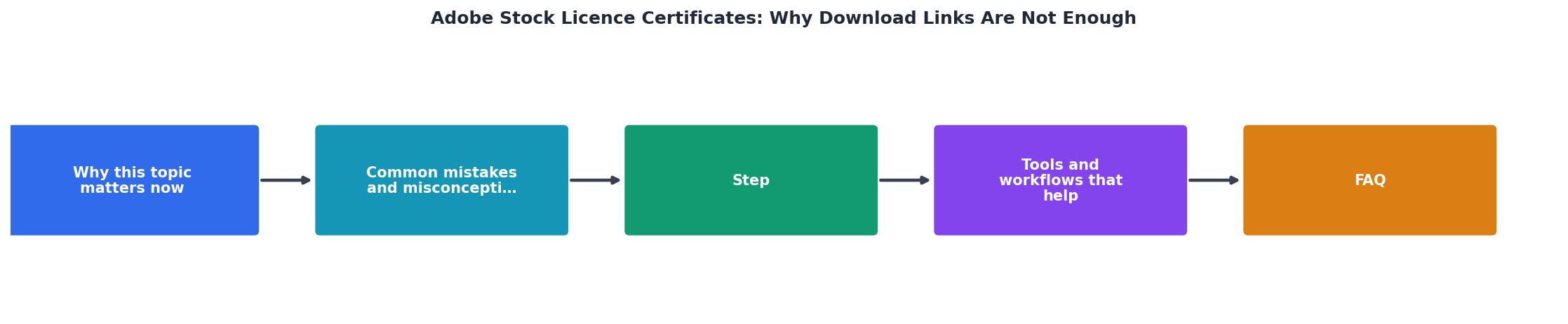
The process breaks down into four steps: Audit, Download, Organize, and Backup.
- Audit your Adobe Stock licence history. Log into your account, navigate to the Licence History page, and note how many assets you have licensed. Sort by date to identify gaps.
- Download the licence certificate for each asset. Adobe provides a "Download licence" or "Licence info" option next to each item. Save the PDF or record locally.
- Organize certificates by project, client, or date. A simple folder structure like
Licences/ClientName/2026/works. Name each file with the asset ID for quick retrieval. - Backup your licence folder to cloud storage (Google Drive, Dropbox, or your agency's shared drive). Certificates are small files, so storage cost is negligible.
Here is what a typical freelancer's licence management dashboard might look like after organizing their certificates:
Licence Certificate Status
This example shows a freelancer with 147 Adobe Stock assets. 121 certificates are safely stored, but 19 are missing and 7 links have already expired. Those 26 gaps represent real legal exposure.
Common mistakes that cost time

Designers make the same errors repeatedly when it comes to licence documentation:
- Relying on email confirmations. Adobe sends purchase/download emails, but these are not licence certificates. They confirm a transaction, not the specific rights granted.
- Saving only the image file. The JPEG or PNG contains no embedded licence metadata. The file itself proves nothing about your right to use it.
- Assuming the platform keeps records forever. Adobe's terms do not guarantee perpetual access to your licence history. Account closures, migrations, and policy changes can all affect access.
- Mixing personal and client accounts. If you download under your personal subscription but deliver to a client project, the licence is tied to your account. If the client later needs proof and you have changed subscriptions, retrieving that certificate becomes a scramble.
| Download Link | Licence Certificate |
|---|---|
| URL that can expire | Standalone PDF document |
| Proves file delivery | Proves legal permission |
| Tied to active session | Works offline, permanently |
| No licensee name | Names the licence holder |
| Not accepted in disputes | Accepted as legal proof |
Adobe Stock Licence Certificate Action Plan
Your progress is saved automatically in your browser.
FAQ
Frequently Asked Questions
Additional Resources
- What is the limit of downloads from adobe stock in creative ... - Hi guys, I just changed my plan to creative cloud subscription and I have access to adobe stock in it but it is nowhere showing the download limits, If ...
- No downloads are working (no preview or licensed) - Tried to troubleshoot by using different browsers, login off and on, double check my cookie setting or anything that would block a download.
- FAQ | Usage and licensing - Because Adobe Stock only grants a right to use images and does not transfer the ownership, these images cannot be used in or as a logo. Do all ...