
You downloaded 47 stock images last month across three different platforms. A client calls six months later asking for proof that one specific hero image was properly licensed. You spend the next two hours clicking through Freepik, Adobe Stock, and Envato dashboards trying to locate a single certificate. AI is about to make that entire ritual obsolete.
Photo by Tara Winstead from Pexels
TL;DR:- AI can automate the tracking, retrieval, and organization of stock media licence certificates across every platform you use.
- Freelancers who adopt AI-driven licence management cut administrative time dramatically and reduce the risk of missing documentation during audits or client disputes.
- Current AI tools already handle document classification, metadata extraction, and cross-platform syncing, and purpose-built solutions for licence management are catching up fast.
The licence chaos freelancers know too well
Every freelance designer juggles multiple stock platforms. Freepik for quick vectors, Adobe Stock for premium photography, Envato Elements for templates. Each platform stores licence records differently. Some bury them three clicks deep in account settings. Others email a PDF you archived in a Gmail folder two years ago. A few generate certificates only at the moment of download, and if you missed it, good luck.
The result: licence proof is scattered across email inboxes, browser bookmarks, local folders, and platform dashboards with no single source of truth. When a client's lawyer sends a polite-but-firm request for documentation, the scramble begins. This is not a hypothetical scenario. It happens regularly, and it costs billable hours every single time.
The core problems break down into three categories:
- Fragmented storage across platforms with incompatible export formats
- Time-intensive retrieval that pulls you away from actual design work
- Compliance risk when you simply cannot locate proof for an asset used months ago
How AI automates licence tracking

AI changes the game by handling the tedious parts of licence management without human intervention. Here is what that looks like in practice:
- Automatic detection: AI monitors your downloads and purchase confirmations across connected platforms, identifying new licence events as they happen.
- Document classification: Machine learning models trained on licence certificate formats can distinguish a Shutterstock Standard Licence from a Freepik Premium certificate and tag each correctly.
- Metadata extraction: AI reads the licence PDF or HTML page, pulls out the asset ID, licence type, purchase date, permitted uses, and expiration (if any), then stores it in a structured database.
- Cross-referencing: When you use an asset in a client project, AI can match the file hash or embedded metadata to the correct licence record automatically.
"Freelance Writer's Productivity Boost: A content writer used an AI assistant to automate research and outline generation, reducing project turnaround time by 40%.">, AI Assistant For Freelancers
The same principle applies to licence admin. Automating the research-and-retrieval portion of licence management frees up hours every month.
AI tools already hinting at the future

Several categories of AI tools already demonstrate capabilities that translate directly to licence management:
Document AI platforms like Google Document AI and Amazon Textract extract structured data from PDFs and scanned documents. Feed them a stack of licence certificates and they return clean, searchable records.
Email parsing tools such as Parsio and Mailparser use AI to scan incoming emails for purchase confirmations, extract key fields (order ID, asset name, licence type), and push them into spreadsheets or databases automatically.
Asset management systems like Brandfolder and Bynder have started integrating AI tagging that identifies image content and links it to usage rights metadata. The gap between "this image contains a mountain landscape" and "this image is licensed under Shutterstock Standard" is closing.
Dedicated licence tools like Licence Downloader already bulk-retrieve licence certificates from platforms like Freepik, Shutterstock, Adobe Stock, Envato, iStock, and Canva. Adding AI-driven classification and automatic matching to downloaded assets is the logical next step.
| Manual Licence Management | AI-Assisted Management |
|---|---|
| Search each platform separately | Unified cross-platform retrieval |
| Copy-paste metadata into spreadsheets | Automatic extraction and tagging |
| Hope you saved the right PDF | Verified file-to-licence matching |
| Hours per month on admin | Minutes per month on admin |
| Gaps discovered during audits | Gaps flagged proactively |
Benefits that hit your bottom line
The practical benefits of AI-driven licence management go beyond convenience. They affect your income directly.
Time savings: Searching for a single licence certificate manually takes 5 to 15 minutes depending on the platform. Multiply that by 20 client requests per year and you lose entire workdays. AI retrieval takes seconds.
Error reduction: Manual tracking means human mistakes. A mismatched asset ID, a certificate from the wrong account, a licence that expired without notice. AI cross-references every field and flags inconsistencies before they become problems.
Professional credibility: Responding to a client's licence request within minutes instead of days signals competence. It builds trust. Clients who trust you come back with bigger projects.
Legal protection: If a copyright claim lands in your inbox, having organized, AI-verified licence documentation ready to go turns a potential crisis into a five-minute email reply.
Here is an example dashboard showing what AI-organized licence data could look like for a typical freelancer managing assets across three platforms over a quarter:
AI Licence Dashboard
Example: Q2 overview for a freelancer using 3 platforms
Drawbacks worth knowing about
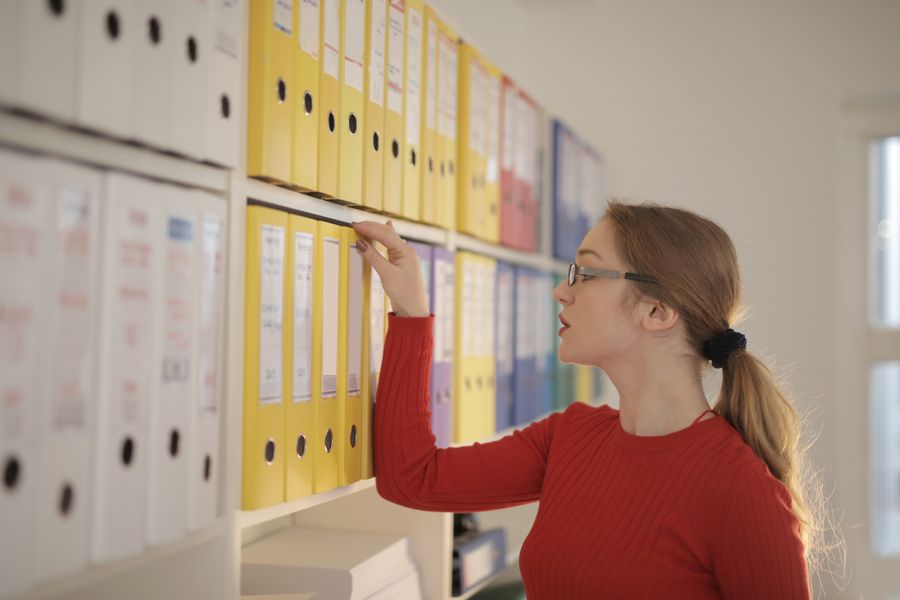
AI is not a magic fix. Honest assessment matters more than hype.
Platform access limitations: Stock platforms do not all offer open APIs. AI tools that need to pull licence data may rely on browser automation or email parsing, which can break when a platform updates its interface.
Accuracy is not 100%: Document classification models make mistakes, especially with unusual licence formats or languages. A misclassified "Editorial Use Only" licence treated as "Commercial" could create real legal exposure. Human review remains necessary for edge cases.
Cost considerations: AI-powered tools carry subscription fees. For a freelancer downloading 10 assets per month, the ROI calculation is different than for someone handling 200. Evaluate whether the time savings justify the expense for your specific volume.
Data privacy: Feeding licence documents (which contain your account details, purchase history, and client project names) into third-party AI services raises privacy questions. Check where data is stored and who can access it.
Integrating AI into your workflow
This is where theory meets practice. The process does not require a computer science degree. It requires a clear sequence of small steps.
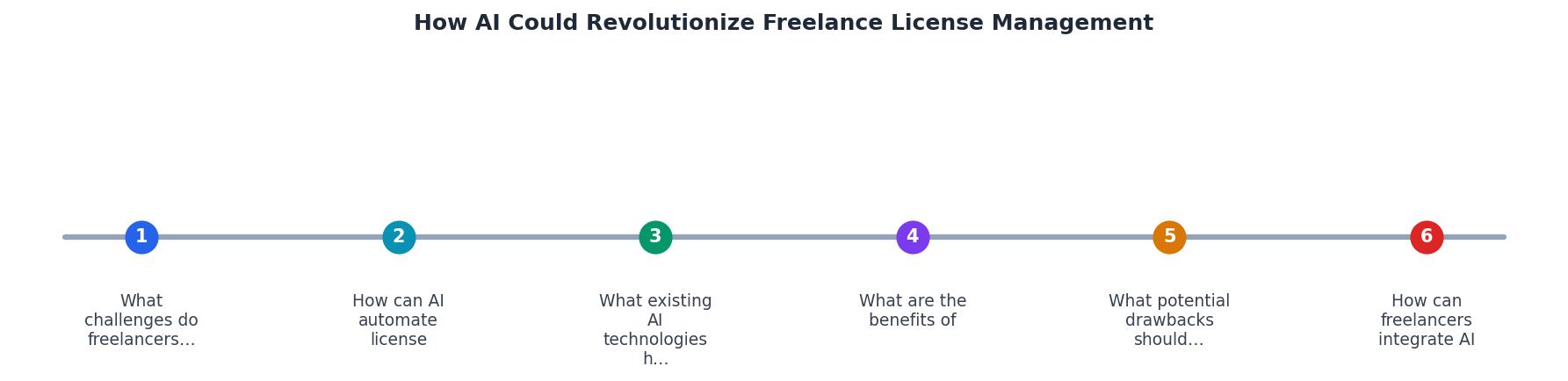
The diagram above outlines the core flow. Here is how each step works:
- Audit current licences - List every stock platform you use and count how many assets you downloaded in the past 12 months. Check which platforms let you bulk-export licence records.
- Bulk-retrieve certificates - Use a tool like Licence Downloader to pull all existing licence certificates into one local folder. This creates your baseline archive.
- Set up AI classification - Connect a document AI service (or a built-in feature of your licence tool) to scan and tag each certificate by platform, licence type, and date.
- Link licences to projects - Map each licence to the client project where the asset was used. AI can assist by matching file hashes or asset IDs found in your project files.
- Automate ongoing tracking - Configure email parsing or platform monitoring so new purchases are captured and classified automatically going forward.
- Schedule quarterly reviews - AI flags anomalies, but a 15-minute human review each quarter catches anything the system missed.
The key insight: you do not need to wait for a perfect all-in-one AI solution. Combining existing tools (bulk retrieval + document AI + a simple spreadsheet or database) gets you 80% of the benefit right now.
AI Licence Management Setup Checklist
Your progress is saved automatically in your browser.
FAQ
Frequently Asked Questions
Additional Resources
- AI Assistant For Freelancers - Whether you're a writer, designer, developer, or consultant, an AI assistant can help you manage tasks, generate ideas, and even handle client communications.
- AI in software license management: Benefits and challenges - AI is poised to transform software license management from a reactive, manual process into a proactive, intelligent, and optimized function.
- How AI is Transforming Freelancing with Examples - AI tools are revolutionizing how freelancers manage their projects by optimizing workflows and improving time management. These tools provide insights and ...