
Last quarter a mid-size marketing agency received a six-figure copyright infringement claim over a single stock photo used in a client campaign three years earlier. Nobody could find the licence certificate. The designer who purchased it had left the company two years ago, and the platform account had since been restructured. That one missing document turned a routine legal inquiry into a crisis that consumed weeks of billable time and ended in a costly settlement. Regular licence audits exist to make sure that scenario never happens to your agency.
Photo by RDNE Stock project from Pexels
TL;DR:- Regular licence audits catch expired, missing, or mismatched stock-media licences before they become legal liabilities.
- A structured audit process keeps your agency compliant across every platform, every seat, and every client project.
- Maintaining updated records reduces fire-drill responses to client legal requests and protects revenue.
Why Licence Audits Matter
Stock-media licensing is not a one-and-done task. Subscriptions renew, team members rotate, and licence terms change. An image licensed under a standard plan in 2024 might now require an extended licence for the way your client uses it in 2026. Without periodic verification, gaps accumulate silently.
The core benefit is straightforward: audits turn reactive scrambling into proactive governance. Instead of hunting for proof when a claim arrives, you already have it organized, verified, and accessible. For agencies handling hundreds of assets per month across Shutterstock, Adobe Stock, Freepik, Envato, iStock, and Canva, this is not optional hygiene. It is operational infrastructure.
"The Business Software Alliance (BSA) reports that as much as 37% of software in use is unlicensed.">, The Importance of Software License Audit Preparation
That statistic covers software broadly, but the pattern applies directly to stock media. If over a third of software licences slip through the cracks at established organizations, imagine the gap at agencies juggling dozens of creative subscriptions with freelancer turnover on top.
How Audits Enhance Compliance

Compliance verification is the process of confirming that every asset your agency uses has a valid, current licence that covers the actual usage context. Here is what that looks like in practice:
- Matching assets to licences. Every image, video clip, icon, or template in active use gets cross-referenced against a licence certificate or proof-of-purchase record.
- Checking usage scope. A standard Shutterstock licence covers up to 500,000 print copies. If your client's campaign exceeded that threshold, you need an extended licence. Audits catch these mismatches.
- Verifying account ownership. When a freelancer purchases an asset on their personal Envato account for your client project, the licence technically belongs to the freelancer. Audits flag these ownership ambiguities.
- Confirming active subscriptions. A cancelled Freepik Premium subscription does not retroactively revoke licences for assets downloaded during the active period, but it does mean new downloads are unlicensed. Audits clarify the boundary.
Agencies that complete even one full audit cycle typically report a dramatic increase in confidence when responding to client legal inquiries. The difference between "let me check" and "here is the documentation" is the difference between a fire drill and a five-minute email.
Steps in an Agency Licence Audit
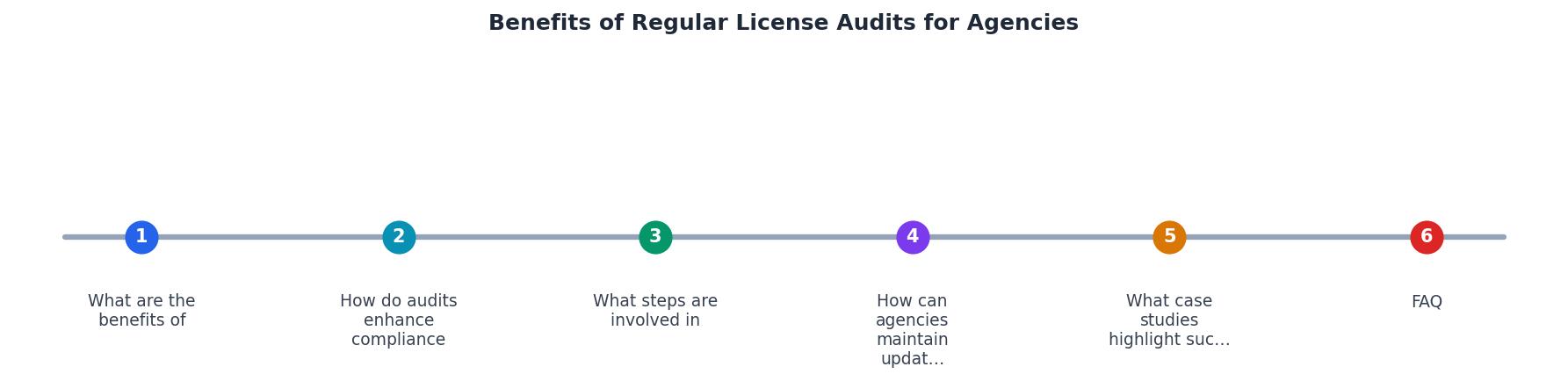
The diagram above outlines the core flow. Here is each step expanded with concrete actions:
Inventory All Active Assets
Start by compiling a list of every stock asset currently in use across all client projects. Pull from project folders, design files (Figma, Adobe Creative Cloud libraries), CMS uploads, and ad platform creatives. Tag each asset with:
- Platform of origin (Adobe Stock, Shutterstock, Canva, etc.)
- Asset ID or filename
- Client project association
- Date of download or purchase
Collect Licence Certificates
For each asset, locate the corresponding licence certificate or proof of purchase. This is where the process gets painful without automation. Each platform stores licence documentation differently:
- Shutterstock provides downloadable licence certificates per image.
- Adobe Stock shows licence history in the account dashboard.
- Freepik includes licence details in the download confirmation.
- Envato Elements offers a licence certificate generator per item.
- iStock provides receipt-based licence proof.
Cross-Reference and Flag Gaps
Compare your asset inventory against collected licences. Flag any asset that:
- Has no matching licence certificate
- Has a licence type that does not cover the current usage (e.g., editorial-only licence used in a commercial campaign)
- Was purchased under a now-departed team member's personal account
- Belongs to an expired subscription with unclear post-cancellation rights
Resolve and Document
For each flagged item, take action: re-purchase the licence, upgrade to an extended licence, replace the asset, or obtain a transfer of rights. Document every resolution with a date stamp and the responsible team member.
Archive and Schedule Next Audit
Store all verified licences in a centralized, backed-up location. Set a calendar reminder for the next audit cycle.
The following interactive element shows what a typical agency audit dashboard might look like after completing one full cycle across three platforms:
Agency Licence Audit Summary (Q2 Example)
Maintaining Updated Licence Records
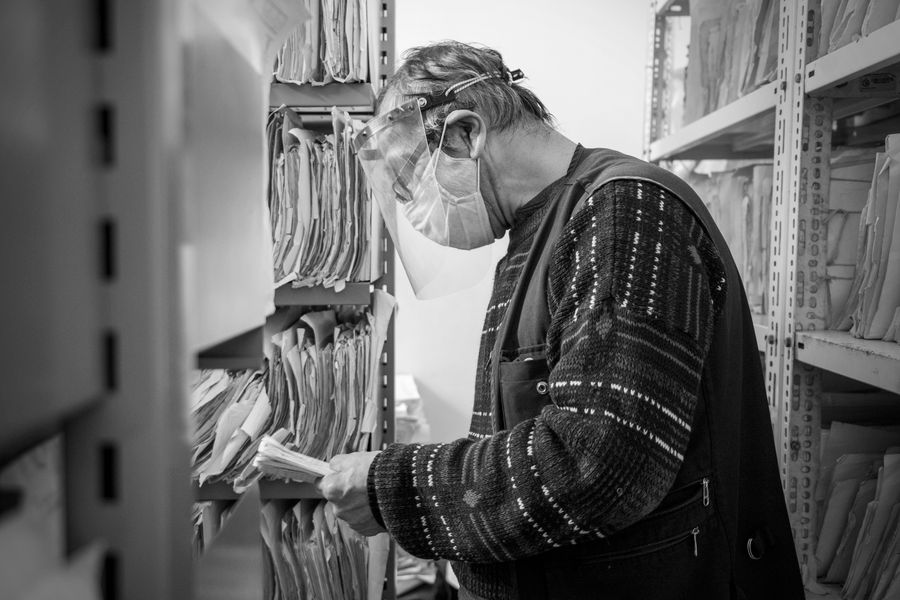
An audit is only as good as the record-keeping system that supports it. Here are the practices that separate agencies with clean compliance from those running on luck:
Centralized storage. Every licence certificate, receipt, and proof-of-purchase document lives in one location. A shared Google Drive folder, a Notion database, or a dedicated DAM (Digital Asset Management) system all work. What does not work: certificates scattered across individual email inboxes and browser download folders.
Consistent naming conventions. Name files so they are searchable without opening them. A pattern like [Platform]_[AssetID]_[ClientProject]_[Date].pdf makes retrieval instant. Example: Shutterstock_2198437651_AcmeCampaignQ2_2026-04-15.pdf.
Automated collection. Manual downloading of licence certificates from five different platforms is tedious and error-prone. Tools like Licence Downloader automate bulk retrieval, which is especially valuable for agencies processing hundreds of assets monthly.
Onboarding and offboarding protocols. When a new designer joins, they get access to the shared stock accounts and training on where to save licence proof. When someone leaves, their personal-account purchases get flagged for licence transfer or asset replacement. This prevents the "the designer who bought it left" problem.
Version control for licence terms. Platforms update their licence agreements. Shutterstock revised its standard licence terms in recent years. Keep a dated copy of the licence terms that were in effect when each asset was downloaded. This protects you if a platform later restricts usage that was previously allowed.
| Manual Record-Keeping | Automated Record-Keeping |
|---|---|
| Hours per week on certificate downloads | Minutes per week with bulk retrieval |
| Certificates in scattered email threads | Centralized, searchable archive |
| Gaps discovered only during crises | Gaps caught during scheduled audits |
| Depends on individual team members | Process survives staff turnover |
| Scales poorly past 50 assets/month | Handles hundreds of assets consistently |
Real-World Audit Outcomes

Concrete examples illustrate why this matters beyond theory.
Scenario 1: The client legal request. A 25-person digital agency received a request from a Fortune 500 client's legal department: provide licence documentation for every stock asset used in a 14-month campaign. The agency had implemented quarterly audits six months earlier. They delivered a complete package of 312 licence certificates within 48 hours. Before audits, the same request would have taken two to three weeks of frantic searching and likely would have surfaced gaps requiring emergency re-licensing.
Scenario 2: The freelancer departure. A creative agency discovered during an audit that a departing freelancer had purchased 47 Envato Elements assets under a personal subscription for agency client work. The licences technically belonged to the freelancer, not the agency. The audit caught this before the freelancer's subscription lapsed, giving the agency time to either re-download under their own account or negotiate a licence transfer.
Scenario 3: The scope mismatch. An audit revealed that a stock video clip licensed under a standard Shutterstock plan was being used in a client's broadcast television commercial, which required an enhanced licence. The agency upgraded the licence for a few hundred dollars. Without the audit, a copyright holder could have pursued damages in the tens of thousands.
Agency Licence Audit Checklist
Use this template to run your next audit cycle. Adapt the frequency and detail level to your agency's size and asset volume.
Quarterly Agency Licence Audit Template
Your progress is saved automatically in your browser.
FAQ
Frequently Asked Questions
Additional Resources
- The Importance of Software License Audit Preparation | NPI - Conducting regular internal software license audits produces several key benefits, including: Enhancing cost management and elevating ...
- Software License Audits and Why You Need One - Benefits of performing a software license audit · Maintain software quality · Remove unused licenses · Improve business operations · Create a better ...
- The Benefits of Regular Software Audits - Regular audits help organizations navigate the intricate web of licensing agreements, preventing legal entanglements and financial penalties. By conducting ...