

Agencies download hundreds of stock assets every month across Shutterstock, Adobe Stock, Envato Elements, iStock, and Freepik. When a client's legal team asks for proof that every image in a campaign was properly licensed, most agencies scramble through five different dashboards, three ex-freelancers' inboxes, and a shared Google Drive folder that nobody has organized since 2023. The fix is not complicated, but it does require a system. This article lays out the exact practices that keep agencies audit-ready without slowing down production.
Photo by Canva Studio from Pexels
TL;DR:- Build one centralized system that stores every licence certificate alongside the asset and the project it belongs to.
- Run quarterly audits to catch expired licences, missing certificates, and orphaned assets before a client or legal team does.
- Train every team member and freelancer on the licence workflow during onboarding, not after a compliance scare.
- Automate the tedious parts (bulk certificate downloads, expiry alerts) so the system actually gets used.
The core principle is simple. Every stock asset your agency uses needs a retrievable licence certificate tied to a specific project, a specific platform account, and a specific date range. When you can produce that chain of evidence in under two minutes, you have a working system. Everything below explains how to build one.
Why Centralized Tracking Matters
The number one reason agencies fail licence audits is fragmentation. Licences live in individual email inboxes, scattered browser bookmarks, platform-specific download histories, and local hard drives. When someone leaves the company, their licence trail leaves with them.
Centralized tracking means one repository where every licence certificate is stored, tagged by:
- Platform (Shutterstock, Adobe Stock, Envato, Freepik, iStock, Canva, etc.)
- Project or client name
- Asset type (photo, vector, video, audio)
- Licence tier (standard, extended, editorial)
- Download date and expiry (if applicable)
- Downloader (which team member or freelancer account)
A shared spreadsheet can work for a five-person studio doing 20 downloads a month. Once you cross 50 assets per month or have more than two people downloading, you need something more structured. Tools like licencedownloader.com let you bulk-pull licence certificates from multiple platforms into a single archive, which eliminates the manual step that causes most tracking systems to fail.
The real benefit is not just compliance. Centralized tracking also prevents duplicate purchases. Agencies routinely buy the same image twice because nobody checked whether it was already licensed under a different team member's account.
How Regular Audits Strengthen Compliance

A licence archive is only useful if it stays accurate. Assets get used in new projects. Subscriptions lapse. Freelancers download under personal accounts instead of the agency account. Without regular audits, your "centralized system" quietly becomes a fiction.
Quarterly audits are the sweet spot for most agencies. Monthly is overkill unless you operate in a heavily regulated industry. Annual is too late to catch problems before they compound.
Here is what a practical audit covers:
- Certificate completeness - Does every asset used in the last quarter have a matching licence certificate in the archive?
- Account reconciliation - Do the download counts on each platform match what is in your tracking system?
- Expiry check - Are any subscription-based licences approaching renewal? Have any lapsed?
- Freelancer compliance - Did external contractors download assets under the correct agency account?
- Usage scope - Were any standard-licence assets used in ways that require an extended licence (merchandise, large print runs)?
"Data quality and consistency are also crucial to ensuring seamless transactional record creation within the platform.">, Export License Management Software Implementation Guide: Best Practices and Succ
Assign one person to own the audit. At a 10-to-40-person agency, this typically falls on the operations lead or production manager. The audit itself should take two to four hours per quarter if your tracking system is maintained. If it takes longer, that is a signal your day-to-day process has gaps.
Team Education and Onboarding

The best tracking system in the world fails if people do not use it. And people do not use systems they do not understand.
Every new hire and every freelancer who will touch stock assets needs a 15-minute onboarding session that covers three things:
- Where to download - Which platform accounts to use, and which credentials to request.
- How to save the certificate - The exact steps to pull the licence certificate after downloading an asset and where to store it.
- What not to do - Do not use personal accounts. Do not use free-tier downloads for client work. Do not assume "I found it on Google Images" is a licence.
The most common compliance gap at agencies is freelancer downloads. A contractor uses their personal Freepik account, delivers the final design, and the agency has no licence certificate on file. Six months later, the client gets a copyright notice. The freelancer is long gone. The agency is liable.
Prevent this by requiring all stock downloads to go through agency-owned accounts. If a freelancer needs access, create a sub-seat or shared credential with clear usage policies.
Successful Agency Practices

Agencies that consistently pass compliance reviews share a few patterns worth copying.
Naming conventions that encode metadata. One mid-size marketing agency tags every downloaded asset file with a prefix: [CLIENT]-[PLATFORM]-[LICENCETYPE]-[DATE]-originalfilename.jpg. This means a file search for "ACME-shutterstock-standard" instantly surfaces every Shutterstock asset used for that client. No database required.
Project-level licence folders. Another approach: every project folder in the agency's file system contains a /licences subfolder. When a designer downloads an asset, the licence certificate goes into that subfolder immediately. At project close, the ops lead verifies the folder is complete.
Automated certificate retrieval. Agencies handling 200+ assets per month cannot rely on manual certificate downloads. They use tools like Licence Downloader to bulk-export certificates from Shutterstock, Adobe Stock, Envato, and other platforms in one batch, then file them into the project structure.
Exit checklists for departing staff. When a team member leaves, the offboarding checklist includes transferring ownership of any platform accounts and verifying that all licence certificates from their active projects are in the central archive.
Here is how these practices compare to the typical ad-hoc approach:
| Ad-Hoc Approach | Structured Approach |
|---|---|
| Licences in personal email | Licences in shared project folders |
| No naming convention | Metadata-encoded filenames |
| Manual certificate downloads | Bulk automated retrieval |
| No offboarding process | Exit checklist with licence handoff |
| Audit takes days | Audit takes hours |
Step-by-Step Implementation Guide
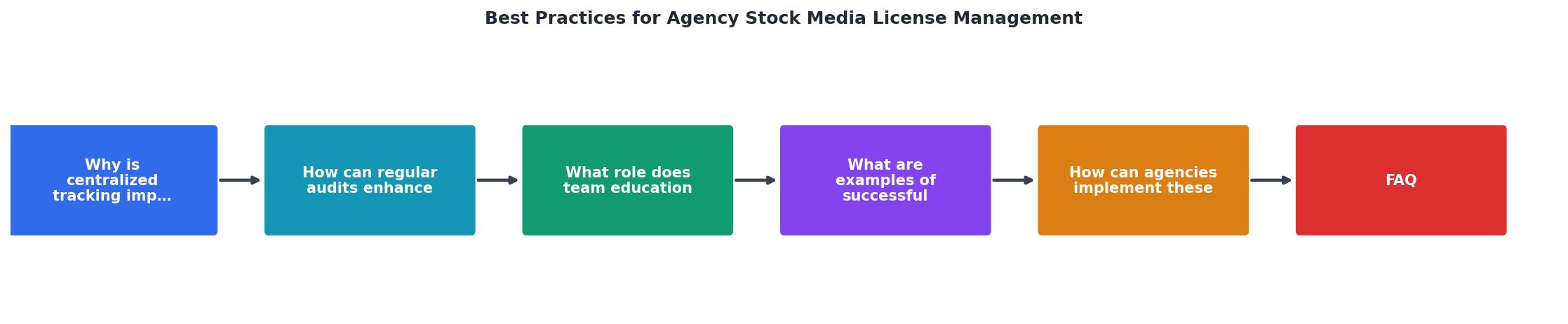
Here is how to go from zero to audit-ready in five concrete steps. These map to the process diagram above.
Step 1: Inventory existing accounts. List every stock platform the agency uses. Include personal accounts that team members have been using for agency work. Note the licence tier (subscription, on-demand, free) for each.
Step 2: Choose a central storage location. This can be a shared drive (Google Drive, Dropbox, OneDrive), a DAM (Digital Asset Management) tool, or even a well-organized NAS. The key requirement: every team member can access it, and it supports folder-level organization by project.
Step 3: Define the filing structure. Decide on your naming convention and folder hierarchy. A proven structure:
/Clients
  /[Client Name]
    /[Project Name]
      /assets
      /licences
Every licence certificate goes into the /licences folder for its project. Name the certificate file to match the asset it covers.
Step 4: Backfill existing projects. This is the painful part. Go through active and recent projects and pull the licence certificates for every stock asset used. For bulk retrieval across platforms, licencedownloader.com can save significant time here. Prioritize projects for your largest or most legally cautious clients first.
Step 5: Set the ongoing process. Write the one-page SOP. Brief the team. Schedule the first quarterly audit. Assign ownership.
The following interactive card summarizes the five implementation steps and their estimated time investment for a typical 20-person agency:
Implementation Roadmap (20-Person Agency)
Scaling Without Scaling Risk
As your agency grows, the volume of stock assets grows faster. More clients, more campaigns, more platforms, more freelancers. The practices above scale well if you maintain two habits:
- Automate certificate retrieval. Manual downloads break down past 100 assets per month. Batch tools pay for themselves in the first week.
- Audit frequency matches volume. If you cross 500 assets per quarter, consider monthly spot-checks on top of the quarterly full audit.
Growth also introduces platform sprawl. A team of 10 might use Shutterstock and Adobe Stock. A team of 30 adds Envato, iStock, Canva, Getty, and niche libraries. Each new platform is another place where licence certificates can go missing. Your SOP should include a step for adding new platforms to the tracking system before anyone starts downloading from them.
Agency Licence Management Setup Checklist
Your progress is saved automatically in your browser.
FAQ
Frequently Asked Questions
Additional Resources
- Software license management benefits and best practices - As you inventory, organize, and optimize your organizations software license holdings, here are three best practices to keep in mind.
- Export License Management Software Implementation Guide - Your guide to successful export license management. Learn implementation best practices, avoid key pitfalls & see real-world success ...
- 8 Best Practices for Successful Software License ... - Document and standardize your procurement processes · Clean up and organize your license inventory · Catalog your software · Inventory all of your ...