
Last Tuesday a client emailed asking for licence proof on 47 stock images used across a rebrand project. The images came from three different platforms. Finding each certificate one by one took almost four hours of clicking through account dashboards, downloading PDFs, and renaming files. That time could have been zero with a bulk licence download workflow already in place.
Photo by Lee Salem from Pexels
TL;DR:- Every stock platform stores licence certificates differently, and none of them make bulk exports easy.
- A structured workflow that maps assets to platforms, downloads certificates in batches, and stores them in a single archive saves hours per project.
- Tools like Licence Downloader automate the retrieval step so you spend minutes instead of an afternoon on compliance admin.
The licence proof problem is growing
Freelance designers juggle subscriptions. Freepik for vectors, Adobe Stock for hero photography, Envato Elements for templates, maybe iStock for a client who insists on Getty-quality. Each platform has its own account structure, its own licence certificate format, and its own way of burying download history behind three or four clicks.
That fragmentation creates a real gap. You know you paid for the image. You know you downloaded it legally. But when someone asks for proof six months later, you are digging through email receipts, browser history, and platform dashboards hoping the download record still exists.
The risk is not theoretical. Copyright enforcement companies use automated image matching to find unlicensed usage online. If you cannot produce a licence certificate quickly, you end up in a dispute that costs time, money, and reputation. For freelancers billing by the hour, the admin overhead of manual licence retrieval is a direct hit to income.
Common mistakes that cost you

Most designers make the same handful of errors when it comes to licence management. Recognizing them is the first step toward fixing the workflow.
- Assuming the download is the proof. Having the image file on your hard drive does not prove you licensed it. Platforms issue separate licence certificates or invoices that tie your account to a specific asset and licence type.
- Relying on email receipts alone. Email gets deleted, archived, or lost in spam filters. A receipt from 2024 buried in 14,000 emails is not "accessible proof."
- Downloading certificates one at a time, only when asked. This reactive approach turns every client request into a fire drill. If the platform changes its UI or your subscription lapses, you might lose access to historical records entirely.
- Mixing personal and client accounts. When you download assets under a personal subscription for client work, the licence trail gets murky. Each project needs a clear link between the asset, the licence, and the account that purchased it.
- Ignoring free-tier licence terms. Freepik free downloads, Canva free assets, and Pixabay images all come with specific attribution or usage requirements. "Free" does not mean "no licence needed."
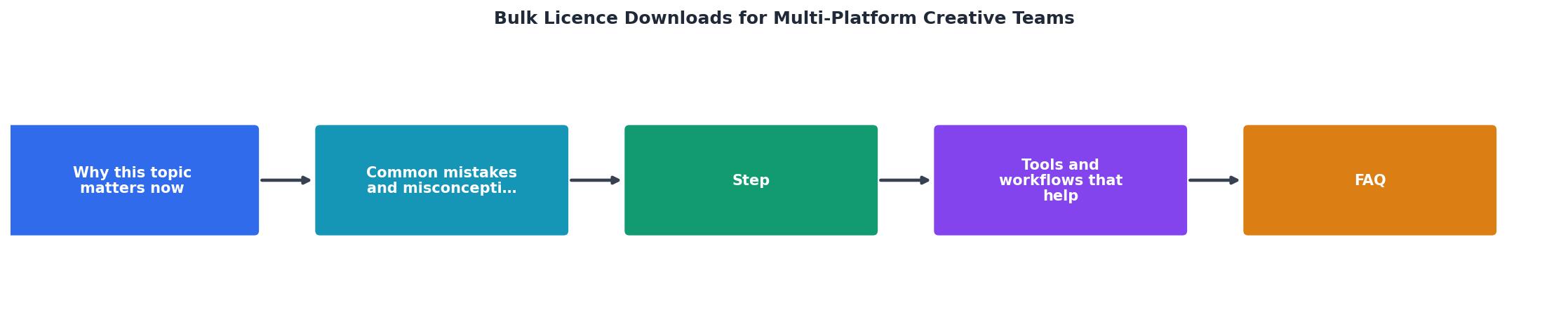
Step-by-step bulk download workflow

Here is a concrete process that works whether you use two platforms or six. The steps are short and repeatable.
1. Audit your platforms
List every stock service where you have an active or past subscription. Include free-tier accounts. Common ones: Freepik, Shutterstock, Adobe Stock, Envato Elements, iStock, Canva Pro, Depositphotos. Write down the login credentials and subscription status for each.
2. Export download histories
Log into each platform and locate the download history or licence history section. Some platforms call it "Download history," others "Licences," others "Purchase history." Export whatever is available: CSV lists, PDF certificates, or invoice downloads.
3. Match assets to projects
Create a simple spreadsheet or folder structure that maps each downloaded asset to the client project where it was used. Columns: asset filename, platform, licence type, download date, project name, client name. This mapping is what turns a pile of PDFs into an audit-ready archive.
4. Batch-download certificates
This is where manual work becomes painful. Each platform requires you to click into individual assets to grab the certificate. For 50 or 100 assets, that is hours of repetitive clicking. A tool like Licence Downloader automates this step by connecting to your platform accounts and pulling certificates in bulk.
5. Store and back up
Save all certificates in a single folder structure, organized by year and project. Back it up to cloud storage. A naming convention like 2026-ClientName-Platform-AssetID.pdf makes searching fast.
6. Schedule regular exports
Do not wait for a client request. Set a monthly or per-project reminder to run the bulk download. Fifteen minutes of proactive work prevents four hours of reactive scrambling.
Tools and workflows that help

Not every tool solves the same part of the problem. Here is how the landscape breaks down.
| Manual Approach | Automated with Licence Downloader |
|---|---|
| Log into each platform separately | Connect all platforms once |
| Click through each asset's licence page | Batch-retrieve certificates automatically |
| Rename and organize files by hand | Auto-organized by project and platform |
| 3-5 hours per 100 assets | Under 15 minutes per 100 assets |
| Easy to miss expired or cancelled accounts | Flags missing or inaccessible records |
Spreadsheet trackers work for small volumes. Google Sheets or Notion databases where you log each asset manually. The limitation: they track metadata but do not store the actual certificate files.
Platform-native exports vary wildly. Shutterstock offers a download history CSV. Adobe Stock lets you view licence details per asset. Freepik shows download history but does not offer a one-click bulk export of certificates. Envato Elements provides invoices but licence certificates require individual clicks.
"The industry standard for animation, illustration, and comics for your school or office.">, Clip Studio Paint for Creative Teams
Creative teams working across illustration, photography, and motion graphics often pull assets from specialized platforms alongside general stock libraries. The more platforms in your stack, the more critical a centralized licence archive becomes.
DAM (Digital Asset Management) systems like Brandfolder or Bynder store assets and metadata but typically do not fetch licence certificates from stock platforms. They are a good storage layer but not a retrieval solution.
Here is an example dashboard showing what a typical freelancer's licence collection looks like after setting up a bulk download workflow:
Licence Archive Overview (Example)
Building the habit
The biggest obstacle is not technology. It is habit. Licence management feels like busywork until the day someone sends a copyright claim. Then it feels like the most important thing you never did.
Start small. Pick your most-used platform and export everything from the last 90 days. Organize those certificates into a project folder. Once you see how fast it goes with a structured approach, expanding to all platforms becomes obvious.
For freelancers handling 20-50 stock assets per month, automating the certificate retrieval step alone saves roughly four hours monthly. That is half a billable day, every month, recovered.
Bulk Licence Download Setup Checklist
Your progress is saved automatically in your browser.
FAQ
Frequently Asked Questions
Additional Resources
- Clip Studio Paint for Creative Teams - Professional Art Tool - Empower your team with Clip Studio Paint Volume License for Business to create 2D animations, digital illustrations, comics, webtoons, ...
- How Envato licensing works: automatic commercial ... - Every download from the creative stock library comes with a valid commercial license by default — no project registration, no extra steps, no ...
- Creative Commons Add-in for Microsoft Office - This add-in enables you to embed Creative Commons licenses directly into Word, PowerPoint, and Excel documents. File Size: 1.9 MB. Microsoft Teams for Education