
You found the perfect hero image for your product page, clicked download, and moved on. Three months later a copyright notice lands in your inbox and you have no idea where the licence proof lives. This scenario plays out constantly for small business owners who juggle Canva, Freepik, Shutterstock, and other platforms without a clear picture of which one actually makes licensing simple. This article breaks down the major stock media platforms side by side so you can pick the one that keeps you protected with the least friction.
Photo by Alena Darmel from Pexels
TL;DR:- Canva offers the simplest licensing experience for non-designers, bundling commercial rights into every Pro download.
- Freepik provides generous free-tier commercial use but requires attribution unless you upgrade.
- Shutterstock gives the clearest per-download licence certificates but costs more and has a steeper interface.
- Regardless of platform, keeping audit-ready licence proof in one place is the single best thing you can do to avoid legal headaches.
Why licensing ease matters
Stock media licensing is not just a legal checkbox. It directly affects how fast you can publish an ad, update a product listing, or hand assets to a contractor. When a platform buries its licence terms behind three menus and a PDF, you lose time and increase risk. When it surfaces clear rights at the point of download, you move faster and sleep better.
A significant share of small business owners admit they are not fully confident they are using stock images within licence terms. That uncertainty leads to either over-cautious avoidance of stock media or reckless use without any proof on file. Both outcomes hurt your business.
The criteria that actually matter when evaluating licensing ease come down to a short list:
- Licence clarity: Can you understand what you are allowed to do within 30 seconds of downloading?
- Certificate access: Does the platform give you a downloadable licence certificate or receipt?
- Interface simplicity: How many clicks from search to licensed download?
- Attribution requirements: Do you need to credit the creator, and is that clearly stated?
- Support quality: When something goes wrong, can you reach a human?
How Canva simplifies licensing

Canva Pro bundles commercial-use rights into every element in its library. You do not pick a licence type. You do not read a separate agreement per image. If you have a Pro subscription and you use an element inside Canva's editor, you are covered for commercial use. That is the entire story.
For a small e-commerce owner building social ads or product mockups, this removes almost all friction. There is no attribution requirement for Pro content, no separate "extended licence" upsell for most use cases, and no per-download fee.
The downside? Canva does not issue a per-image licence certificate. Your proof of licence is your subscription receipt plus your design history inside the platform. If Canva ever changes its terms or you cancel your subscription, reconstructing proof for past downloads gets complicated. The platform also restricts standalone resale of unmodified assets, which matters if you sell print-on-demand products.
Freepik's licensing terms
Freepik operates on a freemium model. Free users get access to millions of assets with one catch: attribution is mandatory. You must credit the creator on every piece of content where the image appears. For a Facebook ad or an Amazon listing, adding "Designed by username / Freepik" is awkward at best and impossible at worst.
Upgrading to a Freepik Premium plan removes the attribution requirement and unlocks the full library. The licence terms page is straightforward and written in plain language. Freepik also clearly separates its "free licence" from its "Premium licence" in the download flow, so you know exactly which set of rules applies before you click.
Where Freepik falls short is certificate retrieval. The platform provides a download history in your account, but there is no one-click "download licence certificate" button. You need to cross-reference your download log with the licence terms page to build your own proof file. For a handful of images that is fine. For dozens per month, it becomes a chore.
Shutterstock's interface for licensing
Shutterstock is the most traditional stock platform on this list, and it shows in both good and frustrating ways. On the positive side, Shutterstock generates a unique licence certificate for every single download. That certificate includes the image ID, licence type, date, and your account details. It is the gold standard for audit-ready proof.
The interface, though, is built for professionals. Licence types include Standard, Enhanced, and Editorial, each with different usage rights. A small business owner buying images for product packaging needs to know the difference between Standard (digital and limited print) and Enhanced (unlimited print runs, merchandise). The terminology is clear once you learn it, but the learning curve is steeper than Canva or Freepik.
Pricing also adds friction. Shutterstock uses a subscription-plus-credits model. You pay monthly for a set number of downloads, and Enhanced licences cost extra credits. For a small business downloading five to ten images a month, the per-image cost can feel high compared to Canva Pro's flat rate.
"The tools in this list were selected using practical buyer-focused evaluation logic:.">, Top 10 Stock Media Libraries: Features, Pros, Cons & Comparison
Other platforms worth knowing
Adobe Stock integrates directly into Creative Cloud apps. If you already use Photoshop or Illustrator, you can licence an image without leaving the application. Adobe issues licence certificates and keeps a clear download history. The downside is price and the assumption that you are a Creative Cloud subscriber.
iStock (by Getty Images) offers Essential and Signature collections with clear licence tiers. Its interface is clean, and it provides invoice-style licence documentation. However, the distinction between Essential and Signature pricing confuses some buyers.
Envato Elements uses an all-you-can-download subscription model similar to Canva Pro. Commercial use is included, but the licence is tied to a single "end product" per download registration. If you use the same image in three different projects, you technically need to register it three times. That nuance trips up many small business owners.
Depositphotos rounds out the list with competitive pricing and a straightforward Standard/Extended licence split. Certificate access exists but requires navigating to your purchase history.
Platform comparison at a glance
Here is a visual overview of how the evaluation process works when comparing platforms for your business:
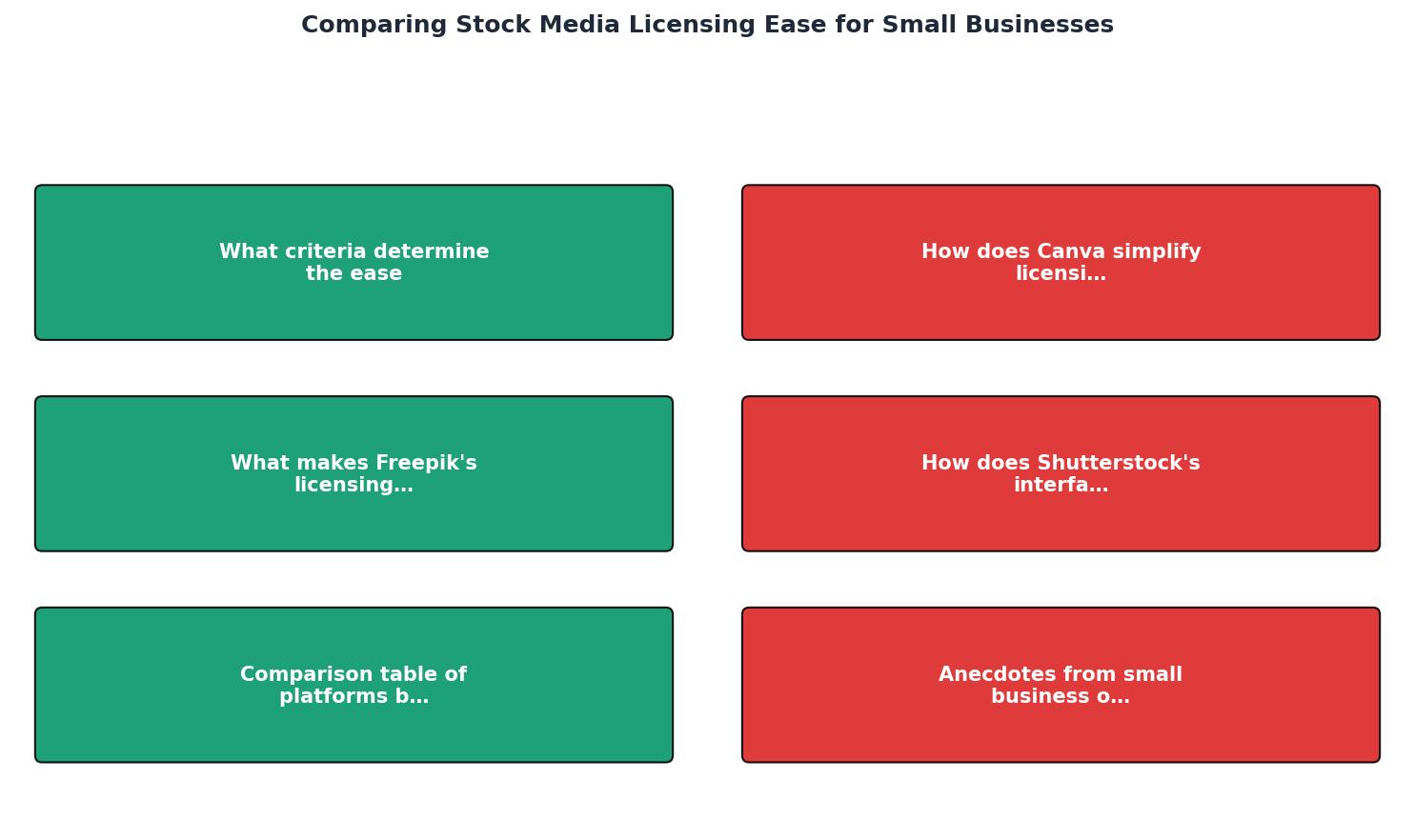
The steps are: Identify needs, Review licence terms, Test the interface, Check certificate access, Evaluate support, and Make your decision. Following this sequence keeps you from choosing a platform based on price alone and regretting it when a copyright question comes up.
| Feature | Canva Pro | Freepik Premium | Shutterstock | Adobe Stock | Envato Elements |
|---|---|---|---|---|---|
| Commercial use included | Yes | Yes | Yes | Yes | Yes |
| Attribution required | No | No (Premium) | No | No | No |
| Per-image certificate | No | No | Yes | Yes | No |
| Licence clarity | Very high | High | Medium | Medium | Medium |
| Interface simplicity | Very easy | Easy | Moderate | Moderate | Easy |
| Starting price (monthly) | ~$13 | ~$9 | ~$29 | ~$30 | ~$17 |
| Best for | Social, ads | Web, blogs | Print, editorial | Creative Cloud users | Multi-asset projects |
The following interactive card summarizes a typical small business scenario. Imagine you download around 20 images per month across two platforms. Here is what your licensing profile might look like:
Example: Monthly Licensing Snapshot (20 downloads)
Real-world licensing headaches
A small Etsy seller using Canva Pro images on product mockups received a takedown notice from a photographer who claimed the image was uploaded to Canva without permission. The seller had no per-image certificate to show Etsy's dispute team. Resolution took three weeks and cost two weeks of lost sales.
Another business owner downloaded a Freepik free image, forgot the attribution, and received an invoice from a licence enforcement company demanding several hundred dollars. The image was used on a single Instagram ad. The cost of the "free" image ended up exceeding what a Shutterstock subscription would have cost for the entire year.
These stories repeat across industries. The common thread is not which platform was used. It is the absence of accessible, organized licence proof at the moment it was needed.
A tool like Licence Downloader exists specifically to solve this gap. It pulls licence certificates and proof from multiple platforms into one place, so you are not scrambling through account dashboards when a dispute arrives.
Licensing ease evaluation checklist
Platform Licensing Ease Evaluation
Your progress is saved automatically in your browser.
FAQ
Frequently Asked Questions
Additional Resources
- Top 10 Stock Media Libraries: Features, Pros, Cons & ... - A strong stock media library saves production time, reduces creative bottlenecks, and gives teams access to professional visuals without ...
- Best Stock Footage Software for Small Business in 2026 - Choose the best Stock Footage Software for small business in 2026. Compare small business Stock Footage Software using pricing, verified reviews, features, ...
- The Best Stock Footage Licensing Sites w/ Pricing ... - The Best Stock Footage Licensing Sites w/ Pricing Comparison · Dissolve · FilmPac · Filmsupply · Artgrid · Pond5 · Shutterstock · Envato Elements.