
When you run a campaign that spans months or years, images you licensed six months ago still sit in your projects. Depositphotos makes it easy to download today, but retrieving proof of what you licensed last year is a different problem. Most creators and agency teams don't realize their licence history isn't permanent on the platform, download history can disappear, accounts change, and when a client asks for documentation, panic sets in. This guide shows you how to build a real archive that survives account changes and keeps your multi-year campaigns protected.
Photo by Tima Miroshnichenko from Pexels
TL;DR
- Depositphotos doesn't keep permanent download history for free accounts; you need a system to track licences yourself.
- Archive your licence documents (PDFs, invoices, asset metadata) to a folder structure tied to campaign names and dates.
- Use a spreadsheet or database to log which assets you used in which projects and when they expire or require renewal.
- Automate downloads and organization using Licence Downloader or similar bulk tools to save hours on multi-platform campaigns.
- Test your archive annually to ensure documents remain accessible and proof survives account deletions or platform changes.
When you buy stock images for a campaign, Depositphotos gives you access. You download, you use them, and the transaction is done. But the proof? That audit trail matters most when a client, advertiser, or legal team asks "show me you owned the right to use this." For campaigns that run for years, rebranding efforts, seasonal content, evergreen product launches, that proof needs a home outside Depositphotos itself.
Why Depositphotos Archives Matter
Depositphotos licences are tied to your account. If your account gets deleted, hacked, or converted to a different tier, your download history becomes inaccessible. Agency producers face an extra layer of risk: when freelancers leave, their accounts often go dark, and the licences they bought vanish. That's not theoretical, it's a recurring headache for teams managing content at scale.
An archive isn't just backup; it's insurance. It says "yes, on March 14, 2023, under our contract with Depositphotos, we acquired the right to use file XYZ123 in perpetuity for commercial purposes." That sentence wins disputes and passes audits.
Why This Matters Now
Depositphotos hit 100 million assets a few years back, more competition for your budget, more pressure to reuse images across campaigns. Deposit photos also moved into new licensing models (extended licences, exclusive content, corporate plans). That complexity means your archive needs to track not just what you used, but which licence tier covered it.
"The single day in the history of Depositphotos when the most pictures were uploaded was November 8, 2018.">, Celebrating 100 million files! Trendy photo collections and project ideas
With scale comes complexity. A single campaign today might run across three platforms (Depositphotos, Freepik, Adobe Stock) and span 18 months. Your archive strategy has to work across that scatter.
Common Mistakes
Most creators make one of four choices: they do nothing and hope nothing goes wrong, they save screenshots (which prove nothing to a lawyer), they dump files into one folder called "Assets" (and get lost), or they spend hours every month manually downloading and organizing. None of these scale.
The screenshot trap is real. A screenshot of a Depositphotos download page is not a licence certificate. Lawyers want the official document, date-stamped, with terms and file hash. Courts don't accept "I remember buying this."
The big folder trap wastes time. When you need to prove you had the right to use a specific image in a 2021 campaign, fishing through 5,000 files destroys your credibility in a pinch.
Manual work kills productivity. If you spend 30 minutes a month on licence admin per platform, that's 6 hours a year per creator, times your team size. Most teams have three or more platforms. Do the math.
Building Your Archive Structure
A real archive lives in three places: a folder structure on your machine or cloud (Google Drive, Dropbox, AWS S3), a spreadsheet or database tracking what you licensed and when, and optionally a backup copy on external media or a second cloud service.
Start with a clear folder naming scheme. Use campaign name + year + platform:
/Campaigns/2024_Q1_Holiday_Launch_Depositphotos//Campaigns/2024_Q1_Holiday_Launch_Depositphotos/Licences//Campaigns/2024_Q1_Holiday_Launch_Depositphotos/Assets//Campaigns/2024_Q1_Holiday_Launch_Depositphotos/Invoices/
Inside each Licences folder, download the official licence certificate or invoice PDF the moment you acquire the image. Depositphotos emails invoices, file them here. If Depositphotos offers a one-click "download licence" button, use it and save the PDF with a date stamp: 2024_03_15_File_ID_12345_Licence.pdf.
The Assets folder holds the images themselves or links to them (URLs saved as text if space is tight). The Invoices folder holds payment proof. Separate them so you can audit one without moving through hundreds of image files.

Creating a Licence Tracking Spreadsheet
A spreadsheet is your second archive layer. It becomes searchable, sortable, and exportable. Use these columns:
| Column | Purpose |
|---|---|
| Date Acquired | When you licensed the image |
| File ID | Depositphotos file number |
| File Name | What you call it in your project |
| Campaign | Which project uses it |
| Licence Type | Standard, extended, exclusive, etc. |
| Expiry Date | Renewal date if applicable |
| Platform | Depositphotos, Freepik, Adobe Stock, etc. |
| File Path | Where the licence PDF lives |
| Notes | Usage rights, restrictions, conflicts |
Keep this spreadsheet in the same cloud folder as your archive so it's always in sync with your files.
Process Diagram: How Archives Work
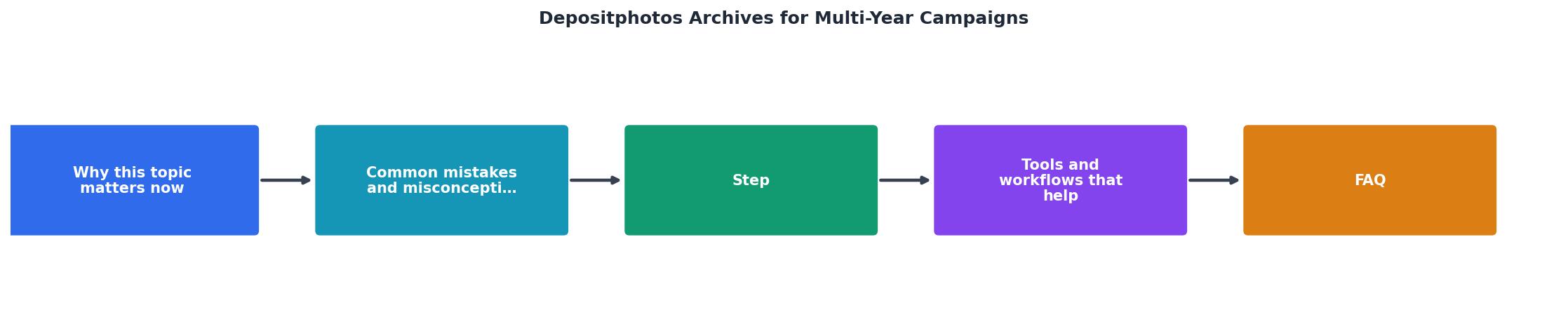
The workflow is simple: License image → Download invoice/licence → Save to campaign folder → Log in spreadsheet → Backup monthly. When a client asks for proof three years later, you open your archive, find the file, and send the licence in minutes.
Tools That Help
Manual downloads work until you hit 100 images per campaign. Then you need bulk tools.
Licence Downloader is built for this, it connects to your Depositphotos account, scans your purchase history, and downloads all licences and invoices at once into a folder structure you control. Instead of 200 manual clicks, you run one batch and get an organized archive in minutes. It works across multiple platforms too, so your multi-year, multi-platform campaigns go into one system.
Spreadsheet software (Google Sheets, Excel) is free and essential. Zapier or Make can automate notifications if an image expiry is coming up, though most Depositphotos licences are perpetual, so this matters less than it would for subscription services.
Cloud storage (Google Drive, Dropbox, OneDrive, AWS S3) keeps your archive accessible from anywhere, synced automatically, and backed up by the provider. Pair it with a local copy on an external drive for defense-in-depth.
Multi-Year Campaign Specifics
Long campaigns have unique challenges. An image you used in January 2022 for a campaign that's still running in 2024 needs to stay retrievable. That means your archive structure should separate campaigns from platforms, put all assets by campaign name, not by the month you bought them.
When freelancers or contractors leave, export their Depositphotos licences before their account access ends. If you manage team seats on a corporate plan, ensure licences stay in the company account, not the individual's. That's a contract detail but worth negotiating with Depositphotos support.
Refresh your archive twice a year. Move old campaigns to cold storage (an archived folder or external drive) so your active folder stays lean and fast. But don't delete. You never know when you'll need to prove a 2019 licence.
Example: 2-Year Campaign Archive Status
This dashboard shows what a mature archive looks like after two years of systematic capture. Most teams start with zero metrics, campaigns exist in download folders nobody can find. After implementing this system, you're tracking 250+ assets, multiple platforms, and staying audit-ready.
Step-by-Step Implementation
Week 1: Set up the structure- Create your folder hierarchy in cloud storage (by campaign + platform).
- Set up your tracking spreadsheet with column headers.
- Download Licence Downloader or your chosen bulk tool.
- Export any existing Depositphotos licences and invoices.
- Retroactively populate your spreadsheet for the last 12 months of purchases.
- File everything into the correct campaign folders.
- Set a monthly reminder to download new Depositphotos licences.
- Train your team on the folder structure and spreadsheet rules.
- Document where the archive lives and how to access it.
- Simulate a client audit, can you find proof of a random 2022 asset in under 2 minutes?
- Adjust your naming or folder structure if anything feels slow or confusing.
- Set up automatic backups.
Depositphotos Archive Implementation Checklist
Your progress is saved automatically in your browser.
FAQ
Frequently Asked Questions
The Archive as Your Second Proof
Your Depositphotos archive isn't just a filing system, it's your defence. When a client disputes a use, when a platform flags an asset, or when you need to renew a contract and prove you've used images responsibly, that folder and spreadsheet tell the story. Years from now, you'll thank yourself for spending a few hours this month to set it up.
Additional Resources
- Celebrating 100 million files! Trendy photo collections and ... - Depositphotos reached 100 million files! In this article, we share some unique insights, photo collections for popular photo categories, and project ideas ...
- DepositPhotos: Royalty-free Images, Photo Stock, Video & Music - Royalty-free stock images at affordable prices on DepositPhotos. Download stock photos for commercial use. Pictures, videos, music for every topic.
- Depositphotos contributors Archives - Depositphotos contributors articles from the DepositPhotos team featuring inspiring examples, valuable insights, and opinions by industry experts.