

You finished a brand kit for a client three months ago. Now their lawyer wants proof that every stock photo in the deliverables was properly licensed. You know you paid for them, but the certificates are scattered across Freepik, Adobe Stock, and Envato. Finding them takes hours you cannot bill for. A repeatable license management workflow eliminates that scramble entirely.
Photo by 🇻🇳🇻🇳Nguyễn Tiến Thịnh 🇻🇳🇻🇳 from Pexels
TL;DR:- Set up automated reminders for license renewals and expiration dates so nothing slips through.
- Organize every certificate in a single, searchable folder structure the moment you download an asset.
- Use tools that integrate with your design software and stock platforms to cut license admin from hours to minutes.
The real cost of disorganized licenses
Freelance designers juggle multiple stock subscriptions. Freepik for vectors, Adobe Stock for hero images, Envato Elements for templates. Each platform stores license proof differently. Some bury it three clicks deep in account settings. Others email a PDF you never see again because it lands in your Promotions tab.
The result: when a client, ad platform, or legal team asks for proof, you start a scavenger hunt. That hunt costs real money.
Four hours a month spent digging through dashboards and email threads adds up to nearly a full work week per year. At a typical freelance rate, that is revenue you will never recover.
The bigger risk is not finding the certificate at all. A missing license can escalate into a DMCA takedown, a client dispute, or a copyright claim that damages your professional reputation. The fix is not working harder. It is building a workflow that handles license records automatically.
Why freelance license management breaks

Three patterns cause most of the chaos:
- No consistent naming convention. You download
license_12345.pdffrom one platform andinvoice-2026-07.pdffrom another. Six months later, matching a certificate to a specific project asset is guesswork. - Scattered storage. Some certificates live in your Downloads folder, some in email, some in a Google Drive subfolder you created once and forgot about.
- Reactive instead of proactive retrieval. Most freelancers only look for a license when someone demands it. By then, the platform may have changed its UI, your subscription may have lapsed, or the download link may have expired.
"I'm not the most organised freelancer in the world.">, How I built Workflow Wizard to manage my freelance business
That honesty resonates. Organization does not come naturally to most creative professionals. The trick is removing the need for discipline by automating the boring parts.
Automated reminders save subscriptions

Stock subscriptions renew on different dates. Miss a renewal and your license coverage can lapse, leaving assets you already used in client work technically unlicensed. Automated reminders prevent that.
Here is what works in practice:
- Google Calendar recurring events. Create one event per subscription with a reminder 14 days before renewal. Include the platform login URL and your account email in the event description.
- Todoist or Notion recurring tasks. Set a task that fires monthly: "Download new license certificates from Freepik, Adobe Stock, Envato." Attach a checklist of each platform so you do not skip one.
- Platform email alerts. Most stock sites send renewal notices. Create a Gmail filter or Outlook rule that tags these emails and moves them to a dedicated "Licenses" label so they never get buried.
Tools that organize digital records

A folder on your hard drive is a start. A searchable, backed-up system is the goal. Here are concrete tools and techniques:
- Cloud storage with strict naming. Use a structure like
Licenses / [Platform] / [Year] / [AssetID]_[ProjectName].pdf. Dropbox, Google Drive, and OneDrive all support full-text PDF search, so you can find a certificate by typing the asset ID or project name. - Notion or Airtable database. Create a table with columns for Asset ID, Platform, Purchase Date, Project, Client, and a file attachment for the certificate. This gives you filtering and sorting that a folder tree cannot match.
- Licence Downloader (licencedownloader.com). Instead of logging into each platform individually, bulk-download license certificates from Freepik, Shutterstock, Adobe Stock, Envato, iStock, Canva, and others in one session. The certificates land in a single local folder, ready to file.
| Manual Approach | Structured Workflow |
|---|---|
| Log into each platform separately | Bulk-download from all platforms at once |
| Search email for receipts | Certificates stored in named folders |
| Rename files inconsistently | Consistent [AssetID]_[Project].pdf naming |
| No backup plan | Cloud-synced with version history |
| 30+ minutes per client request | Under 2 minutes per client request |
Integrate with your design software
The best workflow is one you barely notice. Integration between your stock platforms, your file system, and your design tools closes the gap between "I downloaded an image" and "I have the license on file."
Adobe Creative Cloud users can access Adobe Stock directly from the Libraries panel in Photoshop, Illustrator, and InDesign. Every licensed asset appears in your library with metadata intact. Pair that with a monthly export of license certificates and you have a near-automatic paper trail.
Canva Pro users get a download history inside the platform, but exporting individual license records requires manual clicks. A tool like Licence Downloader can pull those records in bulk, saving you from clicking through dozens of assets one by one.
Figma does not have native stock integration, but plugins like Unsplash and Pexels connect free libraries. For paid stock, the workflow is: download the asset and its license from the stock platform, import the asset into Figma, and file the certificate immediately. Do not wait.
The following diagram shows how these steps connect in a repeatable daily workflow:
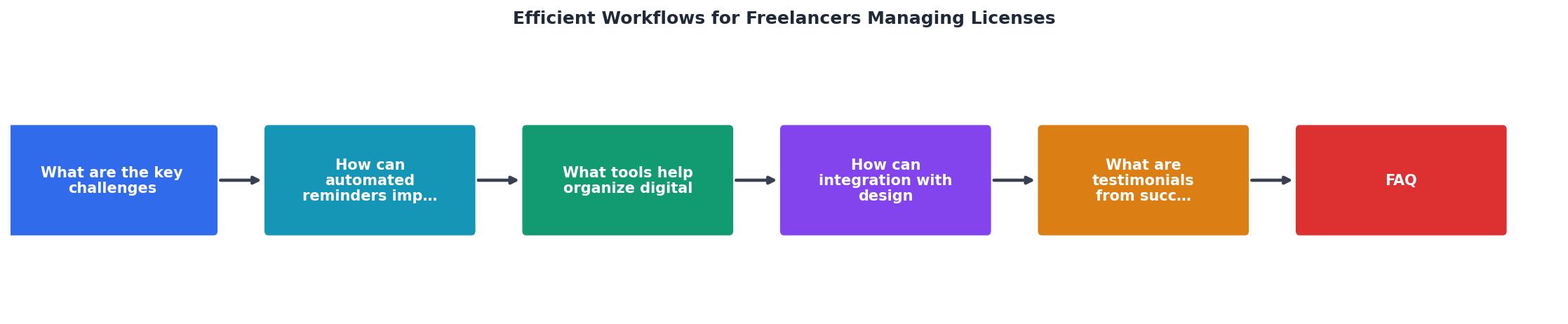
The short steps in the diagram: Purchase Asset, Download Certificate, Rename & File, Link to Project, Set Renewal Reminder. Five actions, done at the point of purchase, that eliminate every future scramble.
Real time savings from real freelancers
Freelancers who adopt a structured license workflow report consistent results:
- A brand designer working across Freepik and Adobe Stock cut her monthly license admin from roughly 4 hours to 20 minutes after switching to a bulk-download and auto-file approach.
- A web designer who delivers 8-10 client projects per month started using a Notion database for license tracking. Client audit requests that used to take 45 minutes now take under 5.
- A social media content creator with a Canva Pro subscription and an Envato Elements plan set up Google Calendar reminders and a strict folder structure. She has not missed a renewal or lost a certificate in over a year.
The pattern is the same every time: invest 30 minutes setting up the system, save hours every month going forward.
Here is an example dashboard showing what a typical freelancer's license tracking looks like after implementing a structured workflow:
Freelance License Workflow Dashboard
Freelance License Management Setup Checklist
Your progress is saved automatically in your browser.
FAQ
Frequently Asked Questions
Additional Resources
- How I built Workflow Wizard to manage my freelance ... - Workflow Wizard brings everything into one place: Project tracking from initial inquiry to final payment Lead management that ensures no ...
- How to Master Your Freelance Workflow in 7 Steps - A good workflow helps freelancers prioritize tasks, track progress, and avoid delays—making every project manageable, no matter its complexity.
- My Freelance Workflow: How I Juggle 6 Clients Without ... - I'll walk you through how I structure my week, manage communication, and keep things moving without drowning in to-dos. Let's go behind the ...