
A client emails you eight months after a project wrapped, asking for proof that the hero image on their homepage is properly licensed. You know you bought it. You remember the platform. But the receipt is buried somewhere across three different stock accounts, and the download history only goes back six months. That sinking feeling in your stomach is exactly why regular license audits exist.
Photo by Pavel Danilyuk from Pexels
TL;DR:- Regular license audits keep every stock asset traceable, so you can respond to client or legal requests in minutes instead of days.
- Audits catch expired, mismatched, or missing licenses before they become copyright claims.
- A simple quarterly review protects your reputation, your income, and your clients' trust.
What is a license audit?
A license audit is a systematic review of every stock asset you have used in active and past projects, matched against the license certificates or proof-of-purchase documents you hold. The goal is straightforward: confirm that for every image, icon, font, or video clip in your work, you have a valid, retrievable license that covers the actual usage.
For freelancers juggling Freepik, Adobe Stock, Shutterstock, and maybe an Envato Elements subscription, this is not a theoretical exercise. Each platform stores license data differently. Some bury it three clicks deep in account settings. Others generate a PDF certificate at download time that you probably saved to your Downloads folder and never moved. An audit forces you to reconcile what you used with what you can prove you licensed.
That number should concern you. Without organized records, a single copyright dispute can cost weeks of unbillable time and real money in legal fees or settlement demands.
How audits prevent copyright claims
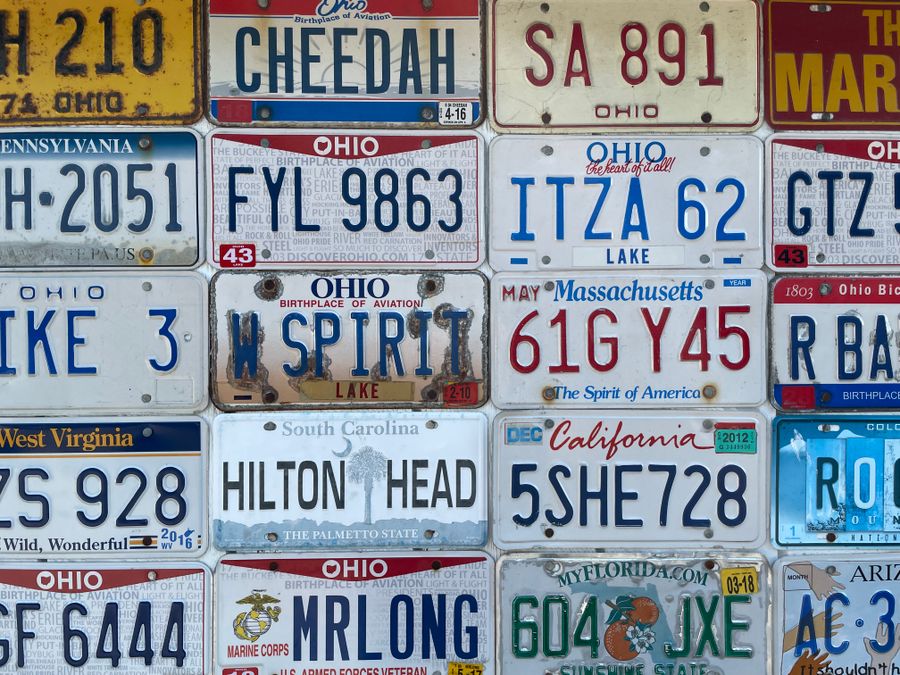
Copyright claims against freelancers rarely start with a lawsuit. They start with an automated detection system flagging an image, a stock agency sending a "license compliance" letter, or a client's legal team asking for documentation you cannot produce. The claim escalates precisely when proof is missing.
Regular audits short-circuit this chain at the earliest possible point. Here is how:
- Catch expired licenses. Some stock subscriptions grant licenses only while the subscription is active. If you cancelled Envato Elements six months ago, assets downloaded under that plan may still require an active license for certain uses. An audit flags these gaps.
- Spot scope mismatches. You downloaded an image under a standard license but used it on merchandise, which requires an extended license. Audits surface these mismatches before a rights holder does.
- Identify orphaned assets. That icon set you grabbed from a free resource two years ago? The site changed its terms, or the creator revoked the free license. Without an audit, you would never know.
- Prove good faith. Even if a dispute arises, having a documented audit trail demonstrates you took compliance seriously. Courts and mediation panels treat good-faith efforts very differently from negligence.
Freelancers who can produce license certificates within 48 hours of a request resolve the vast majority of disputes before they reach legal proceedings.
Steps to conduct a license audit
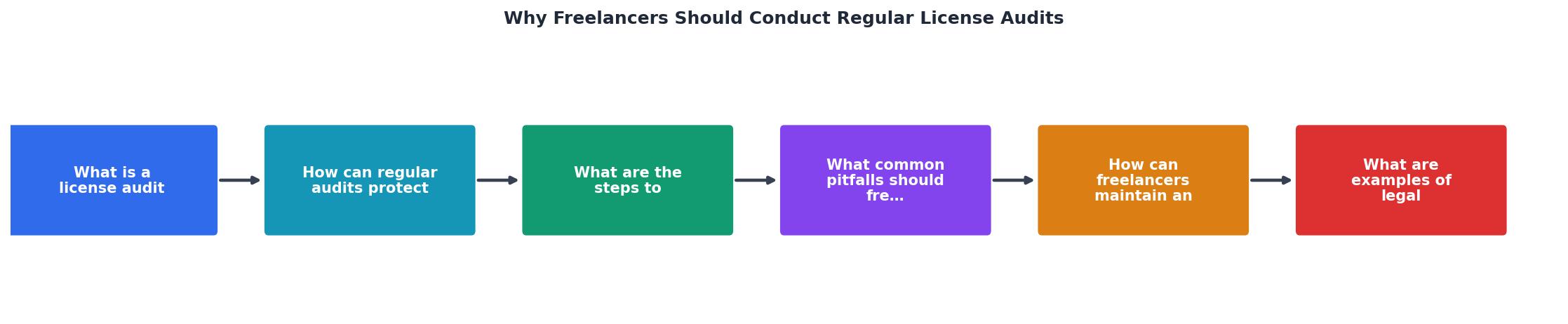
The diagram above breaks the process into clear stages. Here is how to work through each one, using the same steps shown in the image:
1. Inventory all active projects
Open your project management tool, file system, or client folder structure. List every project from the audit period (quarterly works well). For each project, note every stock asset used: images, vectors, icons, video clips, audio tracks, fonts.
2. Match assets to licenses
For each asset, locate the corresponding license certificate or proof of purchase. Check your email for order confirmations, log into each stock platform and review download history, and search your local files for saved PDFs or screenshots.
3. Flag gaps and mismatches
Mark any asset where you cannot find a license, where the license type does not match the usage, or where the license may have expired. These are your action items.
4. Resolve issues
For missing licenses, re-download the certificate from the platform if possible. For scope mismatches, upgrade the license. For expired subscriptions, check whether the platform's terms still cover past downloads or whether you need to re-license.
5. Archive and organize
Move all verified license documents into a single, structured archive. A folder per project, with subfolders for assets and licenses, works. Name files consistently: shutterstock_12345678_license.pdf is findable; download(3).pdf is not.
Common pitfalls to avoid

Freelancers make the same audit mistakes repeatedly. Knowing them in advance saves you from learning the hard way.
- Auditing only when a problem appears. Reactive audits are stressful and incomplete. By the time a claim arrives, the platform may have changed its interface, purged old download history, or made certificates harder to retrieve. Schedule audits proactively.
- Ignoring free assets. "Free" does not mean "no license." Freepik free-tier downloads, Unsplash photos, and Creative Commons assets all come with specific terms. Some require attribution. Some prohibit commercial use. Track them the same way you track paid assets.
- Relying on browser bookmarks or memory. Your memory of which image came from which platform fades fast. A bookmark to a download page can break when the platform redesigns. Save the actual certificate file.
- Mixing personal and client accounts. If you download assets under your personal subscription for a client project, the license may not transfer. Some platforms require the end-user (the client) to hold the license. Audit for this.
- Skipping fonts and audio. Designers focus on images, but font licenses and audio/music licenses are just as enforceable and often more aggressively policed.
| Reactive Approach | Proactive Quarterly Audit |
|---|---|
| Scramble when a claim arrives | Respond with proof in minutes |
| Missing certificates from old platforms | Certificates archived at download time |
| Hours of unbillable panic | 30-60 minutes of scheduled review |
| Reputation damage from slow response | Professional, confident client communication |
| Potential legal fees | Minimal dispute escalation |
Keeping licenses up to date

An audit is a snapshot. Keeping your records current between audits is what makes the system sustainable. Here are concrete habits that work:
- Download the license certificate the moment you download the asset. Do not tell yourself you will do it later. You will not.
- Use a consistent folder structure. Something like
Clients/ClientName/ProjectName/Licenses/keeps everything findable. Mirror it in cloud storage (Google Drive, Dropbox, or whatever you use) so it survives a hard drive failure. - Tag or rename files with the platform and asset ID.
adobestock_587234123_standard.pdftells you everything at a glance. - Set a calendar reminder for quarterly audits. First Monday of January, April, July, October. Thirty minutes each. Non-negotiable.
- Review subscription status annually. If you cancel a platform, immediately archive all licenses from that platform. Some platforms restrict access to download history after cancellation.
A well-maintained system means your quarterly audit takes 30 minutes instead of three hours. The upfront investment pays for itself within one cycle.
Real consequences of skipping audits
The risks are not hypothetical. Here are patterns that play out regularly in freelance communities:
The expired subscription trap. A designer used Envato Elements for two years, downloaded hundreds of assets, then switched to Adobe Stock. Eighteen months later, a client's legal team requested proof of license for a website header image. The designer's Envato account was closed, and the download history was inaccessible. Re-licensing the specific asset required purchasing it individually at a higher price, and the delay strained the client relationship.
The attribution gap. A freelancer used Freepik free-tier images across dozens of social media posts for a client. The posts did not include attribution as required by the free license terms. Freepik's compliance team sent a notice. The freelancer had to retroactively add attribution to live posts, explain the situation to the client, and upgrade several licenses to the premium tier to remove the attribution requirement.
The scope mismatch. A brand designer purchased a standard-license photo from Shutterstock and used it in a logo mark that was printed on product packaging (over 500,000 units). Standard licenses typically cap print runs. The rights holder flagged the usage. The settlement cost more than the designer earned from the entire project.
Each of these situations could have been caught and resolved during a routine audit, before it became a crisis.
Here is an example dashboard showing what a typical freelancer's audit status might look like after implementing a quarterly review process:
Quarterly License Audit Status
Freelancer License Audit Checklist
Your progress is saved automatically in your browser.
FAQ
Frequently Asked Questions
Additional Resources
- WHY Definition & Meaning - 1. The cause, reason, or purpose for which know why you did it that is why you did it 2. For which : on account of which know the reason why you did it.
- WHY? | Spotify - For nearly three decades, WHY? have thrived in subverting expectations. Across seven unpredictable and adventurous studio albums, the band led by Cincinnati ...
- WHY | definition in the Cambridge English Dictionary - WHY meaning: 1. for what reason: 2. used to express surprise or anger: 3. the reasons for something: . Learn more.