

A client emails you three months after a project wraps up. Their legal team wants proof that every image in the brand kit was properly licensed. You know you paid for everything on Freepik, but the download happened on a Tuesday afternoon you barely remember, and the receipt is buried somewhere in your inbox. This scenario plays out constantly for freelance designers, and the fix is simpler than you think.
Photo by Vitaly Gariev from Pexels
TL;DR:- Save the Freepik licence certificate PDF, the payment receipt, and a screenshot of the asset's licence type for every resource you download.
- Store these three items together in a folder named by project or client.
- Automate the process with a tool like Licence Downloader to bulk-export certificates instead of hunting them one by one.
Why licence proof matters now
Stock image copyright disputes are not theoretical. Platforms like Freepik serve over 100 million monthly downloads, and a growing number of those assets end up in commercial projects where legal teams eventually ask questions. If you deliver work to a client and cannot prove the images were licensed at the time of use, you carry the liability.
Freepik's own terms state that the licence is tied to the account that downloaded the resource. That means your client cannot log into your Freepik account and pull the proof themselves. The responsibility sits with you, the designer, to archive it and hand it over when asked.
The cost of not having proof ranges from awkward conversations to actual legal fees. A single copyright claim letter from a stock agency or rights holder can demand anywhere from a few hundred to several thousand dollars in retroactive licensing fees. Organized proof eliminates that risk entirely.
Common mistakes that create gaps
Most freelancers make the same handful of errors when it comes to Freepik licence documentation. Recognizing them saves you from scrambling later.
Relying on email receipts alone
Freepik sends a payment confirmation when you subscribe or renew. That receipt proves you paid for a plan. It does not prove which specific resources you downloaded or what licence type applied to each one. A subscription receipt and a per-asset licence certificate are two different documents.
Assuming the download history stays forever
Freepik maintains a download history in your account dashboard, but platform interfaces change. Features get reorganized, accounts get migrated, and old records can become harder to access. Treating a live dashboard as your permanent archive is risky.
Mixing free and premium downloads
Freepik offers both free-tier and premium resources. The licence terms differ. Free resources require attribution. Premium resources under an active subscription do not. If you downloaded a free resource and forgot to attribute, or if you cannot prove the resource was premium at the time, you have a gap.
Ignoring Freepik's redistribution clause
"As stated above:Freepik/Flaticon resources can't be stored in any kind of online/offline database where they are offered as editable or downloadable contents.">, Medium
This restriction means you cannot hand a client the raw Freepik file and let them redistribute it. Your licence proof needs to show the asset was used in a final design, not passed along as a standalone file.
What to save for every download

Three documents form a complete proof package for any Freepik resource. Save all three together, and no audit will catch you off guard.
- Licence certificate PDF - Freepik generates a licence certificate for each premium download. You can access it from your download history. This document ties a specific resource ID to your account and subscription date.
- Payment receipt or invoice - The subscription invoice from Freepik (or your payment processor) confirms you had an active plan on the date the download occurred.
- Asset page screenshot - A screenshot of the resource page showing the licence type (Premium, Free, or Editorial) at the time of download. This captures the specific terms that applied.
When you have all three items, your audit readiness jumps to near-complete. Missing even one creates a gap that a determined legal team can exploit.
Step-by-step: building your proof archive
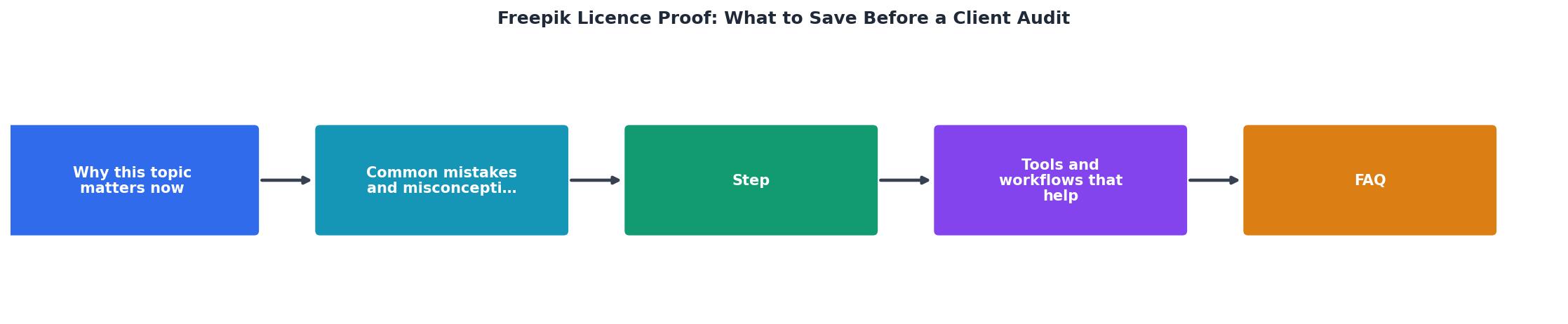
Follow these steps every time you download a Freepik resource for a client project:
- Download the resource from Freepik as usual.
- Open download history in your Freepik account dashboard.
- Export the licence certificate for that specific resource (look for the "Download licence" or certificate icon next to the asset).
- Screenshot the asset page showing the licence type and resource ID.
- Save the subscription invoice from your billing page or email.
- Create a project folder named
[ClientName]-[ProjectName]-licences. - Move all three files into that folder.
- Back up the folder to cloud storage (Google Drive, Dropbox, or your project management tool).
Tools and workflows that scale

Manual saving works for small projects. It breaks down when you handle multiple clients, multiple platforms, and hundreds of assets per month.
Folder structure that works
A simple naming convention prevents chaos:
Licences/2026/ClientName/ProjectName/for date-based organization- Each folder contains: licence PDFs, invoice copies, asset screenshots
- A
README.txtor spreadsheet mapping each asset filename to its Freepik resource ID
Automation options
Licence Downloader connects to your Freepik account and pulls all licence certificates in bulk. Instead of clicking through your download history one asset at a time, you get a batch export. This is especially useful when a client audit request covers an entire year of work.
Browser extensions like full-page screenshot tools can capture asset pages automatically, but they do not grab the actual licence certificate PDF.
Spreadsheet tracking with columns for resource ID, download date, licence type, client name, and file path creates a searchable index. Even a simple Google Sheet beats relying on memory.
Here is an example of what a typical freelancer's licence tracking dashboard might look like for a quarter's worth of Freepik downloads:
Licence Audit Readiness
That 78% number is typical for designers who save certificates "when they remember." The remaining 22% becomes a scramble when an audit lands. Consistent habits or automation close that gap completely.
| Manual Certificate Saving | Bulk Export with Licence Downloader |
|---|---|
| ~2 min per asset | Seconds per batch |
| Easy to forget individual assets | Captures entire download history |
| Requires logging in repeatedly | One-time connection |
| Works for 5-10 assets | Scales to hundreds |
| No searchable index | Organized output with metadata |
Freepik Licence Proof: Pre-Audit Checklist
Your progress is saved automatically in your browser.
FAQ
Frequently Asked Questions
Additional Resources
- How to download Freepik and Flaticon licenses? - Please remember to download the license PDF files and keep them in a safe place. We recommend you to download them right after downloading the file. Download ...
- Why I stopped using Freepik - Asaad Mahmood - Medium - Freepik has put an unreasonable and a preposterous restriction on the usage of their assets. We can't even use svg files for clients or on the ...
- [Commercial Licenses | [TR] Toxxic Rhiannyr](https://toxxicrhiannyr.com/services/commercial-licenses/) - Keep Proof of License: If a seller grants you a commercial license, keep a copy of the agreement or terms in case of future disputes.