

A client's legal team sends an email on a Tuesday afternoon asking for licence proof on every stock image used in the last campaign. The agency scrambles. Designers dig through Shutterstock dashboards, someone checks an old Freepik invoice, and the ops lead realizes three freelancers who worked on the project left months ago. This scenario plays out at agencies of every size, and the ones who survive it cleanly are the ones who built a licence proof system before the audit request arrived.

- Agencies prove stock licences during a client audit by maintaining a centralized archive of licence certificates tied to specific projects and assets.
- The proof chain includes the original licence document, the transaction record, and a mapping between each asset and the project it was used in.
- Bulk-downloading licence certificates from every platform before an audit hits turns a fire drill into a five-minute file share.
The audit problem is getting worse
Stock image audits used to be rare. A client's legal counsel would occasionally ask for proof of a single hero image. That changed. Brands now run compliance reviews across entire campaigns, especially when content gets repurposed across markets, social channels, and paid media. One image licensed for web use shows up in a print brochure, and suddenly the agency needs to prove the licence scope covers that usage.
The regulatory environment adds pressure too. Independence and documentation standards keep tightening across industries.
"It also will apply to the lead partner serving an issuer's subsidiary whose revenues constitute 20% or more of the consolidated assets or revenues of the parent.">, Final Rule: Strengthening the Commission's Requirements Regarding Auditor Indepe
While that rule targets financial audits specifically, the compliance mindset it represents has filtered into how brands approach every vendor relationship. Agencies are vendors. Clients want documentation.
Common mistakes that sink agencies
Most agencies don't fail audits because they used unlicensed images. They fail because they can't prove the licence exists. Here are the patterns I see repeatedly:
- Relying on platform accounts as proof. The Shutterstock dashboard shows download history, sure. But if the subscription lapses or the account holder leaves the company, that history becomes inaccessible or ambiguous. A screenshot from 2024 doesn't hold up well in 2026.
- Mixing personal and agency accounts. A freelancer downloads an image from their personal Adobe Stock subscription for an agency project. The freelancer's licence covers the freelancer, not the agency's client. This gap is invisible until someone asks for documentation.
- No project-to-asset mapping. The agency has 4,000 downloaded stock images. The client wants proof for 12 specific ones used in a Q3 campaign. Without a mapping between project deliverables and licence files, someone has to manually search through thousands of records.
- Assuming the invoice is enough. An invoice proves payment. It does not prove the licence terms, the specific asset covered, or the permitted usage scope. Licence certificates and invoices are different documents.
That number is low. Most agencies handle licence proof reactively, not proactively.
Step-by-step: building audit-ready proof
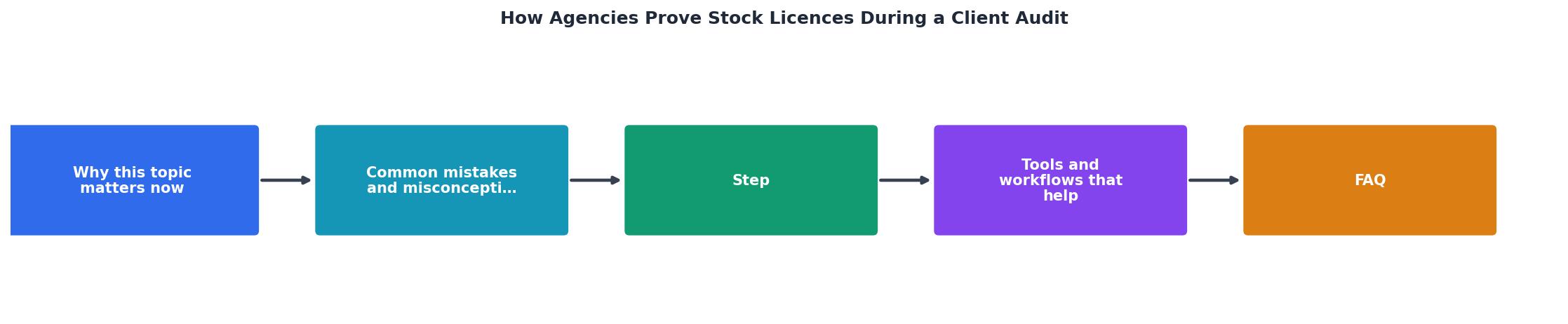
The process breaks down into four stages: Collect, Map, Store, and Retrieve. Each one is straightforward on its own. The challenge is doing them consistently across every project.
Collect: download every licence certificate
Every stock platform issues some form of licence documentation. Shutterstock provides a licence certificate PDF per download. Adobe Stock includes licence details in the download history. Freepik offers invoice-based proof. Envato Elements provides a licence certificate per item.
The task: download these certificates for every asset your team uses. For a single project with 15 stock images across three platforms, that means logging into three dashboards, finding 15 specific downloads, and saving 15 PDFs. Multiply that by 20 active projects and you see why nobody does it manually.
This is where a tool like Licence Downloader earns its keep. It bulk-downloads licence certificates across platforms in minutes instead of hours, pulling the actual licence documents rather than just invoices.
Map: tie each asset to a project
A licence certificate alone doesn't answer the audit question. The auditor wants to know: "Was this specific image in the Q3 social campaign licensed?" You need a record that connects:
- The asset filename or ID (e.g.,
shutterstock_1234567890.jpg) - The licence certificate file
- The project name and deliverable where it was used
- The usage scope (web, print, social, paid media)
Store: centralize in one location
Pick one place. A shared Google Drive folder, a Dropbox directory, or an internal server path. Structure it by year and project:
/Licences
  /2026
    /ClientName-Q3-Social
      shutterstock_1234567890_licence.pdf
      adobestock_9876543_licence.pdf
      asset-map.xlsx
The key rule: every person on the team saves licence files to this location, not to their desktop, not to a personal folder, not to a Slack thread.
Retrieve: respond to audits fast
When the audit request arrives, you open the project folder, grab the asset map and the corresponding PDFs, and send them. Total time: under ten minutes. Compare that to the two-day scramble most agencies go through.
Tools and workflows that help

No single tool solves the entire chain, but the right combination eliminates most of the manual work.
- Licence Downloader for bulk certificate retrieval across Shutterstock, Adobe Stock, Freepik, Envato, iStock, and Canva.
- Google Sheets or Notion for the asset-to-project mapping database.
- Google Drive, Dropbox, or SharePoint for centralized storage with team access controls.
- Your project management tool (Asana, Monday, ClickUp) for linking licence folders to active projects.
| Manual Licence Management | Structured Licence Workflow |
|---|---|
| Hunt through 3-5 platform dashboards | Bulk-download all certificates at once |
| Rely on memory for asset-project links | Searchable asset map per project |
| Files scattered across desktops and inboxes | One shared folder per project |
| 2-3 day audit response time | Under 10 minutes |
| Risk of missing or expired access | Certificates saved permanently |
Here is an example of what a typical agency's audit-readiness dashboard might look like after implementing this workflow for six months:
Agency Licence Audit Readiness
Handling freelancer and contractor gaps
Freelancers create the biggest documentation gaps. They use personal subscriptions, deliver final files without licence info, and move on to the next gig. Six months later, the agency can't prove anything.
Three fixes:
- Require agency account usage. Give freelancers access to the agency's stock platform seats. Every download stays in the agency's history.
- Collect certificates at delivery. Make licence PDFs a required part of the project handoff. No certificates, no final payment.
- Run a quarterly licence sweep. Use Licence Downloader to pull all certificates from every active account. Catch gaps before they become audit problems.
That stat reflects how often the missing piece in an audit trail leads back to a contractor who used a personal account. Fix the freelancer workflow and you fix most of your audit risk.
Agency Licence Audit Readiness Checklist
Your progress is saved automatically in your browser.
FAQ
Frequently Asked Questions
Additional Resources
- Voluntary disclosure of auditor information and stock price ... - Voluntary disclosure of auditor qualification certificates is negatively associated with future stock price crash risk.
- Strengthening the Commission's Requirements Regarding ... - One of those principles is that an auditor cannot audit his or her own work and maintain his or her independence. When an accounting firm provides bookkeeping ...
- Audit Section M - Set 2-5 Flashcards - The primary responsibility of the registrar is to verify that stock is issued only with proper authorization. In auditing a client's retained earnings account, ...