
You open your inbox and find a letter from Copytrack claiming you used a copyrighted image without permission. Your stomach drops. The good news is that if you actually licensed that image, you can resolve this quickly and cleanly by sending the right proof in the right format. This guide walks you through exactly how to do that, step by step.
TL;DR:- Do not ignore a Copytrack letter. Respond within the stated deadline with your licence certificate or proof of purchase.
- Gather your licence document from the stock platform where you purchased the image (Shutterstock, Adobe Stock, Freepik, etc.) and send it directly to Copytrack.
- If you cannot locate your licence, use a tool like Licence Downloader to bulk-retrieve certificates from your stock accounts before the deadline passes.
What Copytrack Actually Is
Copytrack is a Berlin-based image rights enforcement company. Photographers and agencies hire Copytrack to find unauthorized uses of their images online. When Copytrack's crawler detects a match, they send a letter to the website owner demanding payment or proof of a valid licence.
"Copytrack operates on a no-win-no-fee model, taking a 45% commission on every settlement collected.">, Copytrack Demand Letter? Here's What to Do (2026 Guide)
This means Copytrack is financially motivated to pursue every claim. They will not drop it because you stayed quiet. Ignoring the letter does not make it go away. It escalates it.
The letter typically includes:- The specific image they claim was used without authorization
- A URL where they detected the image on your site
- A deadline to respond (usually 14 to 30 days)
- A settlement amount they want you to pay
Common Mistakes That Make Things Worse
Freelance designers make a handful of predictable errors when a Copytrack letter arrives. Avoiding these saves time, money, and stress.
- Ignoring the letter entirely. Copytrack will follow up. They may escalate to legal proceedings in the photographer's jurisdiction. Silence is not a defense.
- Paying immediately out of panic. If you have a valid licence, paying the settlement is throwing money away. Check your records first.
- Sending a screenshot of a download page. A screenshot of your Shutterstock download history is not a licence certificate. Copytrack wants the actual licence document or invoice tied to that specific image.
- Responding aggressively. Threatening language or accusations of fraud do not help. A calm, factual response with attached proof resolves the claim fastest.
- Deleting the image from your site. Removing the image does not undo the alleged past infringement. It can also look like an admission of guilt. Respond with proof instead.
Most claims against licensed users get resolved once proper documentation is submitted. The challenge is finding that documentation quickly.
Step-by-Step: Responding to Copytrack
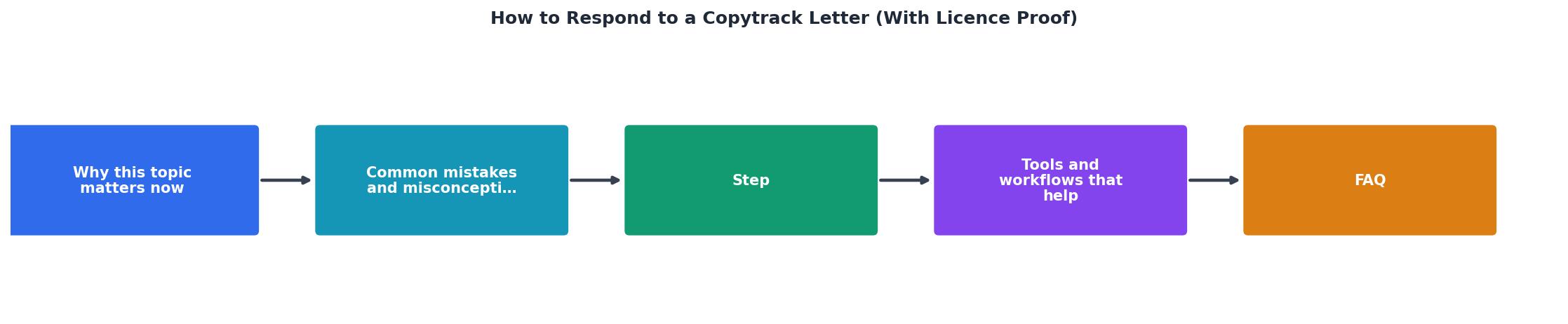
Here is the exact process, broken into clear steps. Follow them in order.
1. Identify the Image
Open the Copytrack letter and find the image in question. They usually include a thumbnail or a direct URL. Match it to your records. Which stock platform did you download it from? When did you download it? Which account or subscription was active at that time?
2. Locate Your Licence
Log into the stock platform (Shutterstock, Adobe Stock, Freepik, Envato, iStock, Canva, or wherever you sourced the image). Navigate to your download history and find the specific image. Download the licence certificate or proof of purchase for that asset.
Each platform stores this differently:- Shutterstock provides a licence certificate PDF in your download history
- Adobe Stock shows licence details under "Licencing history"
- Freepik includes licence info in your download records
- Envato Elements offers a licence certificate per download
- iStock provides invoice and licence details in your purchase history
3. Verify the Licence Covers Your Use
Before sending anything, confirm that your licence actually covers how you used the image. A standard licence typically allows web use, social media, and marketing materials. An extended licence is needed for merchandise, resale products, or print runs above a certain quantity.
Check these details:- Does the licence permit commercial use?
- Is the licence tied to your name or your client's project?
- Was the licence active on the date the image appeared on the site?
4. Draft Your Response
Keep it short and factual. Include:- Your name and contact information
- The Copytrack case/reference number from their letter
- A clear statement that you hold a valid licence for the image
- The attached licence certificate or proof of purchase
- A request to close the claim
5. Send and Document
Email your response to the address provided in the Copytrack letter. Save a copy of everything you sent, including timestamps. If they have an online portal, submit through that as well.
Organizing Your Licence Files

The real problem most freelancers face is not the Copytrack letter itself. It is the scramble to find proof. You downloaded an image eight months ago for a client project. The project is done. The client paid. You moved on. Now you need to dig through three different stock platform accounts to find one licence certificate.
This is why proactive licence management matters. A few habits prevent the panic:
- Download licence certificates at the time of purchase. Every time you download a stock image, grab the licence PDF too.
- Name files consistently. Use a pattern like
clientname-platform-imageid-licence.pdfso you can search later. - Store them in one place. A dedicated folder in your cloud storage, organized by client or project.
- Bulk-export periodically. Once a month, export all new licence certificates from your active platforms.
Licence Archive Status (Example)
When every certificate is already downloaded and filed, responding to a Copytrack letter takes ten minutes instead of two stressful days.
What If You Cannot Find the Licence?

Sometimes the licence genuinely cannot be found. The platform changed its interface. You cancelled the subscription. The download happened under a different email. Here is what to do:
- Contact the stock platform's support. Explain the situation and ask for a copy of the licence or a confirmation that the image was downloaded under your account. Most platforms keep records for years.
- Check your email for purchase confirmations. Search for the image ID or the platform name in your inbox. Purchase receipts often serve as secondary proof.
- Use Licence Downloader. Connect your stock accounts and let it scan your full download history across platforms. It retrieves certificates you might not find manually.
- Check with your client. If you purchased the image through a client's account, ask them for the licence documentation.
| Without Licence Proof | With Licence Proof |
|---|---|
| Stressful multi-week process | Resolved in days |
| Risk of paying undeserved settlement | Zero payment owed |
| May need legal counsel | Simple email exchange |
| Reputation anxiety | Professional confidence |
Copytrack Response Checklist
Your progress is saved automatically in your browser.
FAQ
Frequently Asked Questions
Additional Resources
- Copytrack Demand Letter? Here's What to Do (2026 Guide) - Do not reply to Copytrack admitting fault. Do not log into their settlement portal to pay. Do not delete the image and assume the problem disappears ...
- COPYTRACK: Scam or Legitimate? German Lawyer Explains - Copytrack demands proof of a valid license. Copytrack is unable or unwilling to provide sufficient proof of their own legal position. Stay persistent and write ...
- How to respond to Picrights or Copytrack about image use ... - So what you need to do is ignore them. The most important thing to do when you receive one of these letters is make sure that you do not respond ...