

A client emails you on a Friday afternoon asking for proof that the hero image on their homepage is properly licensed. You bought it eight months ago on Adobe Stock, or was it Shutterstock? The receipt is buried somewhere in your inbox, and the platform dashboard has been redesigned since then. Reverse image search tools like Lenstracer and ImageTrace can help you trace an image back to its source, but turning that trace into actual licence proof takes a specific workflow most freelancers never learn.
Photo by Dazzing zhang from Pexels
TL;DR:- Lenstracer monitors the web for unauthorized use of your images and traces them back to stock sources. ImageTrace performs reverse image lookups to identify the original stock platform and listing.
- Neither tool generates licence certificates on its own. You still need to download the actual licence proof from each stock platform.
- Combine a reverse-image trace (to identify the source) with a licence downloader (to pull the certificate) for a complete verification workflow.
Why licence verification matters now
Stock image copyright claims have become a real business. Automated crawlers scan millions of websites daily, flagging images that appear unlicensed. If you cannot produce a licence certificate within the timeframe a claimant demands, you face settlement letters starting at several hundred dollars per image.
For freelance designers juggling Freepik, Adobe Stock, and Envato subscriptions, the problem compounds. Each platform stores licence records differently. Some bury them three clicks deep. Others expire download links after a set period. The result: you know you paid for the image, but proving it under pressure becomes a scramble.
Reverse image search tools like Lenstracer and ImageTrace solve the first half of the puzzle. They identify where an image originated. The second half, pulling the actual licence certificate, requires a different approach entirely.
What Lenstracer actually does

Lenstracer is a web-based image monitoring and reverse search service. You upload an image (or provide a URL), and it crawls the internet to find where that image appears. It cross-references stock photo databases to identify the original listing on platforms like Shutterstock, Adobe Stock, iStock, and others.
Key capabilities:
- Reverse image matching against major stock libraries
- Web monitoring that alerts you when your images appear on new sites
- Source identification linking a found image back to its stock platform listing page
- Infringement detection flagging potentially unlicensed usage
"Other services require you to use their legal services to handle infringements and take a 50% cut.">, Lenstracer
This matters because Lenstracer lets you handle disputes yourself. You keep full control. But here is the catch: Lenstracer tells you where an image came from. It does not generate or store your licence certificate. That document lives on the stock platform where you purchased the image.
What ImageTrace brings to the table
ImageTrace works similarly to Lenstracer but focuses specifically on identifying stock photo sources. Upload a file or paste a URL, and ImageTrace returns matches from stock libraries along with metadata like the image ID, contributor name, and platform.
Where ImageTrace differs:
- It tends to return results faster for common stock platforms (Shutterstock, Getty/iStock, Adobe Stock)
- It provides direct links to the stock listing page
- It works well for identifying images you downloaded months ago but forgot to label
Common mistakes that cost time

Freelancers make the same errors repeatedly when it comes to licence verification:
- Assuming a receipt equals a licence. A PayPal or credit card receipt proves you paid something. It does not specify which image, which licence tier, or what usage rights you hold. Stock platforms issue separate licence certificates for a reason.
- Relying on browser bookmarks. Bookmarking the stock listing page is not proof of purchase. Anyone can view a listing. The licence certificate tied to your account is the proof.
- Waiting until a claim arrives. By then, the platform may have changed its interface, your subscription may have lapsed, or the download history may be harder to access. Retrieve certificates at the time of purchase.
- Confusing image identification with licence proof. Running an image through Lenstracer or ImageTrace confirms the source. It does not confirm your licence. A claimant's lawyer will not accept "I found it on Shutterstock" as evidence.
Step-by-step verification workflow
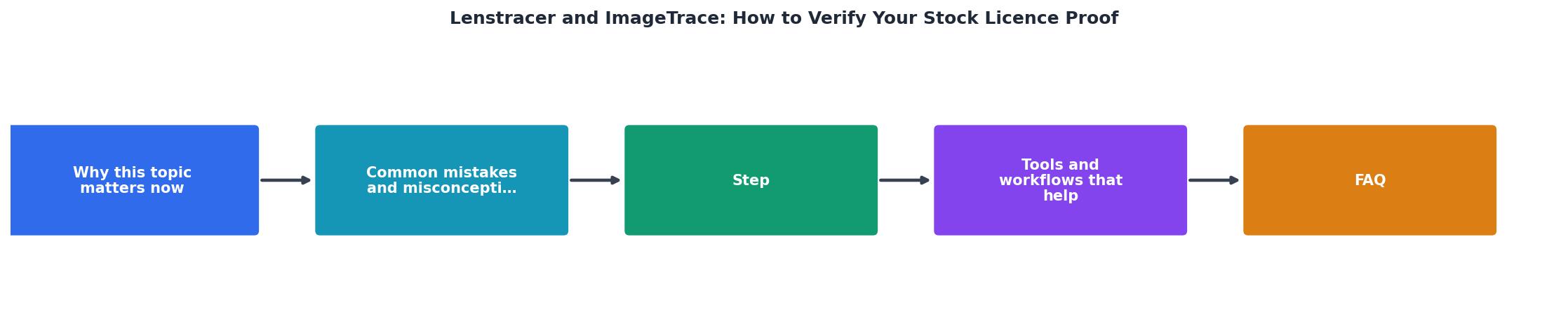
Here is the practical workflow, broken into clear steps:
- Upload image to Lenstracer or ImageTrace
- Identify source platform and stock image ID from the results
- Log into platform where you purchased the image
- Locate licence in your download history or licence manager
- Download certificate as a PDF or screenshot the licence details
- Store proof in a centralized folder (local drive, cloud, or dedicated tool)
The workflow above shows the process at a glance: Upload image, Identify source, Log into platform, Locate licence, Download certificate, Store proof. Each step feeds the next. Skip one, and the chain breaks.
Tools and workflows that help

Here is how the tools fit together in a real freelance workflow:
| Task | Tool | Output |
|---|---|---|
| Find where an image originated | Lenstracer, ImageTrace | Stock platform + image ID |
| Monitor web for unauthorized use | Lenstracer | Alert notifications |
| Download licence certificate | Stock platform dashboard | PDF/licence page |
| Bulk-download licence certificates | Licence Downloader | Organized licence archive |
| Store and organize proof | Cloud storage / project folders | Audit-ready file system |
The combination that works best for most freelancers:
- Proactive: Download licence certificates at the time of purchase. Use Licence Downloader to bulk-pull them across platforms weekly or monthly.
- Reactive: When a claim arrives or a client asks, use Lenstracer or ImageTrace to identify the source, then pull the certificate from your archive.
- Ongoing: Set up Lenstracer monitoring for your most-used images so you catch unauthorized use early.
Six minutes per image adds up fast when you have dozens of stock assets across a project. Multiply that across ten active client projects, and you are looking at hours of admin work each month.
Here is an example dashboard showing what a typical freelancer's licence verification status might look like after setting up this workflow:
Licence Verification Status
Build your verification habit
The best time to verify a licence is the day you download the image. The second best time is right now. Here is a checklist to get your licence proof organized:
Stock Licence Verification Checklist
Your progress is saved automatically in your browser.
FAQ
Frequently Asked Questions
Additional Resources
- Lenstracer - Bulk reverse image searching - Your Revenue. Discover unlicensed usage of your photos with bulk reverse image searching for professionals. Get started for free. No Credit Card Required.
- 7 Ways to Check if Images on Your Website Are Copyright- ... - Review Stock Photo Licenses: Verify the type of license (e.g., royalty-free, rights-managed) and any usage restrictions. Look for Watermarks: ...
- How to Check an Image's Copyright? 5 Ways to Do It - How to check the copyright for an image? · 1. Look for an image credit or contact details · 2. Look for a watermark · 3. Check the image's metadata.