
When your team shares a Canva Pro account or uses designs created by team members, the question of who actually owns the licence to those assets becomes urgent and messy. The answer is not always clear, and getting it wrong can expose your business to legal risk, contract disputes, and loss of work. This guide cuts through the confusion and shows you exactly how to determine ownership, protect your team, and document it all so nobody argues later.
Photo by Viridiana Rivera from Pexels
TL;DR
- Canva Pro individual accounts grant licence rights to the account holder only; team members using shared accounts do not automatically own those rights.
- Canva Teams (multi-seat product) clarifies ownership: assets created are owned by the organisation, not individuals.
- Without explicit written agreement, ownership disputes arise when freelancers, contractors, or departing team members claim designs they made.
- Always document who created what, when, and under which account, then pair that record with a written licence transfer or work-for-hire clause.
- Use a tool like Licence Downloader to bulk-download and archive Canva licence certificates so you have proof of who owned what and when.
Why this matters now
The rise of distributed teams, fractional contractors, and shared design accounts has created a grey zone where licence ownership is ambiguous. Canva Pro was built for individuals. When teams started sharing accounts or adding freelancers to create designs, Canva's licence terms didn't evolve as fast as the workflows did. As of 2027, many small businesses and agencies still operate with shared Pro accounts rather than upgrading to Canva Teams, leaving them vulnerable.
Here's the problem: a freelancer leaves your team. She claims she owns the designs she created in your shared Canva Pro account because she made them. Your client's lawyer then gets involved because those designs are now being used without "clear chain of ownership" documented. Or a contractor you paid for 10 designs invoices you again for "extended licence fees" because she never transferred ownership in writing.
This is not theoretical. It happens.
The second issue is audit trails. Canva Pro doesn't natively separate "who created this" from "who owns it". You can download a licence certificate, but it names the account holder, not necessarily the creator. When you're audited by a client or your own lawyer, having a paper trail, who, when, which account, signed agreement, is what keeps you protected.
Common mistakes and misconceptions
Mistake 1: Assuming the account holder owns everything
This is the biggest error. If you pay for a Canva Pro account and your team members log in and create designs, you might think you own all of it. Not always true. Canva's terms state that the person whose name is on the account holds the licence rights to assets they create or access through that account. If multiple people are logging into the same account, Canva's terms become unclear about derivative ownership.
More importantly, if you later hire a freelancer or contractor and they use your account, there's no clause in Canva's standard terms that transfers ownership to your company. You're in possession of the asset, but the legal right to re-license, modify, or resell it may not be yours.
Mistake 2: Ignoring the difference between Canva Pro and Canva Teams
Canva Pro is an individual product. Canva Teams is the multi-seat offering designed for organisations. If you're using Pro and sharing login credentials, you're operating outside Canva's intended use and creating ambiguity. Canva Teams explicitly states that assets created are owned by the team, not individuals. Moving to Teams removes this confusion but costs more per month.
Many small agencies stay on Canva Pro because it's cheaper, then face ownership headaches down the road. The false economy of saving $50 per month costs thousands when a dispute arises.
Mistake 3: Not documenting the creation date or creator
Canva's licence interface shows the account holder and the date the design was created. It does NOT show who in your organisation actually created it or whether that person was an employee, contractor, or volunteer. If a dispute arises years later, you cannot prove who made the design without external documentation.
Mistake 4: Skipping the written agreement
Even with Canva Teams, if you hire a freelancer to design something, there's no automatic clause that transfers their work-product rights to you. You need a written statement, in your contract or a separate assignment, that says "all designs created for this project are owned by [Company] and licensed to [Company]" or "work for hire". Without it, the designer can claim they retain rights.
Step-by-step approach
Step 1: Clarify your account structure
First, decide: are you using a shared Canva Pro account or Canva Teams?
If you're using shared Canva Pro, stop and audit who has access. Create a list: account holder name, people with login credentials, and their role (employee, contractor, freelancer). This list is your baseline for understanding who might claim ownership later.
If you're using Canva Teams, you're on better footing legally, but you still need to document roles and which team member created which asset.
Document this in a spreadsheet or simple table. Keep it updated. When someone leaves, note the date they lost access.
Step 2: Inventory existing assets
Log into Canva and export your existing designs. Note:- Design name
- Date created
- Canva licence type (free asset, Canva Pro template, commercial licence, etc.)
- Who created it (if you know)
Step 3: Write a clear internal policy
Create a one-page document that states:
- Account ownership: "This Canva Pro/Teams account is the property of [Company Name]."
- Asset ownership: "All designs created using this account are owned by [Company Name], regardless of who created them."
- Contractor clause: "Freelancers and contractors who create designs for [Company Name] assign all rights to [Company Name] upon payment and delivery."
- Documentation: "All creators will note the date, project, and client (if applicable) when uploading designs."
- Access removal: "When a team member leaves, access is revoked immediately, and a record is kept of their departure date and final project list."
Step 4: Establish creator metadata
Each time a design is created, note in the design name or description who made it. Example format:[Client Name] - Logo - Created by [First Name] - [Date]

Step 5: Use written agreements with freelancers
If you hire a freelancer or contractor to create Canva designs, include this language in your contract or statement of work:
"All work product, including but not limited to designs, mockups, and assets created using Canva or any other tool, shall be the work-for-hire property of [Company]. The contractor assigns all copyrights and intellectual property rights to [Company] upon receipt of payment."
Get their signature or email agreement before they start. This removes ambiguity and is enforceable.
Step 6: Download and archive licence certificates
Use Licence Downloader or Canva's export function to download licence certificates for all designs regularly (quarterly or before client handoff). Store these in a folder named by client, project, or year. This archive proves:- You possessed the design at time X
- The account holder (which is your company or the account owner) held the licence
- The creation date and asset details
How to handle specific scenarios
Scenario: A freelancer created designs in your Canva Pro account and now claims they own them
Your response: Check your written agreement. If it contains a work-for-hire clause, you own them. If not, you're in dispute territory. Going forward, get agreements in writing before work begins. If this situation has already happened, contact the freelancer, clarify that they assigned rights to you, and offer to pay a small additional fee to sign a retroactive assignment if needed. It's cheaper than a lawsuit.
Scenario: A team member leaves and wants to take their designs with them
Your response: They cannot. The designs were created using your company account on company time, which means your company owns them. The departing employee can request copies for their portfolio (with client permission), but they cannot claim ownership or use them for competing work. Document this in your employment or contractor agreement from day one.
Scenario: You're being audited by a client who wants proof you own the licences
Your response: You have proof if you did steps 1-6 above. Provide:- The Canva licence certificate for each design
- Your company's written ownership policy (showing the account is yours)
- The creator's agreement or employment contract (if applicable)
- Your archived inventory showing creation date and account holder
Scenario: You want to move from shared Canva Pro to Canva Teams
Your response: Upgrade to Canva Teams (costs more, but clarifies ownership). Migrate key designs to the team account. Keep the Pro account active for 90 days to ensure nothing is lost, then close it. Document the migration date.
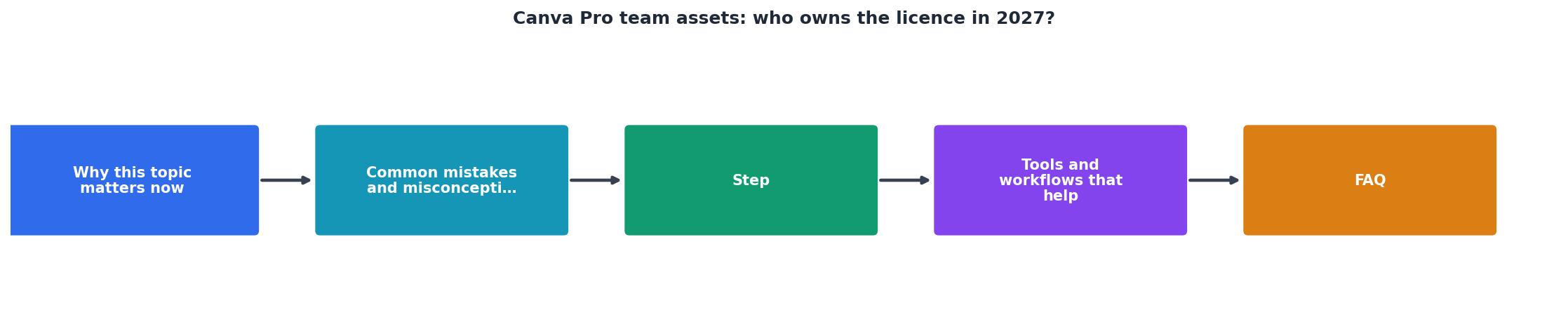
Process diagram
Interactive ownership decision tool
Understanding your specific situation requires a quick assessment. This visual guide walks through the key decision points:
Who Owns Your Canva Designs?
Use this tool when you're uncertain about a specific design. Answer each question, then refer back to Step 5 (written agreements) if any answer suggests a gap.
Tools and workflows that help
Canva Teams
Upgrade if you have more than one person creating regularly. The multi-seat structure and team-level ownership make disputes far less likely. Cost is higher, but legal clarity is worth it.
Licence Downloader
Bulk-download all your Canva licence certificates in minutes, then archive them by project or client. This eliminates the manual work of hunting through Canva's interface for each design. When you need proof of ownership, your archive is ready.
Spreadsheet or Airtable inventory
Create a simple database with columns: Design Name, Created Date, Creator Name, Client (if applicable), Canva Link, Licence Downloaded (Y/N), Notes. Update it quarterly. This becomes your source of truth and your legal defense.
Employment or contractor agreements
If you don't have one, hire a lawyer to draft a one-pager that includes a work-for-hire clause. Use it for every contractor from now on. Cost: $200-400 one-time. Savings: thousands if a dispute arises.
Access control
Use Canva's permission settings (if on Teams) or manage shared logins carefully (if on Pro). Revoke access immediately when someone leaves. Keep a log of who had access and when.
Canva Team Ownership Audit Checklist
Your progress is saved automatically in your browser.
FAQ
Frequently Asked Questions
Additional Resources
- Canva's licensing explained - As a Pro user, there is nothing more to pay, no watermarks. You are automatically granted a Pro Content licence. When you resize a design, or create a new ...
- Plans and pricing - Canva Pro is perfect for solo creators who want to design like a pro, with premium templates, and AI-powered features that make it easy to create standout ...
- Canva Business - AI design and brand tools for small teams - Canva Business helps small teams and individuals design, market, and stay on-brand with AI tools, templates, and brand kits.