

You hand off a completed project to your client and feel relief, until weeks later they ask for proof that every stock image is legally licensed. Envato Elements makes this harder than it should be. The platform doesn't give you a central export of your entire licence history, your delivery documents don't automatically include licence proof, and your client has no way to verify what they actually own. This gap between what you deliver and what your client needs becomes a legal liability.
Photo by Jorge Acre from Pexels
TL;DR:- Envato Elements doesn't export bulk licence records or attach proof to downloads, leaving creators unable to prove asset licensing to clients
- Downloaded files lack embedded licence metadata, making client audits and legal verification slow and manual
- Most handoff workflows skip licence documentation entirely, creating compliance gaps and client friction
- A systematic approach to licence capture, storage, and handoff turns a compliance liability into a trust-building advantage
Why this matters now
When you deliver a creative project in 2026, your client doesn't just want the files. They want confidence. Maybe their legal team is building a content audit. Maybe they're expanding internationally and need to verify commercial rights. Maybe they're uploading assets to a marketplace or platform that flags imagery as unlicensed.
Envato Elements is one of the most popular stock platforms for designers and agencies, especially for budget-conscious teams. A monthly subscription gives access to millions of images, videos, and music tracks. But Envato's platform was designed for creators to use assets, not to prove they licensed them.
That gap is expensive. A client dispute over unlicensed imagery can turn into a retracted delivery, a rework bill, or worse, a legal claim. The problem isn't Envato's fault; it's a structural mismatch between subscription-model licensing and client accountability.
Common mistakes and misconceptions
Mistake 1: Assuming "downloaded = licensed"
Many creators think that because they downloaded an image from Envato Elements, the proof lives somewhere on the platform. It doesn't. Envato tracks your subscription and download history in your account, but that data isn't portable, isn't timestamped for audit purposes, and isn't something your client can verify independently. Your download history is private to your account. Your client sees only the image.
Mistake 2: Treating the image file as self-contained proof
When you export an image from Envato, you get a JPG or PNG with no embedded licence metadata. No timestamp. No reference to the Envato asset ID. No legal terms. It's just a file. If you hand this file to your client without documentation, they have no way to confirm it's licensed. They could be liable if they use it without proof of purchase.
Mistake 3: Skipping licence documentation in the project handoff
Most project handoffs include creative files, brand guidelines, and usage notes. Licence proof is rarely included. A designer might say "all images are licensed" but provide no supporting documentation. A year later, when a client's legal or compliance team audits content, there's no paper trail. Recreating that trail from Envato's platform is manual, error-prone, and takes hours.
Mistake 4: Mixing personal and client assets without tracking
Agencies and freelancers often use the same Envato account for multiple clients. Downloads are mixed together. There's no clear record of which assets went to which project. When a client asks "give me proof of every licensed image in project X," you're manually filtering your own download history.
Step-by-step approach

Step 1: Capture licence metadata at download time
The moment you download an asset from Envato Elements, capture the data. Note:- Asset ID (or the Envato URL)
- Asset name and description
- Download date
- Licence type (standard or extended)
- Project it's being used for
Use a simple spreadsheet, a project management tool, or a specialized licence capture tool. The key is capturing it now, not months later.
Step 2: Export and verify your Envato history
Log into Envato Elements and navigate to your account downloads section. You can see your full download history there. Screenshot or export this list for each project. It won't be perfectly formatted for client handoff, but it's your primary audit trail.
Verify that every asset you remember downloading is listed. If you've used Envato for years, your history will be long. Filtering by date helps you isolate downloads for a specific project.
Step 3: Create a licence proof document
For each project, compile a document (PDF or spreadsheet) that lists:- Client name and project name
- All licensed assets used in the project
- Asset source (Envato Elements)
- Asset ID or URL
- Licence type and download date
- Any usage restrictions (e.g., "Cannot resell as-is", "Extended licence required for print")
Step 4: Embed the document in your handoff
When you deliver the final project files, include a folder called "Asset Licences" or "Legal Documentation" with:- Your compiled licence proof spreadsheet
- Screenshots of the Envato download history page (for this project)
- A summary of licence types and permitted uses
Step 5: Create an archive for long-term compliance

Keep your licence records for at least as long as you expect the client to use the assets. If a project runs for 3 years, keep records for 3+ years. Store these in a cloud service (Google Drive, Dropbox) with clear folder structure by client or by year.
If a dispute ever arises, you'll have the complete audit trail. Your client can point to the proof. You're both protected.
Tools and workflows that help
Spreadsheet template (simple and effective)
A Google Sheet with columns for asset ID, name, download date, licence type, project, and usage notes. Share a copy with each client as part of their handoff. They have it forever. Costs nothing, requires no special software.
Licence Downloader integration (for teams at scale)
If you're downloading from multiple stock platforms (Freepik, Shutterstock, Adobe Stock, Envato), manual tracking becomes unsustainable. A tool that bulk-captures licence records across platforms, tags them by project, and exports them as client-ready documentation cuts handoff time from hours to minutes.
For freelancers managing a few projects, a spreadsheet works. For agencies managing dozens of projects across multiple seats and platforms, automation is the difference between compliance and chaos.
Project management tools with custom fields
Use Asana, Monday.com, or Notion to store asset and licence info alongside your project tasks. When a task is "add hero image to homepage," attach the licence data to that task. Your client can see both the creative decision and the proof in one place.
Client portal with documentation
If you work with recurring clients, create a private client portal (Notion, Basecamp, or a simple password-protected folder) where all project deliverables live, including a "Licences" folder. Clients love this. They feel organized. You're de-risked.
Interactive licence tracking dashboard
To show how this works in practice, here's an example of what a typical freelancer's licence tracking might look like in a single project:
This dashboard shows the kind of summary a client should see before they sign off on a project. Eighteen assets total, most from Envato Elements, all tracked, proof document complete, client informed. That's a handoff done right.
Copyright protection through documentation

Documentation isn't just bureaucracy. It's protection.
When a creator delivers without licence proof, they're saying "trust me." When they deliver with proof, they're saying "I have evidence, and so do you." That shift changes everything in a dispute.
If a client ever gets a DMCA takedown or copyright claim related to a project you delivered, having a complete licence record means:- You can respond quickly with proof
- Your client can respond quickly with proof
- The claim is resolved faster
- Everyone's reputation stays intact
"Annual contracts billed monthly may also charge 50% of the remaining balance if canceled early, which makes the billing commitment as important as the displayed monthly rate.">, The 5 best Envato alternatives in 2026
This quote reminds us that Envato's terms matter. Understanding what you're actually licensing, and what your client is actually allowed to do, is just as important as tracking the download. Documentation captures both.
The handoff process at a glance
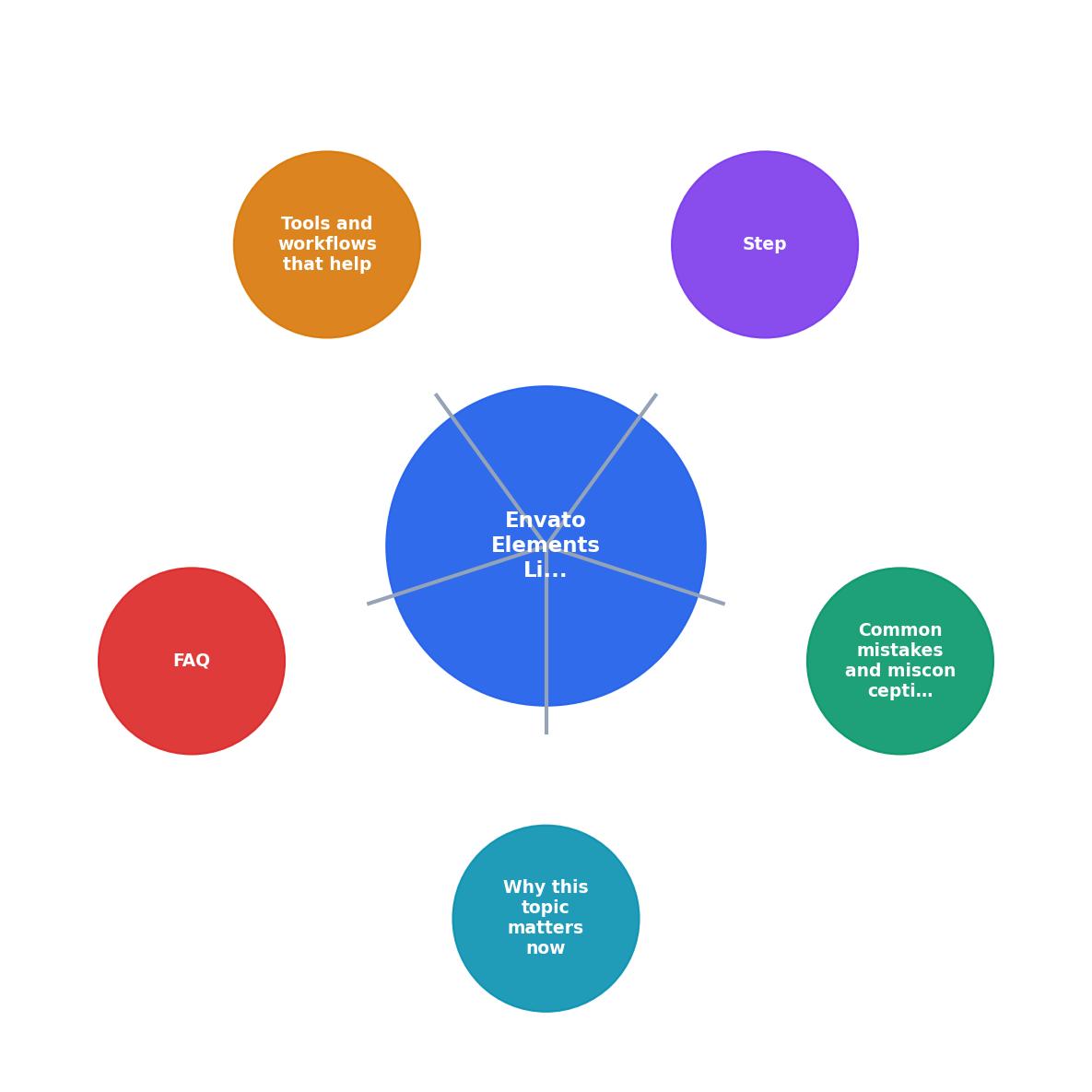
The diagram above shows the full workflow. Start with capture at download time. Build your record throughout the project. Compile a handoff document at the end. Deliver with proof. Archive for future reference.
That's the process. It's not complicated. It just requires discipline and a system.
Envato Elements Licence Handoff Checklist
Your progress is saved automatically in your browser.
FAQ
Frequently Asked Questions
When you hand off a project in 2026, your client expects three things: great creative, working files, and peace of mind. Licence proof is the missing piece that turns a good handoff into a great one. It takes minutes to create, costs nothing, and protects both you and your client from liability.
The gap isn't Envato's responsibility. It's yours. Close it now, and watch client trust, and repeat business, follow.
Additional Resources
- Envato for freelancers: using assets in client work - Envato for freelancers, answered plainly: how licensing covers client work, what you can deliver, what happens if you cancel, ...
- The 5 best Envato alternatives in 2026 - Its Core plan costs $16.50 per month with annual billing, but it has clear gaps: no 8K footage, low legal indemnity, and a small AI allowance.
- Unlock Veo 3 in VideoGen: next-gen AI video creation with ... - The lifetime commercial license covers commercial use across client work, ads, and content. Check the license terms for full scope. What ...