
Your client's lawyer just asked for proof that the hero image on their homepage is licensed. You dig through three different stock platforms, abandoned invoice emails, and account pages you haven't visited in months. Thirty minutes later, you've finally compiled the receipts, and you're annoyed at yourself for not having them ready. A licence vault solves this exact problem by centralizing proof of every licensed asset you use across all your projects, so you can respond to compliance requests in minutes instead of hours, and sleep better knowing you're protected.

TL;DR
- A licence vault is a centralized archive of proof documents (receipts, certificates, invoices) showing that every asset you use is properly licensed.
- Most freelancers lose this proof because they scatter it across platform dashboards, email folders, and downloads, then delete it when they clean up.
- You need to collect, organize, and store licence documentation once per asset at the point of use, then automate regular backups and updates.
- Tools like Licence Downloader bulk-export certificates from platforms like Freepik, Shutterstock, and Adobe Stock, cutting setup time from days to hours.
Setting up a licence vault might sound like admin overhead, but it's actually the cheapest insurance you can buy as a freelancer. A single copyright claim, even a bogus one, can tank a client relationship and your reputation. Having audit-ready proof of your licences keeps you safe and makes you look professional. The bigger shift is that 2027 clients expect this documentation as standard, not a favor. Building the vault now positions you ahead of the curve.
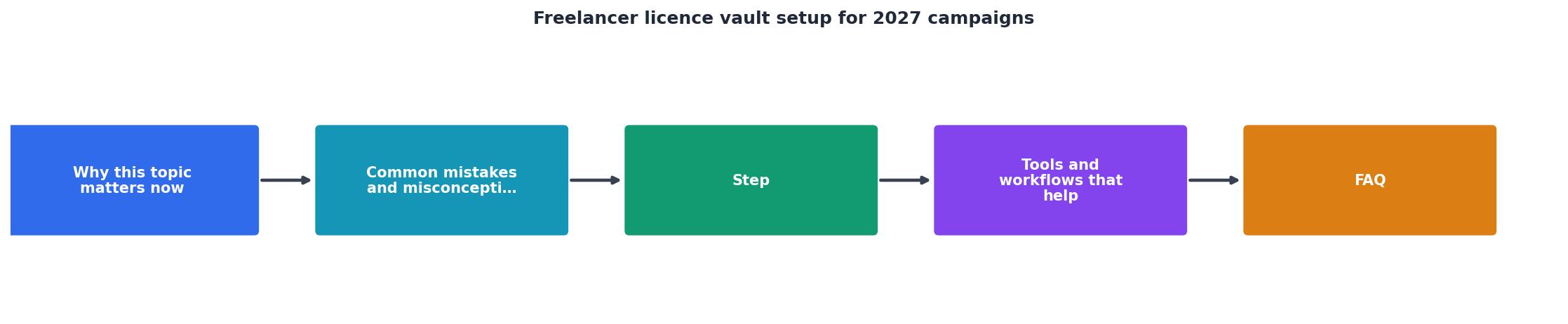
Why this matters now
Stock platforms change their terms and export options constantly. Freepik, Shutterstock, Adobe Stock, and Canva all update their dashboards, and sometimes they don't keep historical licence records as long as you'd think. If you don't grab proof at the time you use an asset, it gets harder to retrieve later. That gap creates risk.
More importantly, client expectations have shifted. Agencies and brands now routine ask for audit trails on every asset used in a campaign, especially for e-commerce, ads, and anything that touches social. If you work with corporate clients, legal teams, or regulated industries, you'll get these requests. The vault becomes a selling point: you can say "yes, I have full documentation" instead of scrambling.
Common mistakes and misconceptions
Mistake 1: "I'll just keep my invoices in email." Email is unreliable. Accounts get hacked, messages get deleted, platforms change, and search gets slow. An invoice from Freepik three years ago might be buried under thousands of marketing emails.
Mistake 2: "The platform keeps my licence history forever." They don't. Most platforms keep active-subscription or recent-purchase records easily accessible, but if you cancel a subscription or years pass, the licence proof gets archived or removed. Shutterstock, for example, doesn't guarantee long-term access to historical download records.
Mistake 3: "I don't need proof if it's a small project." Small projects still need proof. A client's lawyer doesn't care about project size, they care about liability. One copyright claim on a low-budget social post can still spiral into legal costs and lost time.
Mistake 4: "My license covers everything." Extended licences, commercial use restrictions, and platform-specific rules vary. A Canva Pro licence doesn't automatically cover resale. An Adobe Stock image might be restricted for some uses. You need proof of what you bought, not just proof that you bought something.

Step-by-step setup approach
Step 1: Choose a storage solution
Your vault lives somewhere safe, searchable, and backed up. Options include:
- Cloud storage with strong access controls (Google Drive, OneDrive, Dropbox), good for simplicity; keep your vault folder private and share only when needed.
- A dedicated document management system (Notion, Airtable), better for freelancers managing dozens of projects; you can link assets to projects and track expiry dates.
- Self-hosted or encrypted storage (ProtonDrive, Sync.com), best if you handle sensitive client work and want maximum privacy.
- A combination: private cloud folder for raw certificates + a searchable database (Airtable) that links to them.
Step 2: Collect existing licences from your platforms
Go through each stock platform you use and export or screenshot your licence records. Most platforms have a "downloads", "licenses", or "purchases" page.
Freepik: Log in, go to Account > Downloads. Export your download history.
Shutterstock: Account > Downloads. You can filter by date range.
Adobe Stock: Log in, go to Your Account > Licences & Downloads.
Envato Elements: Dashboard > Downloads.
Canva Pro/Teams: Design > File > Download History (limited), also save invoices separately.
iStock: Account > Downloads & Licences.
Download everything available, even if it's old. Label files by platform and date.
Step 3: Set up a naming and filing structure
Use a consistent folder structure so you can find things fast. Example:
Licence Vault/
├── 2025/
│   ├── Freepik/
│   ├── Shutterstock/
│   ├── Adobe Stock/
│   └── Other/
├── 2024/
└── [Old years]
Or organize by project:
Licence Vault/
├── [Client Name] - [Project Name]/
│   ├── Freepik Licences/
│   ├── Shutterstock Licences/
│   └── Usage Notes.txt
The structure doesn't matter as much as consistency. Pick one and stick to it for three months. You'll refine it as you use it.
Step 4: Automate collection going forward
This is where most freelancers fail, they set up the vault once, then stop adding to it. You need a routine.
- After every purchase, screenshot or download the receipt. Takes 10 seconds.
- Tag files with the asset ID, usage date, and project name.
- Use Licence Downloader or similar tools to bulk-export monthly. Set a calendar reminder for the first of each month to grab fresh exports from each platform.
"The same toggle will also be available on the License Vault settings page, and you can turn it on or off at any time during your trial.">, Getting started

Tools and workflows that help
Bulk-download tools
Licence Downloader does exactly what it says: it logs into your stock platforms and bulk-exports licence certificates as PDFs. Takes minutes instead of hours. You run it monthly and add the exports to your vault. For freelancers juggling Freepik, Shutterstock, and Adobe Stock, this alone cuts setup time by 70%.
Database approach for larger vaults
If you manage 50+ assets, use Airtable or Notion to index them.
Airtable template idea:- Asset ID (unique identifier from platform)
- Platform (Freepik, Shutterstock, etc.)
- Usage date
- Project / client name
- File type (photo, vector, video, etc.)
- Licence terms (commercial use allowed? extended? resale allowed?)
- Link to stored certificate
- Expiry or renewal date
Backup strategy
Store your vault in at least two places:
- Primary: Your chosen cloud storage.
- Secondary: An external hard drive or a separate cloud account (Dropbox + Google Drive, for instance).
Example Freelancer Vault Status
A well-organized vault means that when a client asks for proof, you can pull a file in under five minutes instead of five hours. That's the real win, not just protection, but peace of mind and professionalism.

Putting it all together
The process isn't complicated, but it requires discipline. Here's a realistic workflow:
- Month 1: Set up your storage, collect all existing licences from your platforms, create your folder structure or database.
- Month 2 onward: Every time you purchase or download an asset, screenshot the receipt and add it to your vault. On the first of each month, run a bulk export from your stock platforms and drop the files into the vault.
- Quarterly: Review your database for gaps or missing metadata. Add project tags or notes for assets you've already used.
- Annually: Archive old files, refresh your backup, and review platform terms to catch any changes in what you're allowed to do with your assets.
The upfront work takes a day or two. Ongoing maintenance is 30 minutes a month. That's a small price for protection and professional credibility.
Freelancer Licence Vault Setup Checklist
Your progress is saved automatically in your browser.
FAQ
Frequently Asked Questions
Having a licence vault set up before your next audit request arrives isn't just smart, it's the difference between looking like a professional and looking like someone scrambling for receipts. Start today, and by 2027 campaigns you'll have complete peace of mind.
Additional Resources
- Getting started | License Vault Documentation - Configure User access to licenses. At this step, you can set up JetBrains Account as the first authentication module for your License Vault.
- Vault 2024 Help | Licensing - Launch the Autodesk Vault Server installation package and click Install Tools and Utilities. · On the Select the Products to Install page, select Network License ...
- How to install a new CyberArk license on the vault - 1. Log onto the vault's OS as the local administrator · 2. Rename the license file to 'license. · 3. Browse to
:\Program Files (x86)\PrivateArk\Server\conf