
Q4 is when e-commerce sales surge and your visuals work harder than ever. But if your stock images aren't licensed properly, one compliance hiccup can cost you platform suspensions, legal fees, or worse, takedown notices. The difference between a smooth Q4 and a nightmare is spending a few hours now to audit your licences, organize your proof, and lock down your asset trails before the rush hits.
Photo by https://kaboompics.com/ from Pexels
TL;DR:- Audit every stock image you use across your store, ads, and social media before Q4 traffic hits.
- Download and organize licence certificates from each platform (Freepik, Shutterstock, Canva, Adobe Stock, etc.) into a central archive.
- Document which images are used where, product pages, ads, social posts, so you can respond fast to any compliance question.
- Set up a simple process to track new assets as you add them through November and December.
- Automate bulk licence downloads to save hours and eliminate manual errors.
Why this matters right now
Q4 brings three compliance risks that hit fast. First, platforms like Facebook, Amazon, and TikTok ramp up automated copyright scanning as ad volume surges, you're more likely to get flagged simply because you're running more campaigns. Second, your competitors are also racing to launch Q4 creative, which means higher odds of accidental duplication or asset misuse across the industry. Third, if you're outsourcing creative work to freelancers or agencies, licence trails get messy fast when multiple people are pulling from different stock platforms. A single unlicensed or mislicensed image in a high-spend ad campaign can trigger a suspension mid-season, halting sales when you can least afford it.
The cost of getting it wrong is real. Beyond the immediate ad suspension, you risk chargebacks, platform bans, legal demand letters, and reputation damage. The cost of getting it right, a few hours of prep and a clean archive, is almost nothing.
Common mistakes and misconceptions
Most e-commerce teams make the same errors, often without realizing it until something breaks.
"Free or cheap images are fine to use anywhere." Wrong. Even "free" stock images (from Pexels, Pixabay, or Unsplash) come with usage terms. Most free licences allow personal and commercial use, but some exclude resale, modification without credit, or exclusive use. Paid stock images are often stricter, Shutterstock's standard licence, for example, doesn't include exclusive rights, so your competitor can legally use the same image. If your business model depends on exclusivity, you need the right licence tier.
"The platform's terms protect me." Partially true, but incomplete. Facebook's terms of service protect Meta's hosting, not your use of the underlying image. Your obligation to respect the image creator's copyright is separate from your terms with the ad platform. If you violate the photographer's licence, Meta won't shield you.
"I bought it, so I own it." You own a licence to use the image under specific terms, not the image itself. The photographer retains copyright. Violating those terms, such as using an image in a way the licence forbids, is infringement, not a contract dispute.
"I'll deal with it if we get flagged." By then, your ad account is often already suspended or heavily restricted. Compliance after a flag is reactive, costly, and involves platform appeals that can take weeks. Preparation is prevention.

Step-by-step Q4 compliance checklist
Audit what you have
Start by listing every stock image you use. Walk through your product pages, email templates, social media, ads, and any other digital touchpoints. Note the image filename, where it's used, and which platform you sourced it from. You're not memorizing; you're mapping. This inventory becomes your safety net if a compliance question ever arises.
Many small teams skip this because it sounds tedious, but it takes far less time than handling a compliance crisis. Spend an hour pulling this together.
Download your licence certificates
Log into each stock platform you use and download the licence certificates or proof-of-purchase documents. Here's where to look on the major platforms:
- Freepik: Account > Downloads or Licences. Export as CSV or PDF.
- Shutterstock: Account > Downloads. Batch-download licence documents by date range.
- Adobe Stock: Assets > Licenses. Export your active and expired licences.
- Canva: Account > Content Licenses (for your paid designs and used stock).
- Envato Elements: Library > Downloaded Items > Export receipt.
- iStock: Account > Download History. Filter by date and export.
[Platform]_[Date]_Licences.pdf.
Document the asset-to-use mapping
Create a simple spreadsheet (Google Sheets or Excel) with these columns:
- Image filename or ID
- Source platform (Freepik, Shutterstock, etc.)
- Licence type (standard, commercial, extended)
- Used in (e.g., "Product page: Winter Coat", "Facebook ad: Holiday Sale")
- Date acquired
- Licence expiration (if applicable)
- Notes
Establish a team process
If you have a team, one person should be the licence keeper. This person:
- Reviews every new asset before it goes live.
- Updates the spreadsheet as new images are added.
- Quarterly (at least), confirms all existing licences are still valid.
- Responds to any compliance questions.
Audit your supplier relationships
If you work with freelancers, agencies, or user-generated content (UGC) contributors, clarify licence terms in writing. Your contract should state:
- All assets provided must be either originally created or properly licensed.
- The supplier retains responsibility for licence compliance.
- You have the right to audit assets on request.

How to organize your proof
Having the certificates is step one. Organizing them so you can actually use them is step two.
Create a folder structure like this:
/Stock Licences Archive
  /2024-Q4
    /Freepik
      Freepik_Oct2024_Licences.pdf
      Freepik_Nov2024_Licences.pdf
    /Shutterstock
      Shutterstock_Oct2024_Licences.pdf
    /Adobe Stock
      AdobeStock_Oct2024_Licences.pdf
  /Master_Spreadsheet.xlsx
When a platform asks for proof, say, Meta asks about an image in a flagged ad, you can find the relevant certificate in under a minute. This speed matters. Meta's appeals window is tight, and a fast response with clear documentation increases your chances of reinstatement.
Use automation to save hours
Bulk-downloading licences from five platforms manually takes time, and manually checking expiration dates and file validity is error-prone. Tools like Licence Downloader automate this work. You connect your stock platform accounts once, and the tool:
- Bulk-downloads all your licence certificates on a schedule.
- Stores them in a centralized, timestamped archive.
- Flags expiring or expired licences.
- Lets you export your inventory in one click.
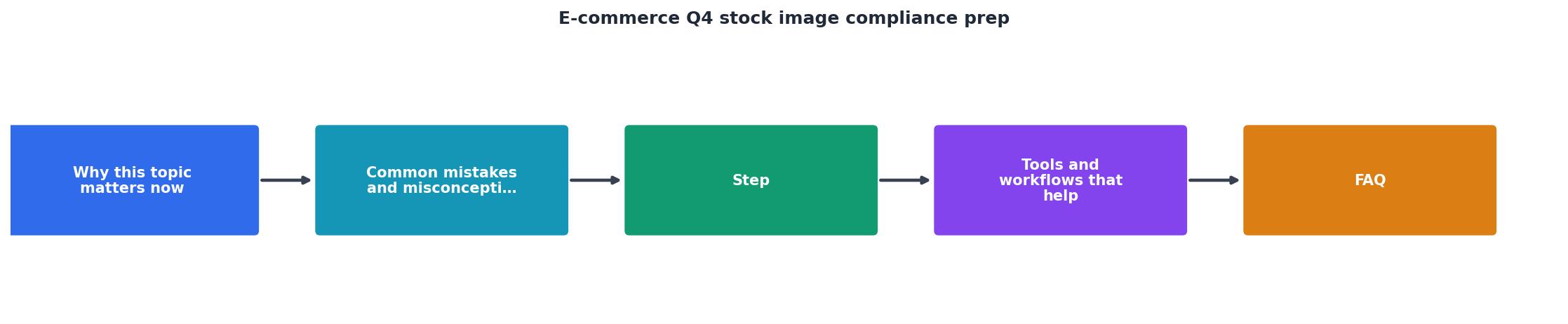
Interactive compliance readiness tracker
Use this visual to see where you stand. Enter your current status for each area to see your overall Q4 readiness score:
Q4 Compliance Readiness
This tracker is a real-time snapshot. Check off each item as you complete it, and you'll see your readiness climb. Aim to hit 100% before November 1st.
Tools and workflows that help
Beyond manual processes, a few tools make Q4 compliance effortless.
Licence Downloader is built for this exact task. Connect your Freepik, Shutterstock, Adobe Stock, Envato, Canva, and iStock accounts, and it automatically pulls all your licence certificates into a searchable, time-stamped archive. You can filter by platform, date, or licence type, and export your full inventory with a click. For freelancers managing multiple subscriptions or agencies managing team accounts, this eliminates hours of manual work each quarter.
Google Sheets or Airtable works fine for the asset-to-use mapping if you prefer to keep things simple. Set up templates, use data validation (dropdown lists for platform names and licence types), and share the document with your team. No fancy software needed.
Backup and version control matter. Use cloud storage (Google Drive, Dropbox, OneDrive) for both your licence certificates and your inventory spreadsheet. Set up automatic backups or version history so you can recover if something gets accidentally deleted.
Practical Q4 compliance checklist
Q4 Stock Image Compliance Prep
Your progress is saved automatically in your browser.

FAQ
Frequently Asked Questions
Getting your stock image licences organized before Q4 is one of the highest-ROI tasks you can do before the rush. You're not just dodging a compliance bullet; you're building a repeatable process that saves time every quarter and keeps your team confident that every asset is above board. Start with the audit this week, download the certificates by month-end, and you'll enter Q4 with the kind of clarity and protection that let you focus on selling, not firefighting.
Additional Resources
- How to Prepare Your E-Commerce Business for Q4 - 1. Review Your Inventory and Order Early One of the most important factors in Q4 success is having the right inventory in stock. · 2. Optimize ...
- Q4 2026 Ecommerce Peak Season Prep: The Full Playbook - This playbook walks anticipated peak — the standard practice for stores that do not fall over on Black Friday. refresh titles and lifestyle ...
- How to prepare for Q4 e-commerce sales? - Taxology - Conducting a stock audit · 1) Preparation of a demand forecast · 2) Ensuring a safety reserve · 3) Optimisation of warehouse operations · 4) Cash ...