

A freelance designer leaves a Canva Pro team, and three months later the client gets a copyright takedown notice for an asset that designer used. Who is on the hook? The answer depends on how Canva Pro team licences actually work in 2026, and most design ops setups get it wrong. This article breaks down exactly who owns what, where the gaps hide, and how to close them before an audit turns into a crisis.
Photo by Viridiana Rivera from Pexels
TL;DR:- The Canva Pro team subscription holder (the organization or account admin) holds the licence to use assets, not individual team members.
- When a team member leaves, their personal Canva account loses access to Pro content, but designs created under the team remain with the team.
- You need a documented offboarding process and archived licence proof for every asset used in client deliverables, or you risk gaps that no one notices until a legal request lands.
The licence belongs to the team, not the person
Canva's Content Licence Agreement ties usage rights to the account that holds the active subscription. For Canva Pro for Teams, that means the organization's team account is the licence holder. Individual designers working inside that team are authorized users, not independent licence owners.
This distinction matters because it creates a chain of dependency. The moment a designer is removed from the team, their authorization to use those Pro assets under the team licence ends for new work. Designs they already created inside the team workspace stay there. But if they downloaded assets to their local machine and reused them in a personal project or a different client engagement, that use is not covered.
The practical result: most freelance designers working across multiple Canva teams have no clear record of which assets belong to which team licence. And most teams have no process to verify it.
Why this matters right now

Three things changed in the last 18 months that make Canva Pro team licence ownership a live issue:
- Canva's enterprise push. Canva rolled out stricter team admin controls, audit logs, and brand kit governance. These features exist because organizations demanded accountability. If Canva gives you the tools to track usage, a court or client will expect you to have used them.
- Copyright enforcement automation. Content ID systems and reverse-image-search bots now flag stock imagery faster than ever. A takedown notice can arrive weeks after publication, not months.
- Freelancer churn. The average freelance engagement on a Canva team lasts four to six months. Every departure is a potential licence gap if nobody documents what was used and under which account.
Ignoring this is not a theoretical risk. It is a Tuesday-afternoon email from a client's legal team asking for proof that the hero image on their homepage is properly licensed.
Common mistakes that create exposure

Mistake 1: Assuming "I downloaded it" means "I own the licence." Downloading a Canva Pro asset to your desktop does not transfer the licence to you personally. The licence stays with the team subscription. If you leave the team and keep using that file, you are using it without a valid licence.
Mistake 2: Mixing personal and team accounts. Designers often have a personal Canva Pro subscription and also belong to a client's team. When they drag an asset from one workspace into another, the licence trail breaks. Canva does not track cross-workspace asset provenance for you.
Mistake 3: No export of licence records. Canva does not offer a one-click "download all my licence certificates" button. The Content Licence Agreement covers your use, but proving which specific assets you used under which plan requires manual work or a dedicated tool.
Mistake 4: Treating Canva like Adobe Stock. Adobe Stock gives you a downloadable licence certificate per asset. Canva does not. Your proof is the combination of your active subscription, the design history in your team workspace, and the Content Licence Agreement. Lose any piece of that chain and you have a documentation gap.
Step-by-step: secure your team's asset licences
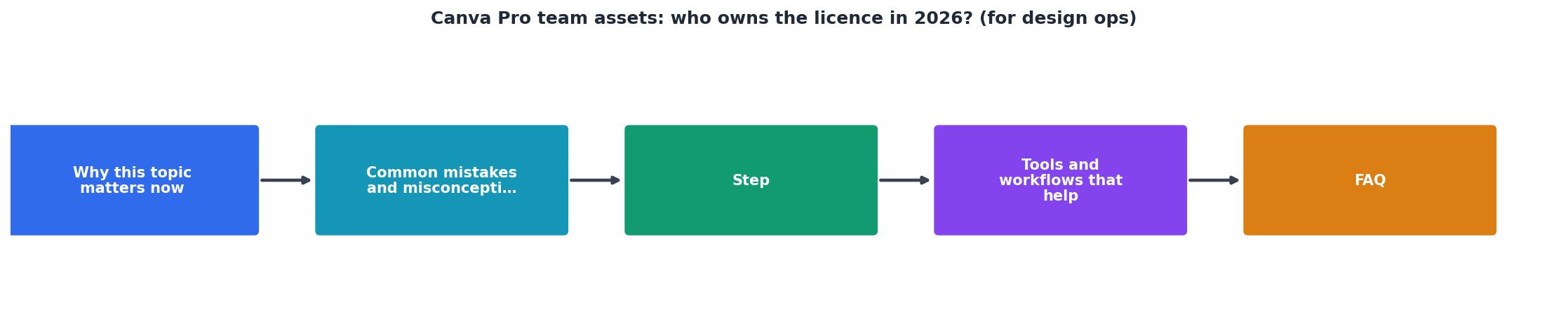
Here is a concrete workflow for design ops leads and freelancers who want audit-ready licence documentation:
- Audit current team members. List every person with access to your Canva Pro team. Note their role (admin, member, external contributor) and the date they joined.
- Inventory active designs. Export a list of all designs in the team workspace. Canva's admin panel shows recent activity. Screenshot or export this regularly.
- Identify Pro assets per design. Open each client-facing design and note which elements are Canva Pro stock (photos, illustrations, videos, audio). Canva marks these with a small crown icon or "Pro" badge.
- Archive licence proof. For each Pro asset, capture the asset ID, the design it appears in, the team account name, and the subscription status at the time of use. Store this in a shared spreadsheet or a tool like licencedownloader.com that can bulk-pull licence records across platforms.
- Document offboarding. When a team member leaves, transfer ownership of their designs to the team admin, verify no Pro assets were copied to personal accounts, and revoke access.
- Set a quarterly review. Every 90 days, re-run steps 1 through 5. Licence gaps compound over time.
| Manual Tracking | Automated with Licence Downloader |
|---|---|
| Hours per quarter | Minutes per quarter |
| Spreadsheet-based, error-prone | Centralized, consistent records |
| No cross-platform view | Covers Canva, Freepik, Shutterstock, and more |
| Breaks when people leave | Persists independent of team changes |
Tools and workflows that help

Canva's built-in admin tools give you activity logs and team management, but they do not produce a standalone licence certificate you can hand to a client's lawyer. You need to supplement them.
- Canva Admin Panel: Use it to monitor who accesses what and when. Export activity logs monthly.
- Shared asset register: A simple Google Sheet or Notion database with columns for asset ID, source platform, licence type, team account, date used, and project name. Low-tech but effective.
- Licence Downloader: If your team uses multiple stock platforms alongside Canva, a tool like licencedownloader.com lets you bulk-download licence certificates from Freepik, Shutterstock, Adobe Stock, Envato, iStock, and others into one archive. It fills the gap Canva leaves by not offering per-asset certificates.
- Cloud storage with versioning: Store licence proof in a folder structure mirroring your client projects. Use Google Drive, Dropbox, or SharePoint with version history enabled so nothing gets accidentally deleted.
[ClientName]-[AssetID]-[Platform]-[Date].pdf. When a legal request arrives, you can search by client or asset in seconds instead of digging through email threads.Here is an example dashboard showing what a well-organized licence tracking setup looks like for a typical freelance designer managing three active Canva teams:
Licence Tracking Dashboard (3 Canva Teams)
Canva Pro Team Licence Ops Checklist
Your progress is saved automatically in your browser.
FAQ
Frequently Asked Questions
Additional Resources
- Canva's licensing explained - You are automatically granted a Pro Content licence. When you resize a design, or create a new design and want to use the same piece of Content, you get another ...
- Canva Business - AI design and brand tools for small teams - Canva Business helps small teams and individuals design, market, and stay on-brand with AI tools, templates, and brand kits. Start a free trial or talk to ...
- Plans and pricing - Find your perfect plan whether you're solo, in a team, or a large organization with features like premium content, AI, and powerful design tools.