
Every January, enterprise teams kick off new campaign planning with fresh budgets, new freelancers, and hundreds of stock assets already scattered across six different platforms. The problem is not buying the licences. The problem is proving you have them when legal comes knocking in Q3. A freelancer licence vault solves this by giving every asset a single, searchable home with its licence certificate attached before the first ad even goes live.
Photo by SHVETS production from Pexels
TL;DR:- A licence vault is a centralized folder structure (cloud or local) where every stock asset used in a campaign lives alongside its downloaded licence certificate.
- Set it up before 2026 campaigns launch, not after an audit request lands in your inbox.
- Automate the certificate-download step with a tool like Licence Downloader to cover Freepik, Shutterstock, Adobe Stock, Envato, iStock, and Canva in bulk.
- Assign one person per project as the "vault owner" so nothing slips through the cracks.
Why licence vaults matter now

Three things changed heading into 2026 that make this urgent:
- Platform licensing terms keep shifting. Freepik updated its attribution rules. Adobe Stock adjusted seat-based access. Envato Elements moved to a per-asset model. Each change means old assumptions about "we're covered" might be wrong.
- Enterprise clients demand audit trails. Large brands now include licence-proof clauses in their agency and freelancer contracts. If you cannot produce a PDF certificate within 48 hours, you are in breach.
- Copyright enforcement tools got smarter. Automated image-matching services (think PicRights, Copytrack, Getty's enforcement arm) scan published content at scale. A DMCA takedown on a live campaign costs more than the stock subscription itself.
"The full slate of changes will go into effect on April 1, 2026:.">, Licensing updates extend access to advanced capabilities in Microsoft Teams and
Licensing changes across the software and media industry signal a broader trend: vendors expect you to track what you use. Stock media is no different.
Common mistakes teams make

I have seen the same patterns across dozens of teams. Here are the ones that cause the most damage:
- Trusting the platform as your archive. Shutterstock keeps your download history, sure. But if your subscription lapses or the freelancer who downloaded the asset leaves, that history becomes inaccessible. The platform is not your backup.
- Mixing personal and team accounts. A freelancer downloads an image on their personal Freepik Pro account, delivers it to the enterprise client, and moves on. Six months later, nobody can prove the licence covers commercial use by the client. The freelancer's account, the freelancer's licence, the enterprise's problem.
- Waiting until the audit. Retroactively hunting down licence certificates for 400 assets used across a Q1 campaign is a full week of someone's time. Some certificates will be unrecoverable.
- No naming convention. A folder full of
licence_final_v2.pdfandshutterstock_12345.pdffiles is barely better than no folder at all.
Step-by-step vault setup
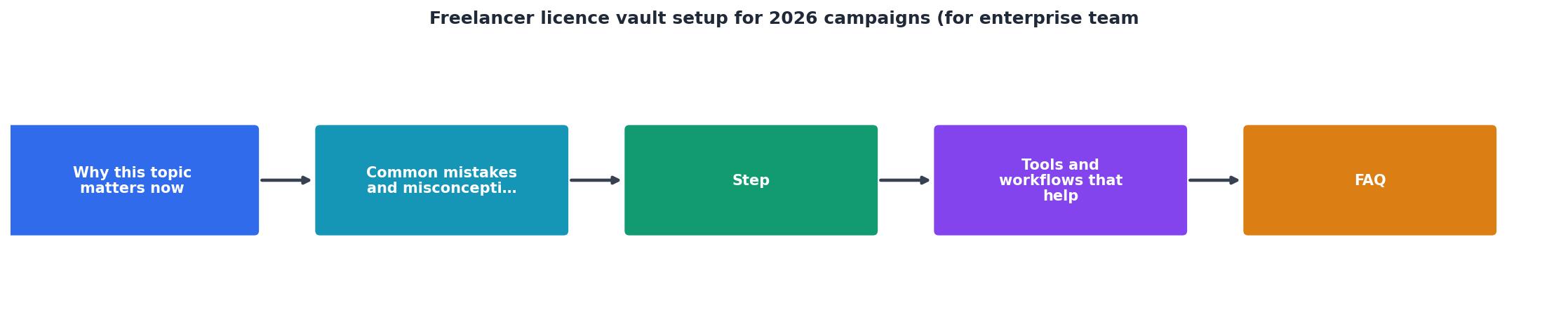
Follow these steps to build a vault that survives the entire 2026 campaign cycle. The diagram above shows the flow: Create Vault Structure, Download Certificates, Link to Assets, Assign Vault Owner, Run Monthly Audits.
1. Pick your storage layer
Use whatever cloud storage your enterprise already runs: Google Drive, SharePoint, Dropbox Business, or an S3 bucket with a simple front end. The tool does not matter. What matters is that every team member and freelancer can access it without friction.
Create a top-level folder: Licence-Vault-2026. Inside it, create subfolders by campaign or client:
Licence-Vault-2026/
├── Campaign-SpringLaunch/
│   ├── assets/
│   └── licences/
├── Campaign-Q2Rebrand/
│   ├── assets/
│   └── licences/
└── _Freelancer-Uploads/
2. Define a naming convention
Every licence certificate file should follow one pattern. I recommend: [Platform]-[AssetID]-[Date]-licence.pdf. For example: Shutterstock-2198437651-20260115-licence.pdf. This makes searching trivial.
3. Bulk-download existing certificates
This is where most teams stall. Logging into five platforms, clicking through account pages, and downloading certificates one by one is brutal. Use licencedownloader.com to pull certificates in bulk from Freepik, Shutterstock, Adobe Stock, Envato, iStock, and Canva. Drop them into the licences/ subfolder for each campaign.
4. Assign a vault owner per campaign
One person (usually the project manager or producer) owns the vault for each campaign. Their job: verify that every asset delivered by a freelancer has a matching licence certificate in the vault before the campaign goes live.
5. Run a monthly reconciliation
Once a month, compare the asset count in assets/ against the certificate count in licences/. Any mismatch gets flagged and resolved within 48 hours. This takes 20 minutes when the vault is organized. It takes 20 hours when it is not.
Tools and workflows that help

The vault itself is just folders and files. The workflow around it determines whether it actually gets used. Here is what works in practice:
- Licence Downloader for bulk certificate retrieval. Instead of logging into each stock platform individually, pull all certificates at once and drop them into the vault. This alone saves hours per campaign.
- Google Sheets or Airtable as a licence registry. One row per asset: asset ID, platform, licence type, download date, campaign, freelancer name, certificate filename. Link to the actual PDF in the vault.
- Slack or Teams reminders for the vault owner. A weekly ping: "Have all new assets from this week been added to the vault?"
- Freelancer onboarding docs that include vault instructions. Every freelancer who touches a campaign gets a one-page PDF explaining: where to upload assets, how to name files, and what licence proof to include.
Example: Q1 2026 Vault Status
| Manual Licence Tracking | Vault-Based Tracking |
|---|---|
| Certificates scattered across email, downloads, platform dashboards | Single folder per campaign with standardized filenames |
| Audit response time: days to weeks | Audit response time: minutes to hours |
| Freelancer offboarding breaks the chain | Certificates persist in the vault regardless of freelancer status |
| No visibility into coverage gaps | Monthly reconciliation catches mismatches early |
_README.md file inside each campaign's vault folder explaining the naming convention and who the vault owner is. New team members and freelancers can self-serve instead of asking around.Freelancer Licence Vault Setup Checklist
Your progress is saved automatically in your browser.
FAQ
Frequently Asked Questions
Additional Resources
- License Vault: Effective management of ... - License Vault effectively distributes the licenses for your entire organization and provides your team with the flexibility to scale as you go.
- Licensing updates extend access to advanced capabilities ... - All users with a Teams Enterprise license will soon be able to host Teams events for up to 3,000 attendees, including the ability to use ...
- Teams Licensing Changes Take Effect in April 2026 - Microsoft announced a set of Teams licensing changes to take effect in April 2026. The changes affect devices, Microsoft Places, and Teams ...