
Every freelance designer who juggles Freepik, Adobe Stock, and Envato subscriptions has the same recurring nightmare: a client emails six months after delivery asking for proof that a hero image was properly licensed, and you spend two hours digging through three different dashboards to find a single PDF. Setting up a licence vault before your 2026 campaigns kick off takes about an afternoon and saves you from that exact scenario for the entire year. This guide walks through the folder structure, naming conventions, download workflow, and backup strategy that actually works when you are a team of one.
Photo by Molnár Tamás Photography™ from Pexels
TL;DR:- A licence vault is a single, organized folder (local + cloud) where every stock-media licence certificate lives, named consistently and backed up automatically.
- Build it once with a clear folder hierarchy, a file-naming convention tied to projects, and a quarterly audit reminder.
- Use a bulk-download tool like Licence Downloader to pull certificates from multiple platforms in minutes instead of hours.
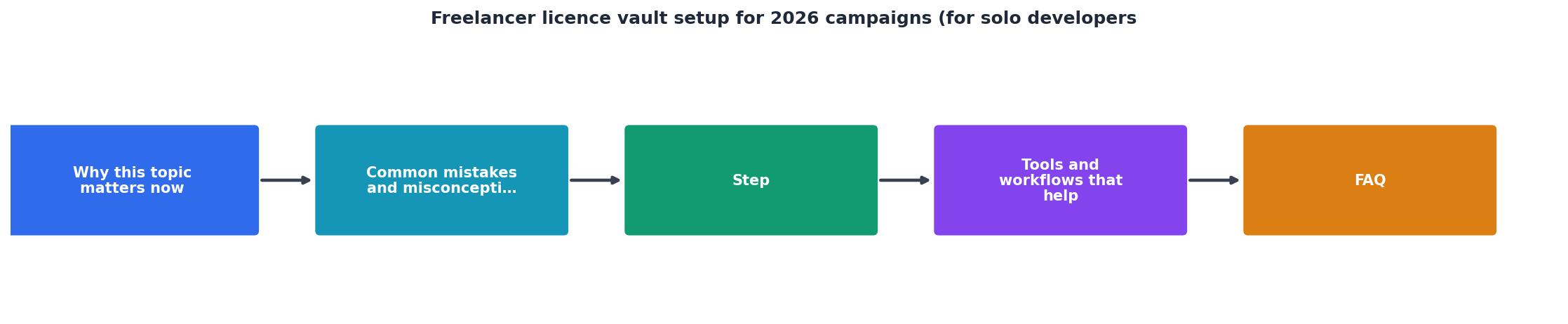
Why a licence vault matters now
Stock-media copyright enforcement got noticeably stricter in 2025. Platforms like Shutterstock and Adobe Stock updated their terms to require licence holders to produce proof within 30 days of a dispute notice. If you cannot, the burden of proof shifts to you, and settlement demands follow.
For a solo freelancer billing by the hour, every minute spent hunting for a licence certificate is unbillable time. Worse, if you cannot find the certificate at all, you risk paying a settlement that dwarfs the original stock subscription cost.
A licence vault eliminates that risk. It is not a fancy app or a SaaS dashboard. It is a structured folder on your drive (synced to cloud storage) where every licence certificate you download goes, named so you can find it in under 60 seconds.
The concept is simple. The execution requires a bit of discipline upfront. Here is how to do it right.
Common mistakes that cost freelancers

Before building the vault, it helps to know what goes wrong when freelancers skip this step:
- Relying on email receipts. Purchase confirmation emails from Freepik or Envato are not licence certificates. They prove you paid, not what usage rights you received. If the email gets deleted or buried, you have nothing.
- Saving certificates to the Downloads folder. The default Downloads folder on your machine is a graveyard. Files get overwritten, renamed, or purged. A certificate named
licence_12345.pdfmeans nothing six months later. - Mixing personal and client assets. When you buy a stock photo for Client A's campaign and later reuse it for Client B (if the licence allows), you need to know which licence covers which use. A flat folder with no project tags makes that impossible.
- Never downloading the certificate at all. Many freelancers assume the platform "keeps it for them." Platforms change interfaces, retire accounts, and merge product lines. Your proof should live on your own storage.
- Skipping backups. A single hard drive failure wipes out years of licence records. Cloud sync is not optional.
Step-by-step vault setup

Here is the process from zero to a working vault. Each step takes 10 to 20 minutes.
1. Create the root folder
Pick a location that syncs to cloud storage. Google Drive, Dropbox, or OneDrive all work. Create a top-level folder:
/LicenceVault/
Inside it, create three subfolders:
/LicenceVault/2026/for all 2026 campaign assets/LicenceVault/_templates/for your naming convention reference and any reusable docs/LicenceVault/_archive/for completed projects you want to keep but rarely access
2. Define your project subfolder structure
Under the year folder, create one subfolder per client project:
/LicenceVault/2026/ClientName-ProjectSlug/
Example: /LicenceVault/2026/Acme-SpringLaunch/
Inside each project folder, every licence certificate gets saved with a consistent filename:
Platform-AssetID-DateDownloaded.pdf
Example: Freepik-IMG8834521-20260115.pdf
This naming convention lets you sort by platform, search by asset ID, and see at a glance when you downloaded the proof.
3. Bulk-download existing certificates
This is where most freelancers stall. Logging into Freepik, then Adobe Stock, then Envato, then iStock, clicking through download history pages, and saving individual PDFs takes hours.
A tool like Licence Downloader connects to multiple platforms and pulls all your licence certificates in one batch. You point it at your vault folder, and it saves each certificate with the asset ID in the filename. What used to take an entire afternoon now takes about 15 minutes.
"💥 Master Any Skills in 3 Months 📚 Up to 50% OFF Premium Courses ⏰ Limited-Time Offer👉 Enroll Now & Start Learning.">, Medium
4. Set up a quarterly audit reminder
Create a recurring calendar event (January 1, April 1, July 1, October 1) with a simple task list:
- Run a bulk download for any new purchases since last audit
- Verify each active project folder has certificates for every stock asset used
- Move completed project folders to
_archive - Confirm cloud sync is working (check last sync timestamp)
5. Add a backup layer
Cloud sync handles day-to-day redundancy. For extra protection, set up a monthly automated backup to a second cloud provider or an external drive. On Windows, a scheduled robocopy task works. On macOS, a rsync cron job does the same.
Tools and workflows that help

Your vault is only as useful as the workflow around it. Here are the tools that fit a solo freelancer's budget and schedule:
| Manual Approach | Vault + Bulk Download |
|---|---|
| Log into each platform separately | Connect all platforms once |
| Search download history page by page | Pull all certificates in one batch |
| Rename files by hand | Auto-named with asset ID and date |
| Cloud sync + scheduled backup | |
| 2-3 hours per quarter | 15-20 minutes per quarter |
Recommended stack for solo freelancers:
- Cloud storage: Google Drive (15 GB free) or Dropbox (2 GB free, upgradeable)
- Bulk certificate download: Licence Downloader at licencedownloader.com
- Backup automation: Windows Task Scheduler with
robocopy, or macOSrsync - Naming reference: A one-page text file in your
_templatesfolder documenting your convention
README.txt to your vault root folder explaining the naming convention and folder structure. If you ever hand off a project to another freelancer or bring on a collaborator, they can understand the system immediately.Here is an example dashboard showing what a typical freelancer's licence vault might look like after the first quarter of 2026:
📁 Example Vault, Q1 2026
Freelancer Licence Vault Setup Checklist
Your progress is saved automatically in your browser.
FAQ
Frequently Asked Questions
_team subfolder for shared assets, and include each team member's name in the filename convention (e.g., Freepik-IMG8834521-you-20260115.pdf). For teams larger than three or four people, consider a more structured approach with dedicated compliance tooling.Additional Resources
- Solo Dev in 2026: I've Shipped 143 Apps — Marketing Still ... - Daily shipping is the easy part. Turning those apps into real revenue without a big audience or ad budget is the real boss fight.
- How I Get Clients as a Freelance Developer in 2026 (My Exact ... - In this video I'm breaking down my exact process for finding and closing high-paying clients as a solo web developer in 2026. No agency. No ...
- License Vault: Effective management of ... - License Vault effectively distributes the licenses for your entire organization and provides your team with the flexibility to scale as you go.