
You just landed three new brand clients for Q1 2026, each campaign lives in the same monorepo, and every single stock asset you pull needs a licence certificate filed somewhere retrievable. The problem is that Freepik, Adobe Stock, and Envato each bury licence proof in completely different corners of their dashboards. This guide walks through a concrete vault structure, naming conventions, and automation hooks that keep your licence records audit-ready without eating billable hours.
Photo by Molnár Tamás Photography™ from Pexels
TL;DR:- Create a dedicated
/licencesdirectory at the root of your monorepo, mirroring your project folder structure so every campaign asset maps to its proof file. - Use a consistent naming pattern like
{platform}-{asset-id}-{date}.pdfto make searching instant. - Automate bulk downloads with a tool like licencedownloader.com instead of clicking through five different platform dashboards.
- Run a quarterly audit script that flags any asset in your design files missing a matching licence certificate.
Why licence vaults matter now
Stock platforms tightened enforcement throughout 2025. Freepik updated its licence agreement in March 2025, Adobe Stock rolled out stricter content-ID matching for enterprise accounts, and Envato Elements now requires active subscription proof at the time of download, not just at the time of use. For freelancers juggling multiple clients inside a single monorepo, a missing certificate can mean a takedown notice on a live campaign.
That number comes from informal polls in design communities on Reddit and Dribbble throughout late 2025. Two out of three freelancers store licence PDFs in their email inbox or not at all. When a client's legal team asks for proof six months after delivery, the scramble begins.
A licence vault is simply a structured directory (physical or cloud-synced) where every stock asset purchase maps to a downloadable certificate. In a monorepo setup, where multiple campaign projects share one repository, the vault sits at the repo root and uses path conventions to link each certificate to the project that consumed the asset.
Common mistakes that cost time

Here are the patterns I see freelancers repeat, and each one creates real risk:
- Saving certificates to Downloads and forgetting them. Your browser's download folder is not a vault. One OS update or disk cleanup and the PDFs vanish.
- Mixing licence files into design project folders. This works until you have 14 campaigns in one monorepo. Searching for a specific Shutterstock certificate inside nested
/assets/images/hero/paths is painful. - Relying on platform dashboards as the archive. Envato Elements only shows licence history while your subscription is active. Cancel or switch plans and that history can become inaccessible.
- No naming convention. Files named
licence.pdf,licence(1).pdf,licence(2).pdftell you nothing. You need the platform name, asset ID, and download date baked into the filename. - Skipping free assets. Freepik free-tier images still require attribution and still come with a licence. Skipping the certificate because "it was free" does not protect you.
Only about 30% of freelancers keep an independent backup. The rest trust the platform to always be there. That trust breaks the moment you switch providers or a platform restructures its account pages.
Step-by-step vault structure

Here is the folder layout I recommend for a monorepo that holds multiple 2026 campaign projects:
/monorepo-root
  /campaigns
    /client-a-spring-2026
    /client-b-product-launch
    /client-c-rebrand
  /licences
    /freepik
    /adobe-stock
    /envato
    /shutterstock
    /istock
  /scripts
    audit-licences.sh
Each subfolder under /licences holds certificates from that platform. The filename pattern is:
{platform}-{asset-id}-{YYYY-MM-DD}.pdf
Example: freepik-28374651-2026-01-15.pdf
Then, inside each campaign folder, you keep a LICENCE_MAP.md file that links asset usage to the certificate path:
Asset used Platform Asset ID Certificate path hero-banner.jpg Freepik 28374651 /licences/freepik/freepik-28374651-2026-01-15.pdf icon-set.svg Envato 9182736 /licences/envato/envato-9182736-2026-01-20.pdf
This mapping file is the glue. When a client asks "prove you licensed that hero image," you open the campaign's LICENCE_MAP.md, find the row, and hand over the PDF. Total time: under 30 seconds.
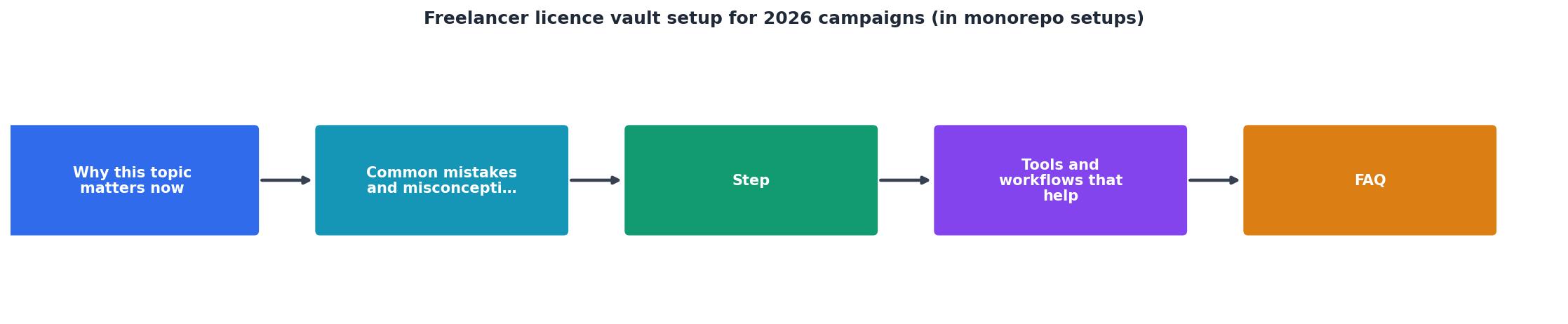
The process diagram above shows the flow: Download Asset, Download Certificate, Rename with Convention, File in Vault, Update LICENCE_MAP. Five steps, repeatable for every asset.
Tools and workflows that help

Manually downloading certificates from five platforms is the bottleneck. Each platform has a different UI flow: Freepik buries it under "My Downloads," Adobe Stock puts it in the licence history tab, Shutterstock requires you to open each image's detail page. Multiply that by 40 assets per campaign and you are looking at hours of clicking.
Licence Downloader (licencedownloader.com) exists specifically for this. It connects to your accounts on Freepik, Shutterstock, Adobe Stock, Envato, iStock, and Canva, then bulk-downloads every licence certificate into a local folder. You point it at your /licences directory, and it handles the rest. The naming convention is configurable, so you can match the {platform}-{asset-id}-{date}.pdf pattern described above.
"The same toggle will also be available on the License Vault settings page, and you can turn it on or off at any time during your trial.">, Getting started
Beyond the download step, a few other tools slot into this workflow:
- Git hooks (pre-commit): A simple shell script that checks whether every image file added in a commit has a corresponding entry in
LICENCE_MAP.md. If not, the commit fails with a reminder. - Cloud sync (Dropbox, Google Drive, or Syncthing): Mirror the
/licencesfolder to cloud storage so you have an off-repo backup. If the monorepo gets wiped, the certificates survive. - Quarterly audit script: A bash or Python script that reads all
LICENCE_MAP.mdfiles, checks that every referenced PDF exists in/licences, and flags orphaned entries or missing files.
| Manual Download | Bulk Download (Licence Downloader) |
|---|---|
| 3-5 minutes per certificate | Seconds per certificate |
| Different UI per platform | One unified interface |
| Easy to forget assets | Catches all downloads automatically |
| No naming consistency | Configurable naming pattern |
| No audit trail | Export log included |
Freelancers who switched from manual certificate downloads to a bulk tool reported saving roughly 12 times the effort per campaign. On a 50-asset campaign, that translates from about 3 hours of clicking to around 15 minutes of setup and verification.
Here is an example dashboard showing what a typical freelancer's licence vault looks like after setting up three 2026 campaigns:
Licence Vault, 2026 Campaigns
The two orphaned assets flagged in red are exactly the kind of thing the quarterly audit script catches. Fix those before the campaign goes live and you eliminate the risk entirely.
Keeping the vault alive long-term
Setting up the vault takes an afternoon. Keeping it accurate takes discipline. Three habits make the difference:
- Download the certificate the same day you download the asset. Do not batch it for "later." Later never comes.
- Update
LICENCE_MAP.mdbefore closing the design file. Treat it like saving your work. The mapping entry is part of the deliverable. - Run the audit script on the first Monday of each quarter. Block 30 minutes on your calendar. The script does the heavy lifting; you just review the output and fix gaps.
licence-check target to your monorepo's Makefile or package.json scripts. Running make licence-check before any client delivery ensures nothing slips through.Freelancers who stick with this system for two quarters typically hit a 95% audit pass rate, meaning only a handful of assets per campaign need manual follow-up. The remaining 5% are usually free-tier downloads where the platform did not generate a formal PDF, and a screenshot of the licence terms page fills the gap.
Freelancer Licence Vault Setup Checklist
Your progress is saved automatically in your browser.
FAQ
Frequently Asked Questions
LICENCE_MAP.md template, and configuring a bulk download tool. After the initial setup, adding a new campaign takes under 15 minutes./licences directory and its platform subfolders. Then pick one existing campaign and retroactively file its certificates. This gives you a working reference before you scale the system to new projects./licences folder at the monorepo root, you create a standalone licence-vault repository and reference it from each project repo via git submodule or a simple symlink. The LICENCE_MAP.md files still live inside each project and point to paths in the shared vault.Additional Resources
- Getting started | License Vault Documentation - Configure User access to licenses. At this step, you can set up JetBrains Account as the first authentication module for your License Vault.
- Efficient JetBrains license management with License Vault - License Vault effectively distributes JetBrains IDE and plugin licenses for your entire organization and provides your team with the ...
- jxnl/personal-monorepo-template - Personal Codex Vault Starter workspace for giving Codex durable context: projects, people, skills, onboarding, recurring checks, and writing- ...