

Picking the wrong stock image licence can cost you a client relationship, a chunk of revenue, or weeks of stress dealing with a copyright claim. Freelancers juggle multiple platforms, each with its own licensing language, restrictions, and pricing traps. This guide breaks down the three main licensing models, compares them side by side, and gives you a practical decision matrix so you stop guessing and start choosing with confidence.
Photo by ROMAN ODINTSOV from Pexels
TL;DR:- Royalty-free (RF) licences offer one-time payment and broad reuse but lack exclusivity.
- Rights-managed (RM) licences give controlled, sometimes exclusive usage but cost more and restrict scope.
- Subscription-based models lower per-asset cost and simplify budgeting but lock you into recurring payments and platform-specific terms.
- The best model depends on project scope, client expectations, and how many assets you download each month.
Three Models, Three Trade-offs
Every stock platform sells access through one of three core licensing structures: royalty-free, rights-managed, or subscription-based. Some platforms blend them (Adobe Stock offers both RF and subscription tiers; Getty Images still sells RM alongside RF), but the underlying mechanics stay consistent.
Understanding the differences is not academic. It directly affects what you can deliver to a client, how long you can use an asset, and whether you need to keep proof of purchase on file for years. That last point trips up freelancers constantly: a client's legal team asks for licence documentation 18 months after a project wraps, and you are scrambling through three different platform dashboards trying to find a PDF that may not exist anymore.
A large share of freelance designers work across more than one stock library. That means dealing with multiple licensing models simultaneously, which makes clarity on each model essential.
Royalty-Free Licences Explained

Royalty-free (RF) does not mean "free." It means you pay once and can reuse the asset across multiple projects without paying additional royalties per use. Shutterstock, Adobe Stock, Freepik, and iStock all sell RF licences as their default tier.
Advantages of royalty-free
- One-time cost. Pay once, use the image in a website header today and a social media campaign next quarter without a second charge.
- Broad usage rights. Most RF licences cover web, print, social, and presentations. You rarely need to negotiate scope.
- Simplicity. The licence terms are standardized. You do not need to calculate fees based on print run, geography, or duration.
- Speed. Download, drop into your design, deliver. No back-and-forth with a licence rep.
Disadvantages of royalty-free
- No exclusivity. Your competitor can buy and use the exact same image. For brand-sensitive projects, that is a real problem.
- Volume caps. Many RF licences cap print runs at 500,000 copies. Go beyond that and you need an extended licence, which costs significantly more.
- Limited editorial use. Some RF assets cannot be used in editorial or news contexts without a separate release.
- Resale restrictions. You cannot sublicence or resell the asset itself. If a client needs to transfer the licence to a third party, RF often does not allow it cleanly.
Rights-Managed: Precision at a Price

Rights-managed (RM) licences price each use individually. You specify the medium (web banner vs. billboard), geography (North America vs. global), duration (6 months vs. perpetual), and sometimes exclusivity. Getty Images and Alamy still offer RM options for premium content.
Advantages of rights-managed
- Exclusivity options. You can negotiate exclusive use for a region or industry, guaranteeing your client's competitor will not run the same visual.
- Premium content. RM libraries often include higher-end photography, celebrity images, and archival content unavailable under RF.
- Controlled distribution. Because each use is tracked, RM assets tend to appear less frequently across the internet, preserving brand differentiation.
Disadvantages of rights-managed
- Higher cost per use. A single RM image for a national print campaign can run $500 to $2,000+, compared to $10-50 for a comparable RF image.
- Scope creep risk. If the client decides to extend the campaign to a new market or medium, you need to go back and relicence. That means additional cost and delay.
- Complex negotiations. Calculating the right RM fee requires understanding the pricing calculator on each platform. Get it wrong and you are either overpaying or underlicenced.
- Expiration. Many RM licences are time-limited. Forget to renew and you are technically using the asset without authorization.
The reality is that a minority of freelancers feel confident navigating RM terms. If you work with RM assets, keep meticulous records of what was licensed, for how long, and in which territories.
"Freelancers pay a 15.3% self-employment tax to cover Social Security and Medicare, plus regular federal and possibly state and local income taxes.">, Do Freelancers Need a Business License? Here's What To Know in 2026
That tax burden makes every unnecessary relicencing fee sting harder. Choosing the wrong model up front compounds the financial hit.
Subscription Models: Volume vs. Lock-In

Subscription-based licensing bundles a set number of downloads per month (or unlimited downloads from a specific library) for a flat recurring fee. Envato Elements, Freepik Premium, Canva Pro, and Adobe Stock's subscription tiers all follow this pattern.
How subscriptions work in practice
You pay $20-50/month (typical freelancer tier) and get 10, 50, or unlimited downloads depending on the platform. Each downloaded asset comes with an RF-style licence valid for the project you used it in. Cancel the subscription and you keep the right to use assets already downloaded in completed projects, but you cannot download new ones or, on some platforms, use previously downloaded assets in new projects.
Advantages of subscriptions
- Lowest per-asset cost. If you download 40 images a month on a $30/month Envato Elements plan, each asset costs $0.75. That is unbeatable.
- Predictable budgeting. One line item on your monthly expenses. No surprise licence fees mid-project.
- Access to large libraries. Subscriptions often unlock templates, fonts, video, and audio alongside photos and vectors.
- Speed of workflow. Browse, download, use. No individual purchase approvals needed.
Disadvantages of subscriptions
- Use-it-or-lose-it. Unused downloads typically do not roll over. A slow month means wasted budget.
- Platform lock-in. Your licence is tied to the subscription. If you switch platforms, you cannot retroactively licence assets from the old one.
- Post-cancellation grey areas. Some platforms restrict how you can use previously downloaded assets after cancellation. Read the fine print.
- Quality variance. Unlimited libraries sometimes include lower-quality filler content alongside premium assets.
For high-volume freelancers, subscriptions can cut stock media costs by roughly 40% compared to buying individual RF licences. But that savings only materializes if you actually use your monthly allocation consistently.
Real-Life Scenarios
Here is how each model plays out in actual freelance work:
Scenario 1: Brand kit for a local bakery. You need 8-12 lifestyle photos for a website and social media templates. A subscription plan on Freepik or Envato Elements covers this cheaply. The bakery does not care about exclusivity. RF via subscription wins.
Scenario 2: National ad campaign for a fintech startup. The client wants a hero image that no competitor can use. You source an RM image from Getty, negotiate 12-month North American exclusivity, and budget $1,200 for the licence. RM wins because exclusivity matters.
Scenario 3: One-off presentation deck. You need 3 stock photos for a pitch deck that will be shown internally. Buying 3 individual RF images from Shutterstock at $15 each ($45 total) is cheaper than a monthly subscription you will not use again. Individual RF wins.
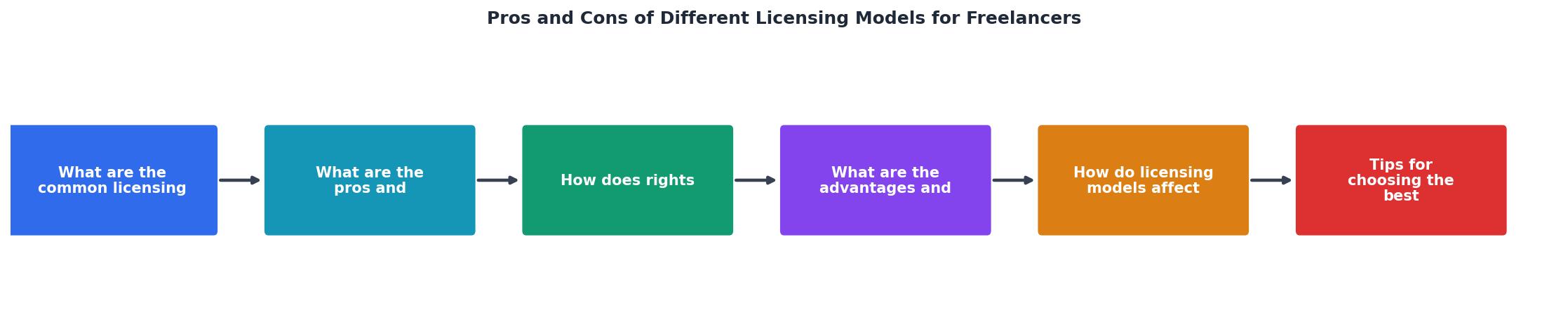
The diagram above maps the decision flow: Identify project scope, Check exclusivity needs, Estimate asset volume, then Pick model. Follow those four steps before opening any stock platform.
Side-by-Side Comparison
Here is a quick-reference comparison card showing how the three models stack up across the factors that matter most to freelancers:
Royalty-Free
- Cost$10-50/image
- ExclusivityNone
- ReuseUnlimited projects
- DurationPerpetual
- Best forGeneral projects
Rights-Managed
- Cost$200-2,000+
- ExclusivityAvailable
- ReusePer-use basis
- DurationTime-limited
- Best forPremium campaigns
Subscription
- Cost$20-50/month
- ExclusivityNone
- ReusePer-project terms
- DurationWhile subscribed
- Best forHigh-volume work
| Factor | Royalty-Free | Rights-Managed | Subscription |
|---|---|---|---|
| Upfront cost | Low-medium | High | Low (monthly) |
| Per-asset cost at volume | Medium | Very high | Very low |
| Exclusivity | No | Yes (negotiable) | No |
| Licence complexity | Simple | Complex | Simple |
| Post-cancellation use | Perpetual | Until expiry | Limited |
| Best volume range | 1-20 assets/month | 1-5 assets/project | 20+ assets/month |
Decision Matrix for Freelancers
Use this checklist before starting any project that involves stock media. Walk through each item and the right licensing model will become obvious.
Licensing Model Decision Matrix
Your progress is saved automatically in your browser.
Archiving licence certificates at the moment of download eliminates roughly 90% of the time you would otherwise spend hunting for proof during a client audit or copyright dispute. If you work across Freepik, Shutterstock, Adobe Stock, and Envato, a tool like licencedownloader.com pulls all those certificates into one place automatically.
FAQ
Frequently Asked Questions
Additional Resources
- Do Freelancers Need a Business License? Here's What To ... - You may not need a business license to get started as a freelancer, but treating your work like a business from Day 1 sets you up for success.
- Work for hire vs licensing: what freelancers must know ... - This transparent, predictable cost model means freelancers understand their platform costs upfront, before committing to any project — and ...
- Freelance business license: Do you need one? - Remote - A freelance business license helps ensure you remain compliant with any legal requirements. It protects you from potential legal implications, ...