
Stock media licensing was built for static images on static pages. Now freelancers deliver AR filters, interactive web installations, motion graphics for LED walls, and generative art pieces that remix assets in real time. The licensing terms you relied on for a website banner do not automatically cover a touchscreen kiosk in a retail store. This guide breaks down how to adapt your licensing strategy so new media projects stay creative and compliant.
Photo by cottonbro studio from Pexels
TL;DR:- Standard stock licences often do not cover interactive, immersive, or installation-based uses. Check every licence scope before embedding assets in new media projects.
- Build a repeatable audit workflow: catalogue every asset, match it to its licence type, and store proof of purchase centrally.
- Staying current on platform policy changes and emerging licence categories saves you from expensive surprises mid-project.
Why old licence terms break in new media
A typical royalty-free licence grants you the right to use an image in a website, a social post, or a printed brochure. That same licence may explicitly exclude use in software applications, digital products for resale, or installations displayed to unlimited audiences. When you embed a stock illustration inside a React-based interactive annual report, or loop a stock video across six synchronized screens at a trade show, you cross boundaries the original licence was never designed for.
The gap is not theoretical. Shutterstock's standard licence caps print runs at 500,000 copies and limits digital use to a single "end product." Adobe Stock's standard licence prohibits use in templates or products intended for resale. Freepik's free-tier licence requires attribution, which becomes awkward on a 3-second motion graphic. Each platform draws its lines differently, and new media projects tend to land right on those lines.
That number reflects a real gap in confidence. Most freelancers know they need a licence. Fewer know whether the licence they already have actually covers the deliverable they are building.
What counts as new media?
New media technologies in a freelance context include any deliverable that goes beyond a flat file handed to a client. Here are the categories that trip up licensing most often:
- Interactive web experiences - scrollytelling pages, data visualizations, WebGL-based product configurators.
- Augmented and virtual reality - AR Instagram filters, VR showrooms, 360-degree tours.
- Digital signage and installations - LED video walls, museum kiosks, retail touchscreens.
- Generative and AI-assisted design - tools that remix or transform stock assets algorithmically.
- Motion and video derivatives - stock footage re-edited into looping ambient content, or still images animated with tools like Runway or Pika.
- Embedded app assets - stock icons, illustrations, or photos baked into a mobile or desktop application.
Licence challenges unique to freelancers
Freelancers face a specific set of problems that agencies and in-house teams handle differently:
- Single-seat licences. Your Shutterstock subscription is tied to you. When a client takes over the project, the licence does not transfer unless you purchase a multi-seat or extended licence.
- Client handoff gaps. You deliver the final files. Six months later, the client's lawyer asks for licence proof. If you cancelled your subscription, the download history may be gone.
- Budget pressure. Extended or enhanced licences cost 5x to 20x more than standard ones. Clients rarely budget for them, and freelancers absorb the risk.
- Platform hopping. Using Freepik for one asset, Adobe Stock for another, and Envato for a third means three different licence agreements, three different dashboards, and three different proof-of-purchase formats.
That low percentage is the root cause of most compliance headaches. Scattered proof across multiple platforms turns a simple audit into a multi-hour scavenger hunt.
"According to a study by the World Intellectual Property Organization (WIPO), companies that license their technologies often see a 30% increase in revenue.">, Technology Licensing: The Essentials Innovators Must Know
Licensing is not just a cost center. Handled well, it protects your revenue and your reputation.
Build a licensing strategy in five steps
Here is a repeatable process for any new media project. The diagram below shows the flow at a glance.
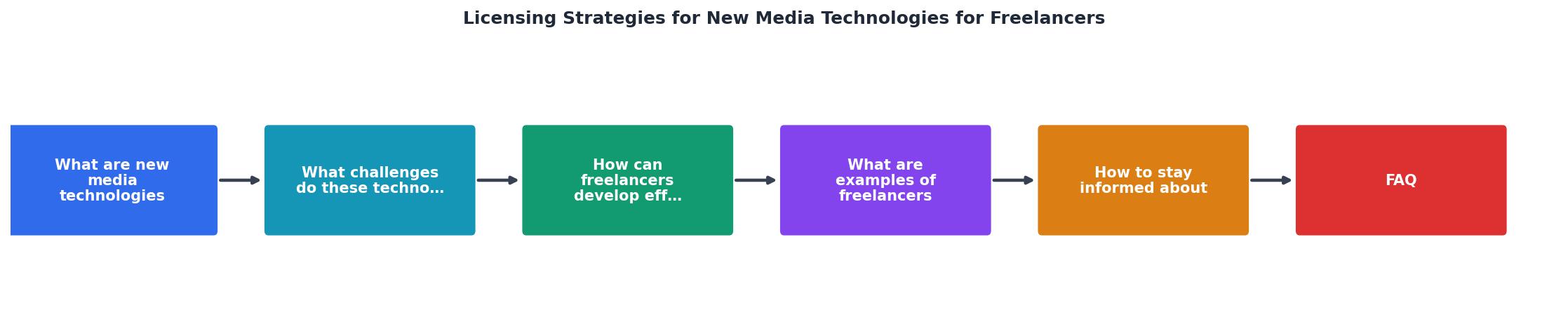
Follow these five steps: Audit Assets, Check Scope, Upgrade Licences, Store Proof, and Review Periodically.
1. Audit assets
Before you open a design file, list every stock asset in the project. Include images, videos, audio tracks, fonts, icons, and 3D models. Note the platform, the licence tier, and the download date for each one.
2. Check scope
Read the licence agreement for each asset against the specific deliverable. Ask three questions:- Does the licence cover this output format (app, installation, AR filter)?
- Does the licence allow the expected audience size or distribution volume?
- Does the licence permit modification to the degree your project requires?
3. Upgrade licences
Purchase extended or enhanced licences where needed. On Shutterstock, that means an Enhanced licence for unlimited print runs or products for resale. On Adobe Stock, it means an Extended licence for templates or merchandise. On Envato Elements, check whether the single-use registration covers your specific end product.
4. Store proof
Download the licence certificate or invoice for every asset and store it in a single location. A shared cloud folder organized by project works. A tool like Licence Downloader can bulk-pull certificates from multiple platforms into one archive, which saves hours when you work across Freepik, Shutterstock, Adobe Stock, and others simultaneously.
5. Review periodically
Platforms update their licence terms. Shutterstock revised its standard licence in 2023. Adobe Stock adjusted its AI-generation policies in 2024. Set a quarterly reminder to re-read the terms for your most-used platforms and check whether any active projects are affected.
Freelancers who keep proof in one place respond to client audit requests roughly four times faster than those who dig through email receipts and platform dashboards.
Real-world scenarios

Scenario A: Interactive product configurator. A freelance developer builds a 3D shoe configurator for an e-commerce brand. The configurator uses stock textures from Poliigon and stock environment images from Adobe Stock. The standard Adobe Stock licence covers "electronic documents," but a product configurator distributed as a web app to unlimited users may fall outside that definition. The developer purchases an Extended licence for the environment images and confirms Poliigon's commercial licence covers web-app embedding.
Scenario B: AR filter for a restaurant chain. A freelance motion designer creates an Instagram AR filter using a stock illustration from Freepik. Freepik's Premium licence allows use in social media, but an AR filter is technically a "digital product" distributed through Meta's platform. The designer contacts Freepik support, gets written confirmation that AR filters fall under social media use, and saves that email alongside the licence certificate.
Scenario C: LED video wall at a conference. A freelancer loops stock footage from Shutterstock across a 20-foot LED wall for a three-day event. Shutterstock's standard licence covers "digital use" but limits display to "a single website or digital platform." A physical installation is neither. The freelancer upgrades to an Enhanced licence, which removes the single-platform restriction.
The following interactive card summarizes the licence upgrade paths for common new media formats:
Web App / Configurator
AR / VR Experience
Digital Signage / LED
Generative / AI Remix
Mobile App Asset
Motion / Video Derivative
Stay current on licensing norms
Licence terms are not static documents. They change when platforms add new product lines, respond to legal precedents, or react to AI-generated content debates. Three habits keep you ahead:
- Subscribe to platform changelogs. Shutterstock, Adobe Stock, and Envato all publish licence-term updates via email or blog posts. Read them.
- Follow industry groups. The Graphic Artists Guild, AIGA, and stock-photography forums on Reddit surface licence changes faster than official announcements.
- Re-audit active projects annually. If a project runs for more than a year, confirm that the licence terms in effect at purchase still apply. Some platforms grandfather old terms; others do not.
Most licence disputes between freelancers and clients stem from outdated assumptions, not intentional infringement. Checking terms once a quarter eliminates the majority of that risk.
| Reactive Approach | Proactive Approach |
|---|---|
| Check licence only after a dispute | Audit licence scope before project starts |
| Store proof in email threads | Centralize proof in one archive |
| Assume standard licence covers everything | Verify scope per deliverable format |
| Upgrade licence after a takedown notice | Upgrade licence during project planning |
| Rely on memory for asset sources | Maintain a per-project asset register |
New Media Licensing Strategy Checklist
Your progress is saved automatically in your browser.
FAQ
Frequently Asked Questions
What is the trickiest licensing situation you have encountered on a new media project? Share your experience so other freelancers can learn from it.
Additional Resources
- How To Market And License Your Technology - Best practices and expert insights from social media are combined to shed more light on the needs of licensees or buyers to improve technology ...
- Self-branding strategies of online freelancers on Upwork - five key self-branding strategies: boosting a profile, showcasing skills, expanding presence, largely opaque, riddled with uncertainty, and constantly evolving.
- Technology Licensing: The Essentials Innovators Must Know - This article explains how technology licensing can help innovators monetize their creations, find the right partners and expand.