
A brand protection claim lands in your inbox on a Tuesday afternoon, and the sender wants proof that every stock image on your client's website is properly licensed. You have 48 hours. Your licence certificates are scattered across four different platforms, two email accounts, and a folder on your old laptop you haven't opened in months. This checklist exists so that scenario never plays out that way again.
Photo by Arian Fernandez from Pexels
TL;DR:
- Brand protection agencies like Pointer send licence evidence requests that require fast, organized responses with matching certificates for every flagged asset.
- Build a single, audit-ready folder structure that maps each stock image to its licence certificate, purchase receipt, and usage context.
- Automate the collection process now so you respond in hours, not days, when a claim arrives.
What brand protection claims actually look for
Brand protection firms operate on behalf of stock image agencies and rights holders. Their job is to find unlicensed or improperly licensed usage of copyrighted images across the web. When they flag your site, they send a formal request asking for specific documentation. Not a vague "prove you own this." They want the licence certificate tied to the exact image file, the purchase date, the account holder name, and sometimes the scope of permitted use.
The request typically includes a list of image URLs found on your site, each matched to a stock library ID. Your job is to respond with the corresponding licence for every single one. Miss one, and the assumption shifts to "unlicensed usage." That assumption comes with an invoice attached.
Most freelance designers use stock images from three or more platforms. Freepik, Adobe Stock, Shutterstock, Envato Elements, iStock, Canva. Each platform stores licence proof differently. Some give you a downloadable PDF certificate. Others bury the information in your download history. A few only show it while your subscription is active. This fragmentation is the core problem.
Why most designers fail this audit

Three mistakes show up repeatedly when freelancers face a brand protection evidence request:
- No local copies of licence certificates. Relying on platform dashboards means you lose access the moment a subscription lapses or an account changes.
- No connection between the image file and its licence. You downloaded 400 images last year. Which licence goes with which file? Without a naming convention or tracking sheet, matching them is a manual nightmare.
- Expired or wrong licence type. A standard licence covers most web use, but some projects need an extended licence. If you grabbed the wrong tier, the certificate you have might not cover the actual usage.
The common thread: these are all organizational failures, not legal ones. The licence exists. You paid for it. You just cannot produce the proof quickly enough to satisfy the request before it escalates.
The evidence a claim requires

A typical brand protection evidence request asks for these items per flagged image:
- Licence certificate or agreement showing the image ID, licence type, and date of purchase.
- Proof of purchase such as a receipt, invoice, or payment confirmation email.
- Account holder details confirming the licence was issued to you or your business entity.
- Usage scope confirmation showing the licence covers the specific use case (web, print, advertising, resale).
"The address must match that of the person with whom you reside.">, Proof of Identity & Residency
This principle applies directly to licence evidence: the name on the licence must match the entity operating the website. If you bought images under a personal account but the site belongs to your client's LLC, you need documentation that bridges that gap. A simple assignment letter or a note in your freelance contract stating that licences transfer to the client on delivery can solve this.
Step-by-step evidence collection
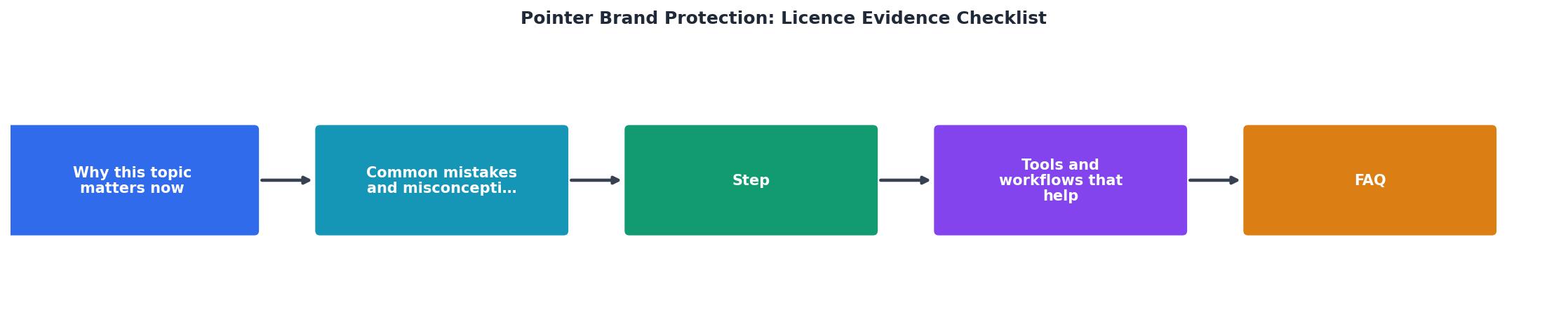
Here is the process broken into concrete steps. The diagram above shows the flow: Audit, Collect, Match, Store, Respond.
Step 1: Audit your active projects. List every client project that uses stock images. Include the project name, the images used, and the platform each image came from. A simple spreadsheet works. Columns: Project, Image Filename, Platform, Image ID, Licence Type, Certificate Downloaded (yes/no).
Step 2: Collect certificates from each platform. Log into each stock platform and download the licence certificate for every image in your audit list. Freepik provides a PDF certificate in your download history. Adobe Stock shows licence info under your licence history. Shutterstock lets you download invoices and licence details from your download page. Envato Elements provides a licence certificate per download.
Step 3: Match certificates to images. Rename each certificate file to include the image ID and project name. Example: shutterstock_12345678_clientname_licence.pdf. This naming convention lets you find any certificate in seconds.
Step 4: Store in a single location. Create a folder structure like this:
/licences
  /2025
    /client-project-name
      shutterstock_12345678_licence.pdf
      freepik_98765432_licence.pdf
      receipt_2025-03-15.pdf
  /2026
    /another-project
      ...
Back this up to cloud storage. Two copies minimum.
Step 5: Respond to the claim. When a brand protection request arrives, open your spreadsheet, find the flagged images, pull the matching certificates from your folder, and send them. Total time: under an hour instead of under a week.
Tools and workflows that help

Manual collection works for a handful of images. It breaks down fast when you download dozens of assets per month across multiple platforms.
Here is a realistic look at how the two approaches compare:
| Manual Collection | Automated Collection |
|---|---|
| Log into each platform separately | Pull certificates from all platforms at once |
| Search download history one by one | Bulk-download matching certificates |
| Rename files by hand | Consistent naming applied automatically |
| 15-30 min per image | Seconds per image |
| Easy to miss expired subscriptions | Flags missing or inaccessible certificates |
A tool like Licence Downloader handles the bulk collection step. It connects to platforms like Freepik, Shutterstock, Adobe Stock, Envato, iStock, and Canva, then downloads all your licence certificates in one batch. That eliminates the most time-consuming part of the process: logging into five different dashboards and clicking through download histories.
The real value shows up when a claim arrives. Instead of scrambling, you open your folder, grab the files, and reply. Five minutes of prep versus five hours of panic.
The following card shows what a typical freelancer's licence evidence setup looks like after organizing their collection:
Licence Evidence Status (Example Freelancer)
Common misconceptions
A few beliefs that get designers into trouble:
- "I paid for it, so I'm covered." Payment alone is not proof. You need the certificate that ties the payment to the specific image and licence terms.
- "My subscription covers everything." Subscription licences often expire when the subscription does. Some platforms revoke usage rights for assets downloaded during a lapsed subscription period. Check the terms.
- "The platform keeps my records forever." Platforms change, merge, or shut down features. Envato Elements redesigned their download history page in 2024. Shutterstock has changed invoice formats multiple times. Local copies are the only reliable backup.
- "Brand protection claims are scams." Some are. Many are not. Legitimate firms like Pointer, Copytrack, and PicRights represent real rights holders. Ignoring a valid claim escalates it to legal action.
Licence Evidence Readiness Checklist
Your progress is saved automatically in your browser.
FAQ
Frequently Asked Questions
Additional Resources
- Proof of Identity & Residency | Driver and Vehicle Services - Please click on one of the links below to view a list of acceptable documents for proof of identity and residency for U.S. and Non-U.S. Citizens. Required ...
- Software Copyright Registration: When and How to Protect Your ... - Step 3 — Save the evidence bundle: store the certificate, docket re-registration reminders, and link the filing to the repo tag + checksums. Repo layout ...
- NJ MVC | 6 Points of ID - Proof of your age and identity -“6 Points of ID” · Proofs of your residential address in New Jersey · A Social Security number, ITIN, or affidavit. · A BA-208 form ...