

A small online store owner received a copyright infringement notice for an image she had been using on her product listings for over a year. She had paid for the image, but she could not find the licence certificate anywhere in her email, downloads folder, or the stock platform itself. That single missing document nearly cost her thousands of dollars in legal fees and a suspended storefront. This is the story of how she fixed the problem and what every small business can learn from it.
Photo by KATRIN BOLOVTSOVA from Pexels
TL;DR:- A small e-commerce business received a copyright claim it could not immediately defend because licence records were scattered and incomplete.
- By building a simple system with spreadsheets, cloud folders, and consistent naming, the owner organized every licence and resolved the claim within days.
- Any small business can replicate this approach in a single afternoon, reducing legal risk and saving hours of panic later.
The Problem: Licences Everywhere and Nowhere
The business in question sold handmade candles online. The owner used stock photos from Canva Pro, Freepik, and occasionally Depositphotos for social media ads, product listing backgrounds, and blog posts. Over two years, she downloaded roughly 300 images. Not a huge number. But the licences for those images lived in at least five different places: email confirmations, platform download histories, a random folder on her laptop called "stock stuff," and two different Google Drive accounts.
When the copyright notice arrived, she spent an entire weekend searching. The image in question was a lifestyle photo she had downloaded from Freepik with a premium subscription. She knew she had paid. But the Freepik download history only showed the last 12 months, and the image was older than that. Her email search turned up nothing because she had deleted the confirmation thinking it was clutter.
This is not unusual. A significant number of small businesses that use stock media have no organized system for tracking licences. They buy images, use them, and assume the purchase receipt or subscription is enough. It is not.
How a Copyright Claim Escalates

The notice came from a rights enforcement company, not the original photographer. These companies buy or represent catalogues of images and use automated tools to scan the web for unlicensed usage. When they find a match, they send a demand letter. Typical demands range from $500 to $5,000 per image, sometimes more.
"The consequences of copyright violations in Texas can be significant:.">, Copyright Issues With Stock Images, Music, and Video
Here is what happens when you cannot produce proof:
- Demand letter arrives with a specific dollar amount and a deadline.
- You scramble to find the licence. If you cannot, you either pay or hire a lawyer.
- If you ignore it, the enforcement company may file a DMCA takedown with your hosting provider, ad platform, or marketplace (Amazon, Etsy, Shopify).
- A takedown can suspend your listings, pause your ads, or flag your entire account.
Steps to Organize Licences
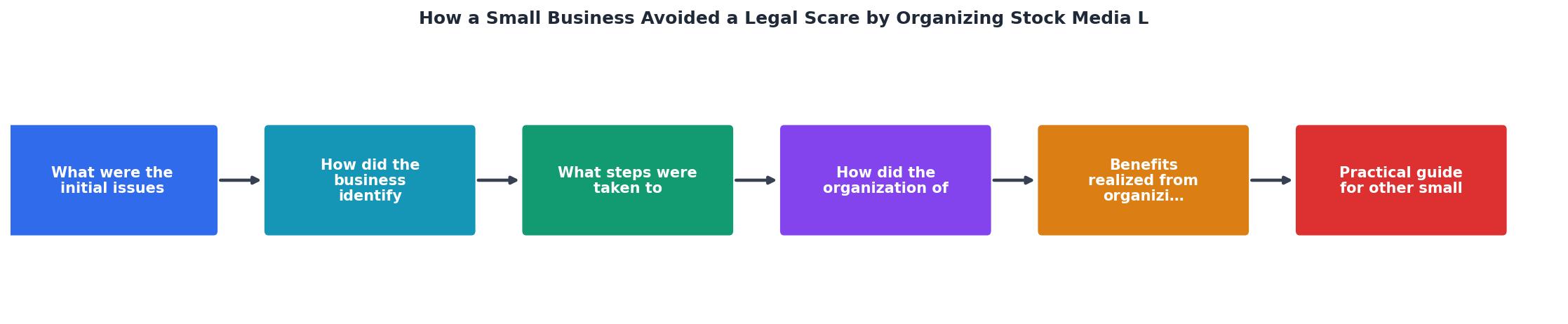
After the scare, the owner built a system in one afternoon. Here is exactly what she did, broken into the same steps shown in the diagram above: Audit, Collect, Name, Store, Track, Review.
Audit existing images
She went through her website, social media accounts, and ad creatives. Every stock image got listed in a spreadsheet. Columns: image filename, source platform, date downloaded, where it is used, licence type.
Collect licence certificates
For each image, she logged into the source platform and downloaded the licence certificate or proof of purchase. Freepik provides a PDF certificate for premium downloads. Canva Pro shows licence details in the download history. Depositphotos has a "Licences" section in the account dashboard.
Name files consistently
Every licence file got renamed using a pattern: platform-imageid-date.pdf. For example: freepik-28374651-2024-03-15.pdf. No more guessing which certificate belongs to which image.
Store in one cloud folder

She created a single Google Drive folder called "Stock Licences" with subfolders by platform. Every certificate went there. The folder is shared with her bookkeeper and her part-time virtual assistant so the knowledge does not live in one person's head.
Track in a spreadsheet
The master spreadsheet links each image to its licence file (a clickable Google Drive link in the last column). When someone asks "do we have a licence for this image?", the answer takes 30 seconds.
Review quarterly
She set a calendar reminder every three months to check that new downloads have been added to the system. Takes about 15 minutes per quarter.
Here is an example of what a small business licence tracking dashboard might look like after organizing 120 images across three platforms:
Licence Tracking Dashboard (Example)
What Changed After Organizing

Three months after setting up the system, the owner received a second enquiry about a different image. This time, she found the licence certificate in under a minute, emailed it back, and never heard from the enforcement company again. No lawyer. No stress. No cost.
The benefits went beyond legal protection:
- Confidence in marketing. She started running more Facebook and Instagram ads because she knew every image was documented. No more hesitation about whether an image was "safe."
- Faster onboarding. When she hired a freelance designer to create holiday campaign graphics, she shared the licence folder so the designer could verify which assets were available for commercial use.
- Cleaner bookkeeping. Her accountant appreciated having stock media expenses linked to specific assets, making tax deductions straightforward.
Practical Guide for Your Business
You do not need special software to start. Here is the minimum viable system:
- Pick one cloud storage location. Google Drive, Dropbox, or OneDrive. It does not matter which. What matters is that everything goes in one place.
- Create a folder structure. One parent folder ("Stock Licences"), subfolders by platform name.
- Build a tracking spreadsheet. Columns: Image ID, Platform, Download Date, Licence Type, Where Used, Link to Certificate.
- Download every certificate you can find right now. Log into each platform and export what is available. Some platforms only keep history for 12 months, so do this today.
- Set a recurring reminder. Every time you download a new stock image, add it to the spreadsheet and save the certificate. A quarterly review catches anything you missed.
| Disorganized Approach | Organized Approach |
|---|---|
| Licences in email, downloads, random folders | Single cloud folder with consistent naming |
| Hours searching when a claim arrives | 30 seconds to find any certificate |
| Lawyer fees to resolve disputes | Self-service proof, no legal cost |
| Fear of running ads with stock images | Confidence to scale marketing |
| Knowledge locked in one person's memory | Shared folder accessible to the team |
Stock Media Licence Organization Checklist
Your progress is saved automatically in your browser.
FAQ
Frequently Asked Questions
What does your current stock image licence system look like? If the answer is "I don't have one," this afternoon is a good time to start.
Additional Resources
- How to Avoid Social Media Copyright Infringement | CO - Explore effective ways to manage copyright protection on social media, from maintaining control of your work to understanding platform licensing and avoiding ...
- 7 Steps to Help Your Retail Business Avoid Copyright ... - Use Original Content. · Obtain Permission from Copyright Owners. · Obtain Assignments from Content Creators. · Pay Particular Attention to ...
- Copyright Issues With Stock Images, Music, and Video - Learn how copyright issues arise with stock images, music, or video in Texas. Sul Lee Law Firm helps businesses avoid infringement and ...