Actions for Accidental Use of Unlicensed Images
You just found out that an image on your website, Facebook ad, or Etsy listing has no valid licence behind it. Your stomach drops. The good news is that what you do in the next 48 hours matters far more than the mistake itself. This guide walks you through every step from immediate removal to long-term prevention so you can resolve the situation quickly and protect your business going forward.

You just found out that an image on your website, Facebook ad, or Etsy listing has no valid licence behind it. Your stomach drops. The good news is that what you do in the next 48 hours matters far more than the mistake itself. This guide walks you through every step from immediate removal to long-term prevention so you can resolve the situation quickly and protect your business going forward.
Photo by Vitaly Gariev from Pexels
TL;DR:- Remove the unlicensed image from every platform immediately.
- Contact the rights holder proactively and negotiate a retroactive licence or settlement.
- Set up a licence-tracking system so this never happens again.
Why unlicensed images are risky
Stock photo agencies and independent photographers actively scan the web for unauthorized use of their work. Services like PicScout, TinEye, and Pixsy crawl millions of pages daily. When they find a match without a corresponding licence record, the rights holder gets notified and a demand letter follows.
The financial exposure is real. Statutory damages under US copyright law can reach $150,000 per infringed work in willful cases. Even in straightforward settlements, rights holders routinely ask for $500 to $5,000 per image. For a small e-commerce store running on thin margins, a single claim against three or four images can wipe out a month of profit.
Beyond money, platforms like Meta, Amazon, and Etsy enforce their own copyright policies. A valid DMCA takedown can suspend your ad account, delist your product, or trigger a strike against your seller profile. Three strikes on many platforms means permanent removal.
Immediate steps after discovery
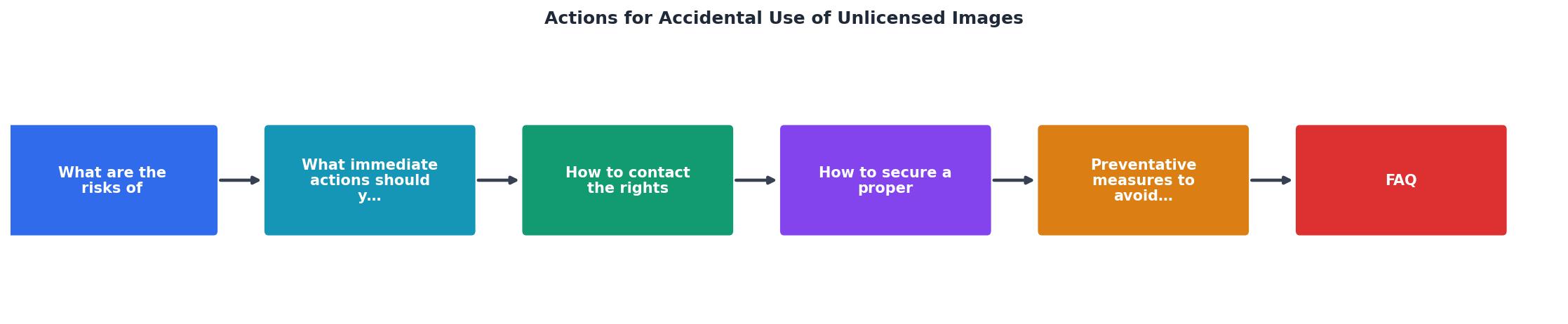
Speed matters. Follow these steps in order:
- Stop using the image. Remove it from your website, social media, ads, product listings, email templates, and any print materials still in production. Check every location where the image might appear, including cached versions and CDN copies.
- Document everything. Take screenshots showing where the image was used, when it was published, and the approximate reach (page views, ad impressions). This information helps you negotiate later.
- Identify the rights holder. Use reverse image search (Google Images, TinEye) to trace the original source. Note the photographer or agency name, the original listing URL, and the licence terms offered on the platform.
- Check your purchase history. Log into every stock platform you use (Canva, Freepik, Shutterstock, Depositphotos) and search your download history. Sometimes the image was actually licensed but the proof got lost. If you find a valid licence, export the certificate immediately.
- Consult a lawyer if the claim is large. For demand letters above $2,000 or threats of litigation, a brief consultation with an intellectual property attorney is worth the cost.
How to contact the rights holder
Reaching out first puts you in a stronger position. Rights holders deal with accidental infringement constantly, and most prefer a quick resolution over drawn-out legal proceedings.
"Most photographers license their works regularly and have standard license fees that can and should be applied in cases of infringement.">, IP & Technology Law Trends
When you write your message, keep it professional and factual:
- Acknowledge the use. Do not deny or minimize it.
- Explain the context. A small business owner who used an image on a local Facebook ad is in a different situation than a corporation running a national campaign.
- Show you removed it. Include the date of removal and confirmation that no copies remain live.
- Offer to purchase a retroactive licence. This is often the fastest path to resolution. Ask for their standard licensing fee.
- Keep records of all communication. Save every email and letter.
The following interactive card summarizes the key elements your outreach message should contain:
Rights Holder Outreach Checklist
Securing a proper licence
Once you have identified the rights holder, you have a few options for getting legal:
- Buy a retroactive licence directly. Many photographers and agencies will sell you a licence covering the period of unauthorized use. Expect to pay the standard fee plus a premium (often 2x to 3x the normal rate).
- Purchase through the original stock platform. If the image is available on Shutterstock, Adobe Stock, or Freepik, buying a licence there creates a clear, timestamped record. The licence certificate from the platform serves as your proof.
- Negotiate a settlement. If you received a demand letter with a specific dollar amount, you can often negotiate it down, especially if you removed the image quickly and the use was limited in scope.
- Get it in writing. Whatever agreement you reach, confirm it in email or a signed document. A verbal "it's fine" offers zero protection if the rights holder changes their mind later.
| Reactive Approach | Proactive Approach |
|---|---|
| Wait for demand letter | Contact rights holder first |
| Pay inflated settlement | Pay standard licence fee |
| Risk ad account suspension | Maintain clean platform standing |
| Scramble for proof under pressure | Licence certificates already archived |
| Legal fees pile up | Minimal legal exposure |
Preventing future mistakes
Prevention costs almost nothing compared to a single copyright claim. Here are concrete practices that work for small businesses:
- Use one or two stock platforms consistently. Spreading purchases across six different sites makes tracking nearly impossible. Pick Canva Pro and one dedicated stock site, then stick with them.
- Download the licence certificate every time you download an image. Make it a habit. Store certificates in a dedicated folder named by project or date.
- Keep a simple spreadsheet. Columns: image filename, source platform, licence type, download date, project used in, certificate file link. Ten seconds per image saves hours during a dispute.
- Audit your existing content quarterly. Run a reverse image search on your own website to catch any images that slipped through without documentation.
- Train anyone who touches your marketing. If a virtual assistant or freelancer creates social posts for you, make sure they understand that every image needs a valid licence and that proof must be saved.
Unlicensed Image Response Checklist
Your progress is saved automatically in your browser.
FAQ
Frequently Asked Questions
Additional Resources
- The Accidental Infringer: What You Need to Know about ... - Here's a list of what you should or shouldn't do to avoid getting a copyright infringement letter, and to navigate the situation if you do get one.
- Copyright notice: digital images, photographs and the ... - This notice is aimed at small businesses and individuals who may wish to use digital or photographic images on the web.
- Legal Consequences of Using Images Without Consent - Legal action for unauthorized use can take multiple forms, from cease and desist letters to a lawsuit in federal court, where statutory ...
Need to Download Your Licences?
Save hours of manual work. We download all your stock photo licence certificates for you.
Get Started“Thanks to LicenceDownloader.com, I was able to download more than 1,000 Freepik licences and receive them all at once via ZIP.”
Marlon Mainardy