Bulk Download Licences from Envato Elements for Agencies
Efficient licence management is crucial for creative agencies juggling multiple projects and clients. Envato Elements offers a vast library of digital assets, but managing the licences for these resources can be cumbersome if done individually. This guide reveals how agencies can bulk download Envato Elements licences, ensuring compliance and audit readiness, while saving time and reducing administrative burdens.


Efficient licence management is crucial for creative agencies juggling multiple projects and clients. Envato Elements offers a vast library of digital assets, but managing the licences for these resources can be cumbersome if done individually. This guide reveals how agencies can bulk download Envato Elements licences, ensuring compliance and audit readiness, while saving time and reducing administrative burdens.
Photo by Matheus Bertelli from Pexels
TL;DR
- Access Envato Elements and navigate to the licence management tools.
- Select and export multiple licences in bulk for efficient management.
- Organize the downloaded licences to ensure compliance and readiness for audits.
Why Bulk Downloading Licences is Essential for Agencies

For agencies, bulk downloading licences is not just a time-saver; it's a critical function that ensures operational efficiency and legal compliance. Agencies often work with a high volume of digital assets, and each asset usually comes with its own set of licensing terms. Managing these licences individually can lead to errors, oversights, and potential legal issues. By downloading licences in bulk, agencies can maintain a comprehensive archive that simplifies audits and client interactions.
Navigating Envato Elements
Understanding how to navigate Envato Elements is the first step in managing licences effectively. Start by logging into your Envato Elements account. Once logged in, head to the "My Account" section where you will find the "Downloads" tab. This is your gateway to accessing all the assets you've obtained from Envato Elements.

In the "Downloads" section, you'll find a list of all the assets you've downloaded, along with their respective licences. This is where you can begin the process of selecting and exporting licences for bulk download.
Selecting Multiple Licences for Download
Selecting multiple licences for download is straightforward once you're familiar with the interface. In the "Downloads" tab, you'll see the option to select multiple items. Use the checkboxes to mark the assets for which you need licence documentation. Once selected, look for the "Export Licences" option, which typically allows you to download the selected licences in a batch.

This method ensures that you have all necessary documentation ready for any compliance checks or client inquiries. Bulk downloading licences can significantly reduce the administrative load and ensure that no asset is left undocumented.
Organizing and Storing Licences
Once you've downloaded the licences, the next step is to organize them effectively. Create a structured system, such as a dedicated folder on a shared drive, to store these documents. Label each file clearly with relevant details such as project name, date, and type of asset.
To further streamline this process, consider using digital asset management software that integrates with your existing project management tools. This can automate the tracking and retrieval of licences, making it easier for team members to access the necessary documentation when needed.
Troubleshooting Bulk Download Issues
Occasionally, you may encounter issues when trying to bulk download licences. Common problems include incomplete downloads, missing files, or errors within the Envato Elements platform. If you face these issues, try refreshing the page or using a different browser. Clearing your cache or checking your internet connection might also resolve the problem.
If issues persist, contact Envato Elements support for assistance. They can help troubleshoot and provide guidance on how to resolve specific errors.
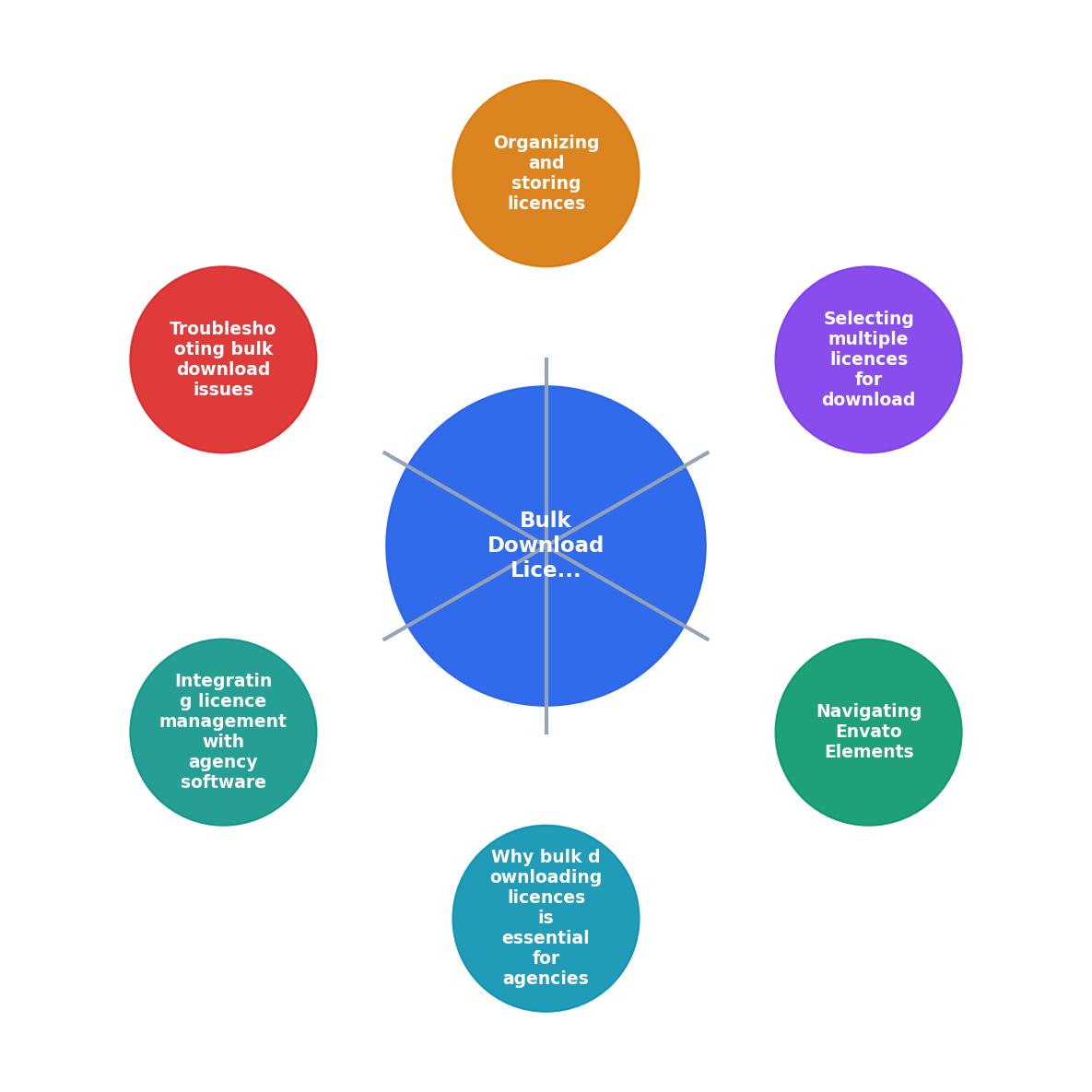
Integrating Licence Management with Agency Software
Integrating licence management with your agency's existing software stack can further enhance efficiency. Many agencies use project management tools like Asana or Trello, and integrating licence management into these platforms can simplify tracking and retrieval processes.
Consider using API integrations or third-party tools that offer compatibility with your current systems. These integrations can automate the licence tracking process, reducing manual effort and minimizing the risk of human error.
Expert tip: Regularly review and update your integrations to ensure they remain compatible with software updates and changes in your workflow.
Envato Elements Licence Management
This visual card highlights key metrics in managing Envato Elements licences. It demonstrates the scale of licence management tasks and the efficiency gains possible through effective integration and automation.
FAQ
Frequently Asked Questions
"The license starts when you download and install the Item, and you can then use the Font or Add-on to create as many projects as you like."
— Envato Elements License, Envato Elements License – Envato Support | Help Ce
Bulk Licence Management Workflow
Your progress is saved automatically in your browser.
Have you faced challenges in managing digital licences for your agency? Share your experiences and tips in the comments below!
Additional Resources
- Envato Elements License – Envato Support | Help Center - Each time you download an item, you get an ongoing license for a single, specified use. Want to use an item again? No problem! Visit your ...
- Introduction to the Envato subscription License - All items downloaded from Envato subscription are licensed under a project-specific commercial license. Each download gives you a license...
- Envato Elements License FAQ - You can access and download a license certificate for your project at any time on the 'My Downloads' page. If you would like to read more about ...
Need to Download Your Licences?
Save hours of manual work. We download all your stock photo licence certificates for you.
Get Started“Thanks to LicenceDownloader.com, I was able to download more than 1,000 Freepik licences and receive them all at once via ZIP.”
Marlon Mainardy