Understanding Canva Personal Use Licence
Canva has revolutionized the way individuals create and share designs, offering a user-friendly platform that empowers everyone from amateurs to professionals. However, as with any tool that involves creative content, understanding the licensing terms is crucial to ensure compliance and avoid any legal pitfalls. This guide focuses on Canva's personal use licence, which is essential for anyone using Canva designs for non-commercial purposes. Whether you are crafting a personal project or developing educational materials, knowing the scope and limitations of this licence can prevent unintentional misuse.

Canva has revolutionized the way individuals create and share designs, offering a user-friendly platform that empowers everyone from amateurs to professionals. However, as with any tool that involves creative content, understanding the licensing terms is crucial to ensure compliance and avoid any legal pitfalls. This guide focuses on Canva's personal use licence, which is essential for anyone using Canva designs for non-commercial purposes. Whether you are crafting a personal project or developing educational materials, knowing the scope and limitations of this licence can prevent unintentional misuse.
Photo by Sedanur Kunuk from Pexels
TL;DR:
Canva's personal use licence permits the use of designs for non-commercial activities, such as personal projects and educational resources. Understanding these terms is key to avoiding legal issues when using designs for commercial purposes.
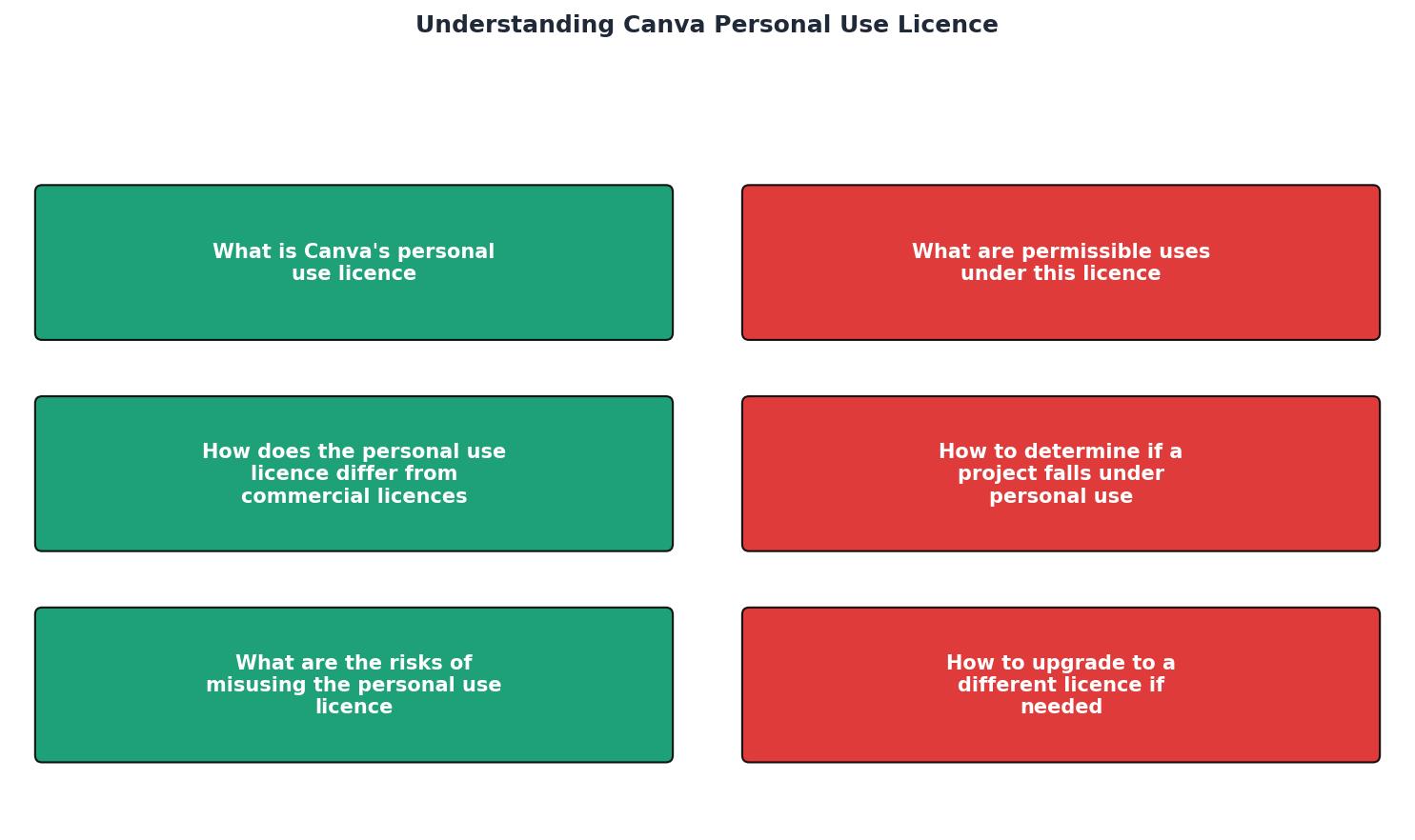
What is Canva's Personal Use Licence?
Canva's personal use licence is specifically tailored for individuals who intend to use Canva's vast library of designs for non-commercial endeavors. This licence allows you to create and enjoy designs for personal satisfaction, educational purposes, or sharing with close acquaintances, without any monetary gain. It is designed to give users the freedom to express their creativity while respecting the intellectual property rights of the original content creators.
This licence is perfect for those who wish to:
- Design a personalized photo album to commemorate a family vacation.
- Create a unique invitation for a private event, such as a birthday party or wedding.
- Develop educational presentations or videos for school projects.

Permissible Uses Under This Licence
The personal use licence encompasses a wide range of activities that do not involve commercial intent. Here are some permissible uses:
- Personal Projects: You can use Canva to design your own scrapbook, a digital diary, or even a unique desktop wallpaper. These projects are meant for personal enjoyment and are not intended for public distribution or commercial gain.
- Educational Materials: Teachers and students can leverage Canva to create compelling visual aids for presentations, educational videos, or class projects. This use is limited to educational settings where the primary goal is learning and not profit-making.
- Non-Profit Activities: If you're involved with a charity or a non-profit organization, you can use Canva designs to create promotional materials, provided they are not used to generate profit. This includes designing flyers or posters for charity events or awareness campaigns.
How Does the Personal Use Licence Differ From Commercial Licences?
The fundamental difference between personal and commercial licences lies in the intended use of the designs. A commercial licence is required when the designs are used to generate profit or are part of a commercial activity. This includes using Canva designs for marketing materials, advertisements, or products that are sold to customers.
In contrast, the personal use licence is explicitly for non-commercial purposes. This means any design created under this licence cannot be used in a manner that directly or indirectly leads to financial gain. It is crucial to distinguish between these two types of licences to ensure compliance and avoid infringing on Canva’s terms of service.
"The Content categories, from most to least restrictive, are: Education Content, Branded Content, Pro Content, and Free Content.">, Canva's Content License Agreement
How to Determine if a Project Falls Under Personal Use
Determining whether your project qualifies as personal use involves carefully considering the intent and scope of your design. Here's a checklist to help you decide:
Personal Use Qualification Checklist
Your progress is saved automatically in your browser.
This checklist serves as a guide to ensure that your use of Canva designs remains within the bounds of the personal use licence. If your project fails to meet any of these criteria, it is advisable to consider acquiring a commercial licence.
What Are the Risks of Misusing the Personal Use Licence?
Misusing Canva's personal use licence can have serious repercussions. If a design is used commercially without the appropriate licence, it constitutes copyright infringement, which can lead to legal action from Canva or the original content creators. This could result in hefty fines, legal penalties, and damage to your personal or professional reputation.
Moreover, misuse of the licence can lead to the suspension or termination of your Canva account, severely limiting your access to the platform and its resources. It is imperative to stay informed about the licensing terms and adhere to them to avoid such consequences.

How to Upgrade to a Different Licence if Needed
If you determine that your project requires a commercial licence, upgrading is a straightforward process. Here are the steps you need to follow:
- Review Your Current Licence: Start by thoroughly reviewing the terms of your current personal use licence to understand its limitations.
- Assess Your Needs: Evaluate the scope of your project to determine whether it falls under commercial use. Consider the potential revenue, audience, and distribution channels involved.
- Visit Canva's Licensing Page: Navigate to Canva’s licensing page to explore the available commercial licence options that best fit your project needs.
- Purchase the Appropriate Licence: Select and purchase the commercial licence that aligns with your intended use. This ensures that you are legally covered for commercial activities.
Key takeaway: Understanding and adhering to Canva's personal use licence can prevent legal issues and ensure your projects are compliant. This not only protects you legally but also respects the creative contributions of artists and designers.
Licence Compliance Metrics
FAQ
Frequently Asked Questions
Have you ever found yourself confused about licensing terms? Share your experiences or questions in the comments!
Additional Resources
- Canva's licensing explained - At Canva, content can be either Free or Pro. · If you're a free user, you'll see a watermark on Pro content. · You can remove this watermark by buying a license ...
- Canva's Content License Agreement - You may transfer a Canva Design containing Content (Free or Pro) to a client for the client's own use, subject to the following terms: You will enter into a ...
- Content licensing: What you need to know - Generally speaking, Canva's CLA allows both Free and Pro users to sell their designs on printed merchandise, like posters, mugs and even tote bags.
Need to Download Your Licences?
Save hours of manual work. We download all your stock photo licence certificates for you.
Get Started“Thanks to LicenceDownloader.com, I was able to download more than 1,000 Freepik licences and receive them all at once via ZIP.”
Marlon Mainardy