Copytrack.com: Practical Guide
When your work appears online without permission, the legal and financial damage can spiral fast. Copytrack.com automates the hunt for unauthorized uses of your images across the web, handles takedown requests on your behalf, and even recovers compensation for infringements. This guide walks you through setting it up, using it effectively, and integrating it into your protection workflow so your images stay licensed and your revenue doesn't leak through cracks.

When your work appears online without permission, the legal and financial damage can spiral fast. Copytrack.com automates the hunt for unauthorized uses of your images across the web, handles takedown requests on your behalf, and even recovers compensation for infringements. This guide walks you through setting it up, using it effectively, and integrating it into your protection workflow so your images stay licensed and your revenue doesn't leak through cracks.
Photo by Sora Shimazaki from Pexels
TL;DR:- Copytrack scans the web automatically to find unauthorized uses of your images and files a takedown or negotiates compensation.
- Set up is quick: upload a portfolio, configure detection settings, and let the platform work in the background.
- Combine Copytrack with organized licensing (Licence Downloader for bulk certificate storage) to prove ownership and licensing status when disputes arise.
- Most creators see results within weeks; agencies and high-volume publishers see ongoing value immediately.
Why copyright protection matters now
Image theft isn't a niche problem. Studies show the majority of online images are used without proper licensing or attribution. Small businesses, agencies, and platforms copy freely, either out of ignorance or deliberate cost-cutting. Without active enforcement, your revenue gets trapped in someone else's website or ad.
Copytrack exists because enforcement has a real return on investment. For a freelancer with even 50 publishable images, the platform can uncover dozens of unauthorized uses within the first month. Each one is a licensing fee you never invoiced. Each one is proof that passive "hoping for the best" doesn't work.
"Most images are copyrighted and require permission or a license.">, FAQ
Copytrack turns that legal fact into action. Instead of copyright being a theoretical right, it becomes a monitored, enforced asset.
Common misconceptions
Myth 1: "My watermark protects me."
A watermark deters casual theft but not determined bad actors. Copytrack finds infringements whether there's a watermark or not. The platform's job is to enforce your copyright, not to prevent copying.
Myth 2: "If I don't find it, it's not worth pursuing."
Small-time infringements add up. A micro-publisher using your image earns $500 from it. Copytrack finds and monetizes that. Solo creators often discover 10-20 unauthorized uses in the first month alone.
Myth 3: "Copytrack costs too much."
The platform takes a percentage (typically 25-50% depending on your plan) of what it recovers. You pay nothing upfront and nothing if no infringement is found. That's a performance-based model, not overhead.
Myth 4: "Takedowns don't work; people just re-upload."
Copytrack's takedown requests use legal authority and platform compliance infrastructure. Most hosts honor DMCA notices immediately. Re-uploads do happen, but you're notified and can file again.
Setting up Copytrack: step by step

Getting started takes less than 30 minutes. Copytrack's setup wizard guides you through the essential steps.
Step 1: Create an account and verify identity
Sign up at copytrack.com with your email. You'll need to verify your identity (they use this to file legitimate takedown notices on your behalf). Upload a government-issued ID or business registration. This step is non-negotiable and usually takes 1-2 business days.
Step 2: Register your portfolio
Upload samples of your work. You don't need to upload every image; a representative portfolio of 10-50 images is enough for the initial scan. Copytrack uses these as the "source" images to find matches across the web. The platform supports JPG, PNG, and other common formats.
Step 3: Configure detection preferences
Tell Copytrack which regions to scan, what level of similarity to flag (exact match, 95% match, 80% match, etc.), and which file types to monitor. Conservative settings reduce false positives but might miss some infringements. Most creators start with 90% similarity to avoid noise.
Step 4: Set your claim preferences
Decide in advance: do you want Copytrack to file takedowns automatically, or do you want to review each claim first? Most creators choose manual review for the first month, then switch to automatic once they see what false positives look like.
Step 5: Activate and verify
Hit activate. The platform begins scanning. Initial results can take 3-7 days as the system crawls the web for matches.
How Copytrack finds and handles infringements

Once active, Copytrack works in the background. Here's what happens when it finds a match:
Detection: The platform's crawlers scan websites, image databases, social platforms, and marketplaces. When it finds an image matching your portfolio (within your similarity threshold), it flags it and creates a claim.
Classification: Copytrack categorizes the use. Is the image on a commercial website? A marketplace? A blog? Social media? This affects how Copytrack handles enforcement.
Action: If you've set automatic takedowns, Copytrack files a DMCA notice or complains directly to the platform. If you chose manual review, you get an alert. Review the claim (often within hours), then decide.
Follow-up: If the host doesn't comply with a takedown within 30 days, Copytrack escalates or attempts payment negotiation.
Resolution: Most infringements end in takedown. Some settle with a licensing fee. A few disputes require escalation.
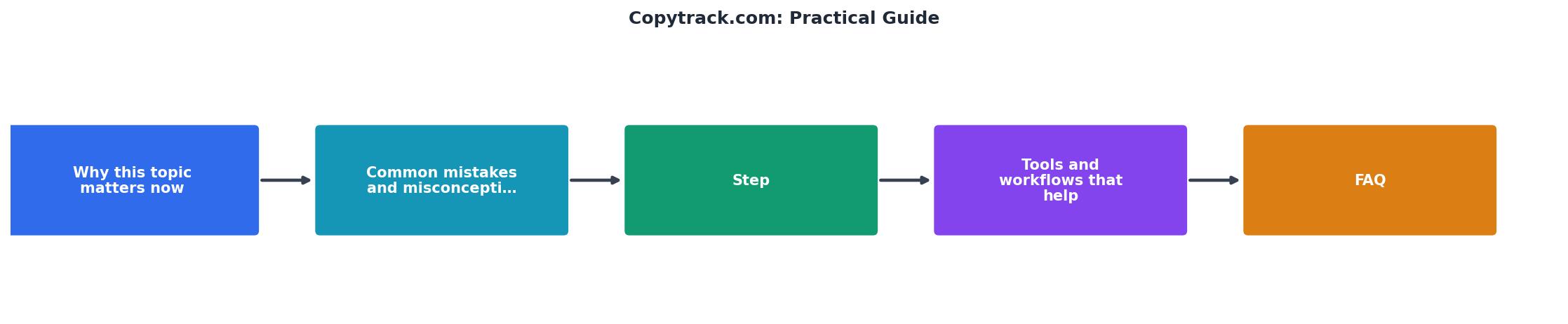
Here's the real workflow in visual form:
Organizing your licensing records

Copytrack handles enforcement, but you need organized proof of your own legitimate licenses. When someone challenges you, "why are you using this image?", you need to show your licence instantly.
Keep a central record of:- Which stock platforms you use (Freepik, Adobe Stock, Envato, Shutterstock, etc.)
- Licence certificates for each download
- Purchase receipts and invoices
- Extended-licence agreements (if applicable)
- Creative Commons attributions (if you use CC images)
Tools and workflows that multiply your protection
Copytrack works best as part of a larger system:
Combine with image metadata: Always embed copyright information and keywords in your image metadata (EXIF data). This strengthens your claim if ownership is ever disputed.
Track across platforms: If you upload the same image to multiple stock platforms or sell it through different channels, track where and under what terms. Copytrack monitors all of them, but you need to know which license applies where.
Integrate takedowns into your invoicing: When Copytrack negotiates a settlement, route that revenue into a separate line item for "copyright enforcement" or "infringement recovery." This shows clients and your accountant the real value of your IP.
Schedule quarterly reviews: Check your Copytrack dashboard monthly. Look for patterns, which websites infringe most, which types of images get stolen most, which regions have the worst compliance. Adjust your detection settings and claim strategy based on what you learn.
Build a portfolio strategy: Copytrack works better with a focused portfolio. Instead of uploading every image you've ever made, curate your most valuable work. Fewer false positives, faster resolution time, and easier management.
Integrating Copytrack with your existing workflow
If you're already using stock platforms, client management tools, or asset management systems, Copytrack fits in as a passive monitor. You don't need to change how you work. The platform runs in the background, alerts you to infringements, and handles the legal process. Your only active step is reviewing and approving major actions.
For agencies: Create a Copytrack account under the agency name, upload key client work (with client permission), and monitor for usage across your territory. Set up shared alerts so your ops or legal team gets notified of any major infringements.
For solo creators: Use Copytrack as a complement to your own website analytics. If you notice a traffic spike from an unexpected source, check your Copytrack dashboard to see if an unauthorized use is driving referral traffic.
Your Monthly Copytrack Workflow
Check Dashboard
Review new claims and pending cases.
Approve Actions
Decide on takedowns, negotiate, or ignore.
Track Settlements
Log recovered fees in your revenue records.
Adjust Settings
Tune detection or add new portfolio images.
The above example shows how a typical month flows: light touches from you, heavy lifting from Copytrack.
Copytrack Setup and Protection Checklist
Your progress is saved automatically in your browser.
FAQ
Frequently Asked Questions
Closing thoughts
Copyright protection used to require hiring lawyers or accepting loss. Copytrack automates the hunt and handles the legal process, turning your images into a monitored, enforced asset. For freelancers tired of giving their work away and agencies exposed to compliance risk, it's a practical shield that pays for itself within weeks.
Additional Resources
- FAQ | COPYTRACK Legal Enforcement Services - Find answers to common questions about how COPYTRACK enforces image rights. Learn how we support creators when their content is misused.
- Read Customer Service Reviews of www.copytrack.com - Join the 810 people who've already reviewed COPYTRACK. Your experience can help others make better choices.
- Copyright Infringement Notice Email from Copytrack - COPYTRACK cannot enforce any claims via email without representation from a state-accredited U.S. lawyer who holds a bar license in your state. threatening to ...
Need to Download Your Licences?
Save hours of manual work. We download all your stock photo licence certificates for you.
Get Started“Thanks to LicenceDownloader.com, I was able to download more than 1,000 Freepik licences and receive them all at once via ZIP.”
Marlon Mainardy