Copytrack email: Practical Guide
You opened your inbox and found an email from Copytrack claiming you used a copyrighted image without permission. Your stomach dropped. Before you panic, delete it, or fire off an angry reply, you need a clear plan. This guide walks you through exactly how to verify the email, assess your situation, and respond the right way so you protect yourself and your client work.

You opened your inbox and found an email from Copytrack claiming you used a copyrighted image without permission. Your stomach dropped. Before you panic, delete it, or fire off an angry reply, you need a clear plan. This guide walks you through exactly how to verify the email, assess your situation, and respond the right way so you protect yourself and your client work.
Photo by Miguel Á. Padriñán from Pexels
TL;DR:
- Copytrack emails are usually legitimate copyright enforcement notices, not phishing scams.
- Your first step is to verify the claim against your own licence records before responding.
- Having organized, downloadable licence certificates is the fastest way to resolve or dismiss a Copytrack claim.
- If you hold a valid licence, a calm reply with proof typically ends the matter.
What Copytrack actually does
Copytrack is a Berlin-based company that uses image-recognition technology to find unlicensed uses of photographs and illustrations across the web. Photographers and image agencies register their work with Copytrack, and the platform crawls millions of pages looking for matches. When it finds one, it sends an email to the website owner or the person who published the image.
The email typically includes the specific image, the URL where it was found, the original photographer's name, and a settlement demand. Amounts range from a few hundred to several thousand dollars depending on the image, usage duration, and territory.
This is not a scam operation. Copytrack works on a commission basis with real photographers. That said, their automated system sometimes flags images that are properly licensed. That is exactly why your response matters.
"The key question isn't whether they exist; it's whether their claim is valid in your specific situation.">, Is the Copytrack email real or a scam? Quick guide
Why this hits freelancers hard

Freelance designers juggle multiple stock platforms. You grab an icon from Freepik for one project, a hero image from Adobe Stock for another, and a texture from Envato for a third. Six months later, a Copytrack email arrives about an image on a client's website. Which platform did it come from? Do you still have the licence? Can you even find the download record?
This is the core problem. The claim itself might be completely invalid because you did licence the image. But if you cannot prove it quickly, you end up in a negotiation you should never have entered.
Only about a third of freelancers can locate their licence documentation within a day of receiving a claim. The rest spend hours digging through email receipts, platform dashboards, and old project folders. Some never find it at all.
Common mistakes when you get the email
People make predictable errors when a Copytrack email lands. Here are the ones that cost the most time and money:
- Ignoring the email entirely. Copytrack escalates. They will send follow-ups, and eventually the claim may go to a collections agency or legal proceedings. Silence is not a strategy.
- Paying immediately without checking. Some people panic-pay the settlement just to make it go away. If you hold a valid licence, you owe nothing. Check first.
- Replying aggressively. Threatening Copytrack or calling them scammers does not help. They represent a real photographer. Keep it professional.
- Deleting the image and assuming it is over. Removing the image from your site does not cancel the claim for past usage. The demand covers the period the image was already live.
- Confusing "free download" with "free to use commercially." Many images found on Google or free-download sites still carry copyright. A Freepik free-tier download, for example, requires attribution. Missing that attribution can trigger a valid claim.
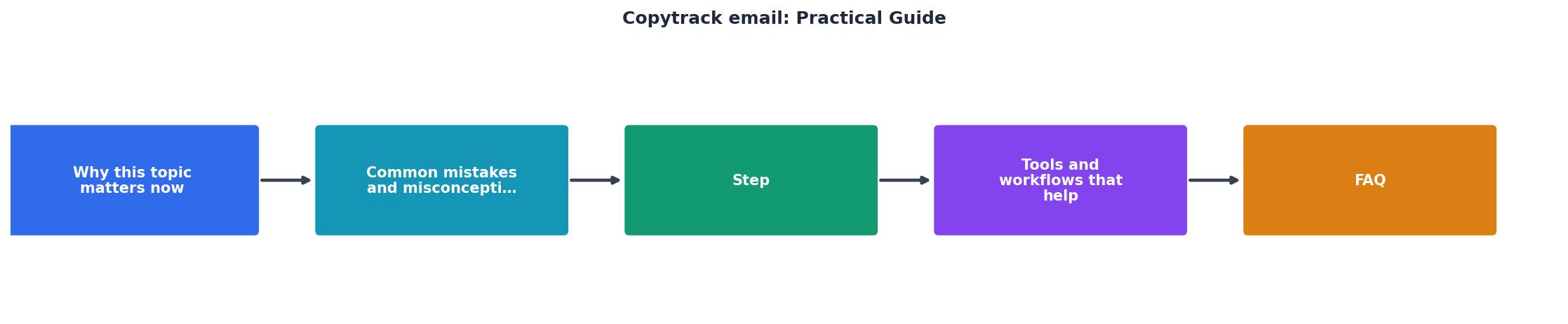
Step-by-step response plan

Here is the exact process to follow when a Copytrack email arrives. Each step builds on the previous one.
1. Verify the email is real
Check the sender domain. Legitimate Copytrack emails come from @copytrack.com or @copytrack.net. Look for your specific URL and the exact image in question. If the email contains no specific details, it might be phishing. When in doubt, log in to the Copytrack portal directly (do not click links in the email) and check for open cases.
2. Identify the image
Download or screenshot the image Copytrack references. Reverse-search it if needed. Match it against your project files. Figure out exactly which project used it and when.
3. Find your licence
This is the critical step. Log in to the stock platform where you originally downloaded the image. Look for:
- The download history entry with a matching date
- The licence certificate or licence agreement PDF
- The invoice or payment receipt tied to that download
4. Assess the claim
With your licence in hand, compare the terms against how the image was used:
- Does the licence cover commercial use?
- Does it cover the specific medium (web, print, social)?
- Was attribution required and provided?
- Has the licence expired or been tied to a cancelled subscription?
5. Respond with proof
Write a calm, factual reply. Include:
- The licence certificate or proof of purchase
- The platform name and download date
- A statement that the usage falls within the licence terms
6. Follow up if needed
Copytrack typically responds within a few business days. If they accept your proof, the case closes. If they push back, ask for specifics about what they believe violates the licence. In rare cases where the dispute continues, consult a lawyer who handles intellectual property.
Here is a quick overview of how the two scenarios compare when you receive a Copytrack email:
| Without Licence Proof | With Licence Proof |
|---|---|
| Panic and uncertainty | Calm, factual assessment |
| Hours searching dashboards | Minutes retrieving certificates |
| Risk of paying an invalid claim | Case dismissed with one email |
| Ongoing stress and follow-ups | Resolution in days |
| Potential legal escalation | Clean closure |
Build your licence archive now

The best time to organize your licence records is before you get a Copytrack email. The second best time is right now.
Every stock platform stores licence information differently. Shutterstock gives you a downloadable licence certificate per image. Adobe Stock buries it in your licence history. Freepik shows it in your download log but does not always generate a standalone PDF. Envato provides invoices but the licence terms live in a separate document.
Collecting all of this manually across platforms takes hours. That is exactly the problem Licence Downloader solves. It connects to your stock platform accounts and pulls every licence certificate into one organized archive. When a claim arrives, you search by image and have your proof in seconds.
The following card shows what a typical freelancer's licence situation looks like before and after organizing their records:
Copytrack Claim Response: Before vs. After
Copytrack Email Response Checklist
Your progress is saved automatically in your browser.
FAQ
Frequently Asked Questions
Have you received a Copytrack email before, and how did you handle it? Share your experience in the comments.
Additional Resources
- Is the Copytrack email real or a scam? Quick guide - The email should come from @copytrack.com (or other official domains). · Links should point to Copytrack's secure portal (HTTPS, no strange ...
- Copyright Infringement Notice Email from Copytrack - COPYTRACK cannot enforce any claims via email without representation from a state-accredited U.S. lawyer who holds a bar license in your state.
- Read Customer Service Reviews of www.copytrack.com - They're been spamming emails for several months, claiming copyright infringement. The only minor snag to their case is- the images used were royalty free ...
Need to Download Your Licences?
Save hours of manual work. We download all your stock photo licence certificates for you.
Get Started“Thanks to LicenceDownloader.com, I was able to download more than 1,000 Freepik licences and receive them all at once via ZIP.”
Marlon Mainardy