Copytrack Response Pack: Step-by-Step Dossier Template
You open your inbox and find a Copytrack settlement demand for an image you are certain you licensed. Your stomach drops, your mind races, and you have no idea where to start. This guide gives you a complete, repeatable dossier template so you can respond to any Copytrack claim with organized proof instead of panic. Follow the steps, gather the documents, and send a response that shuts the claim down fast.

You open your inbox and find a Copytrack settlement demand for an image you are certain you licensed. Your stomach drops, your mind races, and you have no idea where to start. This guide gives you a complete, repeatable dossier template so you can respond to any Copytrack claim with organized proof instead of panic. Follow the steps, gather the documents, and send a response that shuts the claim down fast.
Photo by Kampus Production from Pexels
TL;DR:
- A Copytrack response dossier bundles your licence certificate, purchase receipt, usage screenshot, and a short cover letter into one organized package.
- Most claims can be resolved in under a week if you have your licence proof ready.
- The template below walks you through every document you need, where to find it, and how to format your reply.
What a Copytrack claim actually is
Copytrack is a German-based image-tracking company that uses reverse-image search to find unlicensed usage of photographs online. When their system flags one of your pages, they send a settlement letter demanding payment. The letter looks intimidating, but it is not a lawsuit. It is a request.
The catch: Copytrack sends these letters to everyone their crawler flags, including people who hold valid licences. If you bought the image through Freepik, Shutterstock, Adobe Stock, iStock, or any other platform, you have every right to use it. You just need to prove it.
Most Copytrack disputes never reach a courtroom. The company settles or drops claims once the recipient provides clear licence documentation. Your job is to make that documentation impossible to argue with.
"The reviews have been below 2/5, with the majority of complaints.">, How to Response When You Receive the Email From COPYTRACK
Common mistakes that weaken your case

Before building your dossier, know what not to do. These errors turn a simple reply into a drawn-out headache:
- Ignoring the letter entirely. Copytrack escalates unanswered claims. Silence is not a strategy.
- Paying immediately out of fear. If you hold a valid licence, paying the settlement is throwing money away.
- Sending a vague email like "I bought this image, please check." Without attached proof, Copytrack has no reason to close the file.
- Deleting the image from your site and hoping the problem disappears. Copytrack already has a cached screenshot. Removal does not erase the claim.
- Mixing up licence types. A free-tier Freepik download with attribution requirements is different from a Premium licence. Sending the wrong certificate weakens your position.
The five documents you need
Every Copytrack response dossier contains the same core pieces. Gather these before you write a single word of your reply:
- Licence certificate or licence agreement PDF from the stock platform (Shutterstock, Adobe Stock, Freepik, Envato, iStock, Canva, etc.)
- Purchase receipt or invoice showing the transaction date, your account email, and the asset ID
- Screenshot of the asset in your download history on the platform, with the date visible
- Screenshot of the image on your website showing proper usage (and attribution if required)
- A short cover letter referencing the Copytrack case number and listing every attached document
When all five pieces are present, the vast majority of legitimate-licence holders see their claims dropped within days.
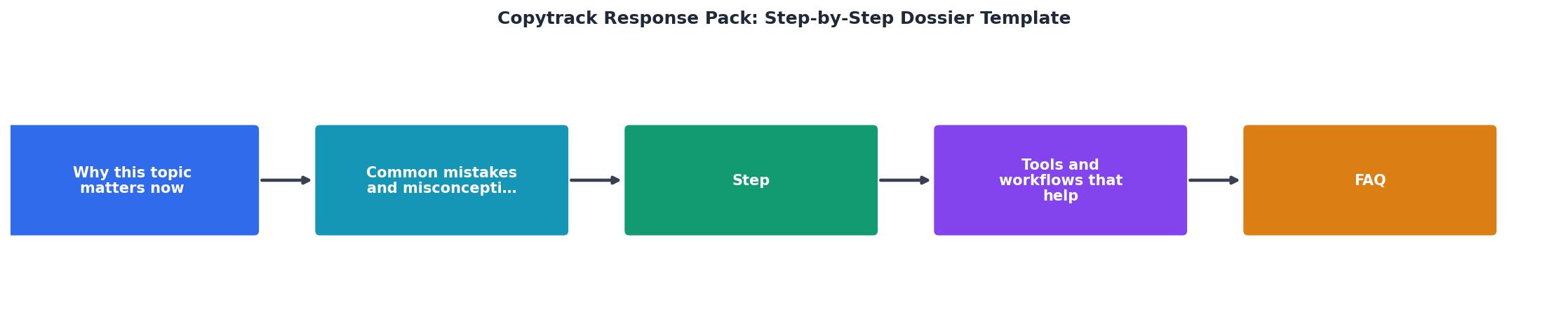
Step-by-step dossier assembly

Here is the exact process, from the moment you receive the Copytrack email to the moment you hit send.
Step 1: Log the claim details
Open the Copytrack email. Write down the case number, the image URL they flagged, and the image ID or filename they reference. Create a folder on your computer named copytrack-case-[number]. Everything goes in here.
Step 2: Locate the licence certificate
Log into the stock platform where you purchased the image. Navigate to your download history and find the specific asset. Download the licence certificate PDF. On Shutterstock, this lives under "Download History" with a "Download Licence" button. On Adobe Stock, check "Licencing History." On Freepik, look under "My Downloads" for the licence details.
If you use multiple platforms and cannot remember which one, a tool like Licence Downloader can bulk-search your accounts and pull every certificate in minutes instead of hours.
Step 3: Download the purchase receipt
Find the invoice or payment confirmation email from the platform. If you paid via PayPal or credit card, the transaction record works as a backup. Save it as a PDF in your case folder.
Step 4: Capture screenshots
Take two screenshots:
- Your download history page on the platform showing the image, the download date, and your account name.
- The image as used on your website, showing the URL bar and the image in context.
download-history-screenshot.png and website-usage-screenshot.png.
Step 5: Write the cover letter
Keep it short. Three paragraphs maximum:
- Paragraph 1: Reference the case number and state that you hold a valid licence.
- Paragraph 2: List every attached document by name.
- Paragraph 3: Request written confirmation that the claim is closed.
Step 6: Send and archive
Email the complete dossier to the address Copytrack provided. Use the case number in the subject line. BCC yourself. Move the entire case folder into a permanent archive. If Copytrack follows up, you already have everything organized.
Tools and workflows that save time

The hardest part of responding to Copytrack is not writing the letter. It is finding the licence certificate buried three clicks deep in a platform you last logged into six months ago. Here are workflows that cut the friction:
- Licence Downloader at licencedownloader.com connects to Freepik, Shutterstock, Adobe Stock, Envato, iStock, Canva, and more. It bulk-downloads every licence certificate tied to your account. Run it once a month and you always have proof on hand.
- Cloud storage with consistent naming. Create a folder structure like
licences/[platform]/[year]/[asset-id].pdf. When a claim arrives, search by asset ID and you are done in seconds. - Email filters. Set up a filter for "Copytrack" so claim emails land in a dedicated folder. You will never miss a deadline.
- Calendar reminders. Copytrack letters usually give you 14 to 30 days to respond. Set a reminder for day 7 so you have buffer time.
Response Time: Organized vs. Unorganized
Copytrack Response Dossier Checklist
Your progress is saved automatically in your browser.
FAQ
Frequently Asked Questions
Additional Resources
- Received a Copytrack Email? Response Secrets They Don't ... - If you've received a demand from Copytrack or similar, here's how to respond smartly, check your rights, and protect your business.
- How to Response When You Receive the Email ... - Received a legal threat from Copytrack? Here's how I responded—and what you should know about copyright claims and your next steps.
- Examining A Copyright Claim From Copytrack - I received a copyright infringement email from Copytrack, asserting rights over an image on behalf of concept-productions.
Need to Download Your Licences?
Save hours of manual work. We download all your stock photo licence certificates for you.
Get Started“Thanks to LicenceDownloader.com, I was able to download more than 1,000 Freepik licences and receive them all at once via ZIP.”
Marlon Mainardy