Download Your 123RF Licence Documents
Navigating through the digital landscape of stock media can be daunting, especially when it comes to managing licences. As a creative professional, ensuring you have the right licence documents from platforms like 123RF is crucial for compliance and protection against copyright claims. This guide will walk you through the process of downloading your 123RF licence documents, organizing them, and ensuring you're prepared to prove your rights whenever necessary.

Navigating through the digital landscape of stock media can be daunting, especially when it comes to managing licences. As a creative professional, ensuring you have the right licence documents from platforms like 123RF is crucial for compliance and protection against copyright claims. This guide will walk you through the process of downloading your 123RF licence documents, organizing them, and ensuring you're prepared to prove your rights whenever necessary.
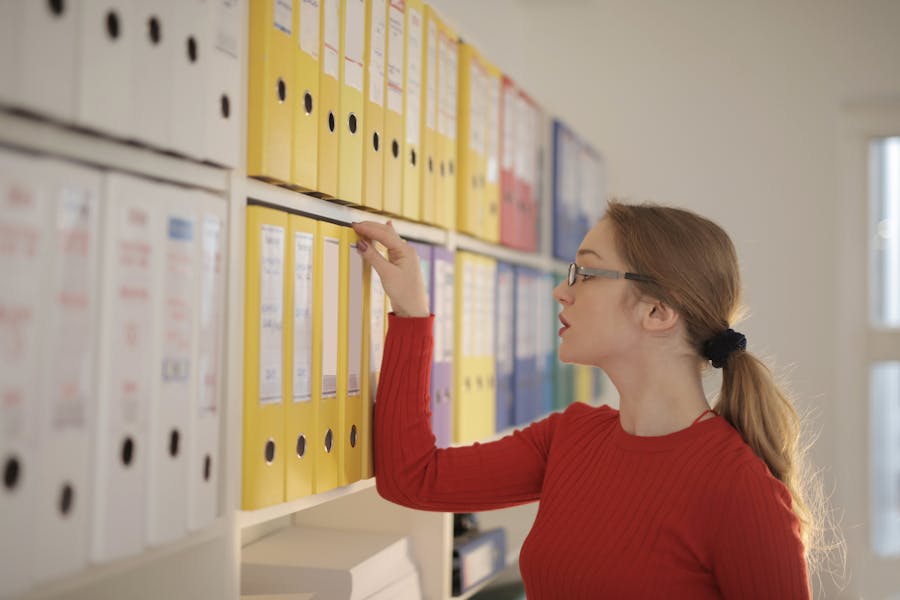
Photo by Andrea Piacquadio from Pexels
TL;DR: Log into 123RF, navigate to the licence section, and download your documents. Organize these files to ensure you can provide proof of licence when needed.
In the fast-paced world of digital design, having easy access to your stock media licences is more than just a convenience, it's a necessity. Whether you're a freelance designer or part of a creative team, being able to quickly verify your right to use an image can protect you from costly legal issues and maintain your professional reputation. This article will provide a step-by-step guide to accessing, downloading, and managing your 123RF licence documents effectively.
The Importance of 123RF Licence Documents
Licence documents from 123RF serve as legal proof that you have the right to use the images or media you've purchased. Without these documents, you could face legal challenges from copyright holders, which can lead to fines or a damaged reputation. Moreover, having these documents organized and readily available is crucial when clients request proof of licence for their records.

Navigating the 123RF Platform
To download your licence documents from 123RF, you first need to know where to find them. Here's how you can navigate the platform:
- Log In: Start by logging into your 123RF account using your credentials.
- Account Dashboard: Once logged in, navigate to your account dashboard. This is typically accessible from the top-right corner of the homepage.
- Licences Section: Look for a section labeled "Licences" or "Downloads." This is where all your purchased media and corresponding licences are stored.
Downloading Your Licence Documents
Downloading your licence documents is a straightforward process once you know where to look. Follow these steps:
- Select Your Purchase: In the licences section, find the image or media file you need a licence for.
- Download the Document: Click on the download option next to the file. This will typically download a PDF or similar document containing your licence information.
- Save the File: Ensure you save the file in a secure location on your computer or cloud storage.
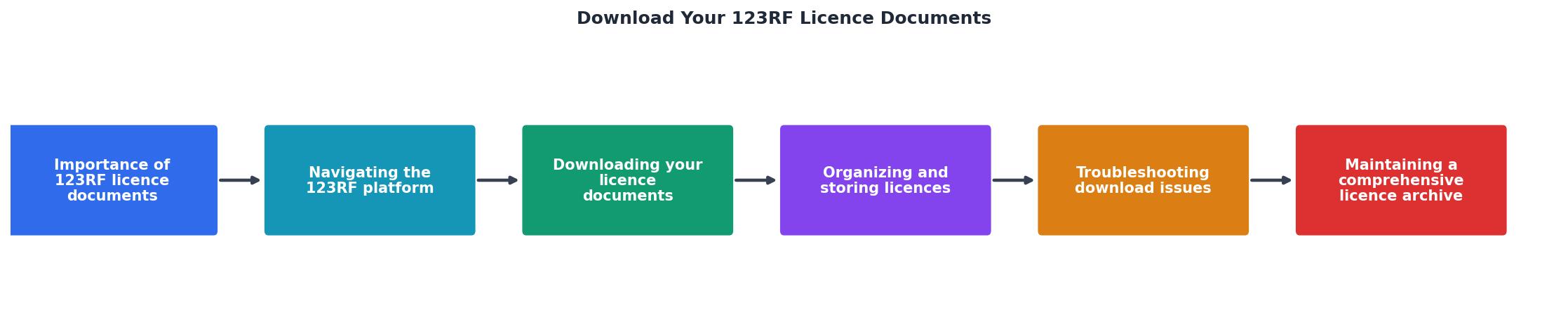
Organizing and Storing Licences
Once you've downloaded your licence documents, it's essential to keep them organized. Here are some best practices:
- Create a Dedicated Folder: Store all your licence documents in a dedicated folder on your computer or cloud storage.
- Use Descriptive File Names: Rename files with descriptive names that include the date and media type for easy identification.
- Regular Backups: Regularly back up your licence documents to prevent data loss.
Troubleshooting Download Issues
Sometimes, you may encounter issues when trying to download your licence documents. Here are some common problems and solutions:
- Login Issues: Ensure you're logged into the correct account associated with the purchases.
- File Not Downloading: Check your internet connection and ensure your browser is up to date.
- Missing Licences: Contact 123RF customer support if a licence document is missing from your account.
Maintaining a Comprehensive Licence Archive
For long-term success, it's vital to maintain a comprehensive archive of all your licences. This involves regularly updating your licence records and ensuring they are easily accessible. Consider using digital tools or software that can help automate this process and provide reminders for licence renewals or expirations.

Interactive Licence Management Dashboard
To give you a better perspective on how to manage your licences efficiently, here is an example of an interactive dashboard that tracks your licence status and expiry dates. This tool can help you stay organized and ensure you never miss a renewal.
Licence Management Dashboard
FAQ
Frequently Asked Questions
Checklist for Managing 123RF Licence Documents
Here's a handy checklist to help you manage your 123RF licence documents effectively:
123RF Licence Management Checklist
Your progress is saved automatically in your browser.
By following these steps, you can ensure that your 123RF licence documents are well-organized and easily accessible, safeguarding your creative projects against potential legal challenges. Have any tips or questions on managing licences? Share them in the comments below!
Additional Resources
- End User Licensing Agreement and Legal Matters - 123RF grants You a non-exclusive, royalty-free, worldwide, perpetual, non-transferable and non-sublicensable license to use, reproduce, modify, publish and ...
- 123RF FREE Image License Agreement - View 123RF License Terms to learn how you can use stock photos, vector images, video footage and audio clips for personal and commercial usages. Learn more.
- Standard license terms for 123RF - The licensor grants the customer a free, limited usage license for all content with or without watermark to create drafts, test layouts and demo ...
Need to Download Your Licences?
Save hours of manual work. We download all your stock photo licence certificates for you.
Get Started“Thanks to LicenceDownloader.com, I was able to download more than 1,000 Freepik licences and receive them all at once via ZIP.”
Marlon Mainardy