How to Download Licences from Motion Array
A client emails you three months after a project wraps, asking for proof that the intro template in their YouTube series is properly licensed. You know you downloaded it from Motion Array, but the certificate itself is buried somewhere in your account. Finding it takes longer than it should, and every minute spent digging through dashboards is a minute you are not billing for actual design work.


A client emails you three months after a project wraps, asking for proof that the intro template in their YouTube series is properly licensed. You know you downloaded it from Motion Array, but the certificate itself is buried somewhere in your account. Finding it takes longer than it should, and every minute spent digging through dashboards is a minute you are not billing for actual design work.
Photo by Leeloo The First from Pexels
TL;DR:- Log in to your Motion Array account and open the Downloads page from the top navigation bar.
- Click the Licence Certificate link next to any downloaded asset to generate a PDF.
- Save each certificate in a project-specific folder so you can produce it instantly during a client audit or copyright dispute.
Why Motion Array Licences Matter
Motion Array is a subscription-based marketplace offering video templates, stock footage, music, sound effects, Premiere Pro presets, and more. Every asset you download comes with a licence that defines exactly how you can use it: in client work, on social media, in broadcast, or for personal projects.
Without the actual certificate file, you have no fast way to prove that a specific asset was legitimately licensed under your account at the time of download. A verbal "I paid for it" does not hold up when a platform flags your video or a client's legal team sends a formal request.
Keeping certificates organized is not busywork. It is the cheapest insurance policy a freelance designer can carry.
Access Your Motion Array Account

Start at motionarray.com and sign in with the email tied to your subscription. If you use Google or Facebook SSO, make sure you pick the same method you originally registered with. A mismatched login creates a second empty account, which is a common source of "I can't find my downloads" panic.
Once logged in:
- Click your profile avatar in the top-right corner.
- Select My Account from the dropdown.
- You land on the account dashboard, which shows your subscription status, billing info, and navigation links to your content.
motionarray.com/account/downloads directly. It skips the dashboard and drops you straight into the downloads list.Find Your Licence Certificates
The Downloads page lists every asset you have ever downloaded under your current subscription. Each row shows the asset name, type (template, footage, music, etc.), download date, and a link to the licence certificate.
Here is what to look for:
- Asset thumbnail and title on the left.
- Download date in the center column.
- "Licence Certificate" link on the right side of each row.
Download Your Licences Step by Step
This is the core workflow. Follow these steps for each asset you need a certificate for.
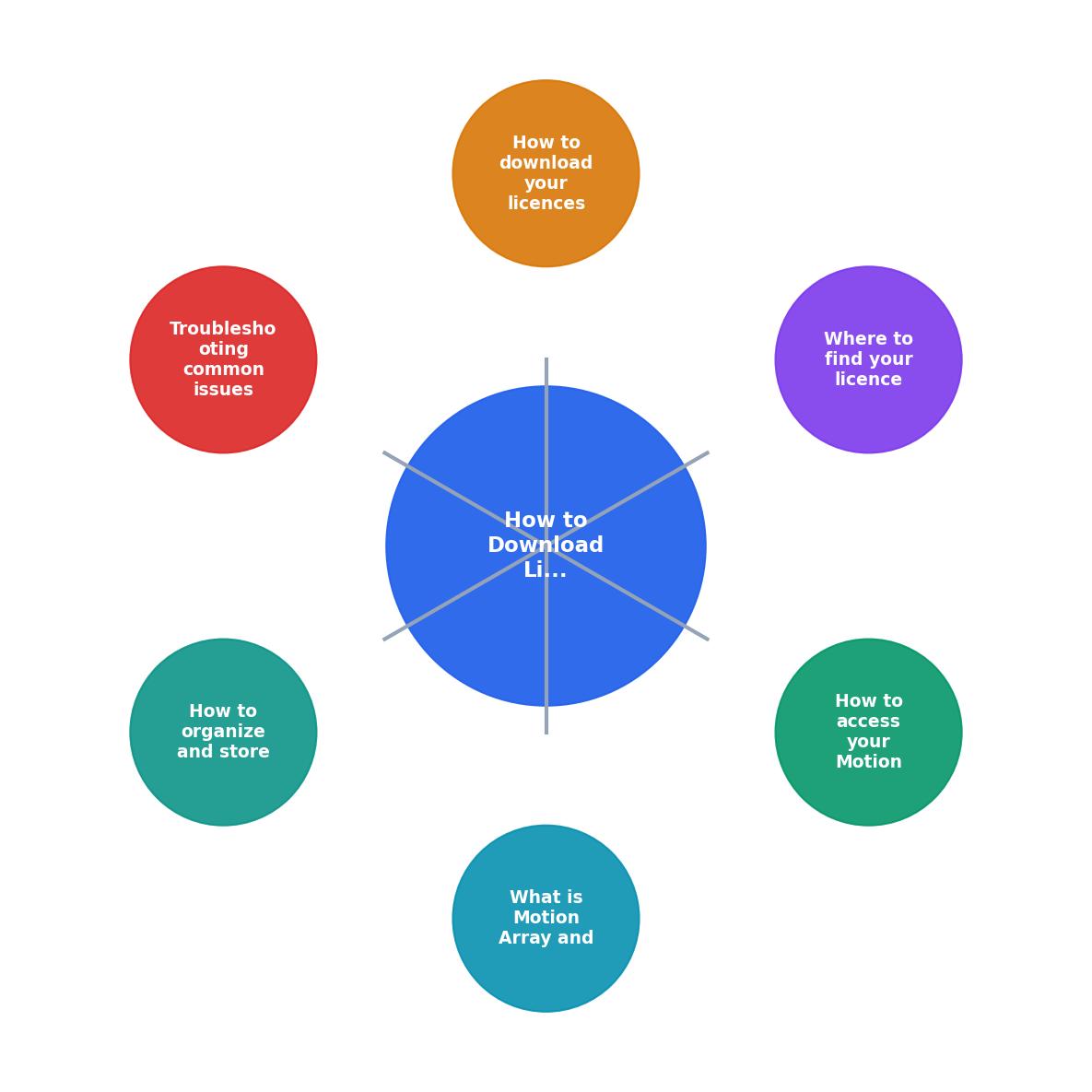
- Open Downloads - Navigate to the Downloads page from your account menu.
- Locate asset - Search or scroll to find the specific asset.
- Click Licence Certificate - Hit the licence link on the right side of the asset row.
- Review the PDF - A new tab opens with the certificate. Verify the asset name, licence type, and date.
- Save the file - Use your browser's download or "Save As" function to store the PDF locally.
- Rename the file - Give it a clear name like
MotionArray_Licence_ProjectName_AssetID.pdf.
- Your account holder name and email
- The asset title and unique ID
- The licence type (Unlimited or single-use, depending on your plan)
- The download date
- Permitted usage terms

Troubleshoot Common Issues
Things go wrong. Here are the fixes for the most frequent problems.
Certificate link is missing. This usually means the asset was downloaded under a different account or a previous subscription period. Check that you are logged into the correct account. If you have multiple emails, try each one.
PDF opens blank or fails to load. Clear your browser cache, disable ad blockers temporarily, and try again. Motion Array generates certificates dynamically, and aggressive browser extensions sometimes block the request.
Asset not showing in Downloads. If you bookmarked or favorited an asset but never actually clicked "Download," it will not appear on the Downloads page. Only completed downloads generate licence records.
Subscription expired. Contact Motion Array support directly. They can often re-issue certificates for assets downloaded during a valid subscription window, though response times vary.
Organize and Store Your Licences
Downloading the certificate is half the job. The other half is making it findable six months from now when someone asks for it.
A simple folder structure works:
/Licences
  /ClientName_ProjectName
    MotionArray_Licence_IntroTemplate_12345.pdf
    AdobeStock_Licence_HeroImage_67890.pdf
  /AnotherClient_Campaign
    ...
Cloud backup is non-negotiable. Use Google Drive, Dropbox, or OneDrive. If your laptop dies, your licence proof should survive.
Naming conventions save future-you hours of guessing. Include the platform name, project reference, and asset ID in every filename.
For freelancers juggling multiple stock platforms, a tool like licencedownloader.com can pull certificates from Motion Array and other services into one place, cutting the per-asset admin time significantly.
| Manual Download | Automated with Licence Downloader |
|---|---|
| Log in to each platform separately | Single dashboard for all platforms |
| Search and click per asset | Bulk export in one action |
| Rename files manually | Consistent naming applied automatically |
| Easy to forget or skip assets | Complete coverage by default |
Here is an example of what a typical freelancer's licence tracking might look like after organizing downloads from a single quarter:
Q2 Licence Snapshot (example)
Motion Array Licence Download Checklist
Your progress is saved automatically in your browser.
FAQ
Frequently Asked Questions
Have you set up a consistent system for storing your Motion Array licence certificates, or are you still hunting through your downloads folder every time a client asks? Share what works for you.
Need to Download Your Licences?
Save hours of manual work. We download all your stock photo licence certificates for you.
Get Started“Thanks to LicenceDownloader.com, I was able to download more than 1,000 Freepik licences and receive them all at once via ZIP.”
Marlon Mainardy