Essential Tips for Managing Stock Licences Effectively
You bought a stock photo for your online store six months ago. Now a platform flags your Facebook ad, demanding proof you have the right to use that image. You dig through emails, check three different accounts, and come up empty. This scenario plays out constantly for small business owners, and it is entirely preventable with a few straightforward habits.

You bought a stock photo for your online store six months ago. Now a platform flags your Facebook ad, demanding proof you have the right to use that image. You dig through emails, check three different accounts, and come up empty. This scenario plays out constantly for small business owners, and it is entirely preventable with a few straightforward habits.
Photo by RDNE Stock project from Pexels
TL;DR:- Learn the difference between royalty-free, editorial, and extended licences before you buy.
- Store every licence certificate in one organized folder system the moment you download an asset.
- Audit your licence records quarterly so expired or mismatched licences never catch you off guard.
- Use tools like Licence Downloader to bulk-retrieve proof from platforms like Canva, Freepik, and Shutterstock in minutes.
Why licence management trips up small businesses
Stock image platforms make buying easy. They do not make record-keeping easy. Each platform stores licence proof in a different spot: Canva buries it in your download history, Freepik puts it behind a separate certificate link, and Shutterstock emails a receipt that looks nothing like a formal licence document.
For a small business owner juggling product launches, ad campaigns, and customer service, tracking down these scattered records feels like a low priority. Until it isn't.
The real cost shows up in three ways:
- Copyright claims on ad platforms. Meta, Google, and Amazon can suspend your ads or listings if you cannot prove licence ownership within their (often short) response windows.
- Legal demand letters. Copyright enforcement agencies send thousands of these annually. Without proof, settling is cheaper than fighting, even when you did pay for the image.
- Wasted time. Every hour spent hunting for a receipt across old emails and platform dashboards is an hour not spent running your business.
Know your licence types

Before organizing anything, you need to understand what you actually purchased. Stock licences fall into a few core categories, and mixing them up creates real legal exposure.
Royalty-free (RF) does not mean "free." It means you pay once and can use the asset multiple times without paying per use. Most Shutterstock, Adobe Stock, and Freepik downloads fall here. You still have restrictions: no resale of the image itself, no use on merchandise beyond a certain print run (often 500,000 copies), and no use in trademarks or logos.
Editorial-use only images show real people, events, or branded products. You can use them in blog posts or news articles, but not in ads, product pages, or anything that implies endorsement. Canva and iStock mark these clearly, but it is easy to miss the label when you are in a hurry.
Extended licences remove specific restrictions from a standard RF licence. Need to print an image on 1,000,000 t-shirts? You need an extended licence. These cost more and come with their own certificate.
"The GPL is a popular example of a copyleft license.">, Discover top tips in 2024's guide to software license management
While that quote refers to software licensing, the principle applies broadly: every licence type carries specific obligations. Ignoring the fine print does not make the obligations disappear.
Here is a quick comparison of the three main types:
| Feature | Royalty-Free | Editorial Only | Extended |
|---|---|---|---|
| Commercial use | Yes | No | Yes |
| Merchandise/print runs | Limited (often 500K) | No | Unlimited |
| Ads and product pages | Yes | No | Yes |
| Typical cost | $1-$30 | $1-$30 | $50-$200+ |
| Proof document | Standard certificate | Standard certificate | Separate extended certificate |
Build an organized record system

The single best thing you can do is create a folder structure and use it every time you download a stock asset. No exceptions. Here is a system that works for businesses of any size:
Top-level folder: Stock Licences
Stock Licences / CanvaStock Licences / FreepikStock Licences / ShutterstockStock Licences / Adobe Stock
- The licence certificate (PDF or screenshot)
- A reference file (the image thumbnail or a text file noting where you used it)
2026-07-03_freepik_12345678_homepage-banner.pdf tells you the date, platform, asset ID, and usage location at a glance.
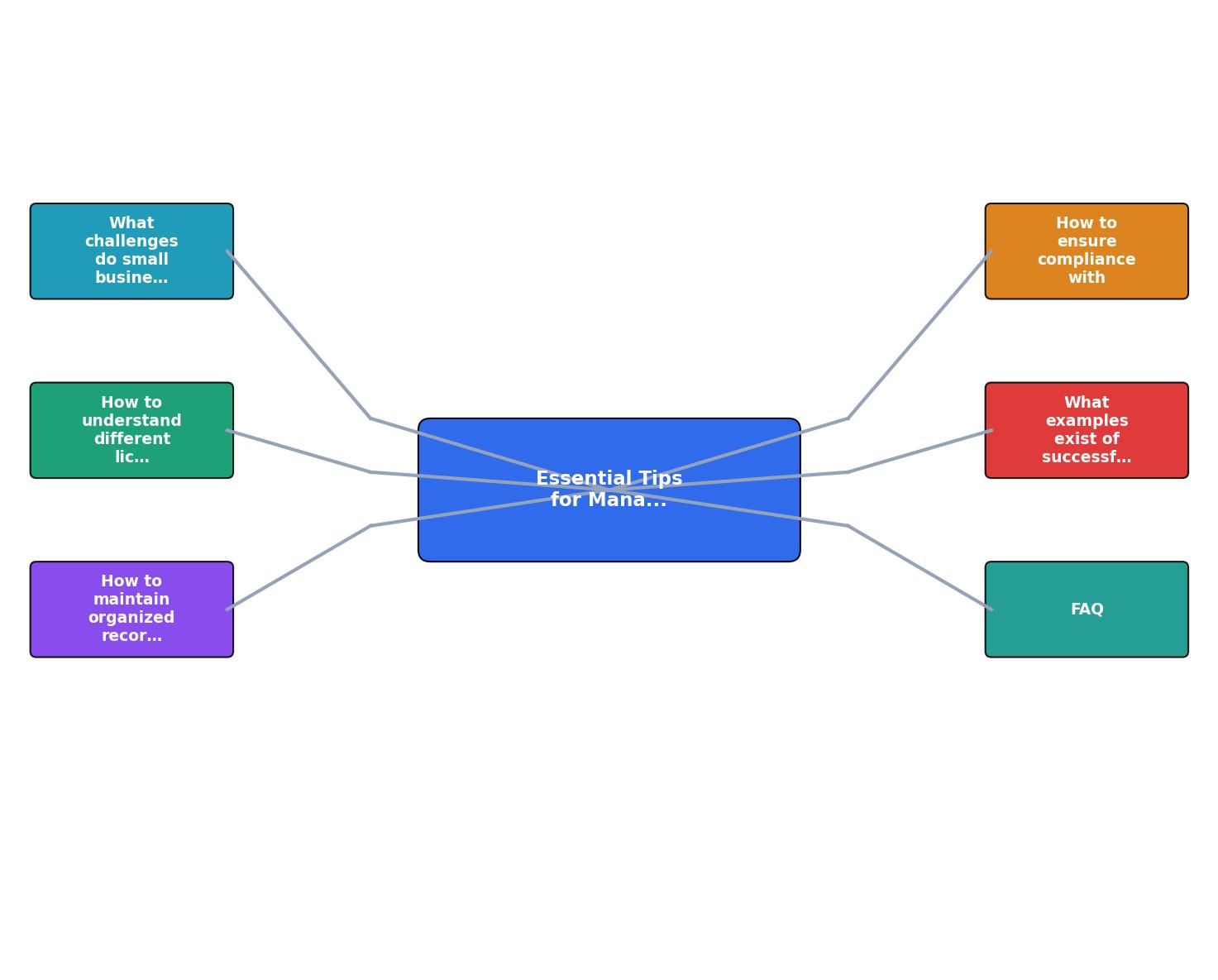
The process diagram above shows the flow: Download Asset, Save Certificate, Log Usage, Quarterly Audit. Each step takes seconds when it becomes habit. Skipping any step creates a gap that costs hours later.
For businesses downloading more than a handful of images per month, manually saving certificates from each platform gets tedious fast. This is where Licence Downloader saves real time: it connects to your accounts on Freepik, Shutterstock, Canva, and others, then bulk-downloads every licence certificate into one organized archive.
The following dashboard illustrates what a typical small e-commerce business's licence collection might look like after three months of organized tracking:
Example: 3-Month Licence Archive
Verify compliance with licence terms
Having certificates on file is step one. Step two is making sure you are actually following the terms those certificates describe.
Here is a quarterly compliance check you can run in under 30 minutes:
- Pull up your licence folder. Open each platform subfolder and count the certificates.
- Cross-reference with usage. Check your website, active ads, social media posts, and product listings. Does every stock image in use have a matching certificate?
- Check licence type against usage. An editorial-only image on a product page is a violation, even if you paid for it. Look for mismatches.
- Verify subscription status. If your Canva Pro or Freepik Premium subscription lapsed, some licences may have reverted. Most platforms grant a perpetual licence for assets downloaded during an active subscription, but read the terms carefully.
- Remove or replace flagged assets. If you find an image without proof or with the wrong licence type, swap it out immediately. The cost of a new stock photo is always less than a legal dispute.
Real examples of licence management done right
A small Etsy shop selling custom wedding invitations switched from saving nothing to using a simple Google Drive folder structure (organized by platform and month). Within two months, they had certificates for every stock floral illustration and texture in their product line. When Etsy flagged one listing after a third-party complaint, they responded with the Shutterstock certificate within an hour. The listing was restored the same day.
An e-commerce store running Facebook and Instagram ads for skincare products kept a shared spreadsheet linking each ad creative to its stock asset IDs and licence files. When Meta's automated system flagged an ad image, the team uploaded the Freepik licence certificate through the appeal form. The ad was back online in 48 hours instead of the typical two-week limbo.
Both businesses spent less than 15 minutes per week on licence admin. The payoff was zero downtime and zero legal fees.
Stock Licence Management Checklist for Small Businesses
Your progress is saved automatically in your browser.
FAQ
Frequently Asked Questions
What does your current stock licence filing system look like, and where does it break down? Share your experience in the comments.
Additional Resources
- 2024 Guide to Software License Management - Negotiating better pricing and contract terms can help organizations reduce software licensing costs and improve license management.
- Keys To Software License Management - Regular license reviews and reconciliation are essential for efficient license management. By reconciling licenses regularly, organizations can ...
- Software License Management Tips to Save Costs in 2026 - Discover 7 proven software license management tips to cut costs, stay compliant, and simplify tracking across your entire software stack.
Need to Download Your Licences?
Save hours of manual work. We download all your stock photo licence certificates for you.
Get Started“Thanks to LicenceDownloader.com, I was able to download more than 1,000 Freepik licences and receive them all at once via ZIP.”
Marlon Mainardy