Licence Management Features Freelancers Should Look For
A client emails you six months after a project wraps, asking for proof that the hero image on their homepage is properly licensed. You know you bought it, but you cannot remember which platform, which account, or where the certificate lives. That scramble costs you billable hours and makes you look unprepared. The right licence management features eliminate that scenario entirely and keep your freelance business protected without eating into your creative time.


A client emails you six months after a project wraps, asking for proof that the hero image on their homepage is properly licensed. You know you bought it, but you cannot remember which platform, which account, or where the certificate lives. That scramble costs you billable hours and makes you look unprepared. The right licence management features eliminate that scenario entirely and keep your freelance business protected without eating into your creative time.
Photo by George Milton from Pexels
TL;DR:- Prioritize multi-platform support, bulk export, searchable storage, and low per-seat cost when choosing a licence management tool.
- A good tool should let you retrieve any licence certificate in under a minute, not fifteen.
- Pair the right features with a consistent filing habit and you will never lose a licence proof again.
Why Licence Management Matters
Every stock image, icon pack, or video clip you download comes with a licence. That licence is your legal shield. Lose it, and you are exposed to copyright claims, DMCA takedowns, and awkward conversations with clients who trusted you to handle the legal side.
The problem is not buying licences. The problem is finding them later. Freepik buries certificates in download history. Adobe Stock attaches them to invoices. Envato emails them. Shutterstock puts them behind three clicks. When you juggle two or three platforms, the friction compounds fast.
"The average organization carries $19.8M in annual license waste, with utilization stuck at 54%.">, Best Software License Management Software for IT & SAM in 2026
That statistic covers enterprise software, but the underlying pattern applies to freelancers too. You pay for stock subscriptions, download assets, and then lose track of what you actually used and where the proof lives. Wasted money, wasted time, wasted confidence.

Essential Features to Prioritize
Not every licence tool is built for freelancers. Many target IT departments managing SaaS seats. Here are the features that actually matter when your workflow revolves around stock media.
Multi-Platform Support
You probably use more than one stock platform. A tool that only covers Shutterstock leaves gaps for your Freepik and Adobe Stock downloads. Look for support across at least three to five major platforms: Freepik, Shutterstock, Adobe Stock, Envato Elements, iStock, and Canva.
Bulk Export and Download
Downloading licence certificates one at a time defeats the purpose. Bulk export lets you pull dozens or hundreds of certificates in a single action. This is the difference between a five-minute task at the end of the month and a full afternoon of clicking through dashboards.
Searchable, Centralized Storage
A folder full of PDFs named licence_12847.pdf is barely better than no folder at all. The tool should let you search by platform, date, project name, or asset filename. When a client asks for proof, you type a keyword and get the answer.
Low Cost for Solo Users
Enterprise pricing does not work for freelancers. Look for free tiers, pay-per-use models, or affordable monthly plans under $20. The tool should pay for itself in saved time within the first month.
Proof Format Flexibility
Some clients want a PDF certificate. Others want a screenshot. A few want a direct link to the platform's licence page. A good tool gives you options: PDF export, direct links, and shareable proof pages.
How Features Improve Your Workflow

Features on a spec sheet mean nothing until they change how you work day to day. Here is what the right combination looks like in practice.
Scenario 1: End-of-project handoff. You finish a brand kit for a restaurant client. The kit uses four Freepik vectors, two Adobe Stock photos, and one Envato template. Instead of logging into three platforms, you open your licence tool, filter by project tag, and export all seven certificates as a single ZIP. Attach it to the final invoice. Done in two minutes.
Scenario 2: Copyright dispute. A stock photo agency sends a cease-and-desist letter claiming unauthorized use of an image on your client's website. You search the image filename, pull the licence certificate showing your active subscription at the time of download, and forward it to the agency. Dispute resolved in one email.
Scenario 3: Tax and audit season. Your accountant asks for a summary of stock media expenses. Your tool's dashboard shows total downloads per platform, subscription costs, and licence types. You export a CSV and move on.
Here is how the process flows from download to proof retrieval:
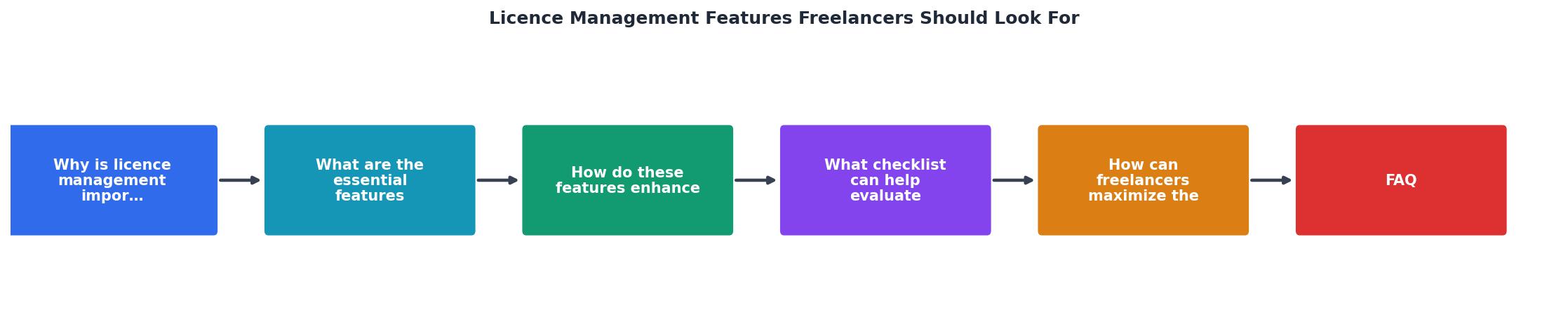
The key steps are: Download asset → Auto-capture licence → Tag by project → Store centrally → Retrieve on demand. Each step takes seconds when the right features are in place.
Comparing Manual vs. Tool-Assisted Management
The difference between managing licences manually and using a dedicated tool is not subtle. It is the difference between a filing cabinet and a searchable database.
| Manual Approach | Tool-Assisted Approach |
|---|---|
| Log into each platform separately | Single dashboard for all platforms |
| Download certificates one by one | Bulk export in one click |
| Name files manually, hope for consistency | Auto-named with metadata |
| Search by scrolling through folders | Search by keyword, date, or project |
| No proof format options | PDF, link, or shareable page |
| 15-30 minutes per retrieval | Under 1 minute per retrieval |

Maximize the Benefits
Having the right tool is step one. Using it consistently is step two. Here are concrete habits that make licence management effortless.
- Download certificates at the same time you download assets. Do not wait until the end of the project. The five seconds it takes now saves fifteen minutes later.
- Use a consistent tagging system. Client name, project code, and platform. Three tags per licence. That is all you need.
- Run a monthly audit. Spend ten minutes at the end of each month confirming that every downloaded asset has a matching licence on file. Gaps are easier to fill when the download is recent.
- Share proof proactively. Include licence documentation in your project deliverables by default. Clients notice the professionalism, and it prevents future requests.
Here is an example dashboard showing what a typical freelancer's licence collection might look like after one quarter of consistent use:
Licence Collection Overview
Example: Q2 2026, solo freelance designer
Licence Management Tool Evaluation Checklist
Your progress is saved automatically in your browser.
FAQ
Frequently Asked Questions
What feature do you consider non-negotiable in a licence management tool? Share your must-have in the comments.
Additional Resources
- Best Software License Management Software for IT & SAM ... - Compare the top software license management software for mid-market and enterprise companies, including Zylo, Zluri, Flexera, and ServiceNow ...
- How to Choose Freelance Management Software (FMS) - a good freelance management platform has features that encompass HR, recruitment, legal and accounts functions, so it can certainly cater to many areas
- Freelance business license: Do you need one? - Remote - Start your freelance journey off right with a freelance business license. Learn what it is, who needs one, and how to obtain it to safeguard ...
Need to Download Your Licences?
Save hours of manual work. We download all your stock photo licence certificates for you.
Get Started“Thanks to LicenceDownloader.com, I was able to download more than 1,000 Freepik licences and receive them all at once via ZIP.”
Marlon Mainardy