Licence proof playbook #10: Agency handoff licence pack
You finished the project, exported the final files, and zipped everything into a neat folder for the client. Three months later their legal team emails asking for proof that every stock photo in the brand kit is properly licensed. You dig through four different platform dashboards, find half the receipts, and spend an entire afternoon reconstructing the rest. That afternoon could have been ten minutes if you had built a licence handoff pack from the start.

You finished the project, exported the final files, and zipped everything into a neat folder for the client. Three months later their legal team emails asking for proof that every stock photo in the brand kit is properly licensed. You dig through four different platform dashboards, find half the receipts, and spend an entire afternoon reconstructing the rest. That afternoon could have been ten minutes if you had built a licence handoff pack from the start.
Photo by Nataliya Vaitkevich from Pexels
TL;DR:- A licence handoff pack is a single folder delivered alongside final project files that contains every stock-media licence certificate, a licence index spreadsheet, and usage notes for each asset.
- Building one takes 15 to 30 minutes per project when you collect licences as you work, versus hours of forensic digging after the fact.
- Automating the certificate download step with a tool like Licence Downloader cuts that time to under five minutes for most projects.
Why handoff packs matter now
Stock-media copyright enforcement has grown more aggressive. Platforms use automated content matching, and third-party enforcement agencies send demand letters on behalf of photographers and illustrators. When a client receives one of those letters, the first thing they ask for is proof of licence. If you cannot produce it, the liability often falls back on you, the designer or agency that sourced the asset.
A licence handoff pack removes that risk entirely. It shifts the conversation from "can you find the receipt?" to "check the handoff folder, tab three." It also signals professionalism. Clients notice when a freelancer delivers organized documentation alongside creative work. That small detail builds trust and repeat business.
The cost of skipping this step is real. A single unresolved stock-photo claim can run anywhere from a few hundred to several thousand dollars in settlement fees. Compare that to the minutes it takes to assemble a pack.
What goes inside the pack

A complete handoff pack has three layers:
- Licence certificates (PDFs or screenshots) for every stock asset used in the project. Each platform calls these something different: Freepik uses "Certificate of Licence," Shutterstock provides a "Licence History" export, Adobe Stock shows a downloadable invoice with licence terms. Regardless of format, you need the document that ties a specific asset ID to your account and purchase date.
- A licence index spreadsheet that maps each asset to its location in the project files. Columns should include: asset filename, platform, asset ID or URL, licence type (standard, extended, editorial), date purchased, and where it appears in the deliverables (e.g., "homepage hero banner," "Instagram post template #3").
- Usage notes for any asset with restrictions. Editorial-only images, assets with model releases required for certain uses, or images licensed under a subscription that expires on a specific date all need a short note so the client knows the boundaries.
hero-banner-final.jpg, name the certificate hero-banner-final-licence.pdf. This makes matching instant for anyone reviewing the pack later.Common mistakes that cost time

Waiting until the project ends. The single biggest mistake. By the time you deliver, you have forgotten which assets came from which platform, or you downloaded a free trial asset that you later swapped out but never updated your records.
Relying on browser bookmarks or download history. These disappear when you clear your cache, switch machines, or reinstall your OS. They are not documentation.
Mixing personal and client assets. If you use the same Shutterstock subscription for multiple clients, you need to tag or separate which downloads belong to which project. A flat download folder with 400 images and no labels helps nobody.
Ignoring free assets. "Free" does not mean "no licence." Freepik free-tier images require attribution. Unsplash images have their own licence terms. Include these in the pack with a note about the specific licence and any attribution requirements.
Skipping assets from Canva. Many designers treat Canva elements as "part of Canva" and forget they carry their own licence terms. If you export a Canva design containing Pro elements, the client needs to know those elements are covered under your Canva Pro subscription and what happens if that subscription lapses.
Step-by-step: build the pack
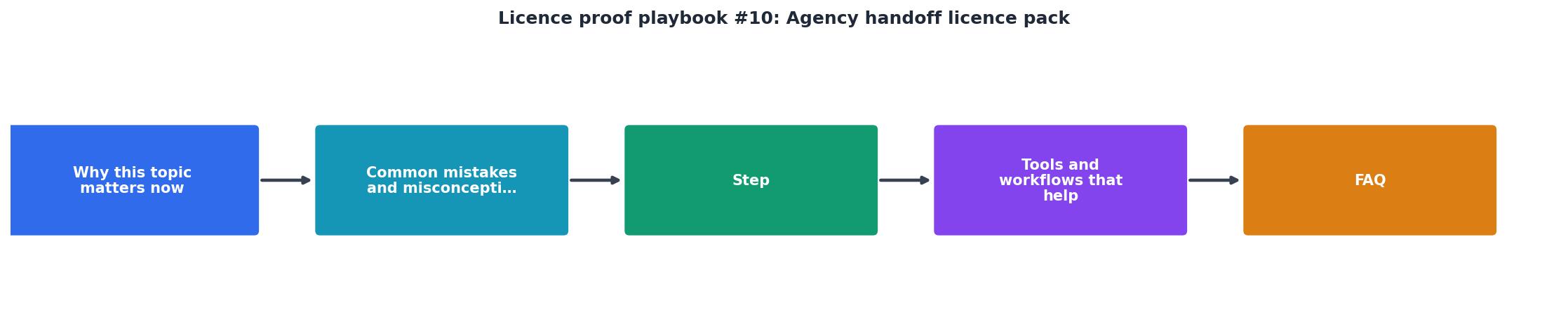
Follow these five steps. The diagram above shows the flow: Inventory, Download, Index, Review, Deliver.
1. Inventory all stock assets
Open every project file (PSD, AI, Figma, InDesign) and list every stock image, illustration, icon, video clip, or font sourced from a stock platform. Check linked files, smart objects, and embedded assets. Do not skip anything.
2. Download licence certificates
Log into each platform and download the licence certificate or proof-of-purchase for every asset on your list. This is the tedious part when done manually. Shutterstock buries licence history under Account > Download History. Adobe Stock puts it under Licensing History. Freepik requires you to open each asset page individually.
This is where bulk-download tools save serious time. Licence Downloader at licencedownloader.com can pull certificates from multiple platforms in a single batch, matching them to your download history automatically.
3. Index everything
Create a spreadsheet (Google Sheets, Excel, or even a simple CSV) with columns for asset name, platform, asset ID, licence type, purchase date, and project placement. One row per asset. This becomes the master reference document.
4. Review for gaps
Cross-check the index against your project files. Every asset in the project should have a matching row in the index and a matching certificate in the folder. Flag any gaps and resolve them before delivery.
5. Deliver with the project
Add the licence pack folder to your final deliverable. Structure it like this:
/Project-Name-Deliverables/
  /Final-Files/
  /Licence-Pack/
    licence-index.xlsx
    /Certificates/
      hero-banner-licence.pdf
      team-photo-licence.pdf
      icon-set-licence.pdf
"Design for the 5% Edge CasesPlan for the moments that break things: empty states, error messages, loading flows, responsive layouts, and offboarding screens.">, Handoff PlayBook
The same principle applies to licence documentation. Plan for the edge case where someone questions an asset two years from now. That 5% scenario is exactly when the pack pays for itself.
Tools and workflows that help

| Manual Approach | With Licence Downloader |
|---|---|
| Log into each platform separately | Connect all platforms once |
| Find and download each certificate one by one | Bulk-download all certificates in a batch |
| Manually rename files to match project assets | Auto-matched filenames based on download history |
| 30-60 minutes per project | Under 5 minutes per project |
| Easy to miss assets or mix up projects | Automated inventory cross-check |
Beyond the certificate download step, a few workflow habits make the process smoother:
- Tag downloads at purchase time. Most platforms let you add assets to collections or folders. Create a collection per client project. When the project ends, your asset list is already built.
- Use a project template folder. Include an empty
Licence-Packfolder in every project template. Seeing it empty reminds you to fill it before delivery. - Automate the index. If you use Licence Downloader, the export includes metadata that can populate your spreadsheet columns automatically.
Licence Handoff Pack Status
Agency Handoff Licence Pack Checklist
Your progress is saved automatically in your browser.
FAQ
Frequently Asked Questions
Additional Resources
- License and Permit Playbook - Install the License and Permit Playbook application, which enables public sector end users to submit and track license and permit requests
- State Department Publishes Open Licensing “Playbook” for ... - Today the U.S. Department of State released the Federal Open Licensing Playbook, a list of considerations, use cases, and recommendations ...
- Handoff PlayBook - UX Design Agency & Strategy Consultants - Our Playbook is a practical, battle-tested checklist designed for designers working with engineering teams in fast-paced environments.
Need to Download Your Licences?
Save hours of manual work. We download all your stock photo licence certificates for you.
Get Started“Thanks to LicenceDownloader.com, I was able to download more than 1,000 Freepik licences and receive them all at once via ZIP.”
Marlon Mainardy