Licence proof playbook #13: Video stock licence log
You downloaded a stock video clip six months ago for a client project. Now their legal team wants proof you licensed it. You open Shutterstock, Adobe Stock, and Pond5 in three separate tabs, scroll through hundreds of downloads, and pray the receipt still exists. A video stock licence log eliminates that scramble entirely by giving you one searchable record of every clip, its licence type, and where the proof lives.

You downloaded a stock video clip six months ago for a client project. Now their legal team wants proof you licensed it. You open Shutterstock, Adobe Stock, and Pond5 in three separate tabs, scroll through hundreds of downloads, and pray the receipt still exists. A video stock licence log eliminates that scramble entirely by giving you one searchable record of every clip, its licence type, and where the proof lives.
Photo by Nataliya Vaitkevich from Pexels
TL;DR:- A video stock licence log is a single spreadsheet or database that records every stock video clip you download, its licence type, the platform, the project it was used in, and the location of the licence certificate file.
- Without one, you risk hours of searching across platforms when a client or ad network demands proof.
- Building the log takes about 30 minutes upfront, and each new clip adds roughly 60 seconds of effort.
Why video licences need their own log
Stock photos get most of the compliance attention. Video clips slip through the cracks because freelancers download fewer of them, but each clip carries higher risk. A single stock video used in a YouTube ad or a product launch reel can trigger a copyright claim that demonetizes the entire channel or pulls the ad set offline.
Video licence terms also vary more than photo licences. One clip might be editorial-use-only. Another might cap distribution at 500,000 views. A third might prohibit use in political content. If you cannot quickly confirm the exact terms you agreed to at download time, you are exposed.
The fix is straightforward: a dedicated log that captures the metadata you will need later, stored alongside the actual licence certificate PDF or screenshot.
Common mistakes that cost time

Most freelancers make the same handful of errors when it comes to video licence tracking. Recognizing them saves you from learning the hard way.
- Relying on email receipts alone. Purchase confirmation emails get buried, deleted, or lost when you switch email providers. They also lack the specific licence terms attached to each clip.
- Mixing video and photo records into one unsorted folder. When everything lives in a single "licences" folder with no naming convention, finding a specific video clip's proof among 400 image receipts is painful.
- Skipping editorial-use flags. Editorial-only clips look identical to standard-licence clips in your downloads folder. If you accidentally use an editorial clip in a commercial project, the log should have caught it.
- Not recording the project link. Knowing you licensed clip
SS-12345678is useless if you cannot connect it to the client project where it was used. The log needs both sides of that relationship. - Assuming the platform keeps records forever. Subscription lapses, account migrations, and platform policy changes can all make your download history inaccessible.
", I can see that the image is licensed but can't find an option to download a physical license.">, Help Stock license proof
That Adobe Community post captures the exact frustration. The platform shows a licence exists but gives you no clean way to grab the certificate. Your log bridges that gap by recording where you stored the proof file locally or in cloud storage.
Build your log step by step

Here is the process broken into concrete steps. Each one takes minutes, not hours.
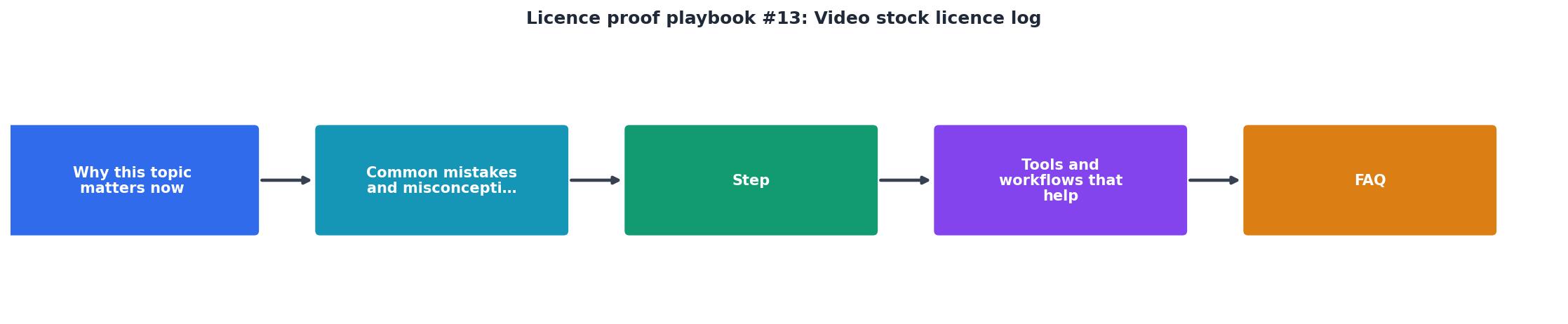
1. Create the spreadsheet
Open Google Sheets, Notion, Airtable, or a plain .csv file. Create these columns:
| Column | What goes here | Example |
|---|---|---|
| Clip ID | Platform's unique asset ID | SS-1098234567 |
| Platform | Where you downloaded it | Shutterstock |
| Download date | Date of purchase/download | 2026-03-14 |
| Licence type | Standard, Enhanced, Editorial | Standard |
| Project | Client or project name | Acme Corp product launch |
| Usage | Where the clip appears | YouTube pre-roll ad |
| Proof file path | Link or path to the certificate | /licences/video/SS-1098234567.pdf |
| Notes | Restrictions, view caps, expiry | Max 500k impressions |
2. Download existing certificates
Log into each platform you use for video: Shutterstock, Adobe Stock, Pond5, Artgrid, Envato Elements, iStock. Navigate to your download history and export or screenshot every licence certificate for clips you have already used. Save each file with the clip ID in the filename.
For bulk downloads across multiple platforms, a tool like Licence Downloader can pull certificates from several services at once instead of clicking through each dashboard individually.
3. Backfill the log
Go through your recent projects. For each video clip, fill in one row. Start with the last 90 days of work. That covers the window where a client is most likely to ask for proof. Then work backward as time allows.
4. Set a per-download habit
Every time you download a new stock video clip, add a row before you close the platform tab. This takes about 60 seconds. If you batch-download clips for a project, fill in all rows at the end of the session.
5. Store proof files alongside the log
Keep the licence certificate PDFs in a folder structure that mirrors your log. A simple convention:
/licences/
  /video/
    /shutterstock/
      SS-1098234567.pdf
    /adobe-stock/
      AS-304821.pdf
    /envato/
      ENV-9981234.pdf
Sync this folder to cloud storage (Google Drive, Dropbox, OneDrive) so it survives a hard drive failure.
Tools and workflows that help

You do not need expensive software. Pick the approach that fits how you already work.
- Google Sheets + Google Drive. Free, shareable, searchable. Add a hyperlink in the "Proof file path" column that points directly to the PDF in Drive.
- Notion database. Good if you already manage projects in Notion. Use a relation property to link clips to project pages.
- Airtable. Offers attachment fields so you can embed the certificate PDF right in the row. The free tier handles thousands of records.
- Licence Downloader. Automates the certificate-fetching step across Shutterstock, Adobe Stock, Freepik, Envato, iStock, and more. You still maintain the log, but the tedious part of grabbing each PDF is handled in bulk.
| Manual tracking | Log + bulk tool |
|---|---|
| 5-10 min per clip to find proof | ~60 seconds per clip |
| Scattered across email and dashboards | One searchable spreadsheet |
| Breaks down at 50+ clips | Scales to thousands |
| No backup if platform changes | Local + cloud copies |
Here is an example dashboard showing what a typical freelancer's video licence log looks like after three months of consistent tracking:
Video Licence Log, 3-Month Snapshot
Your video licence log checklist
Video Stock Licence Log Setup
Your progress is saved automatically in your browser.
FAQ
Frequently Asked Questions
Additional Resources
- Help Stock license proof - Hi everyone,I’ve received a message from Copytrack regarding an image I used, claiming that it’s not properly licensed. I’d like to provide proof ...
- License the Best Viral Videos and UGC Footage | Jukin ... - Browse and license from the world's most up-to-date and comprehensive footage library of user-generated and viral video clips.
- Filmsupply: License Premium Cinematic Stock Footage - Filmsupply is the world's #1 platform for licensing premium stock footage. Browse thousands of high quality cinematic clips from award winning filmmakers ...
Need to Download Your Licences?
Save hours of manual work. We download all your stock photo licence certificates for you.
Get Started“Thanks to LicenceDownloader.com, I was able to download more than 1,000 Freepik licences and receive them all at once via ZIP.”
Marlon Mainardy