Licence proof playbook #5: Envato bulk export
Envato Elements and Envato Market together host over a million creative assets, and every single download you make generates a licence certificate buried somewhere in your account. When a client calls six months later asking for proof that the hero image on their homepage is legit, digging through hundreds of individual download records is not how you want to spend your afternoon. This guide walks through the exact steps to bulk-export your Envato licence certificates so you always have audit-ready proof on hand.

Envato Elements and Envato Market together host over a million creative assets, and every single download you make generates a licence certificate buried somewhere in your account. When a client calls six months later asking for proof that the hero image on their homepage is legit, digging through hundreds of individual download records is not how you want to spend your afternoon. This guide walks through the exact steps to bulk-export your Envato licence certificates so you always have audit-ready proof on hand.
Photo by Nataliya Vaitkevich from Pexels
TL;DR:- Envato generates a unique licence certificate for every download, but the platform has no native bulk-export button.
- You can retrieve certificates one by one from your Downloads page, use the Envato API for batch retrieval, or automate the entire process with a tool like Licence Downloader.
- Storing certificates in a single folder per project keeps you protected against copyright claims and client audit requests.
Why Envato licence proof matters now
Stock asset disputes are not theoretical. Creators receive takedown notices, ad platform flags, and legal letters from rights holders or automated copyright enforcement bots every day. Envato licence certificates are your first line of defense. Each certificate ties a specific asset to your account, your subscription tier, and the permitted use at the time of download.
The problem is scale. If you download 30 assets a month from Envato Elements alone, that is 360 certificates a year scattered across your account history. Envato Market purchases add more. Without a system, you are one client email away from a stressful scavenger hunt.

Common mistakes with Envato licences
Most freelancers make the same handful of errors when it comes to Envato licence management. Recognizing them saves real headaches later.
- Assuming the download history is permanent. Envato retains your history, but if your subscription lapses or your account changes, accessing old certificates gets complicated. Always keep local copies.
- Mixing up Envato Elements and Envato Market certificates. Elements licences are tied to your active subscription and a specific project you register during download. Market licences are one-time purchases with a different certificate format. Treating them identically leads to gaps.
- Skipping the project registration step on Elements. Every Elements download asks you to assign it to a project. Leaving this blank or using a generic name like "misc" makes it nearly impossible to match certificates to client work later.
- Downloading assets without saving the certificate PDF. The certificate is available at download time and from your Downloads page afterward, but many designers click past it and never save the file locally.
That number is low. Most designers only think about licence proof after a problem surfaces.
Step-by-step: export Envato licences in bulk

There is no single "Export All" button on Envato. Here is the practical workflow broken into three approaches, from manual to fully automated.
Manual: one certificate at a time
- Log in to your Envato Elements or Market account.
- Open Downloads (Elements) or Purchase History (Market).
- Locate the asset using the search/filter bar.
- Click "Download Licence Certificate" next to the item. Elements generates a PDF; Market shows a text certificate you can copy or print.
- Save the PDF into a local folder named after the client project.
Semi-automated: Envato API
Envato provides a REST API with endpoints for listing purchases and retrieving licence details. If you are comfortable with curl or a scripting language:
- Generate a personal API token from your Envato account settings under "API Keys."
- Call
GET /v3/market/buyer/list-purchasesto retrieve your Market purchase history as JSON. - For each item, call
GET /v3/market/buyer/purchase?code={purchase_code}to get the licence certificate data. - Save the JSON responses or convert them to PDF using a simple script.
"The activation prompt relates to premium features (automatic updates, author support) that require an Envato Market purchase.">, Envato item license certificate
The API covers Market purchases well. Elements downloads have a separate flow and more limited API access, so you may still need to supplement with manual exports for Elements items.
Fully automated: Licence Downloader
For designers who use Envato alongside other platforms like Freepik, Adobe Stock, or Shutterstock, a dedicated tool eliminates the per-platform friction. Licence Downloader connects to your Envato account and bulk-downloads every available licence certificate into a single organized folder. No scripting, no clicking through hundreds of pages.
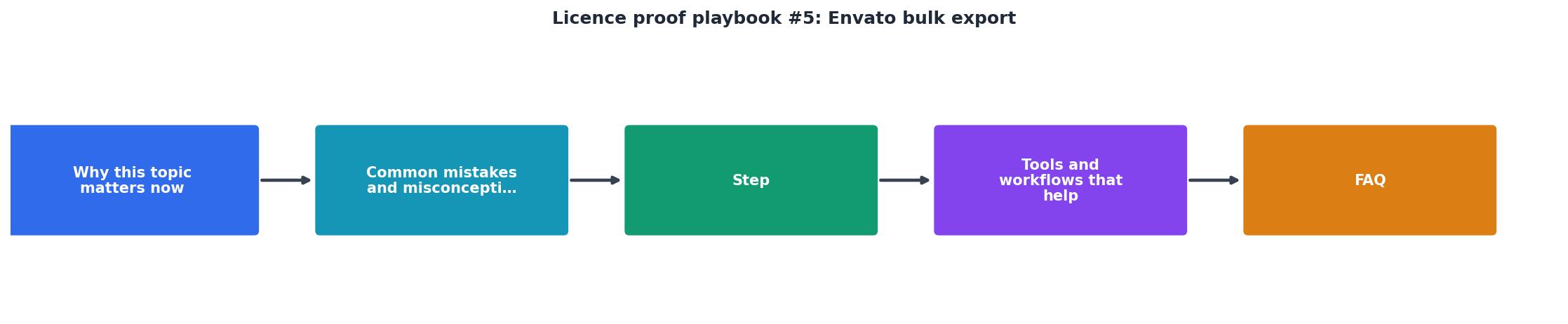
The workflow with the tool follows the same core steps shown in the diagram: Log in, Scan downloads, Fetch certificates, Save locally. The difference is that steps two through four happen automatically.
Here is an example dashboard showing what a typical freelancer's Envato licence collection looks like after running a bulk export:
Envato Bulk Export Summary
Organizing exported certificates

Having 285 PDFs in a single folder is better than having zero, but a simple naming convention turns a pile of files into a searchable archive.
A structure that works well:
/licences
  /envato-elements
    /2025-clientname-project
      licence-12345678.pdf
      licence-23456789.pdf
    /2026-clientname-rebrand
      licence-34567890.pdf
  /envato-market
    /themeforest
      licence-purchase-ABCDEF.pdf
    /codecanyon
      licence-purchase-GHIJKL.pdf
Key principles:
- One folder per project mirrors how Envato Elements already groups downloads by project name.
- Include the Envato item ID or purchase code in the filename so you can cross-reference with your Envato account.
- Separate Elements from Market because the licence terms differ. Elements licences require an active subscription at the time of use; Market licences are perpetual for the purchased tier.
- Date-prefix folders so they sort chronologically in your file manager.
Envato Bulk Export Checklist
Your progress is saved automatically in your browser.
FAQ
Frequently Asked Questions
Additional Resources
- How Envato licensing works: automatic commercial ... - Every download from the creative stock library comes with a valid commercial license by default — no project registration, no extra steps, no ...
- Envato item license certificate - Go to the item's page on Envato Elements. · Click the Licenses button on the item page to view existing licenses for that item or create a new ...
- Envato Elements License – Envato Support | Help Center - All stock items on Envato have the same simple license terms. You get broad commercial rights, so you can use items from our creative stock ...
Need to Download Your Licences?
Save hours of manual work. We download all your stock photo licence certificates for you.
Get Started“Thanks to LicenceDownloader.com, I was able to download more than 1,000 Freepik licences and receive them all at once via ZIP.”
Marlon Mainardy