Licence proof playbook #6: Client audit ZIP template
A client emails you three months after a project wrapped asking for proof that every stock image in their brand kit is properly licensed. You dig through four different platform dashboards, export PDFs one by one, rename files so they make sense, and zip everything up manually. Two hours gone, zero dollars billed. This guide gives you a reusable ZIP template structure so the next time that email lands, you respond in minutes.

A client emails you three months after a project wrapped asking for proof that every stock image in their brand kit is properly licensed. You dig through four different platform dashboards, export PDFs one by one, rename files so they make sense, and zip everything up manually. Two hours gone, zero dollars billed. This guide gives you a reusable ZIP template structure so the next time that email lands, you respond in minutes.
Photo by Sóc Năng Động from Pexels
TL;DR:- Build a standardized folder structure inside a ZIP that pairs every stock asset with its licence certificate, a summary CSV, and a cover README.
- Prepare the template once, then duplicate it per project so audit responses take minutes instead of hours.
- Tools like licencedownloader.com let you bulk-export certificates from Freepik, Shutterstock, Adobe Stock, and others directly into this structure.
Why audit-ready ZIPs matter
Every freelance designer accumulates stock assets across multiple platforms. Freepik stores licence info one way, Adobe Stock another, Shutterstock yet another. When a client or their legal team requests documentation, you face a scavenger hunt across dashboards that were never designed for bulk export.
The cost is not just time. Incomplete or messy proof makes you look unprofessional. A well-structured ZIP file, on the other hand, signals that you run a tight operation. It protects you legally and builds trust with clients who handle compliance on their end.
A single reusable template eliminates the decision fatigue of "where do I put this?" every time an audit request arrives.
Common mistakes that slow you down

Most freelancers fall into the same traps when assembling licence proof:
- Flat file dumps. Tossing 40 PDFs into one folder with cryptic filenames like
licence_28491.pdf. The client has no idea which certificate matches which asset. - Missing assets. You include the licence PDF but not the actual image thumbnail. The reviewer cannot verify what was licensed without cross-referencing another system.
- No index file. Without a summary spreadsheet or README, the recipient has to open every single PDF to understand scope.
- Platform-specific naming. Keeping Shutterstock's internal IDs without adding your own project-level reference means the ZIP is useless to anyone outside your head.
- Waiting until the audit. Gathering proof retroactively is always slower than collecting it at project delivery time.
The ZIP template structure
Here is the folder layout you want inside every audit ZIP. Keep it consistent across all projects so clients and their legal teams know exactly where to look.
ProjectName_LicenceAudit/
├── README.txt
├── licence_summary.csv
├── assets/
│   ├── 001_hero-banner/
│   │   ├── hero-banner_thumb.jpg
│   │   └── hero-banner_licence.pdf
│   ├── 002_team-photo/
│   │   ├── team-photo_thumb.jpg
│   │   └── team-photo_licence.pdf
│   └── 003_icon-set/
│       ├── icon-set_thumb.png
│       └── icon-set_licence.pdf
└── platform_receipts/
    ├── freepik_invoice_2026-06.pdf
    └── shutterstock_invoice_2026-06.pdf
Each numbered subfolder inside assets/ contains exactly two files: a low-res thumbnail of the asset and the corresponding licence certificate PDF. The platform_receipts/ folder holds purchase invoices or subscription confirmations that prove you had an active plan when the asset was downloaded.
The README file
Keep it short. Include:
- Project name and client name
- Date range of asset usage
- Your name and contact info
- A one-line explanation of the folder structure
- A note that
licence_summary.csvcontains the full index
The summary CSV
This is the glue that ties everything together. Columns:
| Column | Example |
|---|---|
asset_id | 001 |
asset_name | hero-banner |
platform | Shutterstock |
platform_id | SS-948271635 |
licence_type | Standard |
download_date | 2026-05-12 |
certificate_file | 001_hero-banner/hero-banner_licence.pdf |
Step-by-step: build your first ZIP

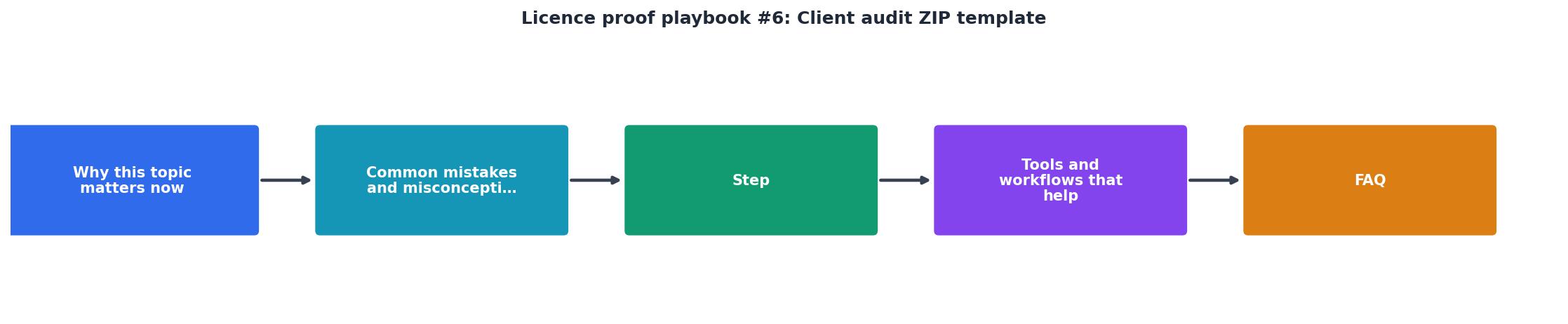
Follow these steps: Inventory, Export, Rename, Index, Package.
Step 1: Inventory. Open your project file and list every stock asset used. Note the platform, the platform's asset ID, and the licence type. A simple spreadsheet works fine at this stage.
Step 2: Export certificates. Log into each platform and download the licence certificate or proof-of-purchase PDF for every asset on your list. This is the most tedious part when done manually. A tool like licencedownloader.com can bulk-export certificates from Freepik, Shutterstock, Adobe Stock, Envato, iStock, and Canva in one batch, saving significant time.
Step 3: Rename files. Apply the naming convention from the template: sequential number, descriptive slug, and a _licence or _thumb suffix. Consistent naming prevents confusion months later.
Step 4: Index. Populate your licence_summary.csv with one row per asset. Copy the column structure from the table above. Double-check that every certificate_file path matches the actual filename in the assets/ folder.
Step 5: Package. Drop the README, CSV, assets/ folder, and platform_receipts/ folder into a single directory. Compress it into a ZIP. Name the ZIP ClientName_ProjectName_LicenceAudit_YYYY-MM.zip.
"We are diligently working to gather the information necessary to respond to your audit request.">, Software License Audit Response Playbook
That quote captures the typical corporate audit scramble. With a pre-built template, you skip the scramble entirely.
Tools and workflows that help

You do not need expensive software to maintain this system. Here is what works:
- Licence Downloader (licencedownloader.com): Bulk-downloads licence certificates from multiple stock platforms. Export directly into your template folder structure and skip the manual dashboard crawling.
- A spreadsheet app (Google Sheets, Excel, LibreOffice Calc): Maintain your
licence_summary.csvmaster file. Export a filtered copy per project. - A file renaming utility (Bulk Rename Utility on Windows, Automator on macOS): Batch-rename exported PDFs to match your naming convention.
- Cloud storage with versioning (Google Drive, Dropbox): Store your template folder as a master copy. Duplicate it for each new project.
| Manual Process | Template-Based Process |
|---|---|
| Hunt across 3-4 platform dashboards | Export all certificates in one batch |
| Rename files individually | Batch-rename with a utility |
| Create a new folder structure each time | Duplicate the master template |
| No index, client guesses | CSV index links every asset to its proof |
| 1-2 hours per audit response | 10-15 minutes per audit response |
Here is an example dashboard showing what a typical freelancer's audit ZIP might look like after completing a mid-size branding project:
Audit ZIP Summary
When to deliver the ZIP
Do not wait for the audit request. The best time to assemble and send the licence ZIP is at project handoff. Include it alongside your final deliverables. This does three things:
- Sets expectations. The client sees you take licensing seriously.
- Reduces future requests. They already have the proof on file.
- Protects you. If a dispute arises years later, you have a timestamped record that proof was delivered.
Client Audit ZIP Template Checklist
Your progress is saved automatically in your browser.
FAQ
Frequently Asked Questions
Additional Resources
- Software License Audit Response Playbook - Software License Audit Response Playbook. Free PDF & Word template, customizable in your browser and ready to download. No account needed.
- Internal Audit Report #2018-1 Licensing Audit - This audit sought to provide assurance that the processes and controls around the Licensing function at the BON are effective, follow State ...
- Auditing Software License Compliance: A Checklist for In- ... - This article explains what software license compliance audits are and why you need them, and includes a step-by-step software license ...
Need to Download Your Licences?
Save hours of manual work. We download all your stock photo licence certificates for you.
Get Started“Thanks to LicenceDownloader.com, I was able to download more than 1,000 Freepik licences and receive them all at once via ZIP.”
Marlon Mainardy