Licence proof playbook #8: Pointer claim worksheet
A pointer claim lands in your inbox on a Tuesday afternoon. Someone says the hero image on your client's landing page belongs to them, and they want money or a takedown. You know you licensed that photo, but the receipt is buried somewhere across three different stock platforms, and the download happened eight months ago. This worksheet exists so that moment never turns into a scramble again.

A pointer claim lands in your inbox on a Tuesday afternoon. Someone says the hero image on your client's landing page belongs to them, and they want money or a takedown. You know you licensed that photo, but the receipt is buried somewhere across three different stock platforms, and the download happened eight months ago. This worksheet exists so that moment never turns into a scramble again.
Photo by Nataliya Vaitkevich from Pexels
TL;DR:- A pointer claim is any copyright notice, DMCA takedown, or licensing dispute that "points" at a specific asset you used in a project.
- This worksheet gives you a repeatable, step-by-step process to gather proof, match it to the claim, and respond with confidence.
- Fill it out once per claim, store it with your licence files, and you have an audit-ready paper trail that shuts down disputes fast.
What a pointer claim actually is
Stock image copyright disputes rarely arrive as formal lawsuits. They start as automated notices, platform flags, or polite-sounding emails from rights-enforcement companies. The common thread: someone points at a specific file in your published work and asserts ownership or licensing violations.
These are pointer claims. The name comes from the fact that the claimant literally points to a URL, an ad, a social post, or a print piece and says "that asset is ours." Responding correctly requires you to point right back with proof: the licence certificate, the transaction record, the platform confirmation, and the usage scope.
Most pointer claims dissolve the moment you produce clean documentation. The problem is producing it quickly when your files are scattered across Shutterstock, Adobe Stock, Freepik, Envato, and whatever else you subscribed to last year.
Why freelancers get hit hardest

Agencies have legal departments. Large brands have compliance teams. Freelance designers have a folder on their desktop called "receipts-maybe" and a vague memory of downloading something from Freepik in March.
Here is why solo creators face disproportionate risk:
- Multiple platform subscriptions with different licence formats and export options.
- No standardized filing system because admin work does not generate billable hours.
- Client handoffs where the original licence proof stays on your machine but the asset lives on the client's website for years.
- Time gaps between purchase and dispute, sometimes 12 months or more.
The worksheet below closes that gap. It is not a legal document. It is a structured checklist that forces you to collect every piece of evidence in one place before you respond to anything.
Common mistakes when responding
Before walking through the worksheet itself, here are the errors that turn a simple pointer claim into an expensive problem:
- Ignoring the notice. Silence is treated as admission. Even automated DMCA bots escalate when they get no reply.
- Responding emotionally. "I bought that image!" is not proof. A licence certificate PDF is.
- Sending the wrong licence. Matching the exact asset ID to the exact transaction matters. A Shutterstock receipt for image #12345 does not cover image #12346.
- Deleting the asset from your site before responding. Removal can be interpreted as acknowledgment of infringement. Gather proof first, then decide on next steps.
- Assuming the claim is fake. Some are. Many are not. Treat every pointer claim as legitimate until your worksheet proves otherwise.
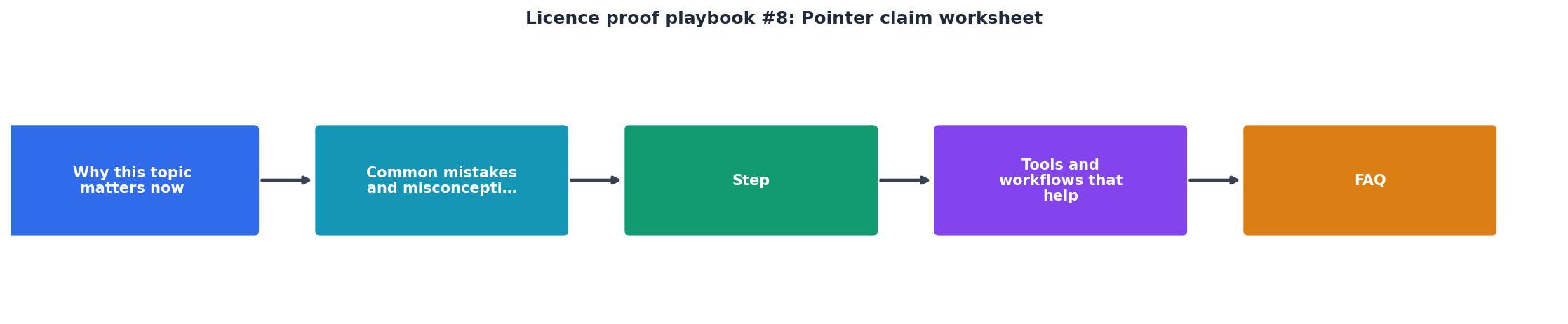
The pointer claim worksheet, step by step

This is the core of the playbook. Each step maps to a row on your worksheet. Fill them in order.
Step 1: Log the claim
Record the date received, the claimant name, the contact method (email, platform notification, letter), and the exact URL or location they referenced. Copy the full text of the notice into your worksheet. Do not paraphrase.
Step 2: Identify the asset
Find the specific file. Match it by visual inspection and, if possible, by the asset ID or filename the claimant cited. Stock platforms assign unique identifiers: Shutterstock has image IDs, Adobe Stock has file numbers, Freepik uses resource slugs. Write down the platform, the asset ID, and the original filename you downloaded.
"To search, type a keyword in the Form Number/Name box or choose a Category from the drop-down box below.">, Forms and Manuals
The same principle applies to stock platform dashboards. Use the search and filter tools to locate the exact transaction.
Step 3: Pull the licence certificate
Log into the platform where you purchased or downloaded the asset. Navigate to your download history. Export or download the licence certificate PDF for that specific asset. Every major platform offers this:
- Shutterstock: Download History > Licence Certificate
- Adobe Stock: Licence History > Download Licence Info
- Freepik: My Downloads > Download Certificate
- Envato Elements: Download History > Licence Certificate
- iStock: Download History > Licence Details
Step 4: Verify the scope
Read the licence type on the certificate. Compare it against how the asset was actually used. A standard licence typically covers web use, social media, and presentations. An extended licence covers merchandise, resale items, and large print runs. If the claim alleges usage outside your licence scope, that is a different problem than if they allege you never had a licence at all.
Step 5: Document the usage
Screenshot or record where and how the asset appears in your published work. Note the client name, project name, publication date, and the URL or medium. This connects the licence to the actual use.
Step 6: Draft the response
With rows 1 through 5 filled in, you now have: the claim text, the asset identification, the licence certificate, the scope verification, and the usage documentation. Attach these to a brief, factual response. State that you hold a valid licence for the identified asset, attach the certificate, and describe the usage scope.
Here is an example dashboard showing what a completed worksheet looks like for a typical freelance project with a single disputed asset:
Pointer Claim Worksheet, Example
Tools and workflows that speed this up

The worksheet is platform-agnostic. You can run it in a spreadsheet, a Notion database, or a printed PDF. What matters is the habit of filling it out immediately when a claim arrives.
A few workflow tips that save real time:
- Pre-download certificates at project close. When you deliver final files to a client, export every licence certificate used in that project and store them in the project folder. Future you will be grateful.
- Use consistent naming. Name certificate files with the pattern
[platform]-[assetID]-[date].pdf. Searching becomes trivial. - Centralize with bulk tools. If you work across Freepik, Shutterstock, Adobe Stock, and Envato, manually exporting certificates from each dashboard is tedious. Licence Downloader pulls certificates from multiple platforms in one batch, which turns a 30-minute chore into a 2-minute task.
- Keep a master log. A simple spreadsheet with columns for asset ID, platform, licence type, project name, and client name gives you a searchable index of every licensed asset you have ever used.
| Manual Certificate Collection | Batch Collection with Licence Downloader |
|---|---|
| Log into each platform separately | One tool, multiple platforms |
| Navigate download history per site | Bulk export in minutes |
| Rename and file each PDF by hand | Consistent naming automatically |
| 20-40 minutes per project | 2-5 minutes per project |
| Easy to miss assets | Complete coverage |
Pointer Claim Response Worksheet
Your progress is saved automatically in your browser.
FAQ
Frequently Asked Questions
Additional Resources
- Forms and Manuals - Missouri Department of Revenue - Motorists may use our convenient Request for Mail Order Forms to order one copy or several copies of forms. Motor Vehicle Dealers and Lien holders - Please use ...
- Forms And Checklists - Proof of Claim Affidavit. The following checklists were designed to aid litigants with the filing of forms in their court action. They should be used as a ...
- Legal Forms | 8th Judicial District of Kansas - The following legal forms have been created/modified for use by the 8th Judicial District. Miscellaneous Forms. Subpoena Form and Instructions (PDF) ...
Need to Download Your Licences?
Save hours of manual work. We download all your stock photo licence certificates for you.
Get Started“Thanks to LicenceDownloader.com, I was able to download more than 1,000 Freepik licences and receive them all at once via ZIP.”
Marlon Mainardy