

Your store uses stock images every day: product photos, social media graphics, email headers, banner ads. But do you know if every one is actually licensed? A single unlicensed image can trigger a copyright claim that tanks your listings, suspends your ad account, or worse. A licence audit isn't glamorous, but it's the difference between sleeping soundly and waking up to a legal threat.
Photo by RDNE Stock project from Pexels
TL;DR:- A stock licence audit proves you have legal permission to use every image on your site and in ads.
- Most e-commerce teams skip it until they get a copyright claim, by then it's too late.
- Start by listing all platforms you buy from, download licence proof for each asset, and store it centrally.
- Set a quarterly check-in to catch new unlicensed or expired-licence images before they cause problems.
Why your e-commerce team needs an audit now
E-commerce is visual. Shopify stores, Amazon listings, Facebook ads, email campaigns, they all rely on images to convert. The faster you scale, the more assets you accumulate, and the easier it is to lose track of where they came from and whether you actually own the rights.
Here's the hard reality: if an image was uploaded without proper licence, the platform owner or a copyright troll can claim it at any moment. Amazon will pull your listing. Facebook will ban your ad account. Your store risks a cease-and-desist letter or a fine. And if you can't prove you purchased a licence? You're liable.
A licence audit takes a few hours now. A copyright claim takes weeks of panic, legal fees, and lost sales. The math is obvious.
Common mistakes that leave you exposed
Not knowing where all your images live
You bought images from Canva Pro last month. Someone used Freepik three months ago. You grabbed a few from Shutterstock for a campaign. Your freelancer uploaded some from their own Envato subscription. Now you have images scattered across five platforms and three people's accounts.
The mistake: You assume everything is licensed because you assume people did their job. They didn't. Some platforms auto-expire or downgrade licences. Some images were uploaded without purchasing proper commercial rights. You don't know until you check.
The fix: Make a list of every platform your team uses. Then audit each one.
Confusing free licences with commercial licences
Canva Pro lets you use templates and images freely. But "free to use" doesn't always mean "free to sell." Some free stock sites allow personal use only, selling a product with that image is copyright infringement. Freepik, for example, offers free downloads but requires attribution unless you pay for a commercial licence.
The mistake: Assuming a downloaded image is cleared for commerce because it was free. It's not.
The fix: Before uploading an image to your store, check the licence terms. If it says "personal use only" or "attribution required," don't use it for commercial purposes. If you're unsure, buy the commercial licence version to be safe.
Not documenting what you bought
You purchased a Shutterstock subscription, downloaded 50 images, and now you've forgotten which ones came from Shutterstock and which came from elsewhere. Three months later, Shutterstock's subscription expires. Your team keeps using the images anyway, and now you're infringing.
The mistake: Not keeping a record of what platform each image came from, when it was purchased, and under what licence terms.
The fix: Maintain a simple spreadsheet or use a tool that tracks asset source and licence status. When you download an image, document it immediately.
Ignoring expiring or downgrades licences
Subscription-based platforms like Shutterstock, Adobe Stock, and Envato Elements let you download unlimited images while your subscription is active. The moment your subscription lapses, you no longer have the right to use those images. But your store doesn't stop displaying them automatically.
The mistake: Letting a subscription expire without removing or re-purchasing licences for images already in use.
The fix: Set a calendar reminder three weeks before any subscription renewal date. Review what images from that platform are currently live on your store. Either renew the subscription or remove the images.
Step-by-step audit approach

Step 1: Inventory every image source
Start simple: where does your team buy stock images?
Write down all platforms:- Canva Pro, templates, illustrations, photos
- Freepik, vectors, photos, mockups
- Shutterstock, all-purpose stock
- Adobe Stock, Creative Cloud integration
- Envato Elements, bundles, templates, photos
- iStock, photos, illustrations, video
- Depositphotos, affordable photos
- Unsplash / Pexels, free (check individual licence)
- Internal team uploads, created by designers or freelancers
- Paid image subscriptions, any others your team uses
Step 2: Pull licence certificates and proof
Log into each platform and download proof that you own or licensed each image currently in use.
Most platforms provide this in one of these formats:- Purchase receipt or invoice, shows date, what you bought, and under what licence
- Certificate of licence, official document stating usage rights
- Account history / download log, Freepik and Shutterstock track downloads with timestamps
- Subscription confirmation, proves your subscription was active when you downloaded
"Most SEO-focused articles skip this entirely, yet checkout issues are one of the largest revenue leaks in ecommerce.">, Ecommerce Website Audit Checklist For Store Growth
Step 3: Map images to their licences
Go through your live store, email templates, ad accounts, and social media. For each image, identify its source and find the corresponding licence proof.
Use a simple spreadsheet:
| Image / Asset | Platform | Licence Type | Proof Downloaded | Expiry Date | Notes |
|---|---|---|---|---|---|
| Product banner (summer collection) | Canva Pro | Commercial (Canva) | Yes | N/A | Subscription active |
| Email header (sale) | Freepik | Paid Commercial | Yes | N/A | One-time purchase |
| Social media graphic (Instagram) | Adobe Stock | Creative Cloud subscription | Yes | 2026-12-15 | Renew before expiry |
| Mockup (product photo) | Envato Elements | Extended | Yes | 2026-06-30 | Covered under subscription |

Step 4: Use the process diagram to stay organized
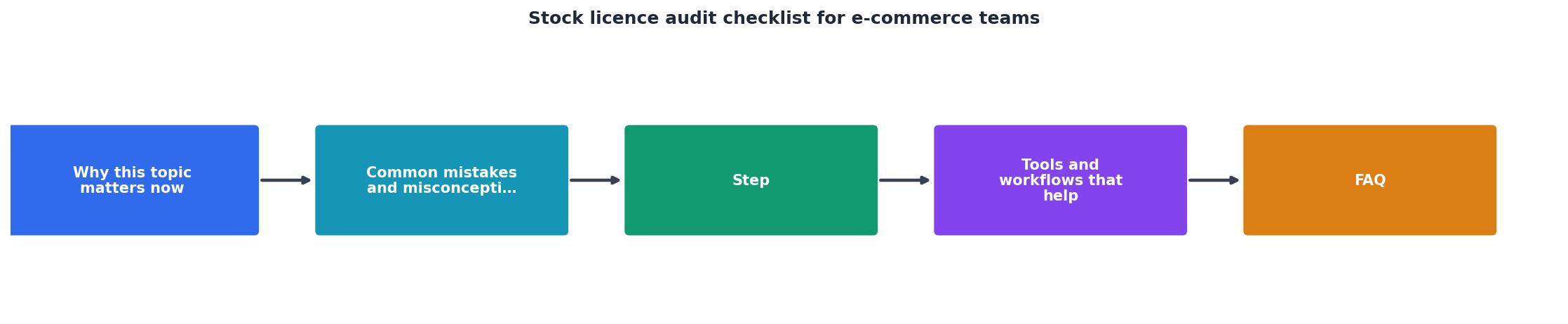
Follow these phases to avoid bottlenecks:
- List all platforms, Know what you use
- Pull licence proof, Download from each account
- Inventory live images, Catalog what's on your store, ads, and email
- Match images to proof, Connect each image to its licence document
- Flag gaps, Identify any image without matching proof
- Remove or relicense, Delete unlicensed images or buy proper rights
- Store centrally, Archive all proofs in one searchable location
- Quarterly refresh, Repeat annually or when subscriptions renew
Example: Small Store Audit Status
This interactive dashboard shows a realistic state for a small e-commerce store after a partial audit. Three images lack proof (need investigation), and one subscription expires in the next quarter. The good news: 91% of your visual content is audit-ready right now.
Tools and workflows that help
You don't need expensive software to run an audit. Start with what you have:
- Google Sheets or Excel, Track images, sources, and proof links. Add a "last checked" column and sort by expiry date.
- Google Drive or Dropbox folders, Organize licence PDFs by platform or by year. Make them searchable.
- Platform account dashboards, Most stock sites let you download your purchase history as a CSV or PDF. Do this once and keep backups.
- Calendar reminders, Set quarterly and annual reminders to review expiring subscriptions and add new images to your spreadsheet.
- Bulk tools, If you have hundreds of images, use Licence Downloader to bulk-download certificates from Freepik, Shutterstock, Adobe Stock, Envato, and others in minutes instead of hours.

Common challenges and solutions
Challenge: You have hundreds of images across multiple platforms and team members.
Solution: Delegate. Assign one team member to handle each platform. They pull the history and proof. You compile it all into one master spreadsheet. Takes longer upfront, but creates accountability.
Challenge: You can't find proof for an image you know you licensed.
Solution: Check your email receipt folder. Search for invoices from the platform. Log into the platform and check your download history. If you still can't find it and the image is live on your store, consider it a gap and either remove it or buy a new licence to be safe.
Challenge: A subscription expired and you forgot to remove images from your store.
Solution: This happens. Check the platform's current terms. Some allow a grace period; others don't. If the subscription is truly expired, remove the images immediately or renew the subscription. Don't wait for a claim.
Stock Licence Audit Checklist for E-commerce Teams
Your progress is saved automatically in your browser.
FAQ
Frequently Asked Questions
Additional Resources
- Audit Readiness Checklist for Ecommerce - Is your ecommerce business preparing for an audit? This video is a great place to start. Lonnie Bloom (Audit Partner, Withum) walks through ...
- Ecommerce Website Audit Checklist For Store Growth - Ecommerce Website Audit Checklist: 10 Critical Areas to Review · 1. Technical SEO Health · 2. Site Speed and Performance · 3. Mobile Experience · 4.
- E-commerce company Audit checklist - What are the five audit checklists? It is the evidence collection, scope, audit tests analysis and conclusion. What is a 5S audit checklist? It means ...
Need to Download Your Licences?
Save hours of manual work. We download all your stock photo licence certificates for you.
Get Started“Thanks to LicenceDownloader.com, I was able to download more than 1,000 Freepik licences and receive them all at once via ZIP.”
Marlon Mainardy