

Most startups discover their licence problem too late. You're mid-pitch to investors, a client requests proof of asset rights, or your legal team asks what you're actually covered for, and suddenly you're hunting through months of Freepik invoices and Shutterstock account exports. A stock licence audit sounds like corporate overhead, but it's the opposite: it's the lightweight process that keeps you safe, speeds up client handoffs, and prevents a copyright claim from blowing up a project or funding round.
Photo by RDNE Stock project from Pexels
TL;DR:- Audit your stock licences now before a legal request or investor due diligence forces you to scramble.
- Collect and organize proof from all platforms (Freepik, Shutterstock, Adobe Stock, Canva, Envato, iStock) in one auditable location.
- Document which assets you used in which projects, who has rights to use them, and any usage restrictions (print-only, no resale, etc.).
- Automate licence downloads where possible to scale without growing legal risk.
- Test your audit process with one pilot project before rolling it out across the team.
Why this matters for startups right now
You're lean and fast, that's your advantage. But speed without documentation is a liability. Stock licence disputes, copyright claims, and audit requests are getting more common as agencies and SaaS companies scale. Investors now ask about IP risk during due diligence. Payment platforms flag images that might violate their terms. Clients' legal teams demand proof that every asset in your deliverable is properly licensed.
The good news: a licence audit isn't a year-long compliance project. It's a one-time foundation you build in days or weeks, then maintain as you grow. Done right, it takes less effort than chasing invoices in an emergency.
"This preparation reduced auditor queries by 40%, shortened audit duration by 30%, and helped secure a smooth financing round without budget overruns on audit costs.">, Financial Audit Prep Checklist for Series A Founders
Common mistakes that blow up audits

Assuming all stock images are the same. They're not. A Canva Pro image has different commercial-use rights than a Depositphotos paid licence or a Freepik free download. The licence terms depend on the platform, your account tier, and sometimes the specific image. Mixing them up is expensive.
Storing licences in scattered places. Downloads in personal email attachments, invoices in Slack, account screenshots in Google Drive. When an auditor or client asks for proof, you spend a week reconstructing the trail instead of pointing to one folder.
Not tracking which asset goes where. You licensed an image, but did you actually use it? If you used it, on what project? Who in the client organization gets to use it moving forward? Without that map, you can't answer whether a specific licence covers a specific use case.
Relying on freelancers' records. If a contractor uses their own Shutterstock account to find images for your project, you have no proof of the licence unless they hand it over and you store it. Turnover means that licence trail disappears.
Ignoring extended licences and restrictions. Many stock platforms offer cheap "basic" licences that exclude resale, merchandise, or certain commercial uses. If you use a restricted image in a way the licence doesn't cover, you're liable, even if you paid for it.
Step-by-step audit approach
Step 1: Inventory all platforms and accounts
Start by listing every platform your team uses:
- Adobe Stock (if you have a Creative Cloud or standalone account)
- Freepik (free or Pro tier)
- Shutterstock (team or individual seats)
- Envato Elements (subscription or à la carte purchases)
- iStock (formerly Getty Images; account or credits)
- Canva (free, Pro, or Teams)
- Depositphotos (subscription or credits)
- Any others (site-specific platforms, open-source libraries, royalty-free collections)
- Platform name and login account holder
- Account tier (free, Pro, subscription, enterprise)
- When the account was created and renewal dates
- Any team members who have access
- Whether invoices/receipts are stored centrally
Step 2: Export and organize licence records

Most platforms have a "Downloads" or "Licences" tab showing what you've used. Log into each account and download:
- Download history (CSV or PDF, if available)
- License certificates or proof-of-purchase documents
- Invoices covering the subscription or purchase period
- Account statements showing any extended-licence upgrades
/Stock Licences (Master Archive)
/Platform - Adobe Stock
- 2024 Invoice
- Download History (2024)
- Downloaded Certificates (folder with individual PDFs)
/Platform - Freepik
- 2024 Subscription Invoice
- Download History (2024)
- Downloaded Certificates
/Platform - Shutterstock
- Team Account Setup Docs
- Invoices
- Download Logs
/Project-Specific Records
- [Project A] - Assets Used
- [Project B] - Assets Used
Assign one person (ops/legal/producer) to own this folder and keep it updated quarterly.
Step 3: Map assets to projects
This is where most audits fail, because teams forget to track which asset actually went into which deliverable.
For each active project, document:
- Asset name or ID (the filename or stock platform ID)
- Source platform (Adobe Stock, Freepik, etc.)
- Licence type (standard, extended, commercial, personal use only, print-only, no resale, etc.)
- Date acquired
- Who has rights (your company, client, shared, expired)
- Usage context (social media, print collateral, client deliverable, internal only, resold to third party, etc.)
- Any restrictions ("Do not resell", "Attribution required", "Non-exclusive", etc.)
| Asset ID | Platform | File Name | Licence Type | Project | Client | Usage | Restrictions | Date Acquired |
|---|---|---|---|---|---|---|---|---|
| 12345 | Adobe Stock | mountain-sunset.jpg | Extended Commercial | Q4 Campaign | Acme Corp | Social media ads | None | 2024-09-15 |
| 67890 | Freepik | office-team.png | Standard | Website Redesign | Internal | Homepage hero | Attribution required | 2024-08-20 |
| 54321 | Shutterstock | phone-mockup.jpg | Basic Standard | Product Landing Page | TechStart Inc | Email + web | No resale | 2024-10-01 |
Step 4: Test and document your process

Run a pilot audit on one recent project (not 100 at once). Work through the steps, track where you get stuck, and write down the process:
- Who captures the licence info (designer, producer, or both)?
- When do they capture it (at download, at project handoff, or weekly)?
- Where does it get stored (shared folder, spreadsheet, tool)?
- Who reviews it (ops, legal, project lead)?
- How often do you re-check (monthly, quarterly, when a project ends)?
Step 5: Automate where possible
Manual licence downloads don't scale. If you have 50+ assets across multiple platforms, consider tools that bulk-export licence certificates and organize them automatically. Some platforms (Adobe Stock, Shutterstock) offer API access or bulk-export features that can save hours per month.
Licence Downloader, for example, lets you bulk-download stock photo licence certificates from Freepik, Shutterstock, Adobe Stock, and other platforms in minutes instead of downloading them one-by-one through each website.
The ROI is immediate: you recover 10+ hours per month that your team would spend on admin, and your audit trail stays current without manual effort.
Visual walkthrough of the audit process
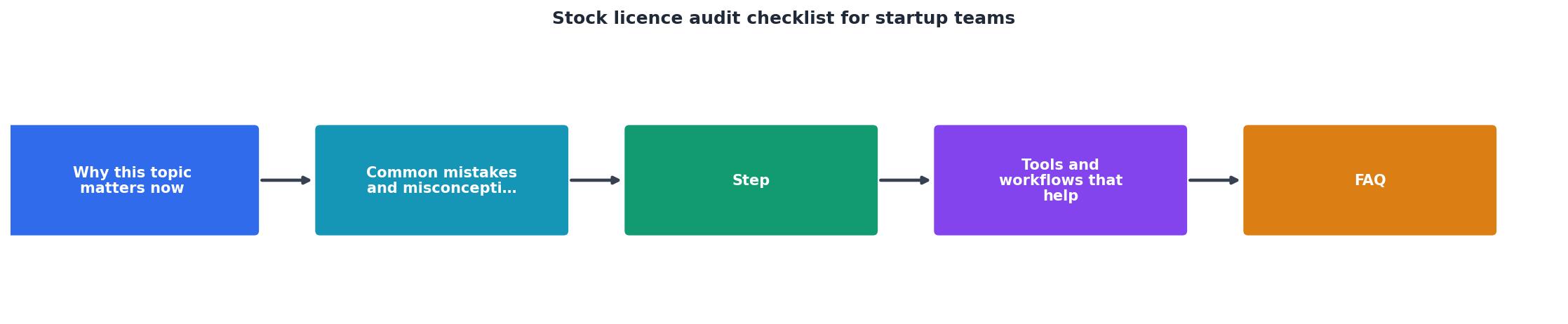
The diagram above shows the audit flow: Start → Inventory → Export → Map → Test → Automate → Maintain. Each step feeds into the next, and maintenance is ongoing (not a one-time task).
Interactive audit status dashboard
To help you visualize your audit readiness, here's an example dashboard showing where a typical startup might stand after each phase:
Example: Typical Startup Audit Progress
This dashboard shows a team that has done the foundational work (inventory and export) but still needs to map their assets to projects, document their process, and automate ongoing downloads. Most startups follow this pattern: quick wins first, then gradual build-out.
Practical audit checklist
Stock Licence Audit for Startup Teams
Your progress is saved automatically in your browser.
FAQ
Frequently Asked Questions
Additional Resources
- Financial Audit Prep Checklist for Series A Founders - Series A startup founder? Learn how to streamline financial audit prep with this founder-friendly checklist aligned with GAAP, ...
- The Ultimate Startup Due Diligence Checklist for Investments - Is there any ongoing or proposed litigation? · What insurance coverage does the business hold? · What licensing and permits does the company hold?
- Free Startup Financial Audit Checklist Template & AI Maker - A Startup Financial Audit Checklist is an HTML5 form used to review a startup's financial records, ensure accuracy, and verify compliance.
Need to Download Your Licences?
Save hours of manual work. We download all your stock photo licence certificates for you.
Get Started“Thanks to LicenceDownloader.com, I was able to download more than 1,000 Freepik licences and receive them all at once via ZIP.”
Marlon Mainardy