Managing Stock Licences Legally for Small Businesses
A single copyright claim on a Facebook ad or an Etsy listing can cost a small business anywhere from a few hundred dollars in settlement fees to tens of thousands in legal damages. Most small business owners buy stock images from Canva, Freepik, or Depositphotos without ever saving the licence certificate, and then panic when a takedown notice arrives six months later. This guide walks you through the licence types that matter, a simple documentation system you can set up today, and regular compliance checks that keep your business protected.

A single copyright claim on a Facebook ad or an Etsy listing can cost a small business anywhere from a few hundred dollars in settlement fees to tens of thousands in legal damages. Most small business owners buy stock images from Canva, Freepik, or Depositphotos without ever saving the licence certificate, and then panic when a takedown notice arrives six months later. This guide walks you through the licence types that matter, a simple documentation system you can set up today, and regular compliance checks that keep your business protected.
Photo by Markus Winkler from Pexels
TL;DR:- Every stock image comes with a specific licence type (Standard, Extended, Editorial) that dictates exactly where and how you can use it.
- A basic folder structure plus a tracking spreadsheet eliminates 90% of licence management headaches.
- Quarterly compliance checks catch expired subscriptions, misused assets, and missing documentation before they become legal problems.
Why licence management matters
Stock images feel like a simple purchase. You pay, you download, you use. But the "use" part has rules attached, and those rules vary by platform, licence tier, and even the specific asset. A Canva Pro image used on a product for resale might violate the standard licence terms. A Freepik graphic used without attribution on a free plan breaks the agreement immediately.
Small businesses are especially vulnerable because they rarely have legal counsel reviewing marketing materials. Copyright trolls and automated detection services specifically target small operators who lack documentation. The fix is straightforward: understand what you bought, save proof that you bought it, and check your usage regularly.
That number reflects how common it is for small operations to skip licence documentation entirely. The gap between "I downloaded it" and "I can prove I licensed it" is where legal risk lives.
Stock licence types explained

Not all licences are created equal. Here are the three categories you will encounter most often:
Standard/Regular licence
This is the default on platforms like Shutterstock, Adobe Stock, iStock, and Depositphotos. It typically allows:
- Use in websites, social media posts, blog articles, and email marketing
- Use in digital ads (Facebook, Google, Instagram)
- Print materials like flyers, brochures, and business cards
- A cap on print runs (usually 500,000 copies)
Extended licence
An extended licence removes most restrictions from the standard tier. You pay more, but you get:
- Unlimited print runs
- Use on physical products for resale (merchandise, packaging)
- Use in templates or products distributed to multiple end users
Editorial licence
Editorial licences cover images of real people, events, brand logos, and trademarked property where model or property releases do not exist. These images can only be used in news, commentary, education, or editorial contexts. Using an editorial image in an advertisement or on a product page is a licence violation, full stop.
| Feature | Standard Licence | Extended Licence | Editorial Licence |
|---|---|---|---|
| Social media & web | Yes | Yes | Editorial context only |
| Print marketing | Yes (capped) | Yes (unlimited) | No commercial use |
| Products for resale | No | Yes | No |
| Typical cost | $1-$30 | $50-$200+ | $1-$30 |
| Attribution required | Platform-dependent | Usually no | Platform-dependent |
Organize licence documentation
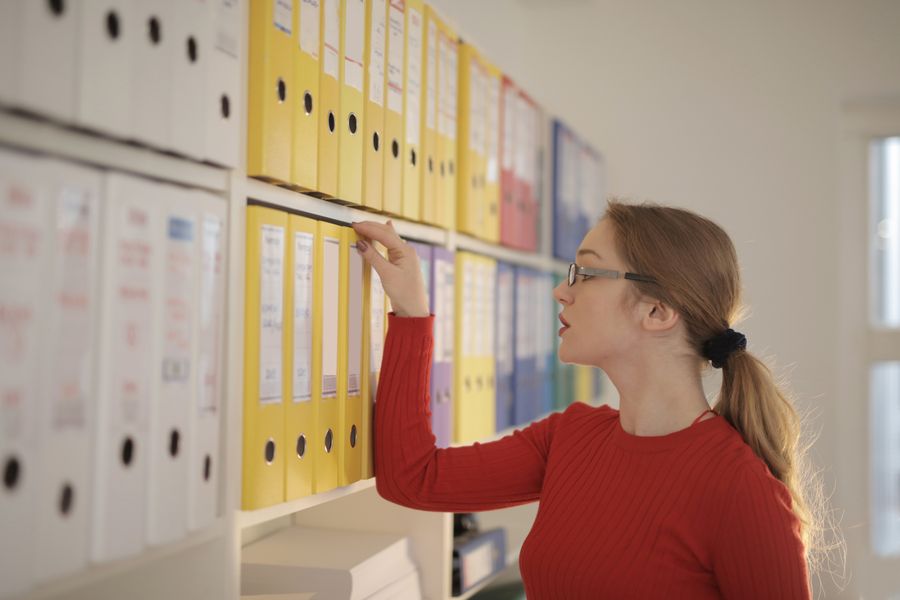
A licence is only useful if you can find it when you need it. Here is a system that works for businesses downloading anywhere from 5 to 500 assets per month.
Folder structure
Create a dedicated folder in your cloud storage (Google Drive, Dropbox, OneDrive) with this layout:
Stock-Licences/2026/Q1/Q2/Q3/Q4/Platforms/Canva/Freepik/Shutterstock/Adobe-Stock/
2026-07-03_shutterstock_image-12345678.pdf.
Tracking spreadsheet
A simple spreadsheet ties everything together. Columns to include:
- Asset ID (the platform's unique identifier)
- Platform (Canva, Freepik, Shutterstock, etc.)
- Licence type (Standard, Extended, Editorial)
- Download date
- Used in (website, Facebook ad, product listing, etc.)
- Licence file location (link to the PDF in your cloud folder)
- Expiry date (if the licence is subscription-dependent)
Tools like Licence Downloader can bulk-export licence certificates from multiple platforms at once, which eliminates the manual download-and-rename step entirely. For a business using three or four stock platforms, that alone saves hours per quarter.
The process at a glance
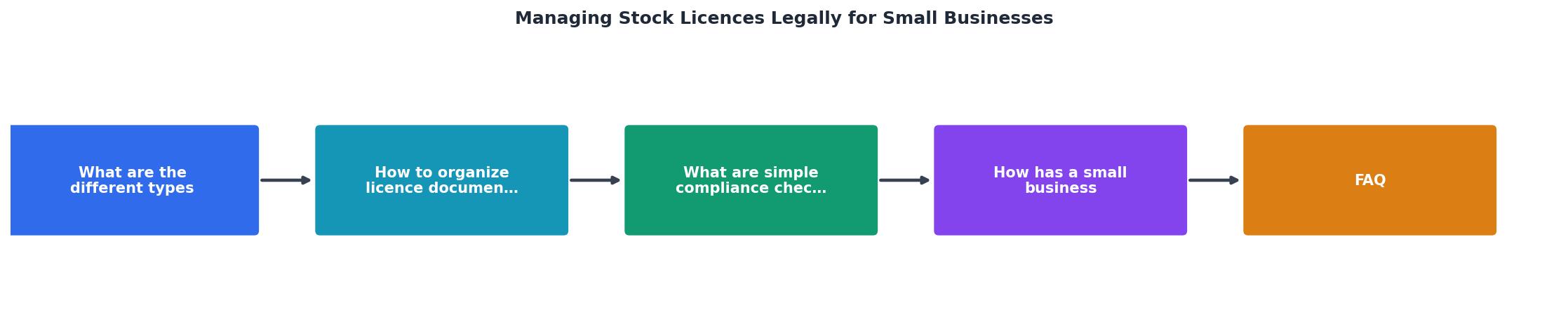
The diagram above shows the core loop: Download Asset, Save Licence PDF, Log in Spreadsheet, Assign to Project, and Review Quarterly. Each step takes seconds when the system is in place. Skip any one of them and you create a gap that a copyright claim can exploit.
Run simple compliance checks

Documentation without verification is just paperwork. Compliance checks catch problems before they become expensive.
Quarterly review process
Set a calendar reminder for the first Monday of each quarter. During that review:
- Check subscription status. If your Canva Pro or Freepik Premium subscription lapsed, images downloaded under that subscription may lose their commercial licence. Verify every active subscription.
- Audit recent usage. Pull up your spreadsheet and cross-reference the "Used in" column with actual live placements. Did someone use an editorial image in a product listing? Did a standard-licence image end up on merchandise?
- Verify licence files exist. Spot-check 10-15 random entries. Can you open the licence PDF? Does it match the asset?
- Remove expired assets. If you cancelled a subscription and the platform terms require you to stop using those assets, flag them for replacement.
"Most external requirements involve filing paperwork or paying taxes with state or federal governments.">, Stay legally compliant
Licence compliance is one of those external requirements that small businesses overlook until enforcement arrives. Treat it like tax filing: boring, necessary, and much cheaper to handle proactively.
Red flags to watch for
- Images used in paid ads without a commercial licence
- Free-tier downloads missing required attribution
- Assets from cancelled subscriptions still live on your website
- Team members downloading from personal accounts instead of the business account
- Editorial images used in any commercial context
Case study: a Shopify store gets it right
Here is how a real-world scenario plays out when a small business takes licence management seriously.
A small home decor Shopify store uses approximately 40 stock images per month across product listings, Instagram ads, and email campaigns. The owner sources images from three platforms: Canva Pro for social media graphics, Depositphotos for product mockup backgrounds, and Freepik for decorative illustrations.
The problem before: Licence certificates were scattered across email inboxes and browser download folders. When Meta flagged an ad image, the owner spent two full days searching for proof of licence. The ad stayed down the entire time, costing an estimated $800 in lost sales during a seasonal promotion.
The system implemented:
- Created the folder structure described above in Google Drive
- Built a Google Sheets tracker with all seven columns
- Used Licence Downloader to bulk-pull existing certificates from all three platforms
- Set a quarterly calendar reminder for compliance review
- Response time to a licence inquiry dropped from 2 days to 15 minutes
- Zero ads taken down due to missing documentation
- Identified 12 images used under incorrect licence types during the first audit
- Replaced 3 editorial images that had been mistakenly used in product listings
Licence Compliance Dashboard
The three mismatched licences were standard-tier images used on products for resale. Catching them during a routine audit cost nothing. Catching them after a legal notice would have cost thousands.
Licence Documentation System Setup
Your progress is saved automatically in your browser.
FAQ
Frequently Asked Questions
Additional Resources
- Stay legally compliant | U.S. Small Business Administration - Keep your business compliant with state and federal business laws. Your legal responsibilities will depend on your business and location.
- How Small Businesses Can Issue Stock to Raise Capital | CO - If you issue stock to one or more people, you must abide by federal securities laws, regardless if your business is public or private. The SEC ...
- Navigating Licenses and Permits: What Small Businesses ... - This resource explains the essential licenses and permits small businesses need to operate legally, covering registration, seller's permits, ...
Need to Download Your Licences?
Save hours of manual work. We download all your stock photo licence certificates for you.
Get Started“Thanks to LicenceDownloader.com, I was able to download more than 1,000 Freepik licences and receive them all at once via ZIP.”
Marlon Mainardy