Monitoring Canva Licences Across Projects
Your agency runs twelve client accounts on Canva. Three designers, two freelancers, and a rotating cast of interns all pull assets from shared Brand Kits and Canva Pro libraries. When a client's legal team asks for proof that every image in their Q2 campaign was properly licensed, nobody knows where to start. That scenario is not hypothetical.


Your agency runs twelve client accounts on Canva. Three designers, two freelancers, and a rotating cast of interns all pull assets from shared Brand Kits and Canva Pro libraries. When a client's legal team asks for proof that every image in their Q2 campaign was properly licensed, nobody knows where to start. That scenario is not hypothetical. It happens every quarter, and the agencies that survive audits are the ones with a monitoring system already in place.
Photo by Yan Krukau from Pexels
TL;DR:- Build a centralized licence register that maps every Canva asset to its project, content category, and download date.
- Assign clear roles: one person owns the register, designers log usage, and a reviewer audits monthly.
- Use tools like Licence Downloader at licencedownloader.com to bulk-export licence proof instead of screenshotting Canva dashboards one by one.
Why licence monitoring matters
Canva makes downloading stock photos, illustrations, and videos trivially easy. That ease creates a tracking problem. A single Canva for Teams workspace can generate hundreds of asset downloads per month across dozens of projects. Without a system, you end up with:
- No audit trail when a client or platform flags an image.
- Licence category confusion between Free Content, Pro Content, Branded Content, and Education Content.
- Orphaned assets tied to freelancers who left the team months ago.
Most creative agencies still rely on individual designers to "remember" which assets they used. That works until it does not. A single copyright dispute can cost thousands in legal fees and, worse, damage client trust permanently.
"The Content categories, from most to least restrictive, are: Education Content, Branded Content, Pro Content, and Free Content.">, Canva's Content License Agreement
Understanding these categories is the foundation of any monitoring effort. Pro Content, for example, carries different usage restrictions than Free Content. Mixing them up in a client deliverable creates real legal exposure.
Set up a centralized tracking system
A tracking system does not need to be complex. It needs to be consistent. Here is what works at agencies handling 50+ Canva projects per year:
- Create a shared licence register. A spreadsheet or Airtable base with columns for: Asset Name, Canva Content ID, Content Category (Free/Pro/Branded), Project Name, Client, Download Date, Downloaded By, and Licence Proof Link.
- Log every download at the point of use. The designer who pulls the asset fills in the row. No exceptions. If it is not logged, it was not licensed.
- Store licence proof files alongside project assets. Every project folder gets a
/licencessubfolder. PDFs, screenshots, or exported certificates go there. - Run a monthly reconciliation. Compare the register against Canva's download history in the team admin panel. Flag gaps.
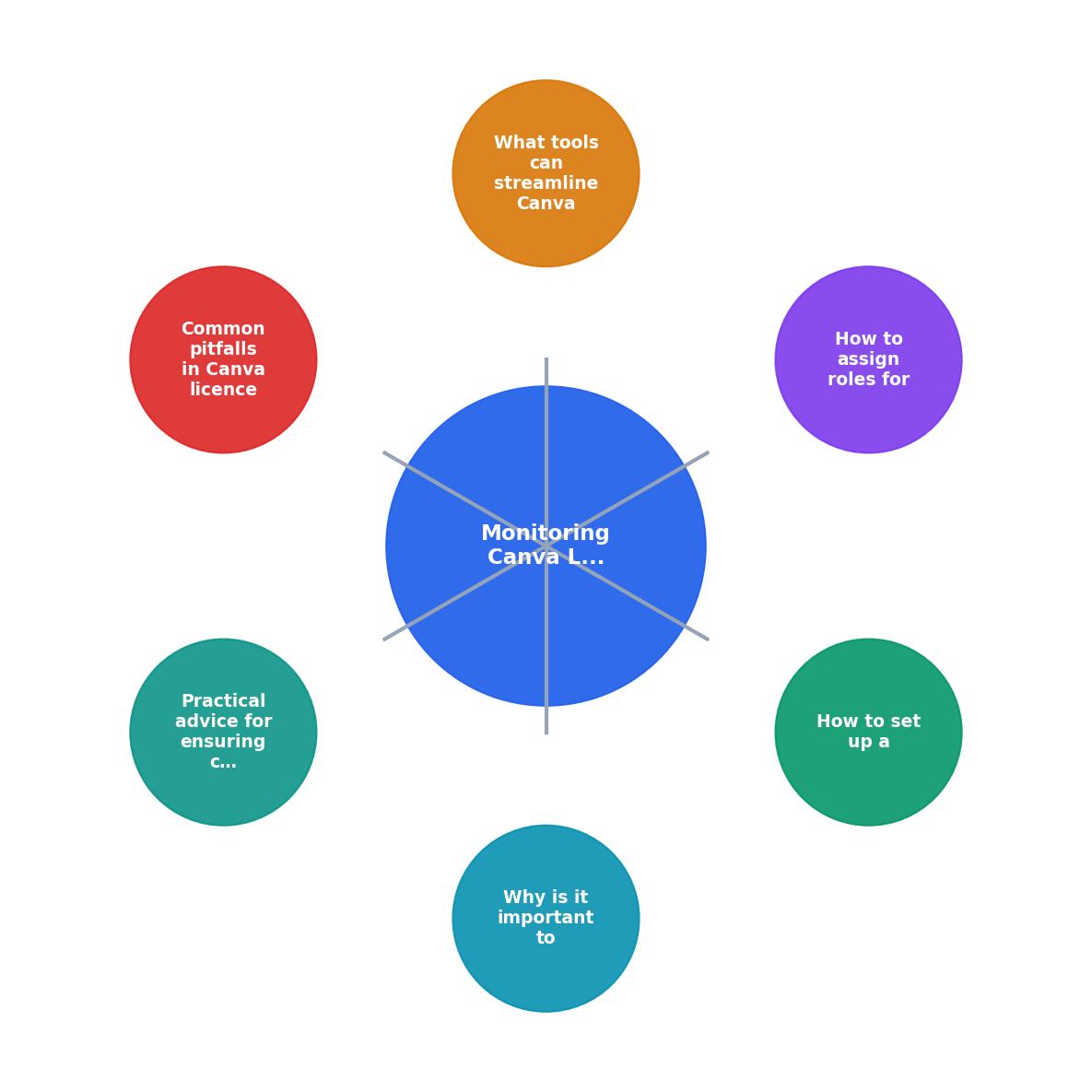
The diagram above shows the core loop: Download Asset, Log to Register, Store Proof, Monthly Audit, Resolve Gaps. Each step feeds the next. Skip one and the whole chain breaks.
Agencies that follow this loop consistently report being audit-ready within minutes instead of days.
Assign roles for licence management

A register without ownership is a dead register. Three roles make the system work:
- Licence Owner (Ops Lead or Producer): Owns the register. Sets up the structure, defines naming conventions, and has final accountability for compliance. This is likely you.
- Asset Logger (Designer/Creator): Every person who downloads a Canva asset is responsible for logging it immediately. Build this into your creative brief workflow so it becomes automatic.
- Monthly Reviewer: Someone (often the Licence Owner or a dedicated compliance person) who runs the monthly reconciliation. They compare Canva admin download logs against the register and flag missing entries.
For agencies with 20+ people on Canva, consider restricting download permissions. Canva for Teams lets admins control who can access Pro Content. Fewer downloaders means fewer logging gaps.
Tools that streamline monitoring

Manual tracking works at small scale. At agency scale, you need tools:
- Canva for Teams Admin Panel: Shows download history, team member activity, and content usage. It is your primary data source but does not export licence certificates in bulk.
- Licence Downloader (licencedownloader.com): Bulk-exports licence proof from Canva and other platforms (Shutterstock, Adobe Stock, Freepik, iStock, Envato). Instead of screenshotting each licence page, you pull all certificates at once and drop them into your project folders.
- Airtable or Notion: For the register itself. Both support linked records, so you can connect assets to projects to clients in a relational structure.
- Google Drive / SharePoint: For storing the actual licence proof files alongside deliverables.
| Manual Tracking | Tool-Assisted Tracking |
|---|---|
| Screenshot each licence individually | Bulk-export all certificates at once |
| Copy-paste into spreadsheet rows | Auto-populate register fields |
| Monthly audit takes 4-6 hours | Monthly audit takes under 1 hour |
| Scales to ~50 assets/month | Scales to thousands of assets/month |
| High error rate from manual entry | Consistent, verifiable records |
Common pitfalls to avoid
Five mistakes show up repeatedly in agency licence management:
- Assuming Canva Pro covers everything. It does not. Some content in Canva is third-party and carries additional restrictions. Always check the content category before using an asset in a client deliverable.
- Relying on Canva's built-in history alone. Canva's download history is useful but not a compliance archive. If your subscription lapses or changes, access to that history can change too.
- Not distinguishing between content categories. Free Content, Pro Content, and Branded Content have different usage rights. Logging the category alongside the asset ID prevents misuse.
- Ignoring freelancer offboarding. When a freelancer's access is revoked, their download history does not automatically transfer to your records. Export it first.
- Treating licence monitoring as a one-time setup. It is an ongoing process. New projects, new team members, and Canva policy updates all require the system to adapt.
Staying compliant with Canva terms
Compliance is not just about having proof. It is about using assets within the boundaries Canva sets. Practical steps:
- Read the Content License Agreement. Specifically sections on prohibited uses: no trademark registration of Canva content, no use in merchandise without an extended licence where required, no sublicensing.
- Tag restricted-use assets in your register. If an asset has limitations (e.g., editorial use only), flag it so designers do not accidentally use it in a commercial campaign.
- Archive licence proof outside Canva. Download certificates and store them in your own infrastructure. If your Canva subscription changes, your proof survives.
- Document the chain of custody. For each asset, record who downloaded it, under which account, on what date, and for which project. This chain is what legal teams actually ask for during audits.
The example dashboard below shows what a well-maintained licence monitoring setup looks like for a mid-size agency running multiple client projects on Canva:
Canva Licence Monitor
Example: Agency with 8 active client projects
That remaining 8% is exactly what the monthly audit catches. Twelve unverified assets across eight projects is a manageable remediation task. Without the system, those twelve become invisible risks.
Canva Licence Monitoring Checklist
Your progress is saved automatically in your browser.
FAQ
Frequently Asked Questions
Additional Resources
- Canva's licensing explained - Our Free and Pro Content licenses cover all of the content we offer (except for Popular Music!) from photos, icons and illustrations, to videos, audio, fonts ...
- Canva's Content License Agreement - All Content on Canva is protected by United States and international copyright. Canva and its contributors reserve all rights that aren't explicitly given to ...
- Canva License Management: Cut Costs with CloudEagle.ai - Canva license management is easier with CloudEagle.ai. Gain visibility, automate renewals, and eliminate unused licenses to save costs and ...
Need to Download Your Licences?
Save hours of manual work. We download all your stock photo licence certificates for you.
Get Started“Thanks to LicenceDownloader.com, I was able to download more than 1,000 Freepik licences and receive them all at once via ZIP.”
Marlon Mainardy