How to Pass a Client Licence Audit
Client licence audits are a reality for agencies handling stock media at scale, and they're not negotiable. A client's legal team or their licensing auditor can request proof that every image, video, music track, or font in a project was properly licensed. If you can't produce that proof, the liability falls on you, your reputation takes a hit, and your agency loses the client's trust. The solution isn't to panic or scramble for documents, it's to build an audit-ready system now, before the requ


Photo by Mikhail Nilov from Pexels
Client licence audits are a reality for agencies handling stock media at scale, and they're not negotiable. A client's legal team or their licensing auditor can request proof that every image, video, music track, or font in a project was properly licensed. If you can't produce that proof, the liability falls on you, your reputation takes a hit, and your agency loses the client's trust. The solution isn't to panic or scramble for documents, it's to build an audit-ready system now, before the request comes.
TL;DR:- Create a centralized licence repository organized by platform and project, with clear records of purchase date, licence type, and usage rights
- Implement compliance checks at project delivery time, not after the fact
- Train your team to handle audit requests as routine requests, not emergencies
- Maintain monthly or quarterly audits internally to catch gaps before clients do
- Use automation tools to bulk-download and organize licence certificates from multiple platforms at scale
What is a client licence audit?

A client licence audit is a formal request (sometimes a legal demand) for proof that every piece of stock media in a delivered project is properly licensed for its intended use. The auditor or legal team wants to verify that you didn't use free assets for commercial purposes, didn't exceed the licence scope, and didn't infringe on anyone's copyright.
This isn't paranoia, it's standard practice in regulated industries (finance, healthcare, legal) and essential diligence for any client with brand or legal exposure. Agencies working with enterprise clients, advertisers, or anyone publishing to high-visibility channels face these requests regularly. Sometimes the request is proactive ("please send us your licence documentation"); sometimes it's reactive (a third party flagged a potential infringement).
The audit checks three core things: licence ownership (did we actually buy or download the asset?), licence scope (does the licence type allow what we did with it?), and attribution and terms (did we comply with any specific conditions like crediting the creator or restricting commercial use?).
How to create an audit-ready licence repository
An audit-ready licence repository is a single source of truth where every stock asset used in every project has a corresponding record. This isn't complex, it's methodical.
Start by listing every platform your agency uses: Freepik, Shutterstock, Adobe Stock, Envato Elements, Canva, iStock, Depositphotos, or others. For each platform, download or export your licence history. Most platforms provide a way to view your downloads, purchases, or account activity. Get the download date, asset ID, licence type, and usage rights for every asset.
Create a simple spreadsheet or database with these core columns:
- Asset ID: The unique identifier from the platform (e.g., Freepik file ID)
- Asset Name / Description: What is it? (e.g., "Blue gradient background")
- Platform: Where was it downloaded? (Freepik, Shutterstock, etc.)
- Download Date: When was it acquired?
- Licence Type: Is it standard, extended, commercial, or free?
- Project Name: Which client project used it?
- Usage Context: How was it used? (social post, print, web, packaging, etc.)
- Licence File: Path to the downloaded certificate or proof of purchase
- Notes: Any special terms or restrictions
"If you are a Service Provider, please read our guide on Service Provider Audits instead.">, Microsoft Licensing Audit Survival Guide 2026
Next, download and store the actual licence certificates. Most platforms let you download proof of purchase or a licence certificate. Save these as PDFs in a folder structure mirroring your repository. Name them clearly: Freepik-FILE123-Download-2026-01-15.pdf. Store everything in a shared, backed-up location that survives staff turnover.
What strategies ensure compliance during an audit?
Compliance during an audit starts before the audit begins. Build checks into your project delivery workflow.
When a designer selects stock assets, require them to log the asset ID and platform immediately. When the project launches, do a final compliance sweep: verify that every asset in the final deliverable is in your repository with a matching licence type. If the project is social media, verify that the licence allows social distribution. If it's print or packaging, verify commercial use rights. If it's for a specific industry (healthcare, financial services), check for any sector-specific restrictions.
Document any edge cases. If a designer used an asset under a special exception (e.g., a free asset with written permission for commercial use), note it clearly in the repository with supporting evidence. Auditors respect transparency. A clear "we used this free asset with written permission from the creator dated X" beats scrambling to prove a grey area.
Respond to audit requests with a structured, professional hand-off. Don't send a chaotic folder dump. Instead:
- Create a summary document naming the project, the date range, and the number of assets audited
- List every asset with its ID, platform, licence type, and usage scope
- Attach the licence certificates in a clearly labeled folder
- Include a cover letter: "All assets listed below are properly licensed for the stated usage. Certificates of purchase/download are attached."
How to maintain up-to-date records for audits
Records decay when nobody owns them. Assign one person (or rotate quarterly) to be the Licence Records Owner. Their job: ensure records stay current, resolve missing certificates, and flag compliance gaps.
Run an internal audit every quarter. Pick a random 10-20% of projects delivered in the past three months and spot-check them against your repository. Is every asset accounted for? Are the licence types correct? Do certificates exist? This catches drift early and trains your team to stay sharp.
When staff leave, transfer their asset knowledge immediately. If a senior designer leaves, audit all her projects in the repository before you lose tribal knowledge. If you find missing records, contact the platform and re-download what you can. Gaps in the archive invite questions during an audit.
Update your repository when platforms change terms. Adobe Stock, Freepik, and others update licence agreements periodically. If a licence type you used last year has new restrictions, flag it in your records. You want to know if an old project suddenly has compliance risk.
Set reminders to check your stock accounts quarterly. Log in, verify your download history is intact, and download any new certificates you haven't yet backed up. Platforms can delete or archive download history without notice, so don't rely on them as your source of truth.
How to train teams for efficient audit handling
Your team won't take licence tracking seriously unless you make it a routine, not a one-time training. Include licence logging in your onboarding for every designer and producer. Show them where the repository lives, how to record an asset, and what a properly filled-out entry looks like.
Run a monthly "licence audit huddle" (15 minutes, asynchronous or live). Share a snapshot of the month's new projects and spot-check a few entries together. This keeps the practice top-of-mind and surfaces questions before an external audit arrives.
Create a simple checklist that designers use before marking a project complete:
Frame compliance as a professional standard, not a burden. Designers who ship audit-ready work impress clients and protect the agency's reputation. Make that the norm.
Audit workflow at a glance
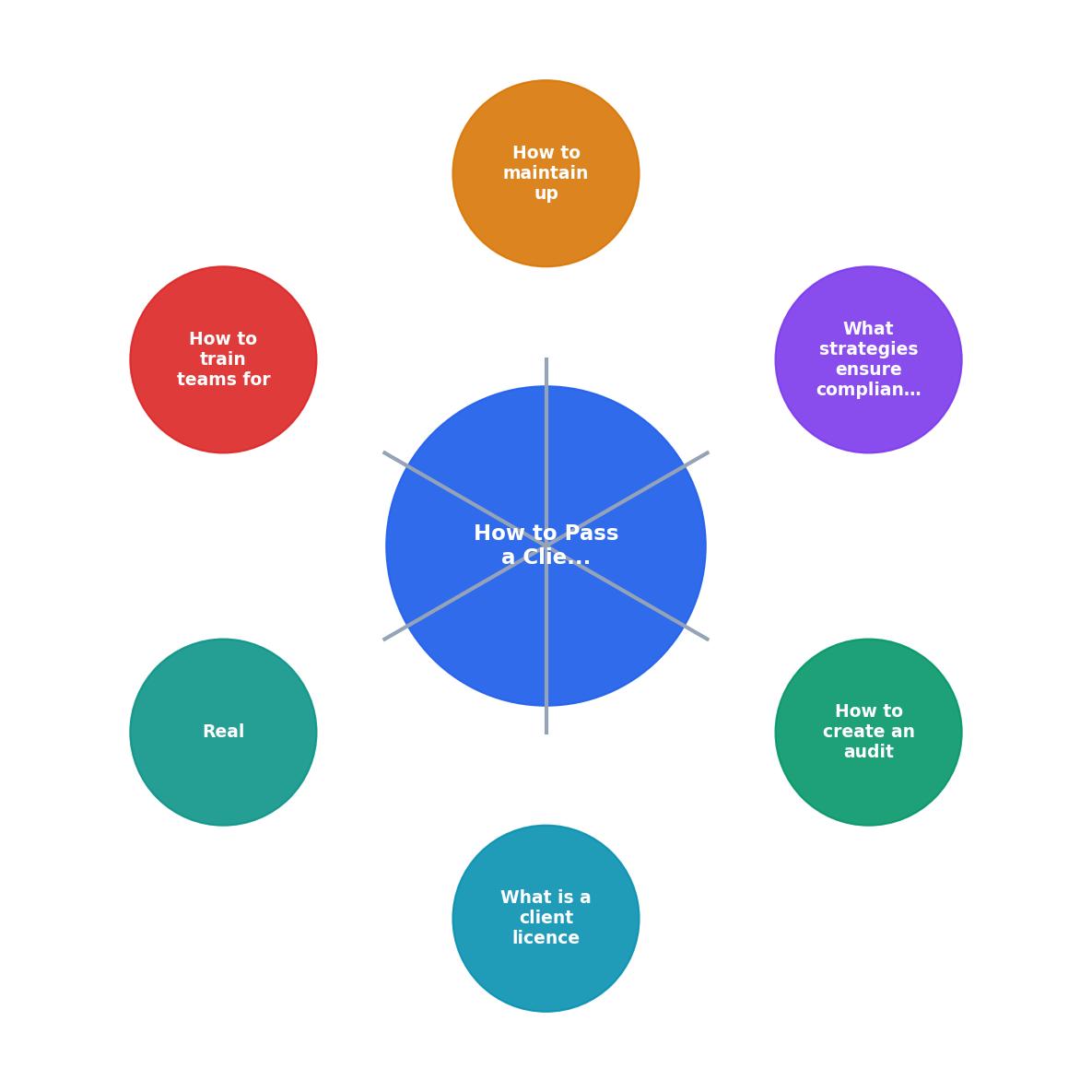
Walk through the audit process with a clear mental model. When a client requests an audit, you move from Discovery (gathering the list of assets used) to Verification (cross-referencing against your repository) to Response (delivering proof to the client). Each step relies on the groundwork you've laid in advance.
Step-by-step guide for preparing for client audits
Audit-Ready Repository Setup & Maintenance
Your progress is saved automatically in your browser.
FAQ
Frequently Asked Questions
Example: Audit Readiness Dashboard
An audit-ready agency doesn't just survive client audits, it uses them as a competitive advantage. When you respond to an audit request within hours with a complete, professional handoff, the client sees a mature, organized operation. That builds trust and keeps the work flowing.
The system we've covered, repository, team training, compliance checks, and internal audits, isn't heavy-handed. It's a framework that runs in the background once it's set up. The first project takes 45 minutes to document properly. The tenth takes 15 minutes. By the 20th, your team moves through it automatically.
Additional Resources
- Microsoft Licensing Audit Survival Guide 2026 - What happens during a Microsoft licensing audit? SAMexpert explains the process, timelines, risks, and proven defence strategies.
- Microsoft License Audit Survival Guide for Businesses - Think a Microsoft license audit starts with a formal notice? Think again. Learn the triggers, risks, penalties, and survival strategies.
- 5 Top Tips for Surviving a License Audit - Get your records in order · Get your legal department involved · Don't panic buy extra licenses · Don't delete software or shred files · Know your strengths.
Need to Download Your Licences?
Save hours of manual work. We download all your stock photo licence certificates for you.
Get Started“Thanks to LicenceDownloader.com, I was able to download more than 1,000 Freepik licences and receive them all at once via ZIP.”
Marlon Mainardy