Stock images power modern creative work, but proof of purchase often vanishes into your account dashboard, waiting to be rediscovered when a client, platform, or lawyer asks for it. The gap between buying an image and keeping audit-ready proof of that purchase is where projects stall and reputations take hits. This guide shows you how to organize, retrieve, and store licence certificates so they're ready when you need them.
Stock licence certificates prove you own the right to use an image; platforms bury them deep in account pages and export formats vary wildly.
Collect and store certificates immediately after purchase, not months later when you're scrambling.
Use a centralized archive (cloud folder, spreadsheet, or dedicated tool) so you can retrieve proof for any asset in seconds.
Automate bulk downloads where possible; manual retrieval scales poorly once you're managing hundreds of assets.
Why this matters right now
You bought an image. Your contract with the platform says you have the right to use it. But when a client's legal team asks "show me proof you own this", or a marketplace flags your ad, or you're audited, that proof has to come from somewhere. Most people store it nowhere.
0%
Teams Without Centralized Licence Records
Freelancers and small teams lose hours hunting for certificates across platform dashboards. Agencies face compliance risk when they can't prove asset rights for client projects. E-commerce owners get ad accounts suspended because they can't quickly provide licence proof when platforms demand it. The problem isn't the licence itself, it's the proof.
This guide walks you through a real system: how to grab certificates the right way, organize them so they're findable, and automate the process so it doesn't eat your time. You don't need software (though it helps). You need a plan.
Common mistakes that cost you
Most people make one of three errors that blow up later.
Not downloading immediately. You buy an image from Freepik on a Tuesday and assume you'll grab the certificate "later". Three months later the image is in twelve client projects and you can't find the original purchase. Platforms rotate old certificates off your account after a certain window. Wait too long and the proof vanishes.
Storing only the invoice. An invoice proves you paid. It doesn't always prove you have the right licence type for what you're doing. A commercial licence from Shutterstock looks different from a standard licence from Adobe Stock. When a client asks "can we use this for print?", an invoice alone isn't enough. You need the actual licence certificate that lists the terms.
Mixing personal and client work archives. You download certificates and throw them in a folder called "stock images" without tagging which project they belong to. Six months later you need to audit assets for Client A and you have to open 200 files. Spend five minutes tagging now; save two hours later.
Using platform exports without verification. Some platforms let you export a CSV of your purchases. The data is incomplete, missing licence terms, using internal IDs instead of asset names, or showing only downloads not purchases. Export data is a starting point, not a complete record.
Step-by-step approach
Understand what you're collecting
A stock licence certificate is not the same as an invoice. It's a document (usually a PDF) that states:
Which image you bought (by filename or ID)
Your licence type (standard, commercial, extended, etc.)
What you're allowed to do with it (web use, print, commercial, modifications, etc.)
The terms and conditions that came with your purchase
The transaction date and your account confirmation
Not all platforms generate a traditional PDF certificate. Some embed licence terms in your account dashboard. Some send it by email. Some require you to generate it manually. That's why the first step is to learn where your platform stores it.
Map your platforms
Open a spreadsheet or text file. For each platform you use (Freepik, Shutterstock, Adobe Stock, Envato Elements, Canva, iStock, Depositphotos), write down:
Where is the certificate? Log in and find one of your recent purchases. Is there a "Download Certificate" button? Is it in Account > Purchases > > Certificate? Is it emailed to you? Does the platform not generate certificates at all?
What format is it? PDF, PNG, screenshot, email text, or only available on-screen?
Can you bulk export? Some platforms let you export a list of all purchases with licence info. Some don't.
How long are old certificates available? Freepik keeps certificates for 18 months. Shutterstock archives them longer. If your platform doesn't say, assume 12 months to be safe.
Write this down. You'll reference it constantly.
Photo by Ann H from Pexels
Create your storage system
Pick one place that's always backed up and searchable: a shared Google Drive folder, a Dropbox folder, a local NAS drive that syncs to cloud, or a dedicated tool like Licence Downloader that automates the retrieval.
The spreadsheet method is slower to maintain but makes audit queries fast.
The download routine
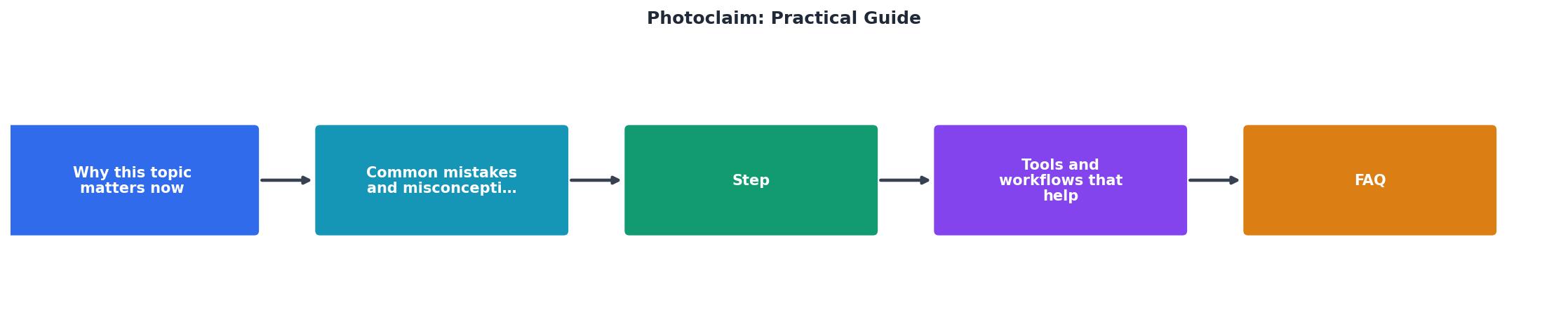
Figure 1: Photoclaim: Practical Guide at a glance.
When you buy or download an image, immediately:
Log into the platform where you purchased it.
Navigate to your purchase or download. (Most platforms: Account > My Purchases or Downloads.)
Find the certificate or licence terms. Click "Download Certificate" if available. If not, screenshot the licence information or copy the terms.
Save it with a clear filename. Use the format: [Platform]_[ImageName or ID]_[DateYYYY-MM-DD]_cert.pdf. Example: Freepik_HeaderBanner_12345_2026-01-15_cert.pdf.
Store it in your archive in the relevant project or date folder.
Tag or index it. Add a row to your spreadsheet or tag in your file manager.
This routine takes three to five minutes per purchase. Do it now, not later. The platform may rotate old certificates off your account within 12–18 months, so the window to grab proof is fixed.
For bulk collections
If you're managing dozens or hundreds of assets, typical for agencies or teams working on multiple client projects, do this:
Export what each platform offers. Freepik, Shutterstock, and Adobe Stock let you export purchase history or a licence list. Download these CSVs monthly.
Cross-reference your archive. Compare the export to what you've already downloaded. Gaps show which certificates you're still missing.
Use a tool to automate retrieval. Licence Downloader and similar tools can bulk-fetch certificates from your account so you don't do it manually for 200 assets.
Schedule a monthly audit. Once a month, run the export, check for missing certificates, and download them before the platform archive window closes.
This workflow scales. Manual clicking doesn't.
Key takeaway: Collect and store proof of licence immediately after purchase, organize it by platform and project, and use a spreadsheet or tool to track what you have so you can find it in seconds when audit time comes.
Tools and workflows that help
Free or built-in options
Google Drive + Sheets combo. Create a folder structure for platforms and projects, store PDFs in Drive, and maintain a master Sheets index with links to each certificate. Zero cost, works offline with Drive Sync, and searchable. Con: manual work at scale.
Platform exports. Most major platforms (Shutterstock, Adobe Stock, Freepik Pro) export purchase history or licence data. Download monthly and keep the CSVs in your archive. They're not certificates but they're proof of the transaction and often include licence type.
Email organization. Some platforms email certificates automatically. Create a Gmail label called "Stock Licences", filter all licence emails into it, and star or archive them after you've saved the PDF. Con: email is not a proper archive and attachments can get lost if you delete the email.
Paid options that save time
Licence Downloader. Bulk-downloads certificates from multiple platforms into a centralized archive, tracks what you own, and flags when certificates are about to expire or become unavailable. Saves hours per month if you manage 50+ assets. Most useful for agencies and freelancers with steady stock image intake.
Stock-specific tools. Some platforms (Adobe Stock for Teams, Shutterstock Enterprise) have integrated asset management. If your team uses these, leverage their built-in audit and download features.
Dedicated compliance software. Legal/compliance teams in larger agencies sometimes use tools like Frame.io or Airtable for asset tracking. Overkill for solo freelancers but solid for multi-project audit needs.
The right tool depends on your volume. Under 20 assets per month, a folder + spreadsheet is enough. Over 50, automation starts saving real money.
Common workflows in practice
Freelancer workflow (you). Every Friday, she spends 15 minutes downloading certificates for the week's stock purchases and dropping them into her client project folder in Drive. She keeps a single index sheet with image names, platforms, and which client project used each one. When a client asks for proof later, she searches the sheet, finds the certificate in seconds, and emails it.
Agency workflow (you). His team manages stock accounts for three clients. Each month, he exports purchase data from Freepik, Shutterstock, and Adobe Stock, compares it to the previous month's export, and downloads any new certificates. He stores them in a shared Drive organized by client and date. Every quarterly audit request takes 10 minutes instead of days.
E-commerce workflow (you). She buys stock images for her online store from Canva Pro and Freepik. She downloads the certificate immediately after purchase, saves it with the image filename, and stores it in a "Licences" folder on her computer. If a platform or ad network flags an image, she has proof of purchase ready.
Example Licence Tracker (Monthly)
Certificates Collected18
Certificates Pending3
Platforms Covered4
StatusAudit Ready
Time to Retrieve Any Cert< 30 sec
The tracker above shows what a typical month looks like once your system is running. Eighteen certificates collected and stored, three still pending (usually from a platform that takes 24 hours to generate them), and the whole archive searchable in under 30 seconds. That's the goal.
Audit-Ready Coverage
0%
FAQ
Frequently Asked Questions
This guide is for anyone buying stock images, freelance designers, agency producers, e-commerce owners, and marketers. If you use more than one stock platform, or if a client or platform has ever asked you for proof of licence, this applies to you.
If you're starting from scratch: One hour to set up a folder structure and spreadsheet, then three to five minutes per purchase going forward. If you already have a backlog of images, allocate a weekend to download certificates for your most recent 50–100 purchases. The platforms will have older ones archived; focus on what's recent and active.
First, log into each stock platform you use and find one recent purchase. Locate where the certificate or licence info lives (Account > My Purchases, email confirmation, or a "Download Certificate" button). Write it down. That mapping takes 30 minutes and answers 80% of your setup questions. Then create a folder in Drive or Dropbox and download certificates for your last three purchases. You'll have the system running before lunch.
No. A folder and a spreadsheet work fine if you're managing under 50 assets. Once you're regularly downloading from multiple platforms or managing client projects with strict audit requirements, a bulk-download tool like Licence Downloader saves hours. But it's optional, not mandatory.
Some smaller platforms or free stock sites don't create formal certificates. Screenshot the licence terms page and save it with a filename like Unsplash_ImageName_licence_terms.png. It's not ideal but it's proof you read and understood the terms. For paid platforms, if they don't offer a certificate, contact support. Most will provide one on request.
Keep them as long as you're using the image anywhere. That includes archived projects and old client work. If an image appears in your portfolio, ads, a live website, or a past client project, keep the certificate for at least five years after the image was last published. For images you've deleted, keep the certificate for one year in case of a dispute claim.
Implementation Checklist
Your progress is saved automatically in your browser.
Closing Question
Do you know right now where the certificate for the last stock image you bought is stored, and could you find it in under a minute if asked?