Pixsy defence document pack outline
When Pixsy or PicRights sends a notice claiming unauthorized use of a copyrighted image on your website or marketing materials, panic is the first instinct. But panic won't help you. What saves you is evidence, proof that every image you used was actually licensed. This guide walks you through building and organizing a Pixsy defence document pack that proves your rights to every asset you've used, protects you from false claims, and gives you the ammunition to fight back if needed.

When Pixsy or PicRights sends a notice claiming unauthorized use of a copyrighted image on your website or marketing materials, panic is the first instinct. But panic won't help you. What saves you is evidence, proof that every image you used was actually licensed. This guide walks you through building and organizing a Pixsy defence document pack that proves your rights to every asset you've used, protects you from false claims, and gives you the ammunition to fight back if needed.
TL;DR:- Pixsy and PicRights send notices for images they claim are unlicensed; most notices target people who either didn't license the image or lost their proof.
- A defence document pack includes licence certificates, invoice records, platform account screenshots, metadata, and receipts showing exactly when and where you licensed each asset.
- Start gathering licence proof now, organize by image URL or filename, store backups in multiple places, and respond to notices with a complete document set, not silence or panic.
Why Pixsy notices happen
Pixsy and its enforcement partners hunt for images used without proper licensing across the web. Their crawlers scan websites, social media, ads, and e-commerce platforms looking for matches against their database of protected work. When they find what they believe is an unauthorized use, they send a notice, usually a demand letter or takedown request.
"The most common reason to be contacted by PicRights or Pixsy is the unlicensed use of copyright protected material.">, Importance of a Copyright Licence in the Age of PicRights & Pixsy
But here's the thing: a lot of these notices land on creators who did license the image. They bought it, used it, and then either lost track of the proof or don't know where to find it. That's where a defence document pack comes in. It's your insurance policy, and your Get Out Of Jail card if a notice ever arrives.
Common mistakes that leave you exposed
Most freelancers and small businesses make the same errors when managing stock image licences:
- Not downloading licence certificates at purchase time. You buy an image, use it in a project, move on. Months later, the platform redesigns its account interface or you lose access to the original email receipt. Proof vanishes.
- Mixing licences across platforms without tracking. You use Freepik, Shutterstock, Adobe Stock, and Canva. Each one stores proof differently. If you need to defend a specific image, you can't quickly find which platform it came from.
- Deleting emails or PDFs. License certificates arrive as PDFs or in email confirmations. People delete them. Then Pixsy arrives, you search your email trash, and nothing's there.
- Assuming the platform keeps your records forever. Platforms go down. Accounts get suspended or closed. Invoices get archived and become harder to access. The platform's record doesn't automatically prove ownership if your account is compromised or deleted.
- Not understanding licence type. You bought an image under an "editorial" licence but used it in commercial advertising. That's a violation, and your defence document won't help because you actually broke the licence terms.
- Ignoring extended licences and commercial usage limits. Free Canva images? Free Freepik downloads? Royalty-free doesn't mean use-it-anywhere-free. Scope of use matters, and ignorance isn't a defence.
What a Pixsy defence document pack contains
A complete defence pack includes layered proof that proves both ownership and proper use:
1. Licence certificate (primary proof)
The main document. This is the PDF or image file the platform issued when you purchased or downloaded the image. It includes the purchase date, the specific image ID or URL, the licence type (commercial, editorial, extended), usage scope, and the platform's terms. Download this the moment you buy.
2. Invoice or receipt
The financial record showing you paid for a commercial licence (if applicable). This proves the transaction happened and that you didn't just use a free tier. Pixsy will check whether you were entitled to use the image based on your account type.
3. Platform account screenshot
A screenshot of your account on the relevant stock site showing the image in your "purchased" or "licenced" collection, along with the date purchased. Timestamp the screenshot file.
4. Metadata proof
File metadata (EXIF data, file properties) showing when the image was added to your computer and any embedded copyright tags or licensing information. Tools like ExifTool can extract this.
5. Usage context documentation
Where and when you used the image: URL of the web page, blog post, social media post, or ad campaign, along with a screenshot showing the image live on that platform. This proves the specific image in question, not a different one.
6. Correspondence with the platform
If you messaged the stock platform's support about the image (asking about licence scope, extended use, etc.), keep that chat or email. It shows you acted in good faith.
7. Licence terms from the platform
A PDF or screenshot of the exact licence terms you agreed to when purchasing. This proves what uses were and weren't allowed, and that you complied.
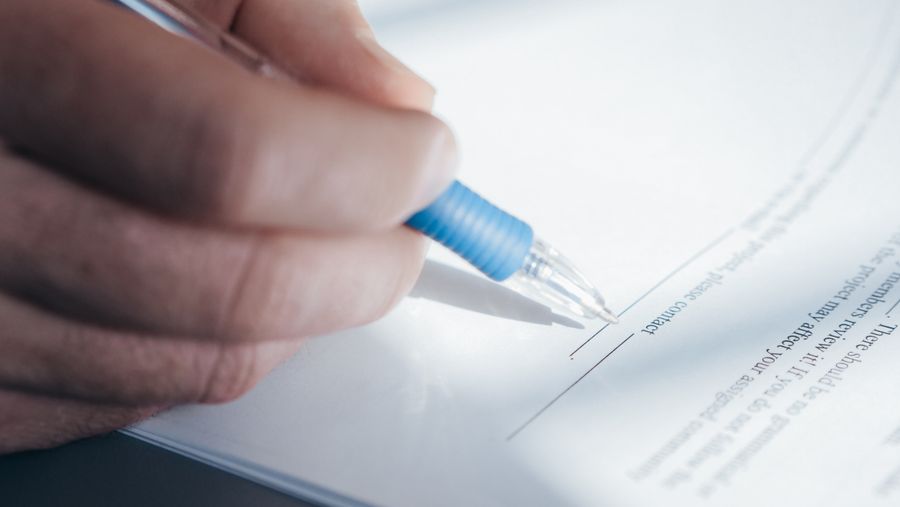
How to build your pack now (before a notice arrives)
Start today. Don't wait for a Pixsy letter.
Step 1: Audit your existing images
List every stock image you've used in the past two years. Write down:- Where it came from (Freepik, Shutterstock, Adobe Stock, Canva, etc.)
- The approximate date you used it
- What you used it for (website, ad, social post, print, etc.)
- Whether you bought a commercial licence or used a free tier
Step 2: Go back to each platform and download proof
Log into each stock account. Find your purchase history or "licenced" collection. For every image still available:- Download the licence certificate PDF (usually under "Downloads" or "My Licences").
- Take a timestamped screenshot of the image in your account showing the purchase date.
- Download or screenshot the licence terms.
- If you have an invoice or receipt email, forward it to yourself for archiving.
Step 3: Organize into a master document set
Create a folder structure like this:
Pixsy-Defence-Pack/
├── Platform-Freepik/
│   ├── Image-ID-12345/
│   │   ├── licence-certificate.pdf
│   │   ├── invoice.pdf
│   │   ├── account-screenshot.png
│   │   ├── usage-proof.png
│   │   └── metadata.txt
│   └── Image-ID-54321/
├── Platform-Adobe/
├── Platform-Shutterstock/
└── Platform-Canva/
Organize by platform first, then by image ID or filename. This makes searching fast if you get a notice.
Step 4: Back it up to multiple locations
Don't keep your pack only on your computer. Cloud storage failure, hard-drive crash, ransomware, any of these will wipe you out.
- Copy to cloud storage: Google Drive, Dropbox, OneDrive, or a dedicated secure server.
- Print critical documents (licence certificates, invoices) and file them physically.
- Give a copy to your accountant or lawyer if you're handling client work (they may already have some receipts).

The step-by-step pack assembly process
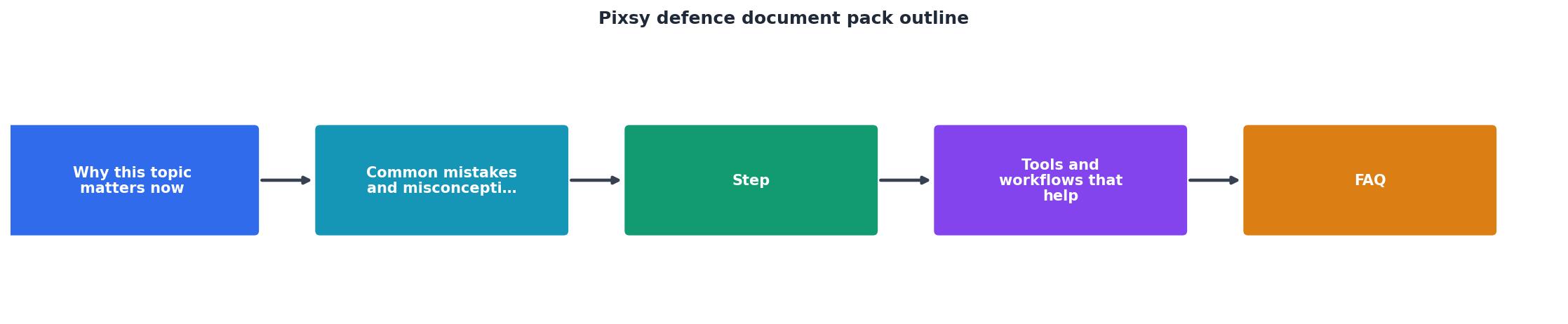
Follow this workflow to build your pack systematically:
- Identify the image, Get the URL, filename, or Pixsy claim reference.
- Locate the platform, Which stock site did you license it from?
- Retrieve the certificate, Log in and download the licence PDF.
- Gather supporting docs, Invoice, receipt, account screenshot, usage proof.
- Verify the licence type, Confirm it covered your intended use (commercial, editorial, extended, etc.).
- Document the usage, Screenshot where you used it; record the date.
- File in your pack, Add to your organized folder structure.
- Back up off-site, Upload to cloud storage and physical archive.
- Review quarterly, Add new images to the pack as you purchase them.
Tools that help organize and gather proof
Licence management tools: Services like Licence Downloader automate bulk downloading of licence certificates from multiple platforms at once. Instead of logging into each platform individually, the tool syncs with your accounts and pulls all certificates into one organized folder. Huge time-saver if you use multiple stock services.
Cloud storage with versioning: Google Drive, Dropbox, or OneDrive let you back up your pack and access it anywhere. Use version history so you can recover old files if something gets accidentally deleted.
Screenshot and metadata tools: Snagit, Greenshot, or built-in OS tools (Windows Screenshot, Mac Screenshot) capture platform screens with timestamps. ExifTool (command-line) extracts image metadata including embedded copyright info.
Password manager integration: Store platform login credentials securely so you can quickly access your accounts if needed to retrieve proof. LastPass or 1Password work well.
What happens when you receive a Pixsy notice
If a demand letter or takedown notice arrives, don't ignore it or panic. Here's what to do:
- Read the notice carefully. It will identify a specific image (usually by URL or filename) and the alleged unauthorized use. Write down the exact details.
- Check your defence pack. Does that image exist in your pack? Do you have proof you licensed it?
- If yes: Gather all documents for that image and respond to Pixsy with the complete pack attached. Include a cover letter stating you licensed the image on [date] from [platform] under licence type [type], and you have proof.
- If no: The notice might be accurate. You may have used an image you didn't actually license. In that case, consider consulting a lawyer. You may need to negotiate a settlement or remove the image.
- Keep records of everything. Email responses, correspondence with Pixsy, any settlement or takedown action, save it all.
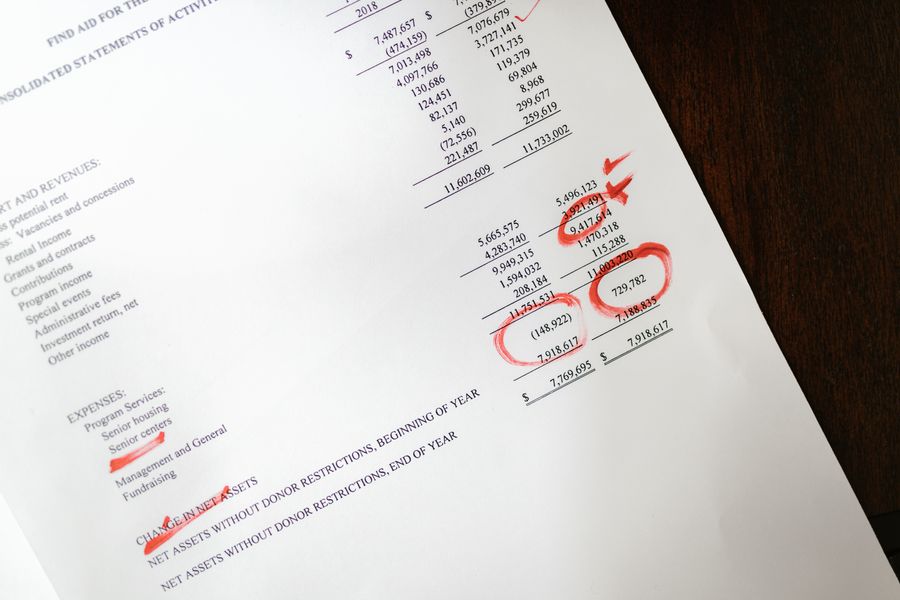
Interactive Defence Pack Readiness Tracker
To help you visualize your prep, here's a simple tracker to assess how ready you are for a Pixsy notice. You're looking for a high coverage score across all areas, certificate backup, platform access, and usage documentation.
Your Defence Pack Status
The example above shows a typical freelancer at 72% readiness, strong on certificates and backups, but still missing usage screenshots and physical filing. Your score will vary, but the goal is to reach 90%+ across all areas before a notice ever arrives.
Common misconceptions about Pixsy defence
Misconception 1: "If I took a screenshot of my download confirmation, that's proof enough."
A screenshot helps, but a platform-issued certificate PDF is much stronger. Screenshots can be faked; platform documents carry more legal weight.
Misconception 2: "I bought a subscription, so every image I downloaded is covered."
Not necessarily. Subscription tiers have restrictions (editorial vs. commercial, personal vs. business use). You need to know which tier you held when you downloaded the specific image.
Misconception 3: "Pixsy is just a troll service that goes away if you ignore them."
Ignoring a notice is a bad idea. It can escalate to legal action or damages. Respond with proof, and most notices resolve.
Misconception 4: "I don't need proof if the image is old; statute of limitations expired."
Copyright infringement has different statute rules depending on jurisdiction. Don't assume. Keep your pack comprehensive regardless of age.
Pixsy Defence Document Pack Checklist
Your progress is saved automatically in your browser.
FAQ
Frequently Asked Questions
Additional Resources
- DOCUMENT 1: FM VISIT CORE BRIEFING PACK - the documents provided reflect a meeting between the First Minister and Minister for Foreign Affairs, Trade and Defence, sets out commitments to cooperate on ...
- ASPI Defence Budget Brief 2017-2018 - Entitled simply Defence White Paper 2013, the 132-page document includes one and a half pages—675 words to be precise—on Defence funding.
- Importance of a Copyright Licence in the Age of PicRights ... - Reduce the risk of a copyright infringement claim from PicRights or Pixsy by obtaining a copyright licence. Strategies and considerations.
Need to Download Your Licences?
Save hours of manual work. We download all your stock photo licence certificates for you.
Get Started“Thanks to LicenceDownloader.com, I was able to download more than 1,000 Freepik licences and receive them all at once via ZIP.”
Marlon Mainardy