Pointerbp: Practical Guide
Stock media licence management gets messy fast when you juggle Freepik, Adobe Stock, Shutterstock, and Envato from the same laptop. Pointerbp is a best-practice framework for organizing, tracking, and retrieving licence proof so you never scramble when a client or platform asks for documentation. This guide walks through the exact steps, common traps, and workflows that turn licence chaos into a repeatable system you can run in minutes each week.

Stock media licence management gets messy fast when you juggle Freepik, Adobe Stock, Shutterstock, and Envato from the same laptop. Pointerbp is a best-practice framework for organizing, tracking, and retrieving licence proof so you never scramble when a client or platform asks for documentation. This guide walks through the exact steps, common traps, and workflows that turn licence chaos into a repeatable system you can run in minutes each week.
Photo by Annie Japaud from Pexels
TL;DR:- Pointerbp is a structured approach to cataloguing and storing stock-media licence certificates across every platform you use.
- It replaces ad-hoc screenshot folders with a consistent naming convention, central storage, and automated bulk downloads.
- Following the steps below cuts licence-retrieval time from hours to minutes and keeps you audit-ready at all times.
Why licence tracking matters now
Copyright enforcement online has accelerated. Platforms like Meta, Amazon, and Etsy now auto-flag images that lack clear licence metadata. If you receive a takedown notice or a DMCA claim, the burden of proof sits on you. Having a PDF or certificate ready in thirty seconds versus digging through three different dashboards for an hour is the difference between a resolved dispute and a lost client.
Freelance designers typically subscribe to two or three stock platforms simultaneously. Each platform stores licence records differently: Freepik buries them in download history, Shutterstock offers a licence certificate page, Adobe Stock ties proof to your Creative Cloud account. Without a unified system, you end up with scattered browser bookmarks, random PDFs on your desktop, and zero confidence that you can actually prove anything.
Pointerbp solves this by giving you a repeatable pointer-based process: every downloaded asset gets a pointer (a reference entry) that links back to the original licence proof, stored in one canonical location.
Common mistakes to avoid

Before diving into the step-by-step, here are the traps that catch most freelancers:
- Relying on browser history. Your download history on Freepik or Envato is not permanent. Platforms change URLs, redesign dashboards, and sometimes purge old records.
- Saving screenshots instead of certificates. A screenshot of a confirmation page is weak evidence. The actual licence certificate PDF or the platform-generated proof document carries legal weight.
- Mixing personal and client folders. When you dump all licence files into one "Licences" folder, finding the right certificate for a specific client project becomes a needle-in-a-haystack problem.
- Waiting until a dispute happens. Retroactively gathering licence proof is painful. Some platforms limit how far back you can access download history. By then, the subscription you used might have lapsed.
- Ignoring free-tier assets. "Free" images from Freepik or Canva still come with licence terms. You need proof that you downloaded them under the correct licence, especially for commercial use.
The pattern is clear: most licence headaches come from delayed action. Pointerbp flips that by making licence capture part of the download itself, not an afterthought.
Step-by-step approach
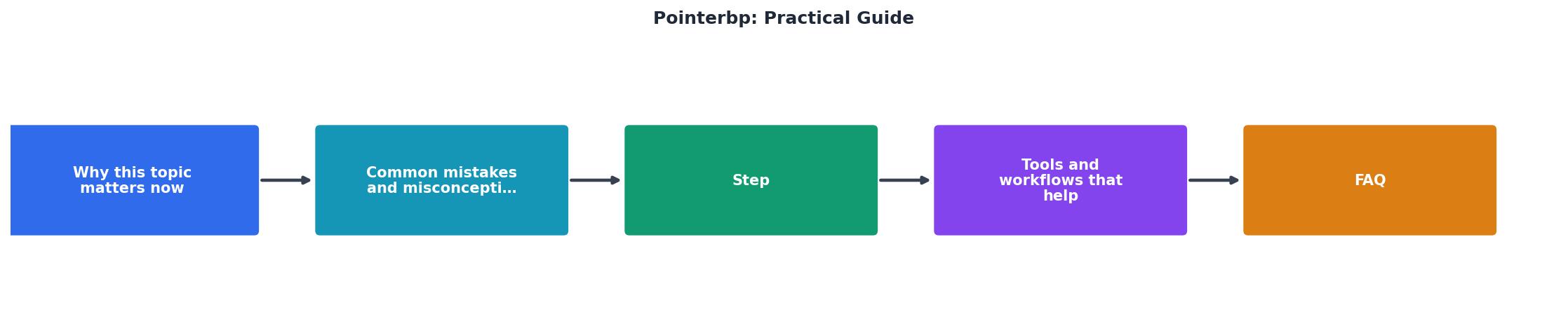
Follow these five steps to implement pointerbp in your workflow. The labels match the diagram above.
1. Audit existing assets
Open each stock platform you use. Export or screenshot your complete download history. List every asset you have used in active client projects over the past twelve months. This is your baseline inventory.
2. Create a folder structure
Set up a central location. Cloud storage (Google Drive, Dropbox, OneDrive) works best because it syncs across devices. Use this naming convention:
/Licences
  /Freepik
    /2025
    /2026
  /Shutterstock
    /2025
    /2026
  /AdobeStock
    /2025
    /2026
Each platform gets its own folder. Each year gets a subfolder. Inside, licence certificates are named with the asset ID and a short descriptor: freepik-12345678-blue-abstract-bg.pdf.
3. Download licence certificates
Go platform by platform. Freepik lets you download a licence certificate from your downloads page. Shutterstock provides a "Licence history" section. Adobe Stock ties licences to your Creative Cloud licence history. For each asset in your audit list, download the certificate and drop it into the correct folder.
This is where bulk tools save serious time. A tool like licencedownloader.com can pull certificates from multiple platforms in one session instead of clicking through hundreds of individual download pages.
4. Build the pointer index
Create a simple spreadsheet or database (Notion, Airtable, even a CSV file) with these columns:
- Asset ID (platform-specific identifier)
- Platform (Freepik, Shutterstock, etc.)
- Download date
- Licence type (Standard, Extended, Free)
- Client/Project (which project used this asset)
- File path (link to the certificate in your cloud folder)
5. Automate ongoing captures
Set a weekly or bi-weekly reminder. Every time you download new stock assets, immediately grab the licence certificate and add a row to your index. Batch this task: download all assets for the week, then do all certificates at once.
Tools and workflows that help

You do not need expensive software to run pointerbp. Here is what works:
- Google Sheets or Notion for the pointer index. Free, searchable, shareable with clients if needed.
- Google Drive or Dropbox for certificate storage. Version history protects against accidental deletions.
- Licence Downloader for bulk certificate retrieval. Instead of logging into five platforms and clicking through each download, you pull certificates in batch.
- Calendar reminders (Google Calendar, Todoist) for the weekly capture habit.
| Manual Approach | Pointerbp Approach |
|---|---|
| Log into each platform separately | Bulk-download certificates in one session |
| Search by memory for asset IDs | Search pointer index by client or project |
| Scramble during audits | Pull proof in under 60 seconds |
| Inconsistent file naming | Standardized naming convention |
| No backup strategy | Cloud-synced with version history |
Real-world example

Say you finished a brand kit for a local bakery last March. You used four Freepik vectors, two Shutterstock photos, and one Adobe Stock illustration. Six months later, the bakery's new marketing agency emails asking for licence proof on every asset.
Without pointerbp: you open three platforms, try to remember which images you used, scroll through months of download history, and hope the platform still shows the records. Estimated time: 45 minutes to two hours.
With pointerbp: you open your pointer index, filter by "Bakery Brand Kit," see all seven asset IDs with file paths, and send the certificates as a zip file. Estimated time: three minutes.
That difference compounds across every project you deliver in a year.
Here is an example dashboard showing what a typical freelancer's pointerbp index looks like after three months of consistent use:
Pointerbp Index, 3-Month Snapshot
Pointerbp implementation checklist
Pointerbp Setup Checklist
Your progress is saved automatically in your browser.
FAQ
Frequently Asked Questions
What is the biggest licence-tracking headache you have run into, and how did you solve it?
Need to Download Your Licences?
Save hours of manual work. We download all your stock photo licence certificates for you.
Get Started“Thanks to LicenceDownloader.com, I was able to download more than 1,000 Freepik licences and receive them all at once via ZIP.”
Marlon Mainardy