Protecting Your Business from Copyright Claims on Freepik Images
You downloaded a photo from Freepik six months ago, used it on your product listing, and now a copyright claim just landed in your inbox. Your stomach drops. You know you paid for it, but you have no idea where the licence proof is or whether your usage even falls within the terms. This guide walks you through exactly how to understand Freepik licences, store your proof, and respond if a claim shows up.

You downloaded a photo from Freepik six months ago, used it on your product listing, and now a copyright claim just landed in your inbox. Your stomach drops. You know you paid for it, but you have no idea where the licence proof is or whether your usage even falls within the terms. This guide walks you through exactly how to understand Freepik licences, store your proof, and respond if a claim shows up.
Photo by Nathan Thomas from Pexels
TL;DR:- Freepik offers Free and Premium licences, each with specific commercial use rules you need to follow.
- Download and store licence certificates for every image the moment you acquire it.
- If a copyright claim arrives, gather your proof, respond within the platform's deadline, and escalate with documentation if needed.
- Proactive licence management saves you legal fees, lost revenue, and sleepless nights.
Why licence proof matters now
A single copyright claim on a Facebook ad or Amazon listing can freeze your account, pull your revenue, and cost weeks to resolve. The fix is boring but effective: know what licence you hold, keep the receipt, and file it where you can find it in 30 seconds. That approach turns a potential crisis into a five-minute email reply.
Most small businesses and solo store owners treat stock image licences like grocery receipts. They vanish into browser history, buried email threads, or a downloads folder with 4,000 unnamed files. When a claim arrives, the scramble begins. The businesses that survive copyright disputes without financial damage are the ones that documented everything upfront.
What Freepik licence types cover
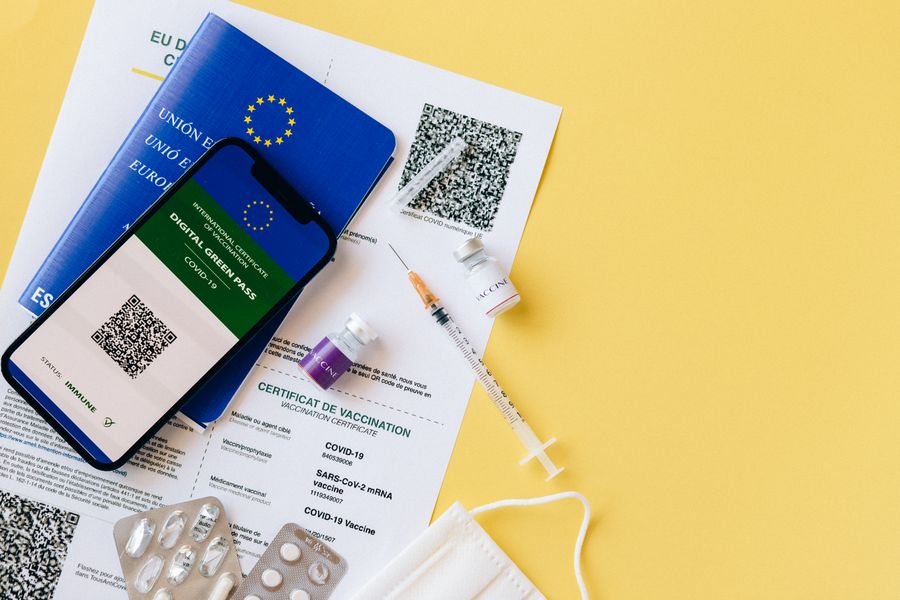
Freepik splits its licensing into two main categories, and the difference between them determines what you can legally do with an image.
Free licence grants you access to resources at no cost, but it requires attribution. You must credit Freepik (or the specific author) wherever you use the image. Free-licence assets can be used commercially, but the attribution requirement is non-negotiable. Skip it, and you violate the terms, which gives the rights holder grounds for a claim.
Premium licence (included with a paid Freepik subscription) removes the attribution requirement and expands your usage rights. You get commercial use across websites, social media, print materials, and advertising. Premium also allows use in client projects, which matters if you create marketing materials for your own store or for others.
Both licence types prohibit:
- Redistribution of the original file as-is (you cannot resell or give away the raw asset)
- Use on print-on-demand products without an extended or specific licence
- Trademark registration using a Freepik asset as your logo
"Commercial regulations can vary by country, especially for uses like merchandising, branding, or creating derivative works.">, AI content and copyright
| Free Licence | Premium Licence |
|---|---|
| Attribution required | No attribution needed |
| Commercial use allowed | Commercial use allowed |
| Limited to personal/small projects | Client work permitted |
| No print-on-demand | No print-on-demand (without extended) |
| Cost: $0 | Cost: subscription fee |
How to document licence proofs

Downloading an image is step one. Documenting the licence is step two, and most people skip it entirely. Here is a concrete process that takes under two minutes per image.
Step 1: Download the licence certificate. After downloading an image from Freepik, go to your account's download history. Each downloaded asset has a licence certificate or confirmation page. Save it as a PDF or screenshot.
Step 2: Name the file clearly. Use a naming convention like freepik-[asset-id]-[date]-licence.pdf. Example: freepik-28374651-2026-06-15-licence.pdf. This makes searching instant.
Step 3: Store in a dedicated folder. Create a folder structure: Licences > Freepik > [Year]. Drop every certificate there. Cloud storage (Google Drive, Dropbox, OneDrive) adds a backup layer.
Step 4: Log it in a spreadsheet. Maintain a simple tracker with columns for: Asset ID, Download Date, Licence Type, Project Used In, and File Location. This spreadsheet becomes your single source of truth.
Step 5: Link assets to projects. When you use an image in a product listing or ad campaign, note the project name in your tracker. If a claim targets a specific ad, you can trace it back to the licence in seconds.
A tool like Licence Downloader automates steps 1 through 4 by bulk-downloading your Freepik licence certificates and organizing them in one place. That eliminates the manual work and the risk of forgetting to save a certificate.
What to do when a claim arrives

A copyright claim feels urgent, and it is. But panic leads to mistakes. Follow this sequence:
- Read the claim carefully. Identify who sent it (the platform, a rights holder, or a third-party enforcement company), which image is flagged, and what they allege.
- Locate your licence proof. Pull the certificate from your organized folder. Check the asset ID matches the flagged image.
- Verify your usage complied with the licence. Did you attribute correctly (if Free licence)? Did you use it within the allowed scope? Did you modify it in a prohibited way?
- Respond within the deadline. Most platforms give you 10 to 30 days. Attach your licence certificate, a screenshot of the download confirmation, and a brief explanation of how the image was used.
- Escalate if rejected. If the initial response does not resolve the claim, contact Freepik support directly with your licence documentation. They can confirm your licence status to the claimant.
- Consult a lawyer for repeated or large claims. If the claim involves significant damages or you receive multiple claims, legal counsel is worth the cost.
Real-world claim resolution
A small e-commerce store owner used a Freepik Premium image as the hero banner on her Shopify store. Three months later, a copyright enforcement agency sent a takedown notice through her hosting provider, claiming the image was used without authorization.
She had saved her Freepik licence certificate in a Google Drive folder. Within an hour, she replied to the hosting provider with:
- The original Freepik licence certificate (PDF)
- A screenshot of her Freepik download history showing the asset ID and date
- A link to the Freepik licence terms page confirming Premium commercial use rights
Without that documentation, she would have faced content removal, potential account suspension, and likely a settlement demand ranging from $500 to $5,000.
Benefits of proactive management
Here is an example dashboard showing what organized licence management looks like for a typical small business using Freepik regularly:
Licence Management Snapshot
Proactive licence management delivers three concrete outcomes:
- Zero legal fees on valid claims. When you have proof, you resolve disputes yourself.
- No content downtime. Platforms restore flagged content faster when you provide immediate documentation.
- Confidence to scale. You can use more stock images across more channels without the nagging worry that one of them will blow up.
Freepik Licence Documentation Checklist
Your progress is saved automatically in your browser.
FAQ
Frequently Asked Questions
Additional Resources
- AI, stock content and copyright - Copyright rules for AI-generated content on Magnific. Ownership, commercial use, editing, limitations, and your responsibilities.
- E-Commerce Image Compliance: Protecting Product ... - Learn how to protect your e-commerce business from copyright claims by ensuring compliance with image usage rights and documentation.
- Who Owns Copyright for Outsourced Website Images? - When using platforms like Iconscout and Freepik, clients typically do not own the copyright to images or icons outright. Instead, they receive a ...
Need to Download Your Licences?
Save hours of manual work. We download all your stock photo licence certificates for you.
Get Started“Thanks to LicenceDownloader.com, I was able to download more than 1,000 Freepik licences and receive them all at once via ZIP.”
Marlon Mainardy