Red Points evidence checklist
When Red Points sends you a notice, panic is the natural response. But panic wastes time. What you need instead is proof that you acted in good faith, licensed your content properly, and have the documentation to back it up. This checklist walks you through exactly what evidence you need to gather, how to organize it, and where to find it so you can respond decisively when copyright claims or brand protection complaints land in your inbox.

Photo by cottonbro studio from Pexels
When Red Points sends you a notice, panic is the natural response. But panic wastes time. What you need instead is proof that you acted in good faith, licensed your content properly, and have the documentation to back it up. This checklist walks you through exactly what evidence you need to gather, how to organize it, and where to find it so you can respond decisively when copyright claims or brand protection complaints land in your inbox.
TL;DR:- Red Points is a brand protection and anti-counterfeiting platform; an enforcement notice from them means a copyright holder flagged your content as unlicensed or infringing.
- Your defence rests on three things: proof of license, platform records, and clear documentation of when and where you acquired the asset.
- Gather this evidence before you need it by maintaining a centralized licence archive, storing receipts and invoices, and keeping detailed records of where every asset came from.
- Use tools and workflows that automate bulk downloads of licence certificates so you never scramble to find proof again.
The good news: if you used the asset legally, the evidence exists. You just have to know where to look and how to present it.
Why Red Points notices appear
Red Points works for brands and copyright holders to find and report unauthorized use of protected images, logos, and designs. When they send you a notice, it means:
- A copyright holder (or their agent) flagged your content as infringing.
- Red Points verified it matched a protected asset in their database.
- They're giving you a chance to respond before escalating to your hosting platform, payment processor, or legal action.
The problem isn't that the notice exists. The problem is that most creators can't prove they own a valid licence. Your defence crumbles without documentation.
Common mistakes that cost you
Before we get to the checklist, here are the traps that land creators in trouble:
Assuming you're covered because you bought it. Buying an image doesn't always grant commercial rights, extended use, or the right to use it for the purpose you have in mind. Read the licence terms at purchase time. Screenshot them. Save the receipt.
Storing licence proof in scattered places. Your Freepik account has one receipt, your Shutterstock dashboard has another, your Adobe invoice lands in email. When you need to respond to a Red Points notice, digging through five platforms wastes hours you don't have.
Deleting receipts after a few months. You assume you won't need the proof, so it gets buried. Then a claim arrives two years later, and the invoice is gone. Keep receipts forever.
Using free or trial versions and forgetting the restrictions. Many platforms offer free images or trial subscriptions with strict limits. Using a free Canva image in a commercial product, then selling that product, violates the licence terms. Know what "free" actually means on each platform.
Relying on your memory about where an asset came from. You think you licensed it on Freepik, but you actually grabbed it from a free stock site. Without a receipt, you can't prove the licence exists. Document the source at the moment you download.
What evidence you actually need

When you respond to a Red Points notice, you need to show three things: proof of purchase, proof of licence terms, and proof of lawful use.
Proof of purchase is your receipt or invoice showing you paid for the asset on a licensed platform (Freepik, Shutterstock, Adobe Stock, Canva Pro, Envato, iStock, Depositphotos, or another legitimate source). This includes the date of purchase, the asset ID or name, the platform, and the transaction ID.
Proof of licence terms is the document that spells out what you can legally do with the asset. Most platforms provide this as a downloadable PDF at purchase time or in your account dashboard. It shows the licence type (standard, extended, commercial, editorial), any restrictions (no resale, no derivative works, no use in competing products), and the number of authorized uses.
Proof of lawful use is your own documentation showing how you used the asset and in what context. If the Red Points claim says your use was "commercial and unauthorized," you need to show the licence grant commercial rights. If you embedded it in a product for resale, you need to show the licence covers that use case.
Without all three, your response is incomplete. You might still win the dispute, but you're working uphill.
Build your evidence archive now

The fastest way to handle a Red Points notice is to have already organized your evidence. That means building a centralized archive of every licence you own, before you need it.
Here's what goes in your archive:
- Receipt or invoice – The proof of transaction from the platform. Include the date, amount, asset name/ID, and platform.
- Licence certificate – The PDF issued by the platform showing the exact licence grant and terms. Most platforms bury this in your account; download it immediately after purchase.
- Asset metadata – The filename, asset ID on the platform, URL where you downloaded it, and any metadata the platform provides.
- Deployment record – Where you used the asset (website URL, social media post, product listing, email campaign, etc.) and when.
The real time-saver is a tool that does this automatically. Licence Downloader, for instance, lets you bulk-download licence certificates from multiple platforms in one go, organize them by asset and date, and export a complete archive. If you're managing dozens or hundreds of assets, manual downloads take weeks. Automation takes hours.
Step-by-step response to a Red Points notice

When the notice lands, move through these steps in order.
Step 1: Identify the asset. The Red Points notice should name the asset or provide an image. Find it in your archive. If you can't, search your platform accounts for the filename or asset ID. Write down exactly which platform you licensed it from and on what date.
Step 2: Verify the licence grant. Pull the licence certificate and read it carefully. Does it grant commercial rights? Does it allow the use you made of it? Does it restrict resale, derivative works, or use in specific industries? If the licence explicitly forbids your use case, the Red Points claim may be valid, and you have a bigger problem to solve (either stop the use, upgrade the licence, or remove the asset).
Step 3: Gather your receipts and certificates. Download the receipt from your account, the licence certificate, and any platform-issued proof of purchase. Some platforms make this easy (Freepik has a download button); others bury it in your account history. Spend the time to find it.
Step 4: Document your use. Create a record of where and how you used the asset. If it's a website, take a screenshot and note the URL. If it's a product listing, capture the product page. If it's social media, link to the post. This shows your use was intentional and documented, not accidental or malicious.
Step 5: Draft your response. Write a clear, professional response to Red Points. State that you licensed the asset from [Platform Name] on [Date], provide the licence certificate as proof, and explain your use case. Keep it factual; don't argue or get defensive. Red Points is following a process; your job is to provide the documentation.
Step 6: Submit and follow up. Send your response through the channel Red Points provided. Ask for a case number and timeline for resolution. If you don't hear back in 7-10 business days, follow up again.
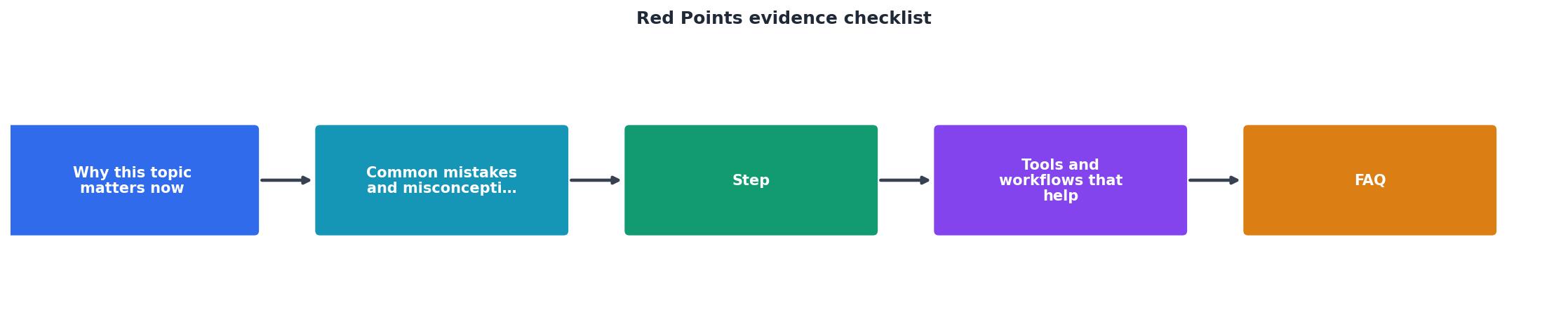
Tools and workflows that help
The manual approach, searching your email for invoices, logging into each platform to download certificates, and organizing files in a folder, works for a handful of assets. It breaks down fast when you're managing dozens of stock assets across multiple projects and platforms.
Centralized receipt storage. Use a tool like Notion, Airtable, or a simple Google Sheet to track every licence you own. Columns: Asset Name, Platform, Date Purchased, Licence Type, Receipt (link to file), Certificate (link to file), Use Case, Notes. Spend 2 minutes per asset at purchase time to fill it in. When a claim arrives, search this sheet and pull everything at once.
Platform account organization. Most stock platforms let you tag, organize, or comment on downloads. Use this. Tag every download with your use case (e.g., "Client: Acme Corp Social", "Product: Newsletter Template", "Personal: Blog Post"). When you need to find an asset, these tags make searching your account fast.
Bulk licence certificate download. Tools designed for this (like Licence Downloader) connect to your stock accounts and download all your licence certificates in bulk. Instead of logging into five platforms and downloading each certificate one by one, you run a bulk export, organize the results, and keep them in your archive. For teams or agencies managing hundreds of assets, this is a game-changer.
Automated reminders. If you use a tool that tracks your subscriptions, set a reminder to export and archive your certificates quarterly. This way, you're never scrambling to recreate months of history.
Custom evidence verification dashboard
To show you exactly what a Red Points response looks like, here's an interactive example of a completed evidence package for a typical claim:
Example: Red Points Response Package
This dashboard represents a complete evidence package. Every field has documentation attached. When you assemble your response with all sections filled in, Red Points has what it needs to resolve the claim quickly. Without all pieces, the process stalls.
Red Points Evidence Checklist
Your progress is saved automatically in your browser.
FAQ
Frequently Asked Questions
The difference between winning and losing a Red Points dispute isn't luck. It's preparation. Teams and creators who maintain organized licence archives, document their assets at purchase time, and respond quickly with complete evidence almost always resolve claims in their favour. Those who scramble, forget where they bought an asset, or can't find the receipt, face unnecessary stress and sometimes real consequences.
Start building your evidence archive today, even if no claim has arrived yet. Download your licence certificates, store your receipts, and tag your assets. When a notice arrives, and in this era of aggressive copyright enforcement, it probably will at some point, you'll respond in an hour, not a week. You'll have the proof Red Points needs, and the dispute will be over before it becomes a crisis.
Additional Resources
- How to choose a Brand Protection vendor in 2026 - This checklist helps you evaluate vendors objectively, compare solutions side-by-side, and ensure the partner you select can scale with your ...
- Resources for Brand Protection Thought Leadership - checklist to protect and boost your ecommerce. What Red Points' anti-counterfeiting technology includes, and how it helps companies take down fakes online.
- Red Points' AI Brand Protection Platform - Our AI platform takes down counterfeits, fake websites, social media fraud accounts, and piracy. Safeguard your brand, protect your revenue, and secure your ...
Need to Download Your Licences?
Save hours of manual work. We download all your stock photo licence certificates for you.
Get Started“Thanks to LicenceDownloader.com, I was able to download more than 1,000 Freepik licences and receive them all at once via ZIP.”
Marlon Mainardy